- Need to monitor how long issues or tasks stay in particular statuses (like 'In Progress,' 'Review,' 'Testing,' etc.)?
- Need a nudge before your project deadlines?
- Wondering how to be alert when tasks are nearing their due dates?
- Or maybe you need to send notification to users who are in custom fields at some statuses?
Look no further and set up notifications based on time in a status custom field to elevate your team's efficiency.
In this article, I will explain how to get email notifications based on issues in particular statuses.
Jira Cloud does not natively provide a "time in status" field, which shows you how long an issue has been in a particular status. So, for the article, I use Time in Status custom field feature. Here is documentation.
So, let's set up the email!
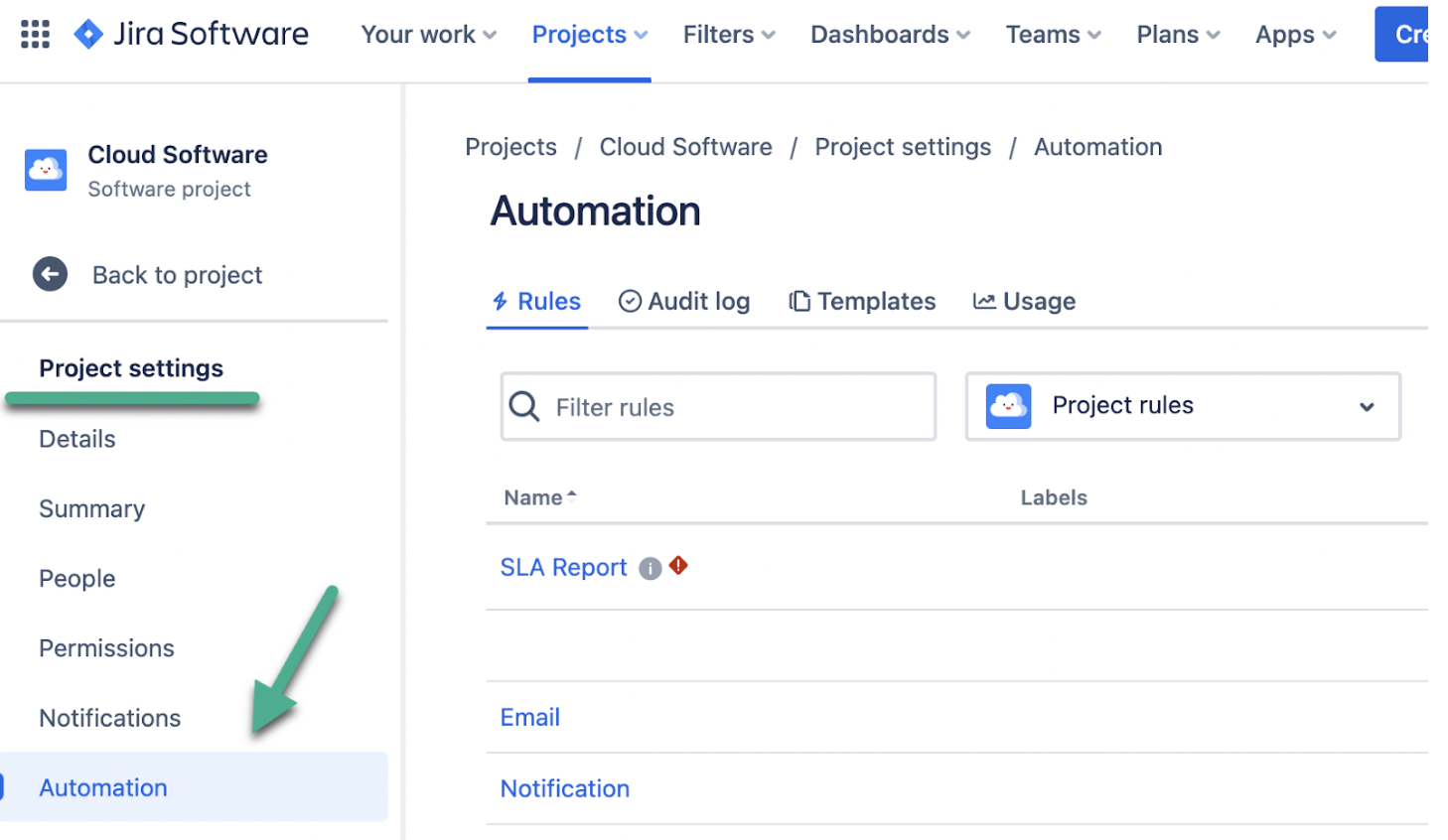
To set up Automation in Jira, go to Project settings → Automation.
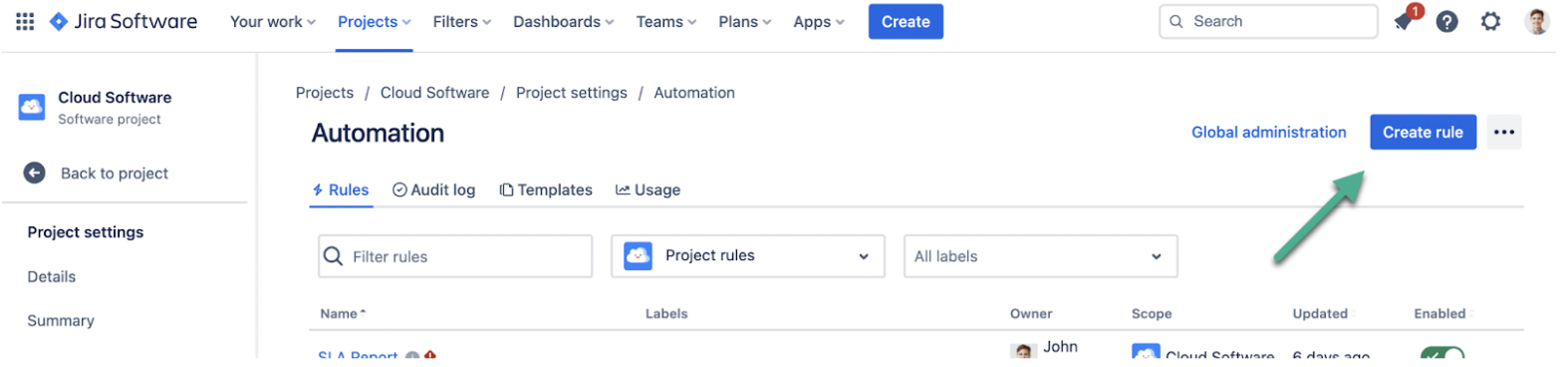
Then click Create rule.
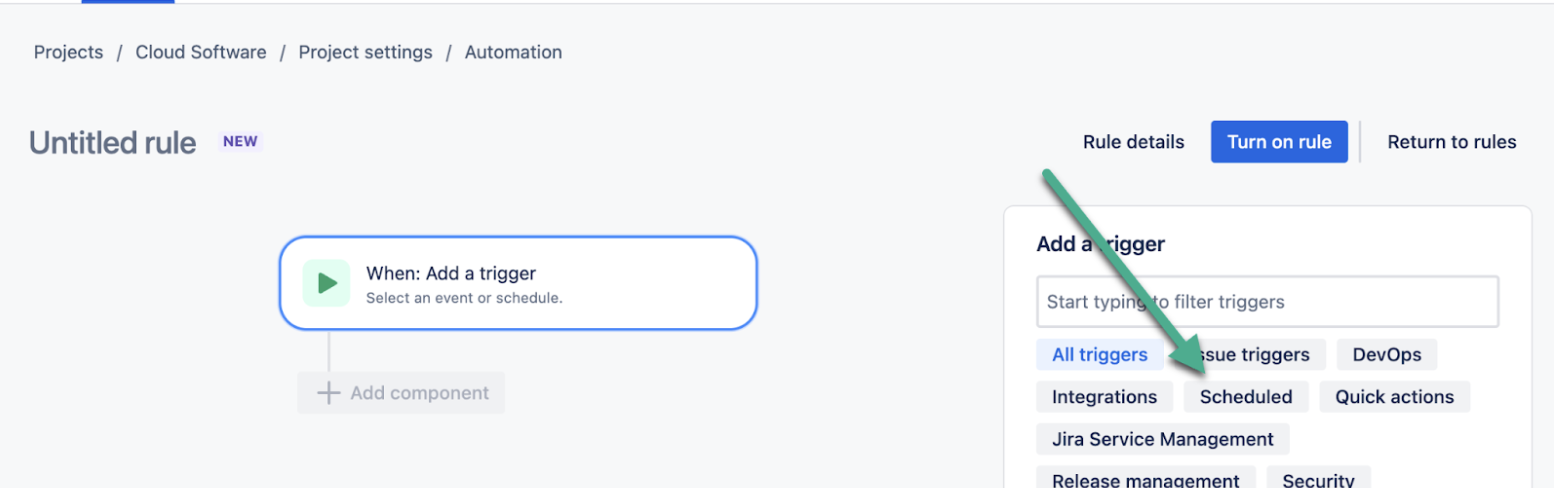
Than choose Scheduled
And fill all the rows.
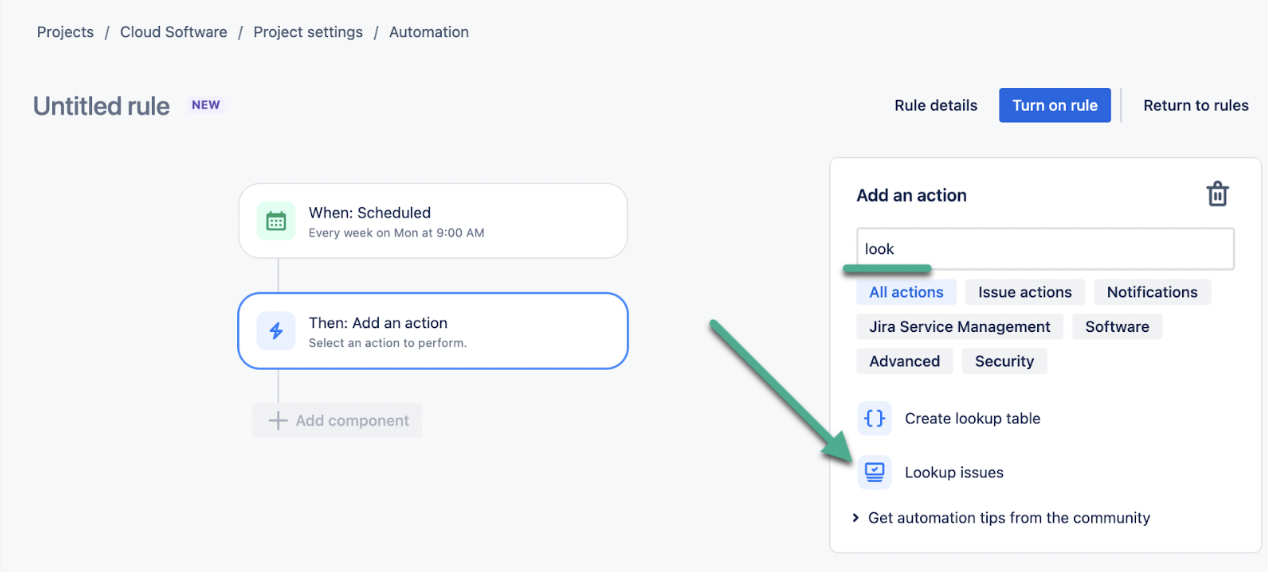
Then add component → Add an action → choose "Look up issues."
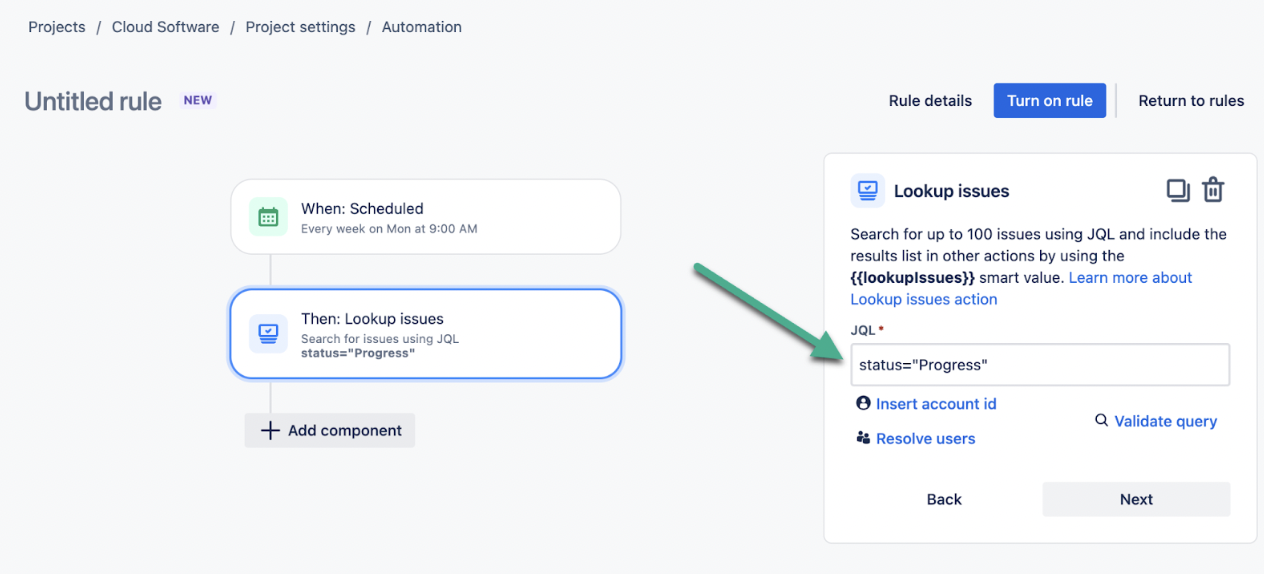
Here, you need to write JQL to find all issues in status about which you need to be informed. For me, it:
status="Progress"
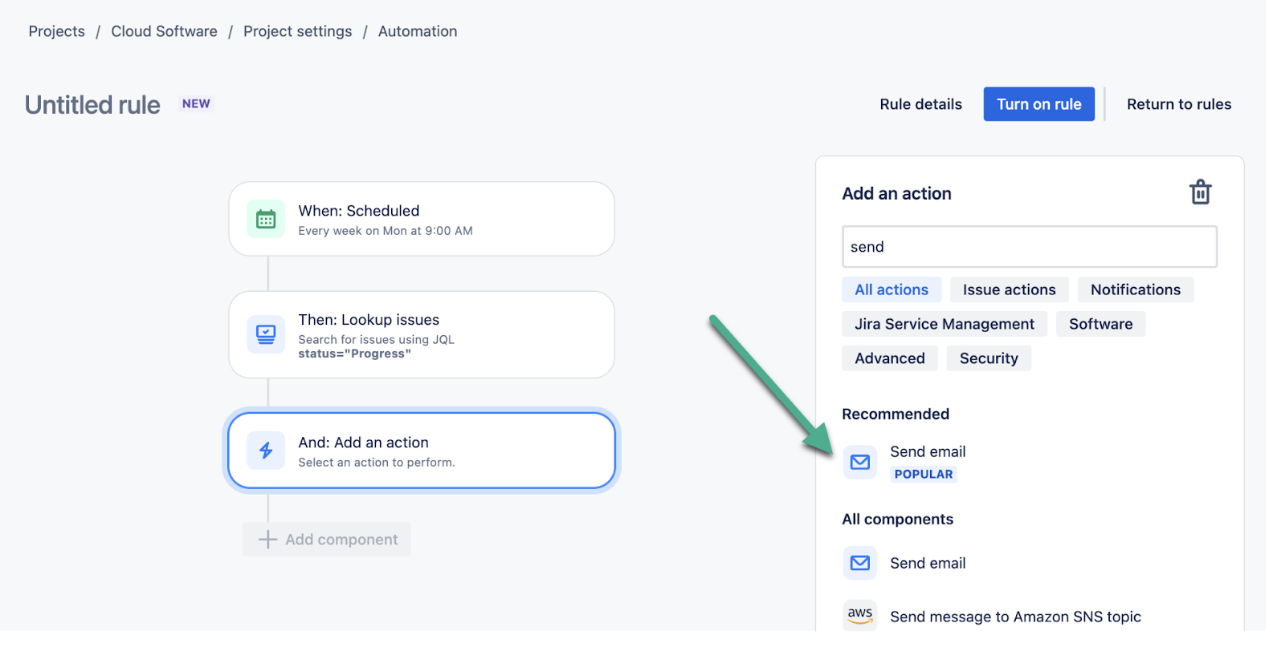
Then, add a component → choose "Send email"
And create content for your Jira email notification.
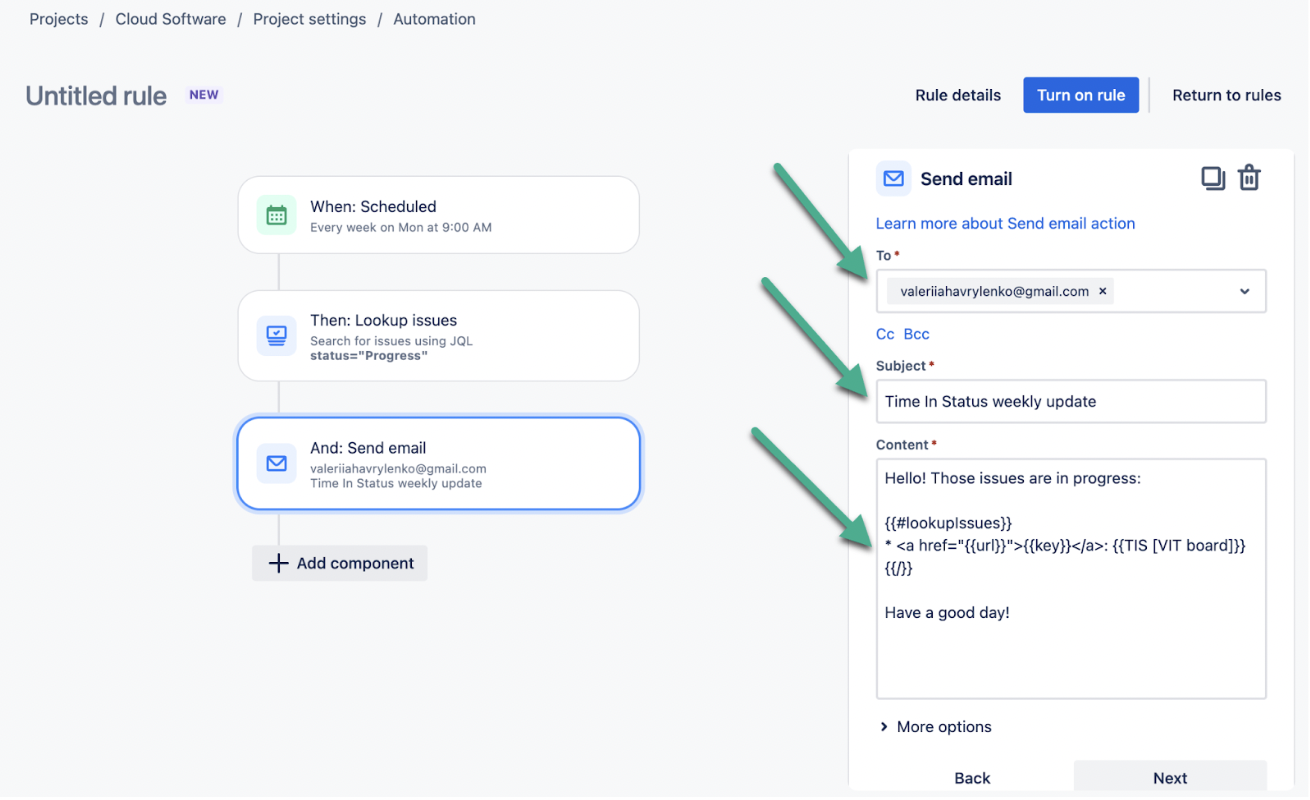
Where :
- {{#lookupIssues}}
- {{/}} — this pair of commands works like cycle to iterate through your tasks
- {{TIS [VIT board]}} — name a custom field of Time in Status for the Jira add-on that tells you how much time your issue stayed in a particular status
- {{key}} — is a task key
- <a href="{{url}}"></a> — gives you clickable link to task
Last but not least, Name your Jira Automation.
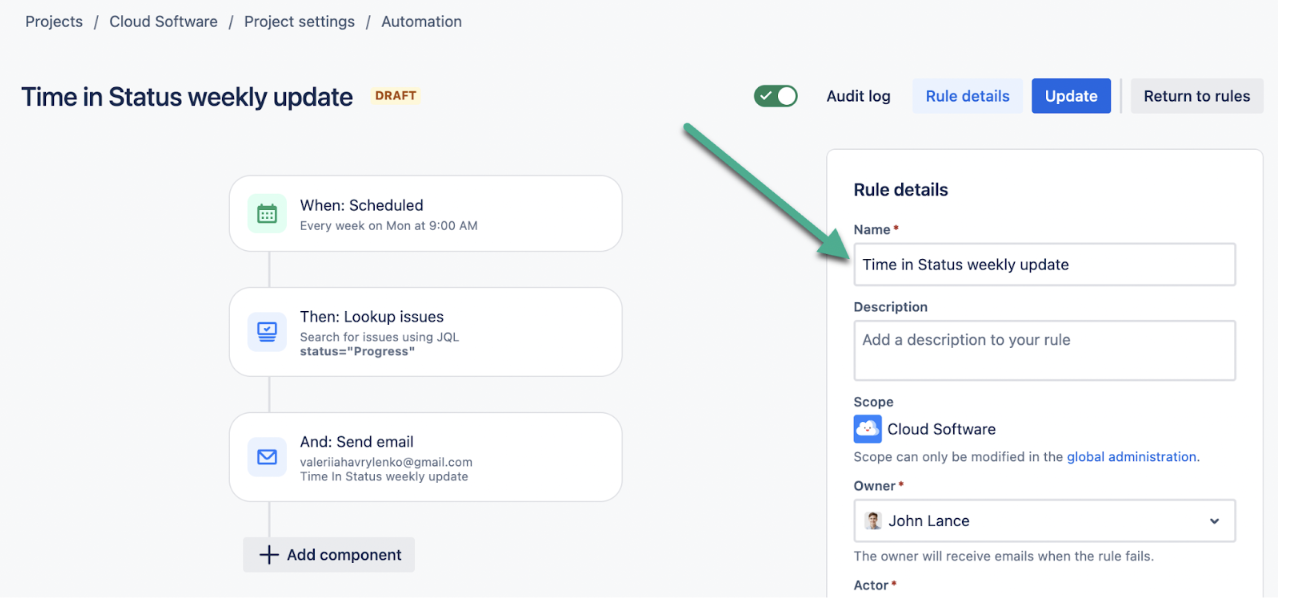
For me, it's a Time in Status weekly update.
_____________________
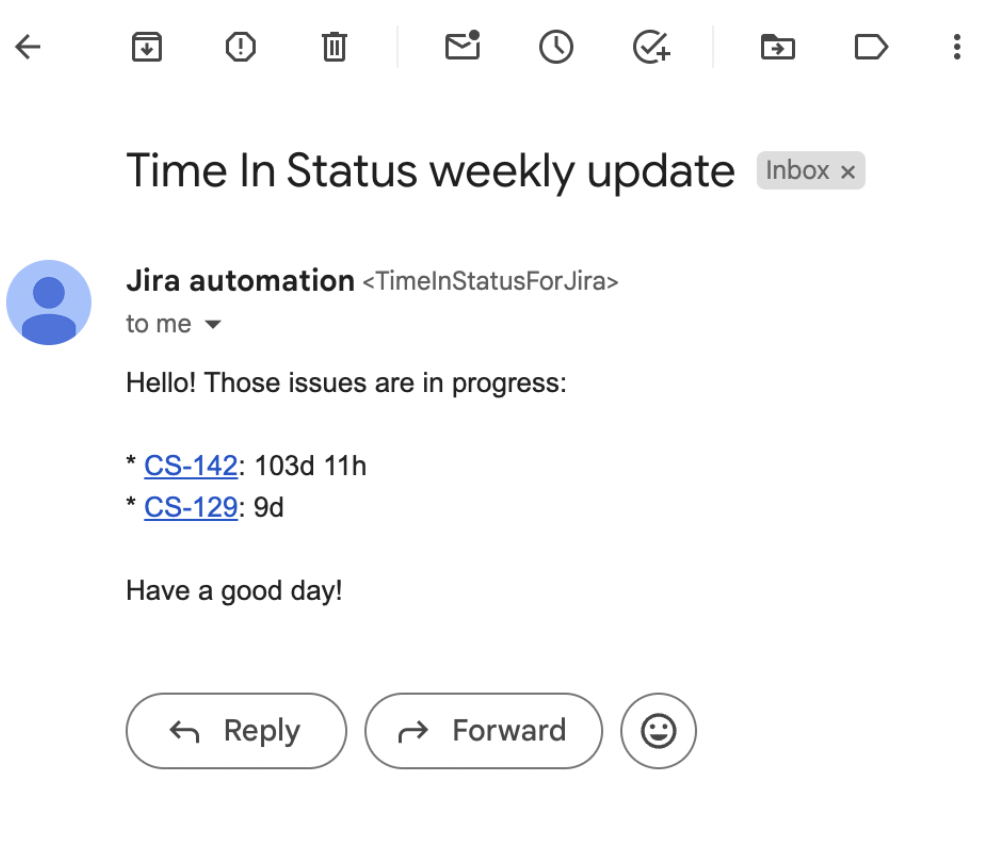
So, as a result, you have a Time in Status report email notification with linked issues. So you will be informed about all the delays and bottlenecks by your inbox.
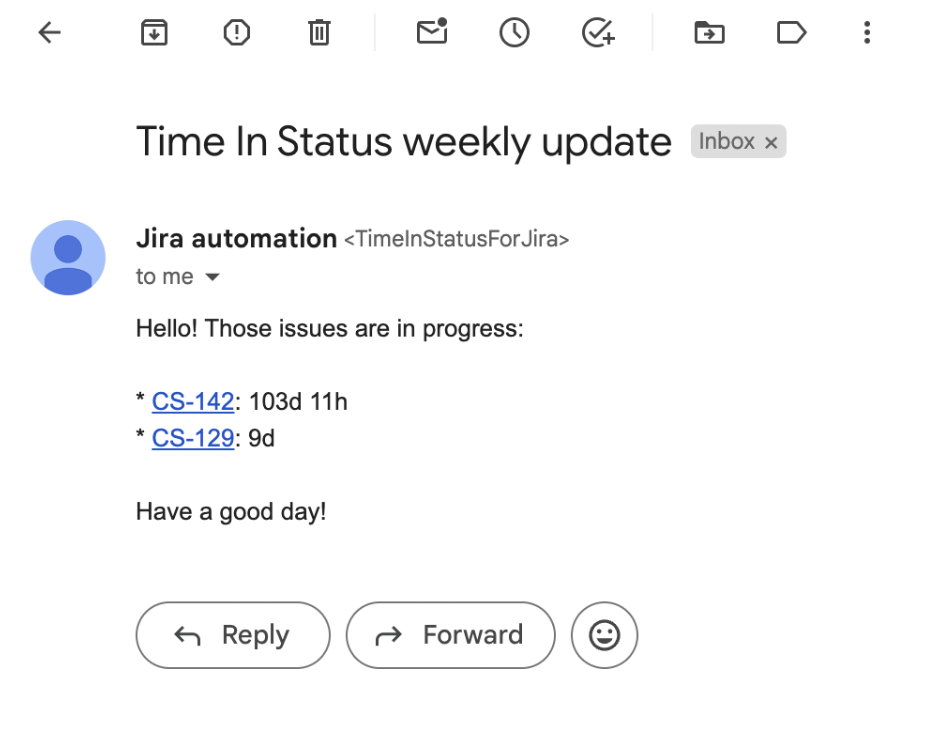
So, to enhance your reports, I suggest you try Time in Status with a custom fields option.
I am pleased to offer you a 30-day trial of Time in Status. Furthermore, our add-on is free for up to 10 users, allowing you to evaluate its effectiveness in your service processes.
