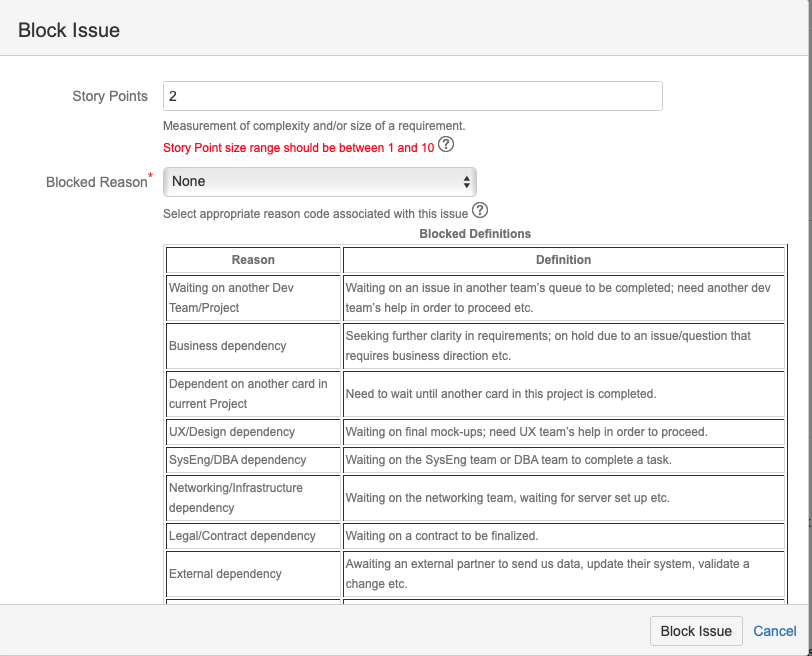
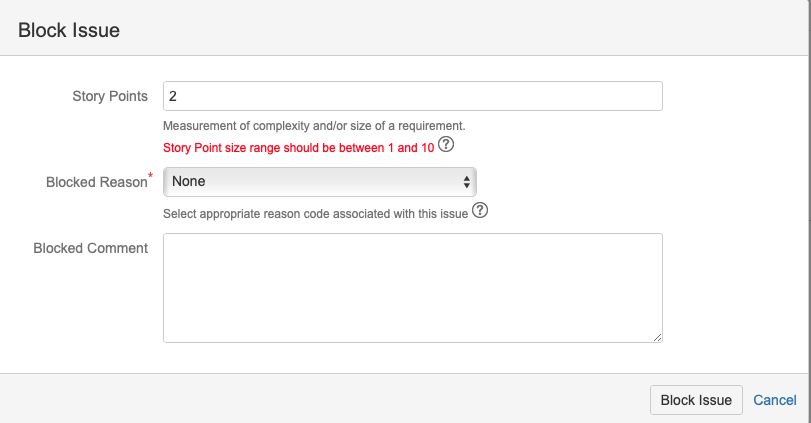
I am trying to add Help Text to custom fields using javascript but find that if I have two fields that have the javascript only one set of help text is displayed
Blocked Reason custom field

Select appropriate reason code associated with this issue
<script type="text/javascript">
 function showHelp() {
 var listenersDiv = document.getElementById("bcFieldHelp");
 if (listenersDiv.style.display == 'none') {
 listenersDiv.style.display = '';
 } else {
 listenersDiv.style.display='none';
 }
 }
</script>
<a href="#" onclick="showHelp(); return false;"><img src="/images/icons/ico_help.png"/></a>
<div id="bcFieldHelp" style="display:none">
<center><b>Blocked Definitions</b></center>
<table border="1", cellpadding="2">
 <tr>
 <th>Reason</th>
 <th>Definition</th>
 </tr>
 <tr>
 <td>Waiting on another Dev Team/Project</td>
 <td>Waiting on an issue in another team’s queue to be completed; need another dev team’s help in order to proceed etc.</td>
 </tr>
 <tr>
 <td>Business dependency</td>
 <td>Seeking further clarity in requirements; on hold due to an issue/question that requires business direction etc.</td>
 </tr>
 <tr>
 <td>Dependent on another card in current Project</td>
 <td>Need to wait until another card in this project is completed.</td>
 </tr>
 <tr>
 <td>UX/Design dependency</td>
 <td>Waiting on final mock-ups; need UX team’s help in order to proceed.</td>
 </tr>
 <tr>
 <td>SysEng/DBA dependency</td>
 <td>Waiting on the SysEng team or DBA team to complete a task.</td>
 </tr>
 <tr>
 <td>Networking/Infrastructure dependency</td>
 <td>Waiting on the networking team, waiting for server set up etc.</td>
 </tr>
 <tr>
 <td>Legal/Contract dependency</td>
 <td>Waiting on a contract to be finalized.</td>
 </tr>
 <tr>
 <td>External dependency</td>
 <td>Awaiting an external partner to send us data, update their system, validate a change etc.</td>
 </tr>
 <tr>
 <td>Other</td>
 <td>Reason not listed in the dropdown.</td>
 </tr>
</table>
</div>
Story Points Field

Measurement of complexity and/or size of a requirement. </br>
<font color="red">Story Point size range should be between 1 and 10</font>
<script type="text/javascript">
 function showHelp() {
 var listenersDiv = document.getElementById("spFieldHelp");
 if (listenersDiv.style.display == 'none') {
 listenersDiv.style.display = '';
 } else {
 listenersDiv.style.display='none';
 }
 }
</script>
<a href="#" onclick="showHelp(); return false;"><img src="/images/icons/ico_help.png"/></a>
<div id="spFieldHelp" style="display:none">
<center><b>Sprint Sizing Definition</b></center>
<ul>
 <li>1 point = 1/2 day of work for 1 pair; therefore a pair does 2 points per full day (for estimating purposes).</li>
 <li>For single dev. work, a single dev. would do 1 point per day. </li>
 <li>Point sizes need to reflect development, QA, and acceptance.</li>
 <li>A single (1) point is the lowest amount of work (i.e., if something takes 2 hours, it still remains a 1 point effort).</li>
 <li>Points are determined in a linear fashion, 1, 2, 3, 4, 5…10.</li>
</ul>
</div>
If both Fields exit on the screen the help text only displays one set of text for both fields
- In my case, if a click on the help fo Story Points I get the text for Blocked Reason and Blocked Reason gets the correct text
- If I edit an issue that click on the help text icon I get nothing