I've got a task to migrate our old Confluence 3.3 instance, currently running on Windows Server 2003 R2 to Windows Server 2012 R2 (x64)
So I followed the documentation: https://confluence.atlassian.com/doc/migrating-confluence-between-servers-184150.html
1. What's the problem?
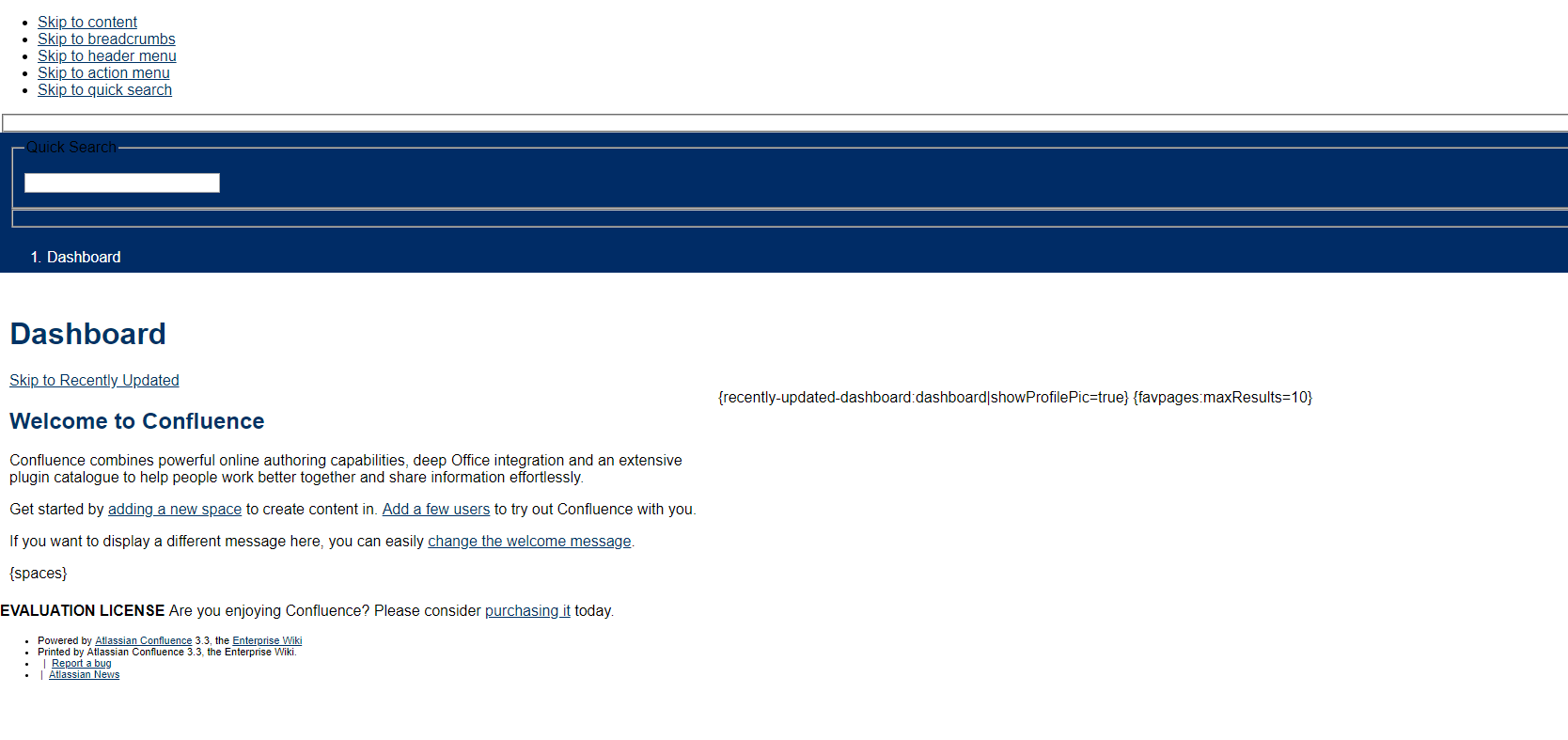
After migration all pages are missing, layout is broken as well as CSS.
Users can log in, so accounts exist in the database.
2. What I tried/did?
- MySQL has been migrated by copying binary database files (so without dumping and restoring) as well as dumping and restoring.
- Tomcat has been replaced with the same version but compiled for x64 systems (downloaded from Tomcat site)
- I did a Full Site Backup on the old instance and import it during install on the new instance.
After completing import the site works (some plugins are missing because XML backup does not cover plugins, but that's not the problem) but only until a reboot.
When I reboot the server or manually (gracefully) stop the service (via services.msc) and the start the service the site gets corrupted/broken (like on the screenshot)
When the site was working I made a backup of Confluence home and install dir as well as a database dump (without stopping the service).
Restoring these files (and dump) does not fix the issue.
To summarize what I did:
- Made a XML backup
- Made a MySQL dump
- Copied Confluence install dir from old instance to new instance
- Started install on new instance, entered license key, set up DB connection
- Copied XML backup ZIP file to <Confluence home>/restore
- Pointed to the file during last step of install process
- Waited until the import was finished
- Site is working
- Stopped the service
- Started the service after 10 seconds
- The site is broken
I tried deleting Tomcats cache from C:\Program Files\Confluence\work\Standalone and cache from home directory.
3. Current configuration:
- Java: JDK and JRE 1.6.0_45 x64 (no %JAVA_HOME% and %JRE_HOME% set to C:\Progra~1\Java\jre6\bin), C:\Program Files\Java\jre6\bin\server\ and C:\Program Files\Java\jre6\bin added to %PATH%
- Tomcat replaced with 64 bit version (from apache-tomcat-6.0.32-windows-x64.zip)
- Installed as a service (using service.bat from Tomcats bin directory)
Service properties from (tomcat6w) are mostly default, only memory pools are increased to 2048 (initial) and 4096 (maximum)
Java option:
-Dcatalina.base=C:\Program Files\Confluence
-Dcatalina.home=C:\Program Files\Confluence
-Djava.endorsed.dirs=C:\Program Files\Confluence\endorsed
-Djava.io.tmpdir=C:\Program Files\Confluence\temp
-Dconfluence.import.use-legacy-importer=true
-XX:MaxPermSize=256m
Legacy importer is set to true because otherwise it would not import the XML backup (https://jira.atlassian.com/browse/CONFSERVER-20400)
I can provide contents of any configuration file if necessary.
4. Logs (on DEBUG level)
confluence-stdout.2019-01-08.log - https://pastebin.com/raw/FNZsUFTN
atlassian-confluence.log - https://privatebin.net/?270acdce7395610d#s16L3ajboX6k+1BXbFoHqQwzp8Y7rrZqbPy76hVoBe8= (that's like 2MB in size)
This logs do not contain any exceptions or errors - any clues at all (or I missed them)
I know that this Confluence version is way outdated, but a lot of people in my company are still using it so any hints would be much appreciated.


