We have had two separate issues creating a link between Jira Service Desk and Confluence on the same Windows server but with two separate Tomcat instances: Jira 8080(HTTP)/8442(HTTPS) and Confluence 8090/8443, the base URL in both cases is HTTPS.
We couldn't get the Application Link to work using the HTTPS addresses, but it did work fine using the HTTP address and Oauth. The server sits behind a firewall that blocks port 8080 and 8090 so there was no security risk involved {so this was actually our preferred configuration} i.e. only port 8442 and 8443 are accessible to outside users. Jira nicely gave us a warning message about the Application (HTTP) and Display (HTTPS) addresses being different and being behind a firewall (exactly our case) and created the link without issue.
Everything seemed to work fine, but now that Firefox and Chrome have blocked mixed content by default, there are issues:
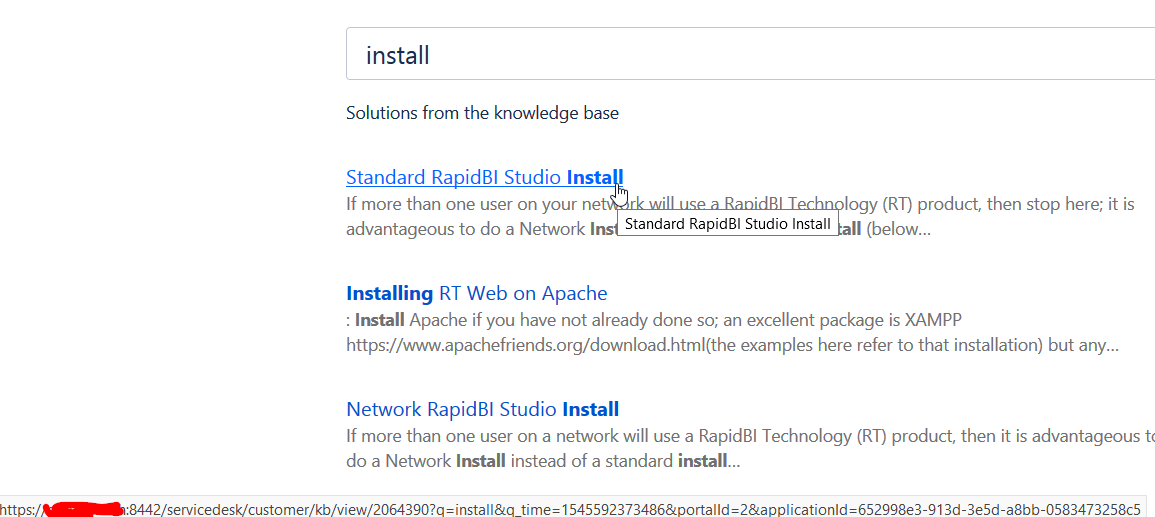
1. The first issue is that the Jira Service Desk seems to "inconsistently" use the Application Address (HTTP) when it should be using the Display address (HTTPS). When you simply type into the Search bar in the customer portal, the service desk suggests links that are built correctly usingthe HTTPS address:
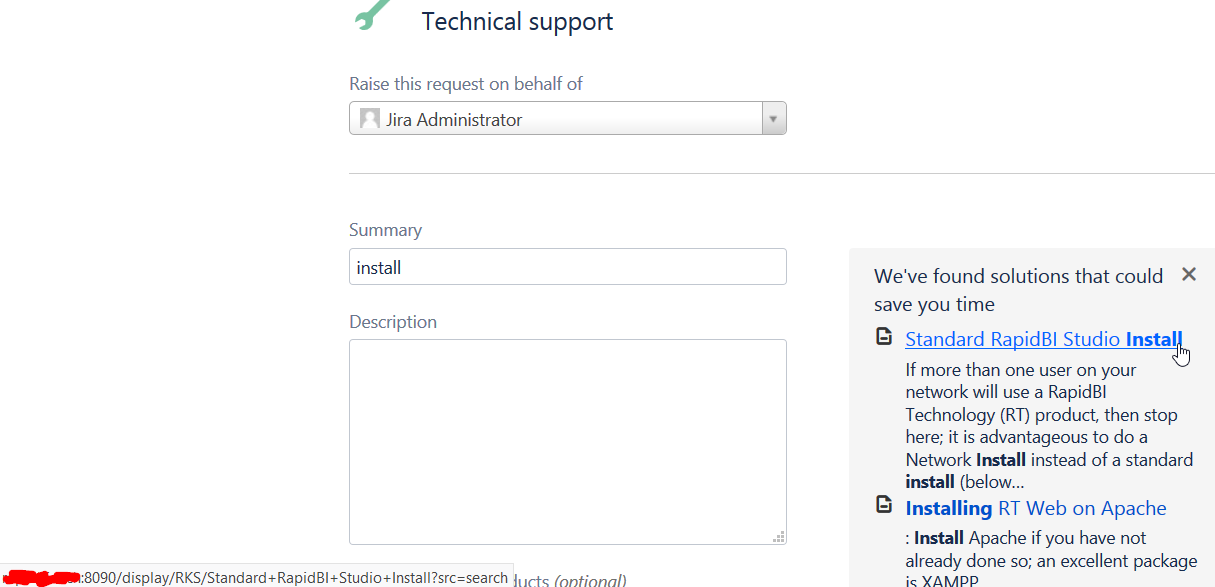
However, if you go into one of the categories like Technical Support, and then type into the Search bar, the links are incorrectly built with the HTTP (8090) address, and clicking on any of them to open is either blocked because of mixed content (behind our firewall) or is inaccessible (outside the firewall) - either way it would be much better if the window would not simply spin and give no indication to the user what the error is.
2. Secondly, we were finally able to resolve the HTTPS application linking issue; because we assumed that was the problem with Jira Service Desk building the links incorrectly was because of our HTTP application link (even though it really shouldn't matter in this case).
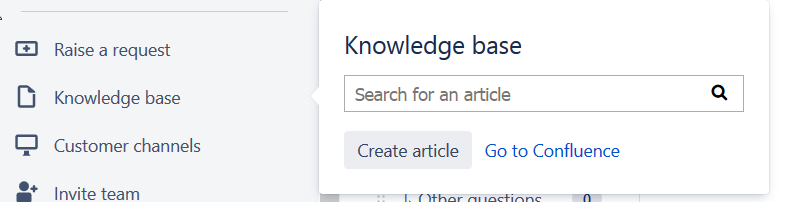
We tested with a new service desk and added a new link to Confluence and the HTTPS links are indeed always correctly built now, but despite what the online documentation says here https://confluence.atlassian.com/servicedeskcloud/set-up-a-knowledge-base-957150219.html there appears to no longer be a way to "unlink" the knowledge base from the help desk anymore?!? We assume that simply deleting the link and rebuilding it will take care of the issue, but the only options are "Create Article" and "Go to Confluence" so we can't do that anymore, so what do we do to rebuild the link?
I would assume that #1 is a "bug" or maybe just a "limitation", and I'm hoping that #2 can be overcome somehow, but if anyone has insights, please let us know, thanks.

