We develop a JIRA plugin that adds a new web panel and web item to JIRA. We use the JIRA version 7.11.1. The code and some screenshots of our JIRA plugin can be found here:
https://github.com/cures-hub/cures-condec-jira
We want to add a page to the general view of JIRA. This is the current view using a web-panel:
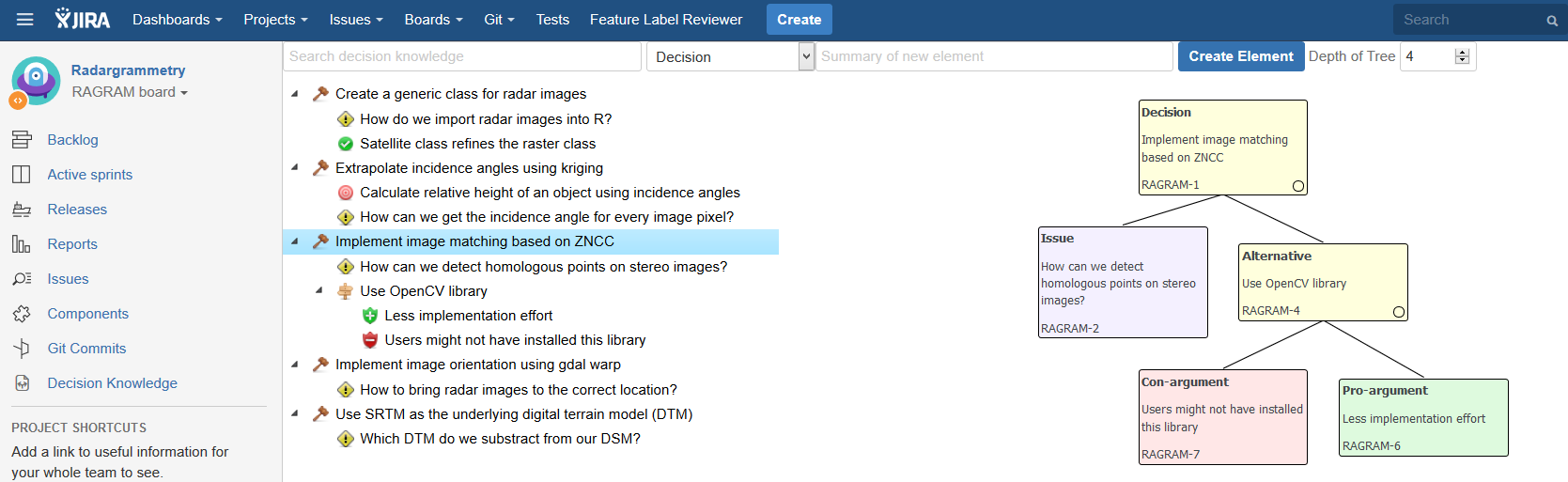
The atlassian-plugin.xml looks like this:
    <web-item name="Link to the ConDec Plug-in in Side Bar" key="side-bar-link"
        section="jira.project.sidebar.plugins.navigation" weight="1000">
        <description>Provides the "Decision Knowledge" link to the plug-in page in the project's navigation side
            bar.
        </description>
        <label>Decision Knowledge</label>
        <param name="iconClass" value="aui-icon aui-icon-small aui-iconfont-decision" />
        <link> /projects/$pathEncodedProjectKey?selectedItem=decisions-page</link>
        <conditions type="AND">
            <condition class="de.uhd.ifi.se.decision.management.jira.config.ActivationCondition">
                <param name="projectKey" value="$pathEncodedProjectKey" />
            </condition>
        </conditions>
    </web-item>
    <web-panel name="ConDec Plug-in Page" key="decisions-page" location="decisions-page">
        <description>
            Provides the plug-in page that developers use to manage decision knowledge.
        </description>
        <resource name="view" type="velocity" location="templates/decisionKnowledgePage.vm" />
    </web-panel>
We want to pass the key of a selected issue to the link/location of the web panel.
It should be possible to reach the web panel via the link
/projects/$pathEncodedProjectKey?selectedItem=decisions-page?elementKey=ANY_ISSUE_KEY
When we append
?elementKey=ANY_ISSUE_KEY
to the link, the page location cannot be found anymore. How can we pass arguments (an issue key) to the web panel via the link URL? Thanks!

