Bitbucket is running behind an apache proxy and is accessible through the proxy dns name via https.
Howevers, bitbucket does not automatically detect the scheme on how it was accessed (http/https) so it is showing http:// when getting the clone url.
This could be also a cause why creating a branch is failing show (cross site scripting error).
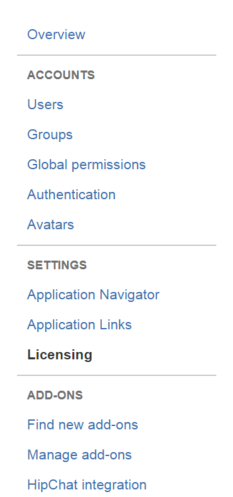
As per documentation, I can update the the base url through the UI under settings section, but that menu does not exists at all.
Referenced documentation: https://confluence.atlassian.com/bitbucketserver055/specifying-the-base-url-for-bitbucket-server-940682822.html
Current UI displaying
How can I manually update the base url from the configuration without the need to configure ssl on bitbucket itself as it is already handle by apache.
Similar to jira, I can specify base url through the administration screen and change it to use https://
Environment:
- Atlassian Bitbucket v5.5.1
- Ubuntu 16.x

