Hi,
I'm having a trouble when trying to custom the Jira's issue detail page.
Usually, the issue detail page, we have a link to view the workflow's graphic.
Now I
 That web-panel has the id="details-module". Now I want to replace that web-panel by my custom tom web-panel. So I added this to atlassian-plugin.xml.
<web-panel key="details-module" system="true" location="atl.jira.view.issue.left.context" weight="100">
    <context-provider class="jira.plugin.viewissue.DetailsBlockContextProvider"/>
    <resource name="view" type="velocity" location="/templates/jira/plugin/viewissue/detailsblock.vm"/>
    <label key="viewissue.subheading.issuedetails"/>
</web-panel>
Some how when I run it, the default web panel still appear above of my custom web panel, like this:
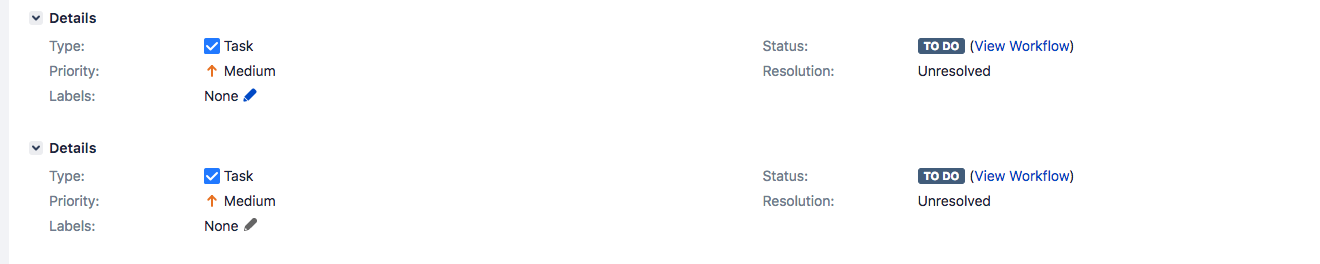
I can write some Javascript code to hide the first web-panel but it's just a workaround and sometimes it doesn't work.
Is there any way to hide the Jira's default web-panel?
Any help would be apprecieated.

