First, I'm using SourceTree on my PC number 1 and it's been working well.
Now I have a second PC, a virtual machine, and I have been using SourceTree for a while. Although SourceTree has frequently asked username and password, it has been working until very recently.
From today, every time I try to pull, the small screen asking for Atlassian username and password appears. Even though I enter correct username and password, it does not work, and the same window keeps appearing.
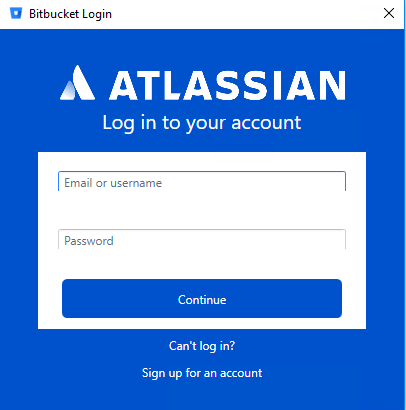
From "Can't log in?" button, I have updated my password.
This new password is working for Options > Authentication > Accounts > Add for both PC number 1 and 2 (virtual). In both cases, it says "Authentication is OK".
However, now the small window keeps appearing in both PC1 and 2. I enter the username / email and the new password, but ~5 seconds later, the same window appears.
Now I cannot do anything with SourceTree in both machines.
Any suggestions, anybody?
Should I try something like below as suggested somewhere else?
http://username@host/path/to/repo
In PC1, Remote URL is set as
https://xxxxxxxxxxxx@bitbucket.org/xxxxxxxxxxxx/yyyyyyyyyyy
but still the same screen and Pulling is failed with an error:
git -c diff.mnemonicprefix=false -c core.quotepath=false --no-optional-locks -c credential.helper= -c credential.helper="xxxxxxxxxxxxxxxxxxxx/GIT-CR~2.EXE" fetch origin
fatal: HttpRequestException encountered.
   An error occurred while sending the request.
remote: Invalid username or password. If your organization manages your account or you've enabled two-step verification, create an app password to log in: https://confluence.atlassian.com/x/xxxxxxx
fatal: Authentication failed for 'https://xxxxxxxxxxxxxxxxx@bitbucket.org/xxxxxxxxxxxxxxxxx/xxxxxx.git/"
Completed with errors, see above.
Then I thought I can still use command line.
git pull origin master
But the same small screen appeared. When I entered username and password, this error happened.
fatal: HttpRequestException encountered.
   An error occurred while sending the request.
Following that, another small window appeared.
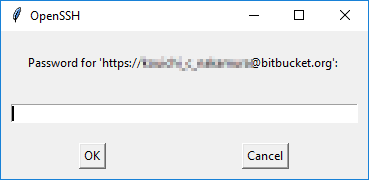
Then I entered the same password again. And finally it seemed to work.
From https://bitbucket.org/xxxxxxxxxx/xxxxxxxxx
 * branch              master     -> FETCH_HEAD
Already up to date.
But when I tried to Pull from SourceTree GUI again, it failed with the same error as before.
Git version (both PC1 and 2)
Embedded git version 2.17.1/LibGit2Sharp 0.24.0 + git-lfs v2.4.2
SourceTree version (both PC1 and 2)
2.6.10.0
Windows 10

