I have a request to create some scripted fields to track time in status. I've created all of the scripts and placed them on a new tab in the View screen. I've created the 4 fields all of Duration Searcher type via the Script Runner Scripted Fields add on and changed the context to the correct project
I have two screen schemes: one for Bugs and one for all other issue types (Epic, Improvement, Story, Task, New Feature, Sub-task).
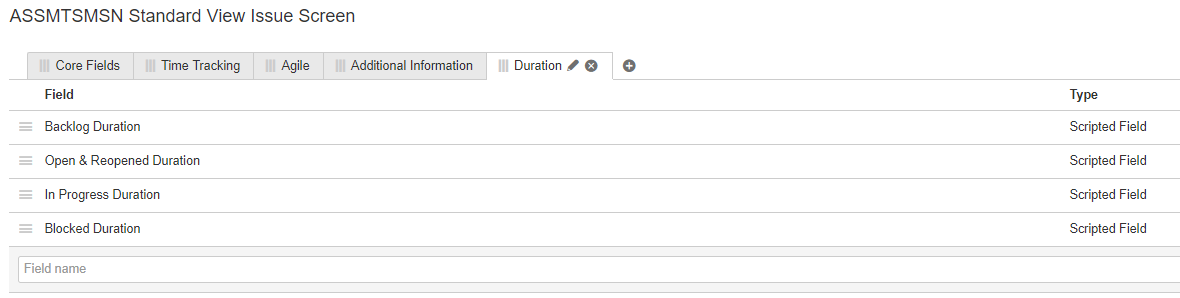
The scripts work as expected, however, the placement of the fields when in task view changes.
If nothing is in the TimeTracking, Agile or Additional Info tabs then the fields display in the Details section.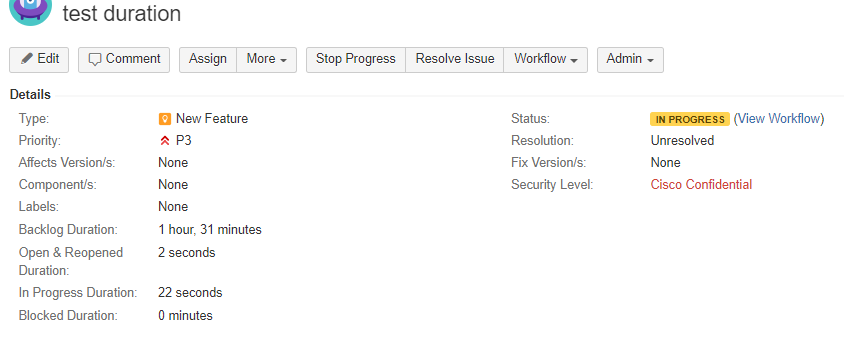
If I have data entered on one of the other tabs of the screen the 'Duration' fields display on the Duration tab I've created for them.
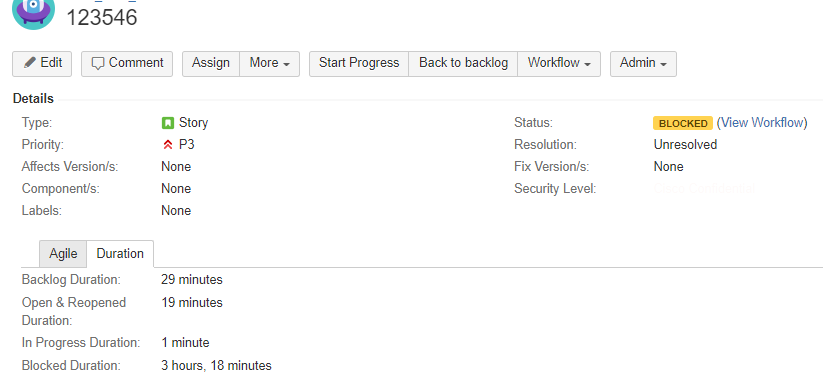
However, the above isn't always consistent however, sometimes the fields display in the dates section. This is random behavior that I cannot figure out.
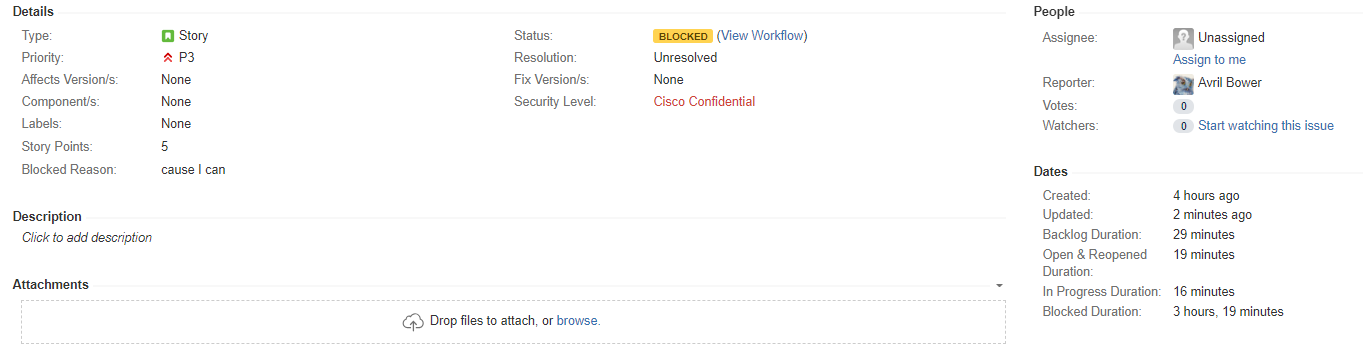
I understand some of this behavior since these are non-editable fields however, is there any way that the fields can always be displayed in the Duration tab instead of switching places? Or would it be possible to always display them in the Dates section instead of a screen tab (maybe a change in template could accomplish that)? I think I would prefer them to always be in the Dates section if possible.
Thanks in advance!
Avril


