When I view the source files of my repo from two different ways of getting to that view I see two different results:
Situation A:
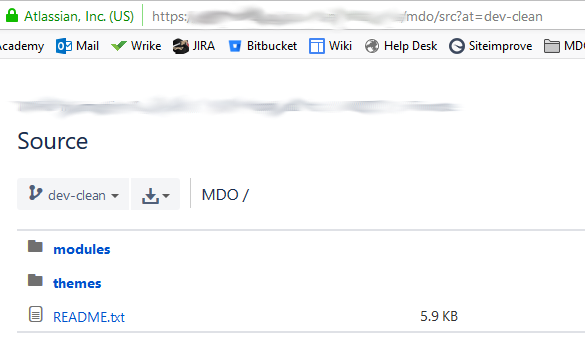
"http://...src?at=dev-clean" shows me 2 directories and a README.txt file.
Situation B:
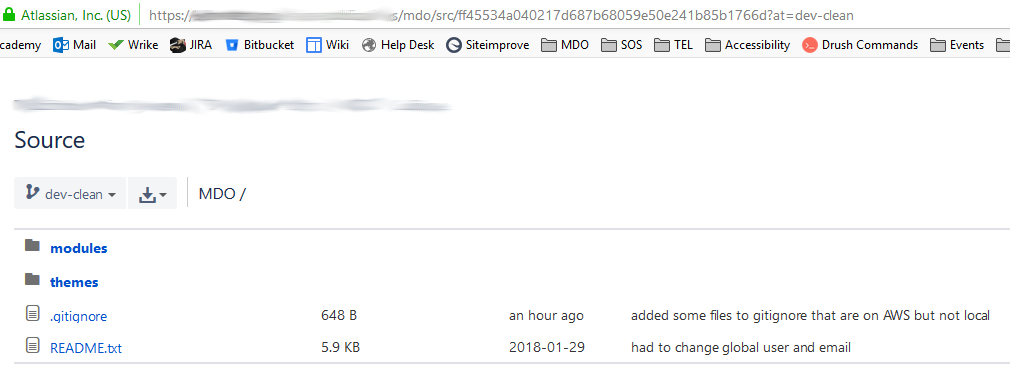
"http://...src/ff45534a040217d687b68059e50e241b85b1766d?at=dev-clean" shows me the same 2 directories and the README, but also shows the .gitignore file.
Expectation:
I have and do want the .gitignore file tracked, and I would expect both views/URLs to show the same exact "Source" code since I am supposedly viewing the source.
How I arrived at each view/URL:
In Situation A I navigate to "Branches" in the left navigation menu of the repo, then on the far right of the desired branch name I click on the 3 dots, followed by the drop-down link for "View source". It appears to show me a "landing page" for that branch.
In Situation B I navigate to "Source" in the left navigation menu of the repo, then choose the desired branch name from the drop-down button. What loads is a page almost identical to the "landing page" described above, yet the difference is that the URL of this page contains the commit name of the most recent commit.
Why does this happen? And why would any view of the "source" of a branch, not contain all the directories and files of that branch?
FYI: here is my commit history:



