Our desktop client for Jira (JIRA Client) cannot connect Jira Cloud since last changes on AtlassianID login page.
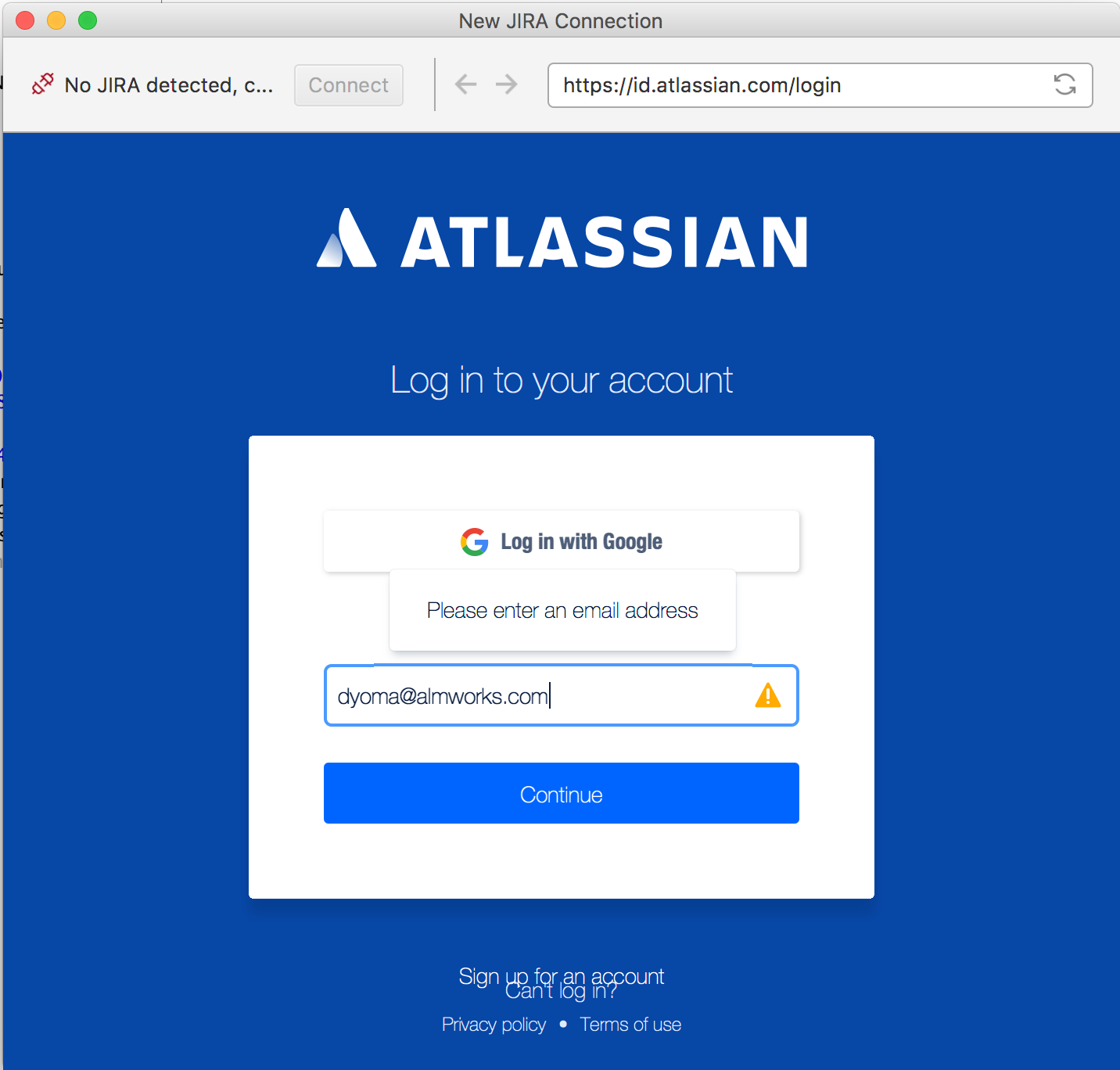
When a user fills in the E-mail field and presses the Continue button, the page does not sees the entered E-mail and reports "Please enter an email address" warning (as if the E-mail field is blank).
This way a user cannot complete login and get to Jira Cloud.
JIRA Client's browser is implemented over JavaFX WebView.
We believe this happens because of the login form doesn't work right on an elder browser. We observed a similar login problem with the extremely old Firefox version 7 (we did not test the page with other old browsers, just we accidentally had this one installed).
There is a inconvenient workaround: the user has to reconfigure his/her Atlassian account and change e-mail to some Google account. This enables "Log in with Google" feature, that works right.


![Photo of Igor Sereda [ALM Works]](https://us.v-cdn.net/6038660/uploads/avatars/91/c0/n91c0d44c3025693ab41c518ac13e240c.png)