Hi,
I'm trying to follow the Create a Confluence 'Hello World' Macro tutorial but upon reaching the 'Create a Macro Element in Confluence' step, my helloworld macro fails to appear in the macro browser.
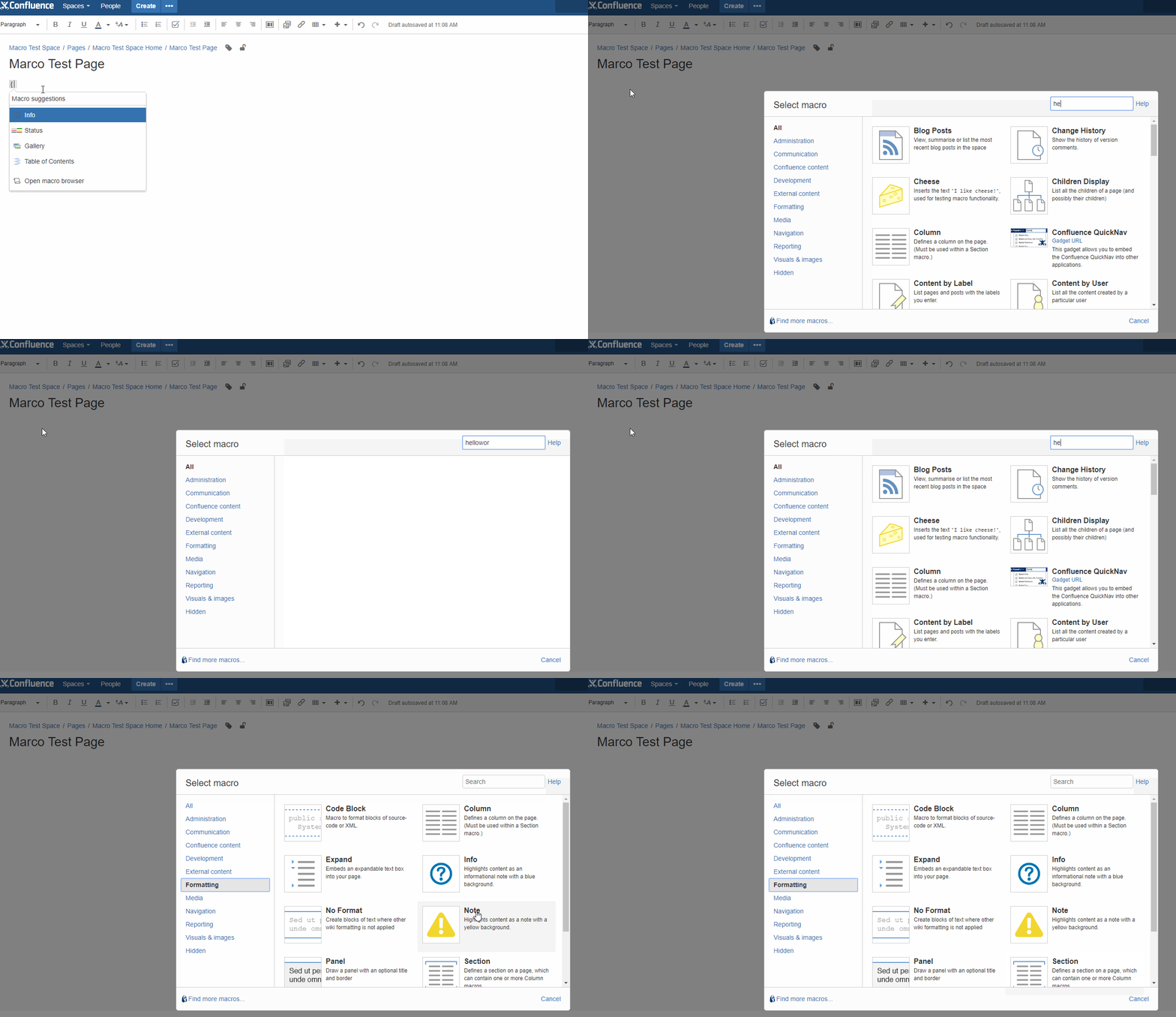
From the tutorial, the atlassian-plugin.xml was updated to include xhtml-macro tag:
<xhtml-macro name="helloworld" class="com.atlassian.tutorial.macro.helloworld" key='helloworld-macro'>
  <description key="helloworld.macro.desc"/>
  <category name="formatting"/>
  <parameters/>
</xhtml-macro>
The properties for the plugin were updated:
#put any key/value pairs here
my.plugin.name=MyPlugin
helloworld.macro.desc="Hello World"
I also added the helloworld.java file in /src/main/java/com/atlassian/tutorial/macro:
package com.atlassian.tutorial.macro;

import com.atlassian.confluence.content.render.xhtml.ConversionContext;
import com.atlassian.confluence.macro.Macro;
import com.atlassian.confluence.macro.MacroExecutionException;

import java.util.Map;

public class helloworld implements Macro {

  public String execute(Map<String, String> map, String s, ConversionContext conversionContext) throws MacroExecutionException {
    return "<h1>Hello World!</h1><h2>Test</h2>";
  }

  public BodyType getBodyType() { return BodyType.NONE; }

  public OutputType getOutputType() { return OutputType.BLOCK; }

}
I then ran atlas-mvn package as in the tutorial but that did not allow me to select the helloworld macro from the macro browser. I've also tried ctrl + Z shutting down the sdk application instances and restarting.
Is there a step missing from the tutorial?
Are there any known issues with the version of the sdk / application I'm running?
- confluence version: 5.10.7
- confluence data version: 5.10.5
- amps version: 6.2.11
- ATLAS Version: 6.2.14
- Java version: 1.8.0_121
Thanks,
Matt


