I can't seem to find how to do this.
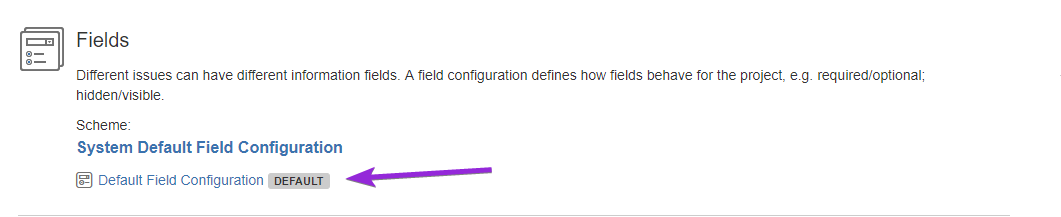
In the project summary I click on the currently used scheme:
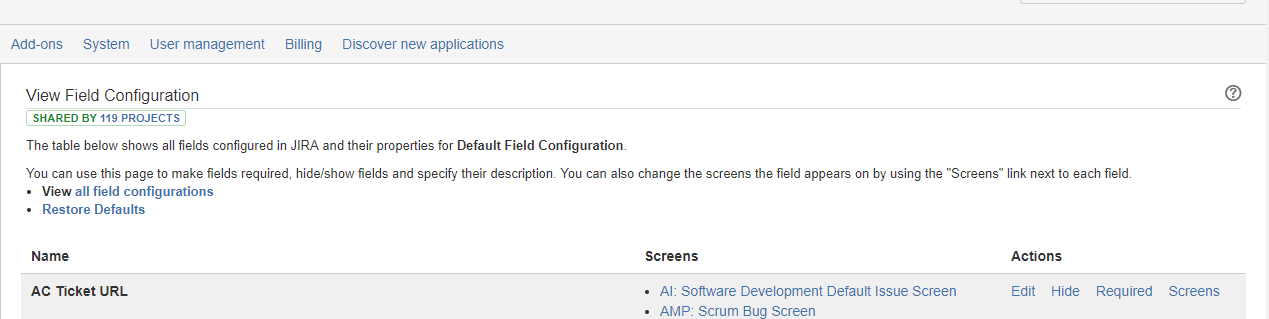
Then I don't see any action menus in that view:
Click on the title above it. (System Default Field Configuration), then look to the right for actions.
Brilliant. It's always something simple)
When I click Actions and 'Use Different Scheme' the next screen shows a drop down with available schemes but my new one is not available? Any help would be MOST appreciated.
Searching here for solution but to no avail.
Thanks,
THANK YOU!
Did this resolve it self? I have the same issue now, and I suspect it just needs some time to update the drop-down.
same issue: Atlassian has a poor customer experience and user interface.
This entire configuration for issues, workflow, screens, and fields is very powerful, but they made it overly complicated.
UI issues that frustrate me:
* Inconsistent function location: Functions are not located in the same place: configure shows on the top right in one product, in a ... menu in the other
* Deleting is often challenging, with hidden menus and a lack of intuitiveness.
* How many windows do you need to open to accomplish this? It feels like AliExpress.
* You will break your default jira config, because the system is designed as such and making a copy of all the scheme is just not trivial on first sight.
* You need plugins for basic functions.
I have a love/hate with this vendor lately, can you tell?
Shitty CX, Jira sucks!
they made it overly complex
Came to find an answer to this because it's still surprisingly a current issue...but it seems there is no answer...hm.
It looks like you're new here. Sign in or register to get started.