Hi all, Quentin from Appfire here 👋
If you share a dashboard with a group, you’ve probably run into this: one person checked it Tuesday, someone else on Thursday, and now everyone’s quoting slightly different numbers. Live data keeps moving, so unless people happen to look at the same time, they’re never quite on the same page.
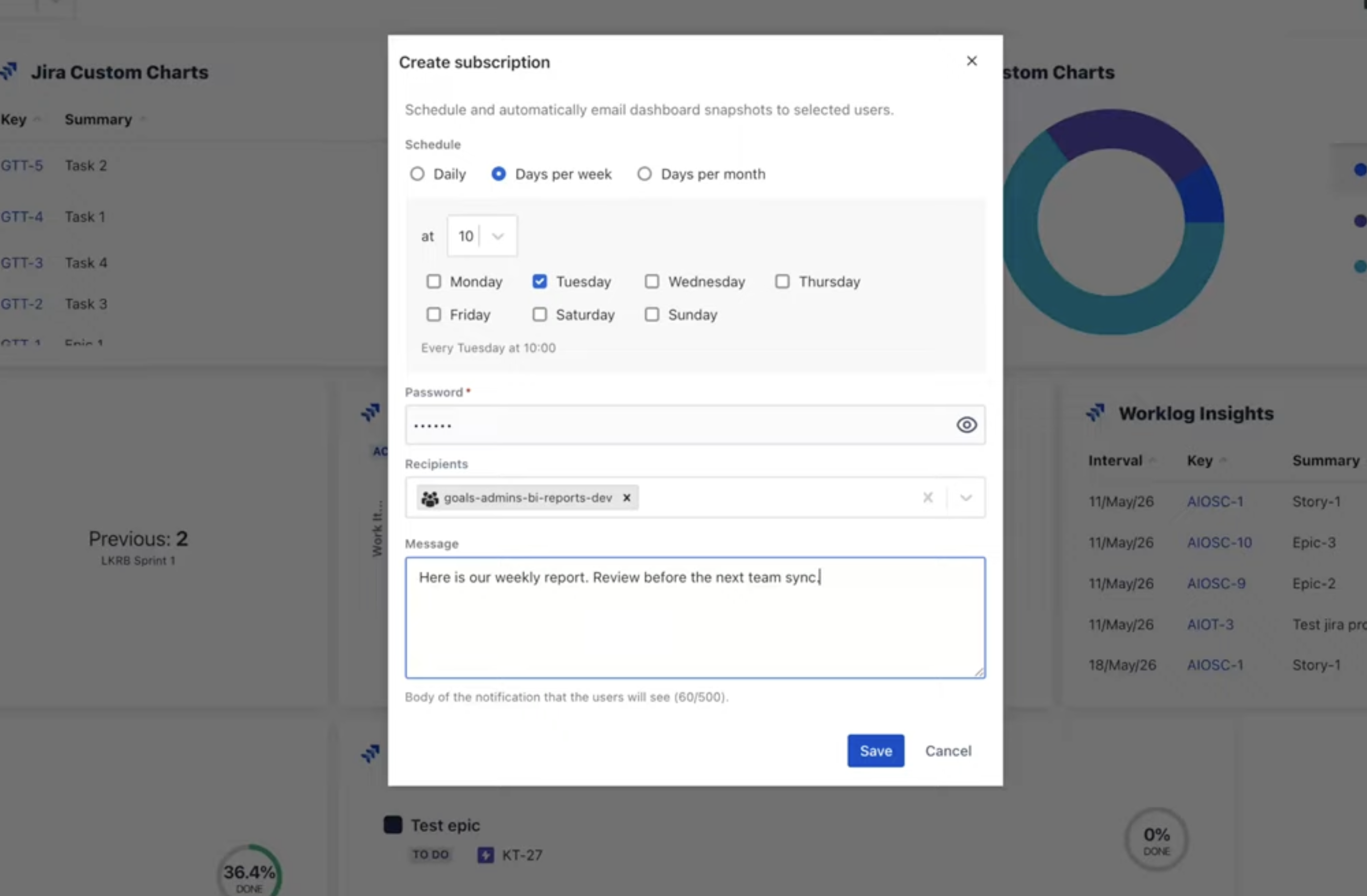
So we built Dashboard Subscriptions in Dashboard Hub: scheduled snapshots of any dashboard, sent to the right inboxes on whatever cadence you choose. One capture, one version, everyone working from the same numbers — including external users like clients who don’t have Jira access at all. And when everyone already has the update in hand, that’s often one less status meeting on the calendar.
Why this helps your team
- Everyone sees the same numbers: Each snapshot freezes the dashboard at a single moment, so the whole group works from one shared version — not live views that have moved on.
- Reports on a schedule: Set it up once — a daily update for the team, a Friday summary for leadership — and the snapshots send themselves. Need one now? Run Now sends one on the spot.
- Works for external users too: Clients and stakeholders get the snapshot in their inbox with no Jira login or dashboard access needed — no more emailing screenshots or handing out access you’d rather not.
- Everything in one place: The “My Subscriptions” panel lets you change a schedule, update the recipient list, or unsubscribe in a click.
- Made for admins: See every subscription across your site in one view, reassign or remove them when people change teams, and check why a report didn’t send with clear delivery logs.
How do you stay in the loop?
What schedule actually sticks for your team — daily, weekly, monthly? And who’s hardest to keep in sync? Drop a note below.
If you want to set this up, our documentation covers schedules, recipient lists, delivery logs, and admin controls. And you’ll find Dashboard Hub on the Atlassian Marketplace.


