Hey y'all! Ben here 👋, PM for the Rovo browser extension.
Loom overview
--
What if your team could get help from Rovo at the exact moment they need it - on any page, anywhere in the browser - without breaking focus or switching tabs? What if I told you that you could roll it out org-wide in the next 20 minutes?
That’s the promise of the Rovo browser extension, Atlassian’s highest-volume Rovo Chat surface on average. And while we’ve been building the experience, we’ve also been listening closely to the people who make organisation-wide rollouts possible: you.
This is a reintroduction, but also an invitation. We want to show what’s here, share what’s coming next, and learn what would make the extension a no-brainer for your organisation. Please feel free to start a conversation in the comments or send us an email at eng-rovo-extension@atlassian.com.
Ready to see it in action?
Install the Rovo browser extension from the Chrome Web Store →
Learn how to deploy the extension across your company →
Book in a chat with the team to learn more →
Why the browser matters
Work doesn’t happen in one place. It happens across documents, spreadsheets, tickets, research, conversations, and countless browser tabs. Rovo should be right there with you - in the flow, not a tab away.
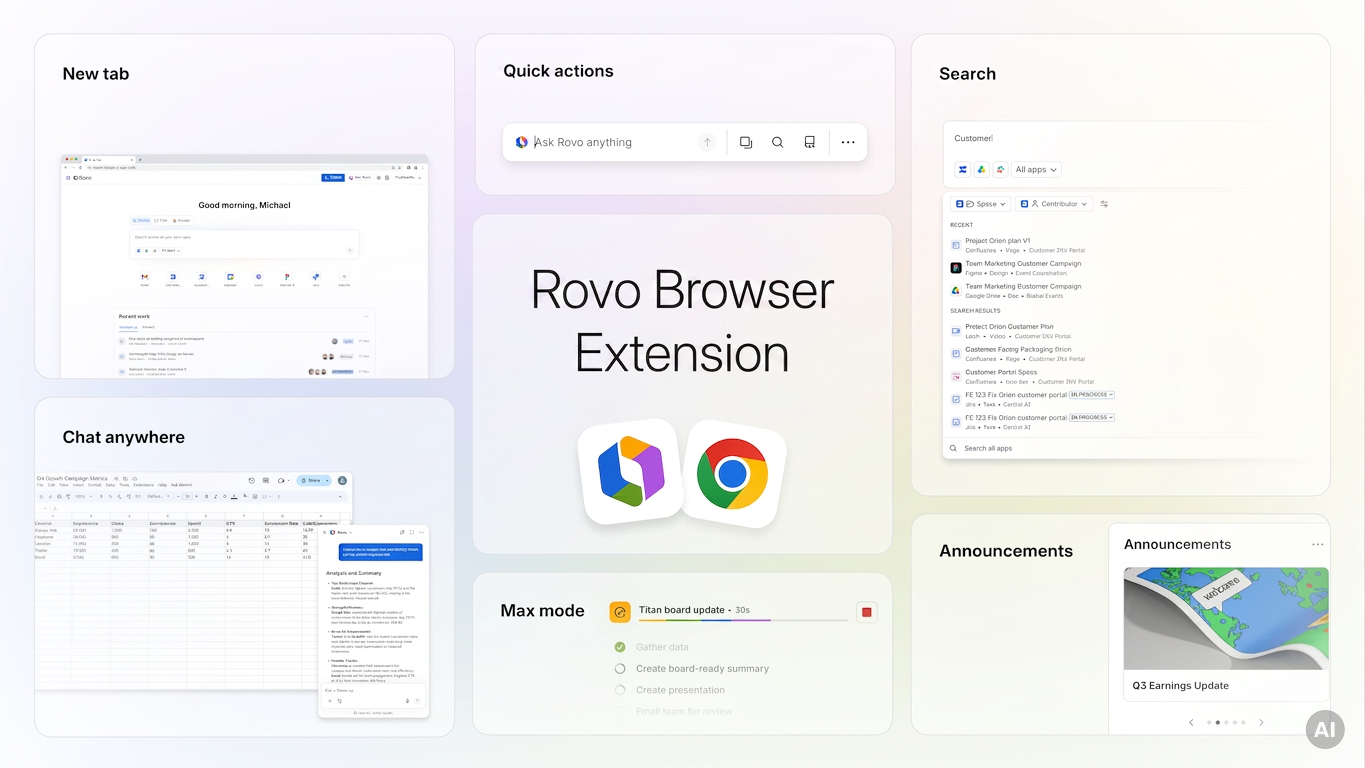
The extension brings Rovo into the browser routine your team already has. Get insights and take action from anywhere, with an agent that knows your work.
What your team can do today with the Rovo browser extension
Chat with Rovo from anywhere, without switching tabs
Open Rovo Chat on any page from the browser side panel. Ask a question, keep working. No copy-paste marathon. No losing your place. Need to change tabs? Rovo comes with you.
Get grounded answers with full page context
When enabled by an admin, Rovo can read your viewed page to provide a more relevant answer. It only sees what the user can see, never stores page data, and stays off until you choose to activate it.
 Make every new tab a launchpad for your work
Search your company’s knowledge base, chat with custom agents, resume work, start new tasks, get to where you need to go. All of this - and more - on every new tab. Give it a go.
Already loving another new tab page? Keep reading 😏.
 Enterprise search from anywhere in your browser
Give your team a faster way to find company knowledge and get personalised answers across the tools they use. Find Rovo in the omnibox and search from anywhere in your browser, without relying on the new tab page.
 But wait, there’s more!
Your own Confluence-sourced definitions in Google Docs anyone? Yeah - we love it too.
There’s a lot more to explore, and we’re building on the experience every day with your input.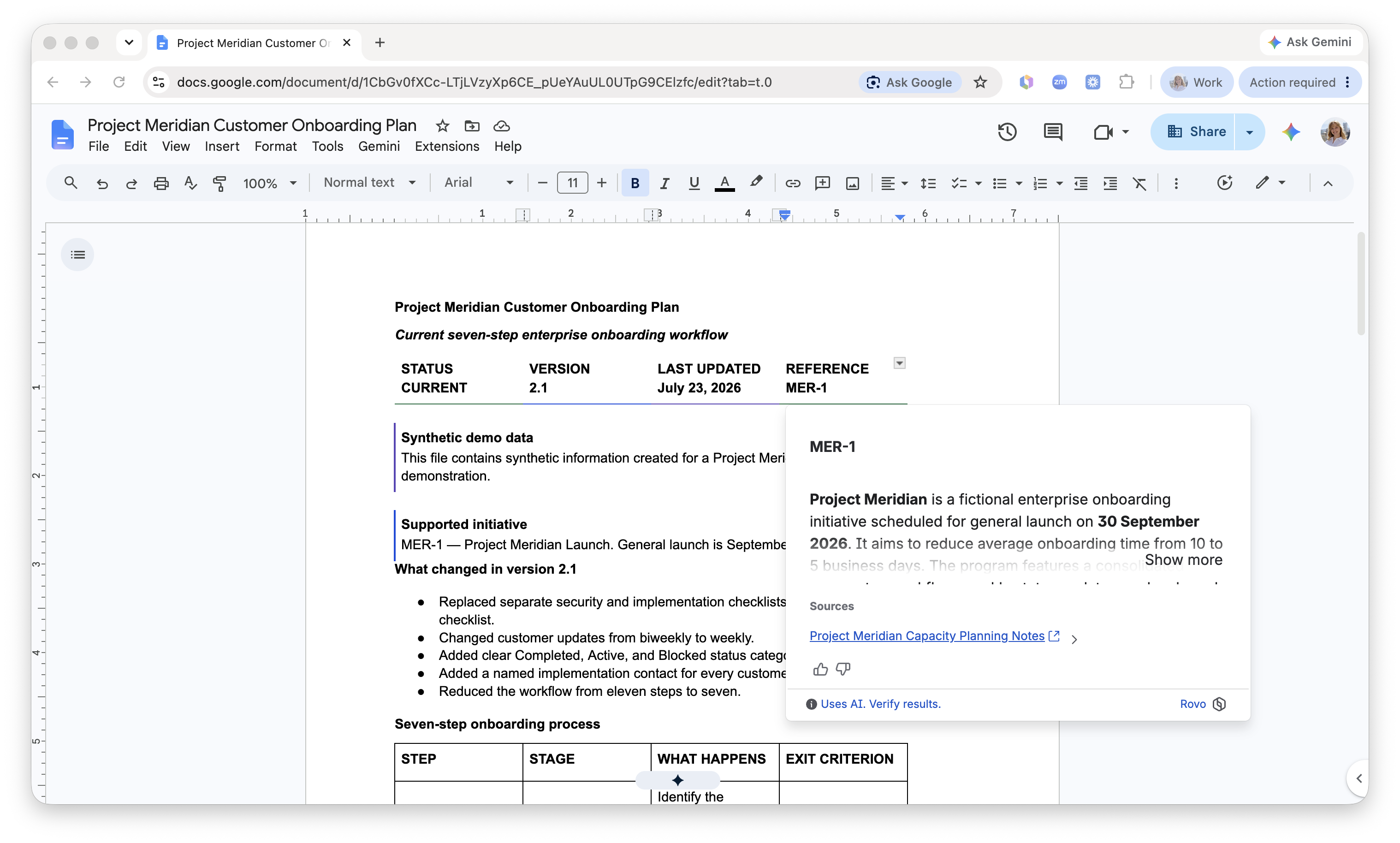
Designed for confident rollout
We heard the feedback: great experiences need great admin controls. The latest upgrades are about making the extension safer, more controllable, and easier to deploy on your terms. Less risk, more choice - controls that fit your rollout.
Granular deployment controls
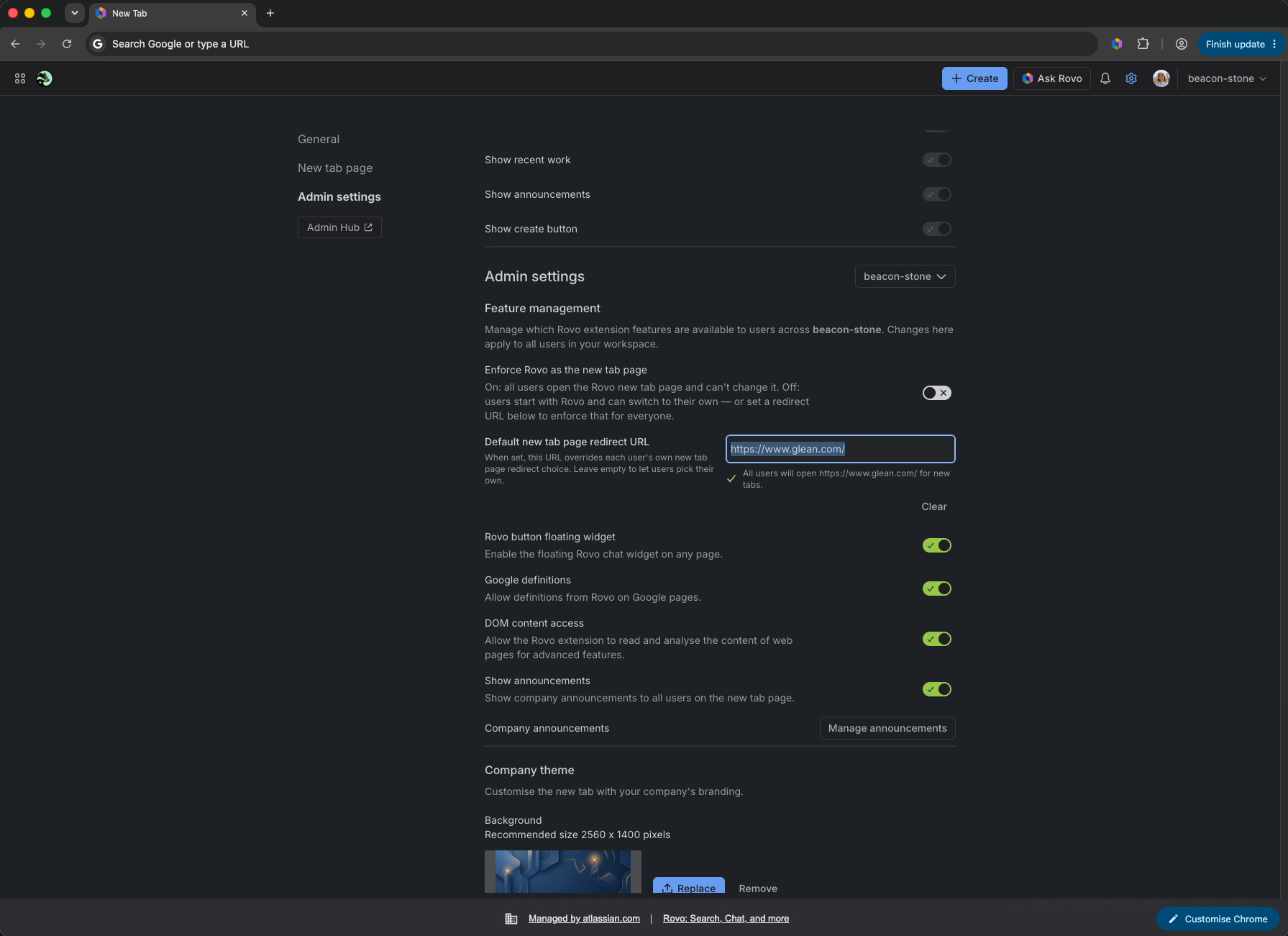
Enable, disable, or lock capabilities site by site or feature by feature. No all-or-nothing rollouts. Decide whether in-page reading is available and roll it out when your security review is ready. Have any more admin settings you’d like to see? Let us know below!
 About your new tab page…
Your team’s new tab page just got better - because now, it’s yours.
Make the new tab page look and feel like it belongs to your company with custom theming and branding. Manage company-wide announcements to make sure everyone's always on the same page.
Already loving another new tab page? No problem - set a custom new tab page URL that works best for your team and apply it company-wide.
Want to give your team the choice? You can do that too! Leave the new tab page URL field blank and let everyone choose what works for them.
Take what you want, leave what you don’t. That’s our ethos.
The proof is in the habit
Extension users leverage Rovo to unblock themselves 4x as much as Rovo web chat users, making it the highest-volume Rovo Chat surface on average. That’s the behaviour we’re aiming for: not another tool your team has to remember to use, but useful intelligence that’s simply there when they need it. And clearly, this is being felt.
If you’re looking for an easy way to unlock your organisation’s Rovo use, the Rovo browser extension is a no-brainer. If you still have reservations - we’d love to hear from you.
What’s coming next 👀
Our direction is simple: less context-switching, more context-aware actions finding you when you need them. We’re working toward an extension that doesn’t just answer questions, but helps real people move real work forward in-flow.
Our next feature is a small interaction with a big ambition: taking your browser rituals from overwhelming to done in seconds, with an agent that knows exactly what you’re looking at and how it connects to your work. More soon.
Here’s where you come in. The direction is set - but what we build next, and how, is shaped by teams like yours.
Help us build an experience your team will love
You’re partners in shaping this work, and we’d love to hear from you. A question to get us started:
What’s the one thing you’re keen to try out, and one thing you’d love to see in the extension?
Leave a comment below or send us an email if you want to go deeper - we’re reading every one.
If you’d rather start hands-on: install the extension, try it in a few moments that usually slow your team down, see what changes when Rovo is right there with you, and tell us your first reaction.
Start a conversation or ask to join our early access program → eng-rovo-extension@atlassian.com
Ready to see it in action?
Install the Rovo browser extension from the Chrome Web Store →
Learn how to deploy the extension across your company →
Book in a chat with the team to learn more →
