TL;DR
You can connect Justworks to the Atlassian Service Collection with OnLink. OnLink imports Justworks member data into a Jira Service Management (JSM) Assets schema, listens to Justworks webhooks to create tickets and asset objects on employee events, and drives onboarding and offboarding request flows with subtasks.
If you are reading thus far, Thank you. We hope to make your time worthwhile. Read On.
This guide covers the three integration patterns that close that gap, and how to configure each one.
Use cases
Employee data in Assets. Keep a live, queryable employee object in JSM Assets, sourced from Justworks. Use it to link laptops, licenses, and access.
New hire events captured using Webhook. When a member is created in Justworks, a provisioning ticket lands in your IT queue with the name, start date, department, and manager already filled in.
Onboarding and offboarding as structured tasks. One request per employee, with subtasks for each team — IT, facilities, security, payroll.
Import Justworks employee data into JSM Assets
In a few steps, you'll be able to import worker data from Justworks to Assets.
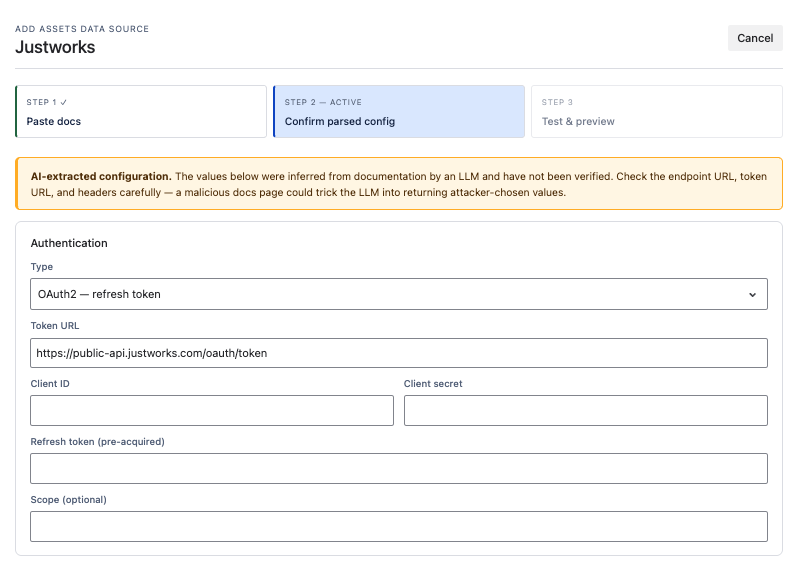
- Add the data source. In OnLink, create a new Assets Data Source and point it at the Justworks Members API documentation so OnLink can parse the API definition.
- Configure OAuth. Enter your Client ID, Client Secret, and Refresh Token. Set the scope to
member.basic:read (or the scope matching the endpoint you're importing).
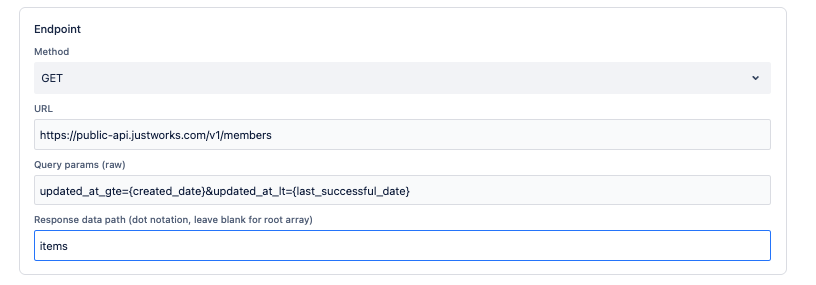
- Set the API method. Method
GET, URL <a href="https://public-api.justworks.com/v1/members" rel="noopener nofollow noreferrer" target="_blank">https://public-api.justworks.com/v1/members</a>, and response data path items.
- Map the fields. A typical employee mapping:
| Justworks field |
Assets attribute |
Notes |
|---|
id |
Employee ID |
Key — used for object matching |
name.full_preferred_name |
Name |
|
active |
Status |
Active / inactive |
job_title |
Job Title |
|
employment_location_type |
Location |
Work location type |
manager.full_preferred_name |
Manager |
|
department.name |
Department |
|
- Handle pagination. The Justworks API uses cursor-based pagination. OnLink reads
next_cursor and keeps requesting pages until no cursor is returned — nothing to configure manually.
- Validate before you run. Use Get Data to preview the response, confirm each mapping resolves to the right JSON field, and verify the key attribute is unique.
📄 Full configuration reference: Justworks to JSM Assets
Create tickets from Justworks webhooks
Steps
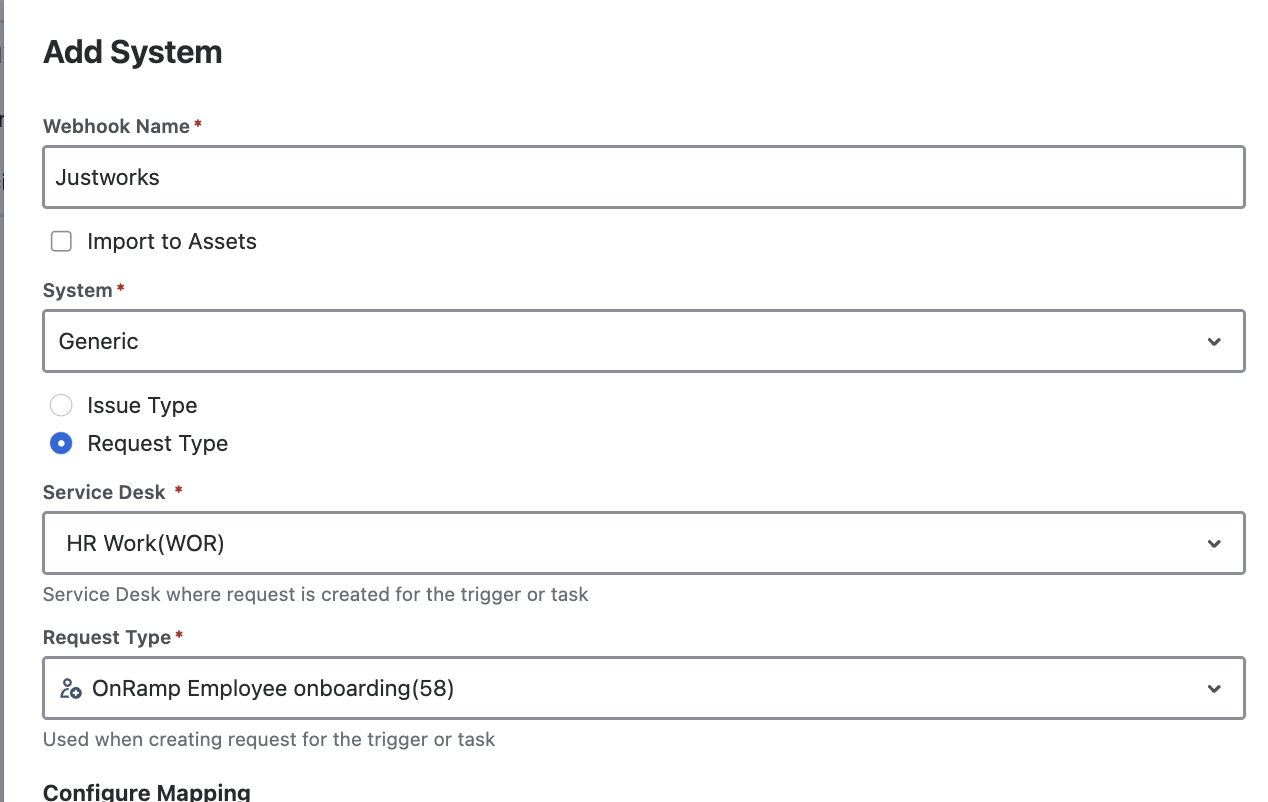
- Set the authentication parameters in the OnLink webhook mapping:
   config:auth_scheme=header_token
   config:auth_token=<12-character-random-token>
Treat the token as a secret and rotate it if it's ever exposed.
- Create the webhook in Justworks. Sign in with webhook management permissions, create a webhook using the OnLink URL, select the header-token authentication scheme, and enter the exact same 12-character token.
- Subscribe to events. Select the employee created and employee updated events, then save.
- Map the payload to Jira fields. Use
key: for the matching key and map: for values:
   key:data.member.member_id=customfield_10062
   map:data.member.name.full_preferred_name=customfield_10063
The payload includes member ID, full name, email, phone, department, job title, employment start date, and timestamps.
📄 Full configuration reference: Justworks Webhook
Create onboarding and offboarding tickets with subtasks
This use cases requires OnRamp.
Steps
- Add the connection. In OnRamp, add a connection using Anysource Connection and supply the Justworks API docs URL:
<a href="https://public-api.justworks.com/v1/docs#tag/Members/operation/listMembers" rel="noopener nofollow noreferrer" target="_blank">https://public-api.justworks.com/v1/docs#tag/Members/operation/listMembers</a>
- Authorize. Select OAuth refresh token and enter the credentials from your Justworks OAuth application.
- Apply a date filter so each run returns only employees whose records changed in the window:
?updated_at_gte={last_successful_rundate}&updated_at_lt={current_date}
Available date/time variables: {last_successful_runtime}, {last_successful_rundate}, {current_date}, {current_datetime}.
- Configure the flow. Point the connection at your onboarding (or offboarding) request type, map Justworks fields to the request fields, and define the subtasks each event should generate — laptop build, account creation, badge, license assignment for onboarding; account disable, device recovery, license reclaim for offboarding.
- Schedule and test with a single known record before enabling the full run.
📄 Full configuration reference: Justworks OnRamp Configuration
Frequently asked questions
How does OnLink connect with Justworks and Atlassian Service Collection? OnLink is a Atlassian Marketplace app built using Atlassian Forge. OnLink uses Justworks API to connect.
Can I sync Justworks employee data into Atlassian Assets? Yes. OnLink connects to the Justworks Members API over OAuth and maps fields such as id, name.full_preferred_name, job_title, department.name, and manager.full_preferred_name to attributes on an Assets object type.
Can a new hire in Justworks automatically create a Jira ticket? Yes. Subscribe an OnLink webhook mapping to the Justworks employee created event, and each new member creates a ticket in the mapped Jira project with employee fields populated.
Get started
If you run HR on Justworks and support your people in the Atlassian Service Collection, you shouldn't be copying employee data or have manual imports.
Try OnLink. Connect Justworks to Jira Service Management and Assets, automate onboarding and offboarding.
👉 Start your free trial of OnLink on the Atlassian Marketplace — or book a 30-minute walkthrough and we'll map your Justworks data to your Assets schema with you.
