Many teams use SharePoint lists and document libraries as a central place to store structured information. Whether it is project tasks, documentation, requests, assets, or operational data, these lists often contain a lot of valuable information.
But when bringing this data into Confluence, one common challenge appears:
How can we make sure users see the information that is relevant to them without overwhelming them with unnecessary details?
A complete SharePoint list may contain dozens or even hundreds of entries. While having all the information available is useful, different audiences often need different perspectives.
For example:
- A manager may want an overview of items with a specific status.
- A support team may need to focus only on requests in a particular category.
This is where filtering becomes an important part of creating effective knowledge pages.
From displaying data to creating useful views
Simply embedding a list is often not enough. A good Confluence page should help users quickly find the information they need.
Combining customization and filtering allows teams to create more focused views:
- Show only relevant entries
- Reduce unnecessary information
- Adapt the same data source for different audiences
- Make pages easier to read and maintain
For connected content, the goal is not only to bring information together, but also to present it in a way that supports better collaboration.
Thinking about your own Confluence pages
When working with SharePoint data in Confluence, it can be useful to ask:
- Which information does each audience actually need to see?
- Are users spending time searching through data that could be filtered?
- Could different teams benefit from different views of the same information?
These questions can help transform a simple data display into a more effective knowledge-sharing experience.
In the photo below, we show you how filtering and customization can help create more focused SharePoint lists views inside Confluence.
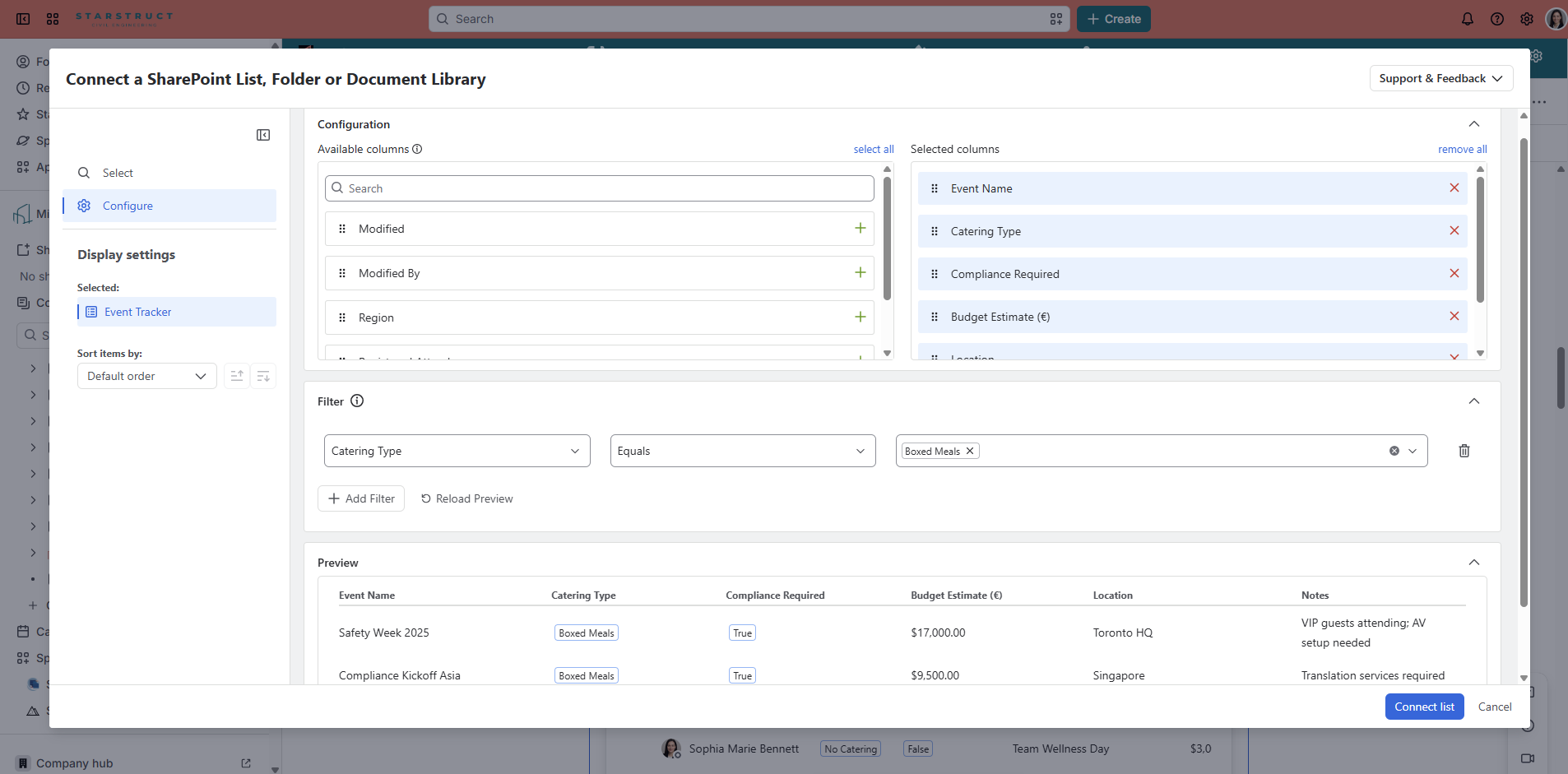
I’m eager to learn how you are using SharePoint lists in Confluence and what types of views or filtering options would help you create more effective pages for your teams. Feel free to share your experiences and ideas below!


