Hi,
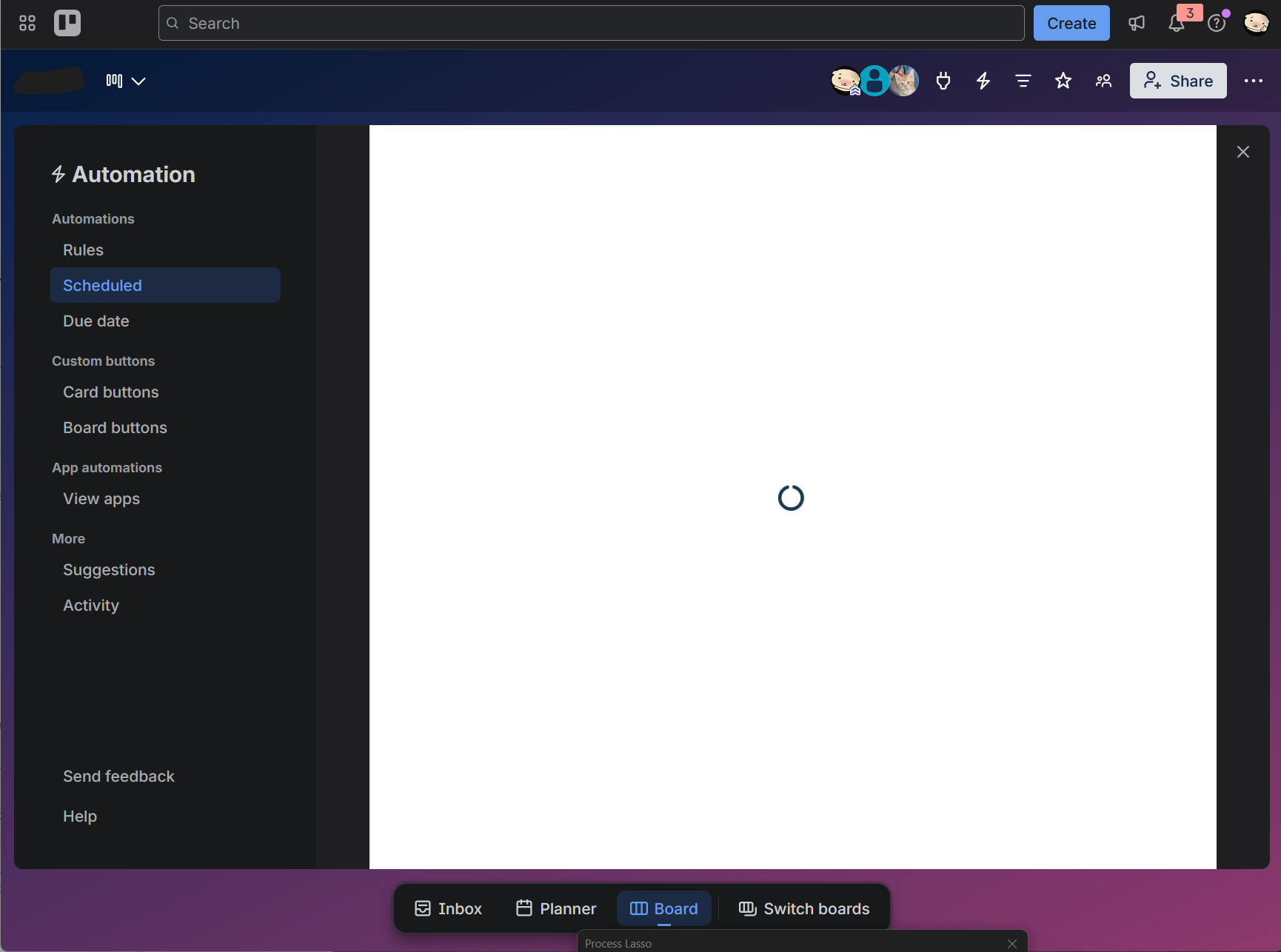
I am currently unable to add or edit any Trello Automation, including Rules, Scheduled automations, Due Date automations, and Buttons.
When I try to create or edit an automation, the Automation editor does not work correctly.
The issue is reproducible across:
- Firefox and Chrome on desktop
- Mobile browser
- Different Trello accounts
- Different boards
- A completely new Workspace and new board
- Home Wi-Fi
- VPN
- Mobile cellular data
Therefore, this does not appear to be specific to one browser, device, network, Trello account, board, or Workspace.
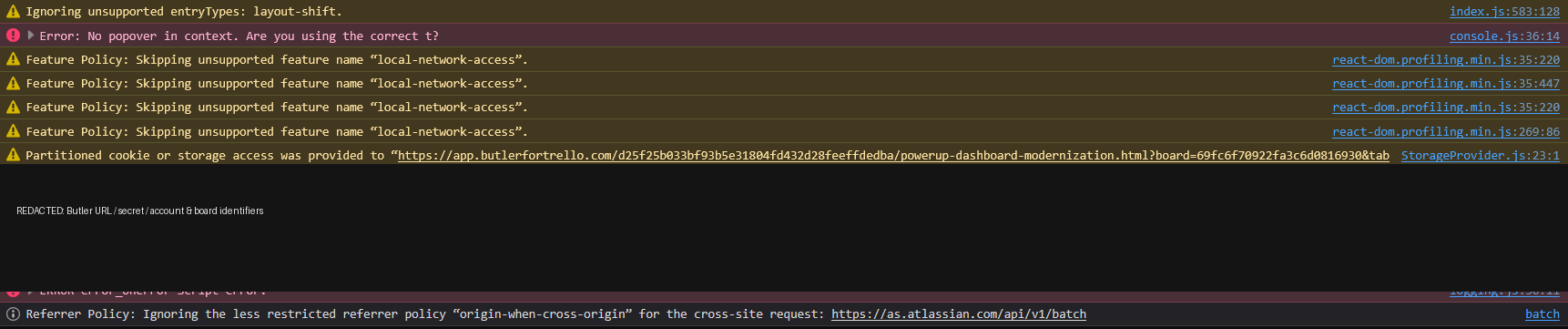
The browser console shows the following error immediately when attempting to add/edit an automation:
Error: No popover in context. Are you using the correct t?
The Automation UI is loaded from a URL similar to:
<a href="https://app.butlerfortrello.com/%5Bhash%5D/powerup-dashboard-modernization.html?board=%5Bboard-id%5D&tab=rules&commandEdit=new" rel="noopener nofollow noreferrer" target="_blank">https://app.butlerfortrello.com/[hash]/powerup-dashboard-modernization.html?board=[board-id]&tab=rules&commandEdit=new</a>
The context indicates:
version: build-237610
I also checked the Network tab. I could not find any failed requests; the requests I observed returned HTTP 200.
I found a similar Community report:
“Adding or editing automations does not work”
However, that case showed an iframe initialization timeout and was eventually traced to an ISP blocking `butlerfortrello.com`.
My case appears to be different:
- There is no iframe initialization timeout.
`app.butlerfortrello.com` loads.- Network requests appear to return HTTP 200.
- The issue persists when using a VPN.
- The issue also persists on a mobile device using cellular data.
- The console instead reports:
No popover in context.
Could this be a bug in the current Automation/Butler modernized UI (`powerup-dashboard-modernization` / build-237610)?
Is anyone else currently experiencing this issue?
Any help from the Trello/Atlassian team would be appreciated.