The Problem Everyone Has but Nobody Talks About
You know the situation. A colleague says: "I attached that contract PDF somewhere in the DEV project."
So you start clicking. Issue by issue. Page by page. Hoping you'll find it before your next meeting.
Jira is powerful — but native attachment search is one of its biggest blind spots. You can filter by assignee, status, priority, label… but not by what's attached to an issue.
Until now.
What If You Could Search Attachments Like Any Other JQL Field?
With JQL Argon — a Jira app available on the Atlassian Marketplace — you can do exactly that.
Argon adds a custom JQL function that lets you search issues by their attachments: by file type, file name, size, or date. It plugs directly into the JQL you already know.
How It Works — One Line, Instant Results
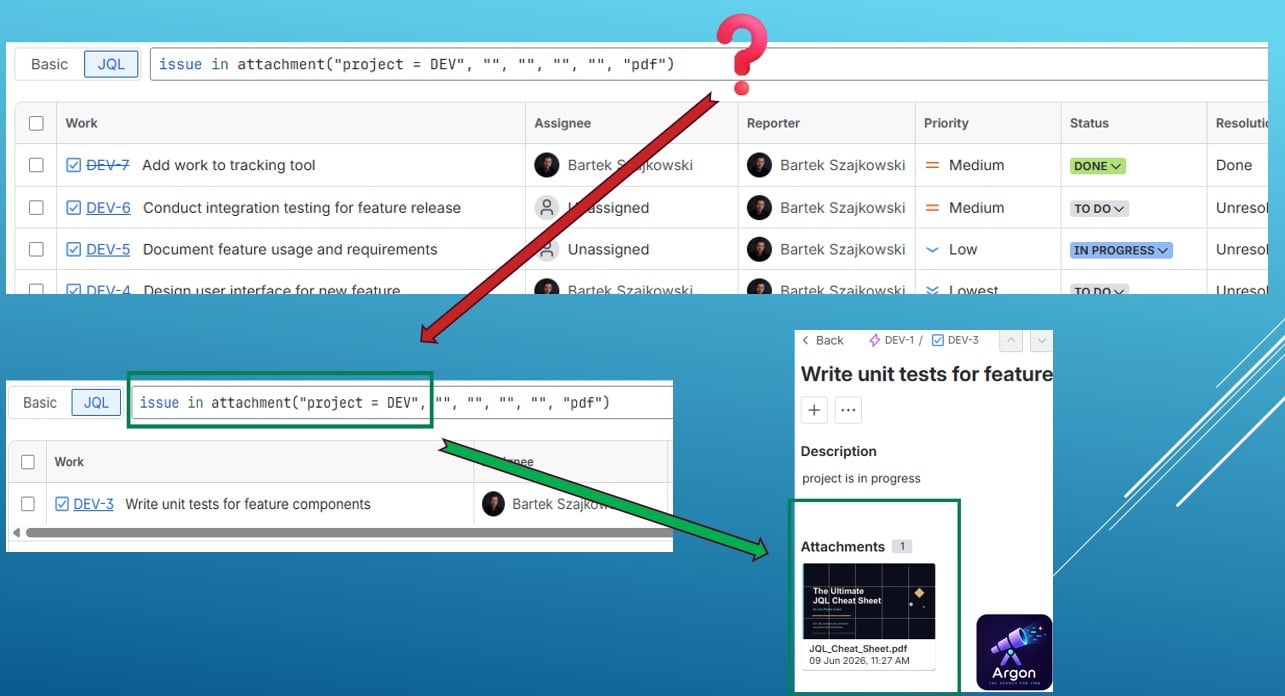
Here's the basic syntax:
<span>issue in attachment("project = TEST", "", "", "", "", "pdf")</span>
This query returns all issues in the TEST project that have a PDF attachment.
Within seconds, Jira shows you only the relevant issues — no scrolling, no guessing.
Real-World Examples
Find all PDFs in a project:
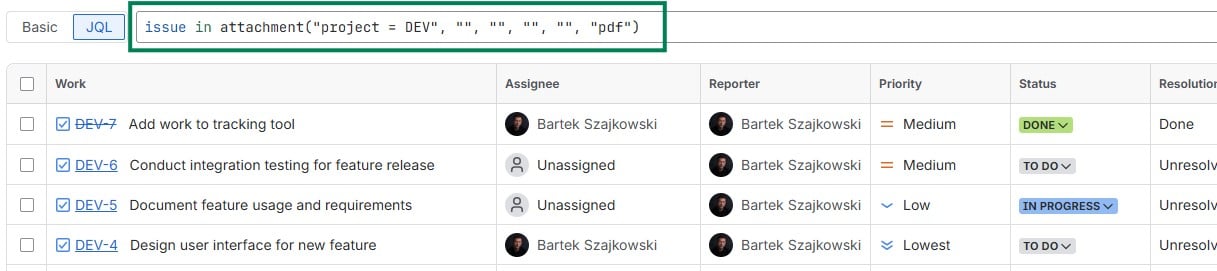
<span>issue in attachment("project = DEV", "", "", "", "", "pdf")</span>
Why This Matters for Your Team
- Audit & compliance — quickly find all signed contracts, reports, or approval documents across a project
- Dev teams — locate log files, screenshots, or spec docs without digging through sprints
- Project managers — verify which issues actually have deliverables attached before closing a sprint
- Support teams — find issues where customers attached error screenshots or recordings
How to Get Started
- Install JQL Argon from the Atlassian Marketplace
- Go to any Jira board or issue navigator
- Switch to JQL mode
- Type
issue in attachment(...) and fill in your filters
- Hit Enter — done

No configuration needed. Works on Jira Cloud.
If your team spends time hunting for files inside Jira, Argon solves that problem in one JQL query.
Enjoy!
Bartek from Orbiscend Team (JQL Argon app provider)

