Hi everyone,
Read & Confirm for Confluence is an app I build at MiddleCore, and it launched earlier this year. Since then I've added a handful of things, so I wanted to share an update on where it is now. Rather than list the features flatly, I'll walk one confirmation request through its whole life: how it gets assigned, where people find it, and what happens when the page changes underneath it.
1. Assigning a confirmation
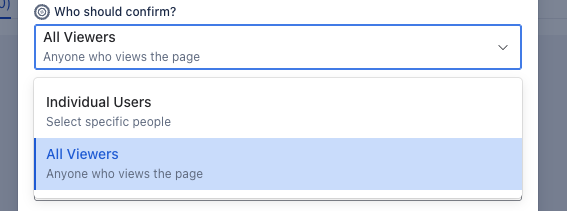
From the dashboard, + New creates a confirmation request on a page. You pick who needs to confirm:
- Specific users — assign named individuals. Each gets a confirmation record and a notification (a footer comment that mentions them). The creator is excluded, so you don't notify yourself.
- All viewers — anyone who opens the page is asked to confirm; their record is created the first time they actually view it.
You can add a deadline and a short message. On creation, the confirmation macro is embedded on the page automatically, so the Confirm button appears right where people are reading. Set a deadline and the default reminders (7 days and 1 day before) come along too.
2. My Confirmations — where recipients track what they owe
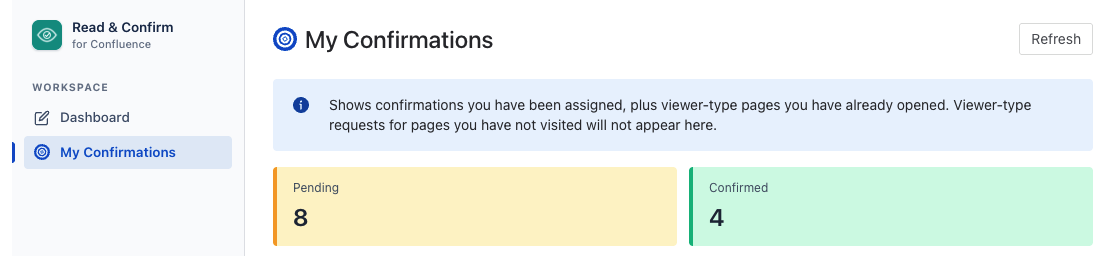
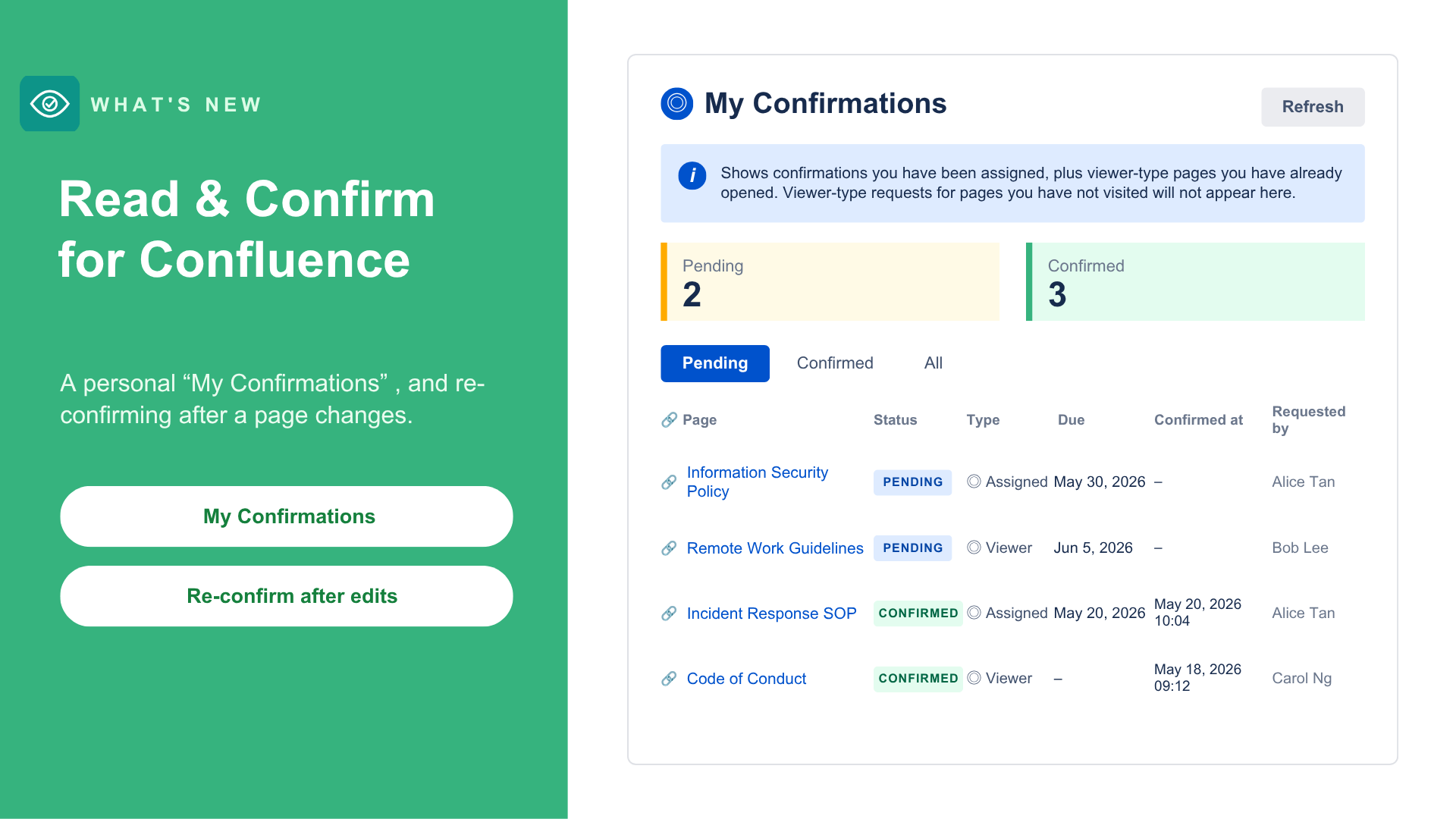
Most of the dashboard is built for the person running a rollout. My Confirmations is the other side: a personal inbox in the left sidebar for the people receiving requests.
It gathers every request you're a target of, across all pages, in one place:
- Pending first, sorted by deadline, with confirmed items at the bottom
- A running Pending / Confirmed count
- Each row shows the page, whether you were individually assigned or caught as a viewer, the deadline, and when you confirmed
One honest caveat: for viewer-type requests, a row only appears once you've actually opened that page. Pages you've never visited won't show up here — we surface what we can verify, not what we can't.
3. When the page changes — Reset and Re-confirm
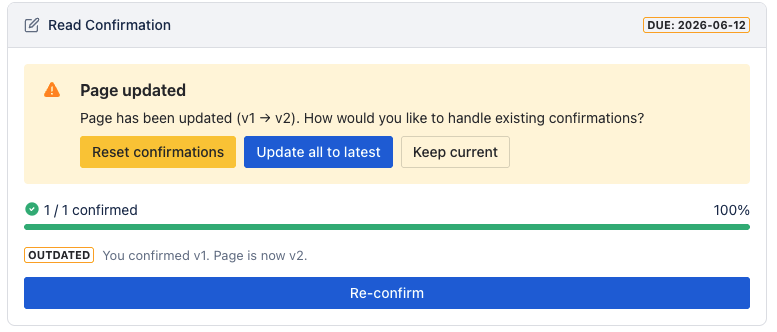
Now to that last stage. A confirmation really answers: did this person acknowledge this version of this page? So Read & Confirm records the page version each person confirmed.
When the page is edited after confirmations exist, the creator sees a Page updated notice on the request, with three choices:
- Reset confirmations — send everyone back to pending to re-acknowledge the new version
- Update all to latest — treat the existing confirmations as still valid for the new version (no re-confirm)
- Keep current — dismiss the notice without changing the confirmations
There are two ways people end up re-acknowledging:
- If you Reset, everyone returns to pending and sees the Confirm prompt again on the page — a clean fresh round.
- Or, without a reset: once someone has confirmed and the page then changes, their embedded macro marks that confirmation outdated ("You confirmed v1. Page is now v2.") and shows a Re-confirm button.
This is manual and creator-controlled — you decide when an edit is big enough to warrant a fresh round. (It isn't an automatic recurring re-confirmation on a schedule; that's a separate idea.)
Why it's built this way
The three steps share one foundation:
- Confirmations and notifications all stay inside your Atlassian environment — Forge-native, no external servers
- Notifications reuse Confluence's own mention system, so follow, mute, and email rules keep working
- Every confirmation is tied to a specific page version — which is what makes Reset and Re-confirm meaningful rather than cosmetic
I'd be curious how this maps to your world:
- For re-acknowledgment, where's your line — what size of edit is "big enough" to reset?
- Does a personal inbox match how your end users actually look for what they owe?
Marketplace listing: https://marketplace.atlassian.com/apps/1138072457/read-confirm-for-confluence
