Hi everyone!
As a follow-up to the blog post recently published on Jira Product Discovery forum, we are officially announcing 3-month depreciation period for the text operators used with JPD interval date fields in JQL queries. For example this JQL query:
"Project start[Interval]" ~ "2026*"
won't work after 10th September 2026. Please read further to learn more about the changes.
What's changing
We are deprecating the CONTAINS (~) and NOT CONTAINS (!~) operators when used with JPD interval date fields in JQL queries.
In parallel, we're introducing startDate and endDate properties to allow filtering by a specific date within the interval. These properties are now required when querying interval date fields.
Queries using deprecated operators, or missing the required startDate/endDate properties, will stop working after 10th September 2026.
During the deprecation period, these queries will continue to function but will display an error message. After that date, they will no longer work.
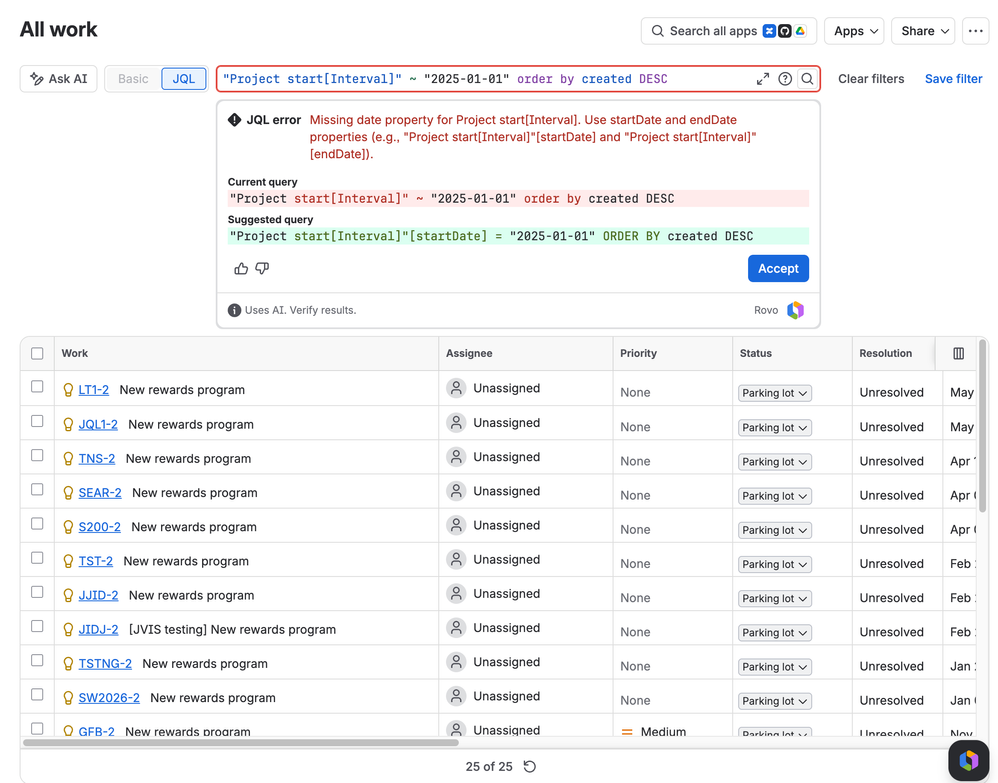
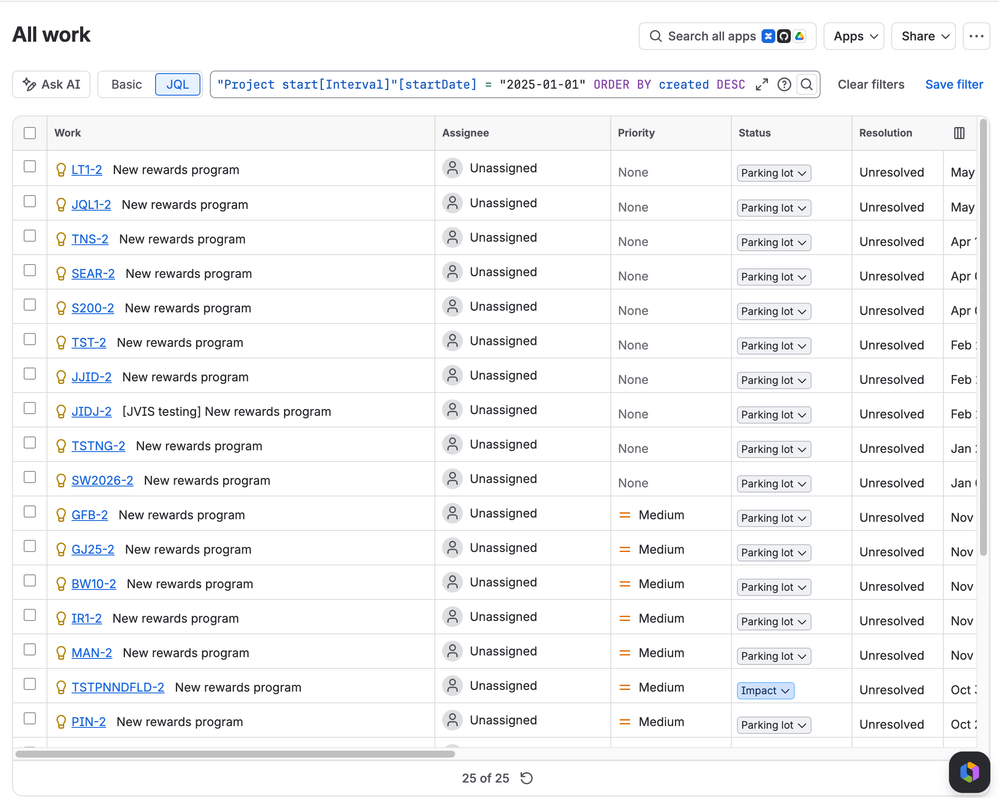
After updating to the new syntax, the error message disappears.
Why we're making this change
The CONTAINS (~) operator is designed for text search, not date comparisons.
To enable better date-based querying for interval fields, we're moving from text operators to date operators, which are far better suited to the job.
What you should use instead
JQL provides dedicated date operators that work correctly with interval fields. These operators support sub-field syntax ([startDate] and [endDate]) for precise date range querying:
Supported operators: =, !=, >, >=, <, <=, IS, IS NOT, IN, NOT IN
Supported functions: now(), startOfDay(), startOfWeek(), startOfMonth(), startOfYear(), endOfDay(), endOfWeek(), endOfMonth(), endOfYear()
Mitigation examples
|
Deprecated
|
Use instead
|
|---|
|
"Project start[Interval]" ~ "2025-01-01"
|
"Project start[Interval]"[startDate] = "2025-01-01" OR "Project start[Interval]"[endDate] = "2025-01-01"
|
|
"Project start[Interval]" ~ "2025*"
|
"Project start[Interval]"[startDate] >= "2025-01-01" AND "Project start[Interval]"[startDate] < "2026-01-01" AND "Project start[Interval]"[endDate] >= "2025-01-01" AND "Project start[Interval]"[endDate] < "2026-01-01"
|
|
"Project start[Interval]" !~ "2025*"
|
("Project start[Interval]"[startDate] < "2025-01-01" OR "Project start[Interval]"[startDate] >= "2026-01-01") AND ("Project start[Interval]"[endDate] < "2025-01-01" OR "Project start[Interval]"[endDate] >= "2026-01-01")
|
|
cf[16491] IS EMPTY
|
cf[16491][startDate] IS EMPTY
|
|
cf[16491] IS NOT EMPTY
|
cf[16491][startDate] IS NOT EMPTY
|
New capabilities not available before:
|
Query
|
Example
|
|---|
|
Filter using IN operator
|
"Project start[Interval]"[startDate] IN ("2025-10-01", "2025-07-01")
|
|
Use date functions
|
"Project start[Interval]"[startDate] >= startOfYear()
|
Who is affected
This change affects you if your JQL queries use CONTAINS (~) or NOT CONTAINS (!~) on JPD interval date fields, or query these fields without specifying startDate or endDate.
What you need to do
- Review your saved JQLs and automations for any queries that reference interval fields. Look for those using deprecated text operators (
~ or !~) or those that don't specify the now-required properties.
- Update your queries using the migration examples above.
- Test the new syntax.
FAQ
Will my existing queries break immediately?No. The deprecated operators will continue to work during the warning period, so you have until 10th September 2026 to update your queries.
How do I know if I'm using affected queries?
Look for any JQL that references a JPD interval field without the required properties or that uses the ~ or !~ operators. You'll also see a validation message saying the syntax is incorrect, but queries will continue to operate as usual during the deprecation period.
In case of questions
You can always contact us by commenting under this post or raising a support ticket.
