The decisions you're losing in Jira comments (and how one JQL line gets them back)
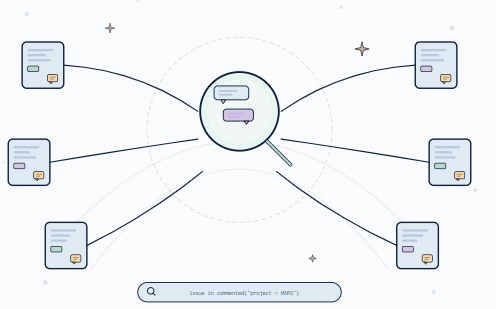
Every important decision in Jira eventually ends up in a comment - "approved", "blocked", "shipping Friday".
Native JQL can't see inside comments. The commented function in JQL Argon app can - by author, by date, by keyword.
One line, no exports.
The hidden layer of your project
Look at any active Jira issue. The status field says one thing, but the real story is buried in the comment thread:
- "Approved by Product on Monday."
- "Blocked - waiting on legal review."
- "Customer escalation - urgent."
- "Re-opening, fix didn't hold in staging."
These are decisions, risks, and commitments. Native JQL can count comments, but it cannot read them. So the most valuable signal in your backlog stays invisible to search, filters, dashboards, and automation rules.
What commented does
The commented JQL function in Argon lets you query the content of comments directly - inside the standard Jira search bar.
Syntax:
issue in commented("subquery", "author", "start_date", "end_date", "content")
Five parameters - all optional except the subquery. Mix and match:
- subquery - any valid JQL (scope your search)
- author - partial match, case-insensitive
- start_date / end_date -
yyyy/MM/dd or yyyy/MM/dd HH:mm
- content - any text inside the comment body
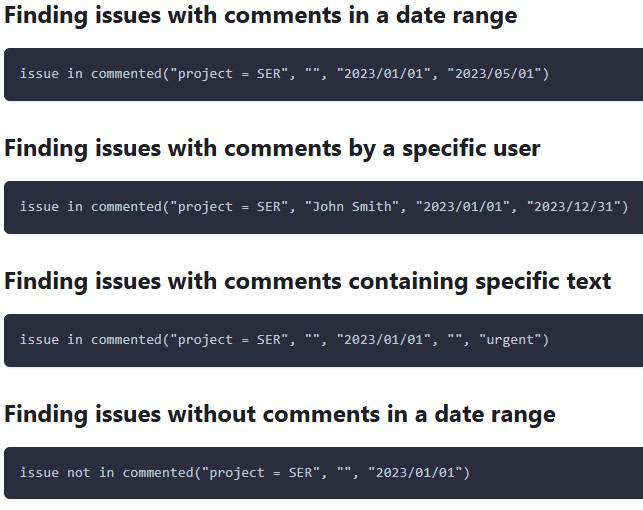
Real examples that prove the point:
Ex. 1 - Find every issue an approver touched this quarter
issue in commented("project = MARS", "product.manager", "2026/01/01", "2026/03/31", "approved")
One query. Every ticket where your PM wrote "approved" in Q1. No CSV exports, no scrolling.
Ex. 2 - Catch silent tickets before they rot
issue not in commented("project = MARS", "", "2026/04/01")
Every issue in MARS with no comment activity since April 1. Perfect for stand-up prep or stale-ticket cleanup.
Who gets value immediately
- Project Managers - find every "approved", "blocked", or "escalation" comment in seconds
- Scrum Masters - surface silent tickets and stuck conversations before stand-up
- Support teams - filter customer-facing comments by keyword (e.g. "refund", "urgent")
- Compliance / audit - prove who said what, and when, on any issue
Summary
- The most important context in Jira lives inside comments,
- Native JQL can't search comment content - only count comments,
- Argon's
commented function adds author + date + keyword search in one line,
- Install JQL Argon from Atlassian Marketplace - works immediately, no configuration,
- Built on Atlassian Forge - secure, fast, fully inside Atlassian.
Try one query on your own project today - you'll find decisions you forgot you made.
Greetings
Bartek from Orbiscend OU (JQL Argon app provider)

