Hi everyone,
A few days ago, I ran into a situation that seemed pretty straightforward:
👉 Deactivate a user who left the company.
But here’s what happened next 👇
❌ An approval workflow stopped working
❌ Automation rules silently failed
❌ A dashboard started showing incomplete data
❌ Some users suddenly lost access to a project
No errors. No warnings… just things quietly breaking.
🧩 Why does this happen?
Because in Jira, users are deeply embedded across many configurations:
- Workflows (approvers, conditions, validators)
- Automation rules (conditions & actions)
- Filters & dashboards (ownership & sharing)
- Permissions & project roles
- Issue assignments (assignee, reporter, watchers)
- Group memberships (access & visibility)
👉 The tricky part is that these dependencies are not always visible before making a change.
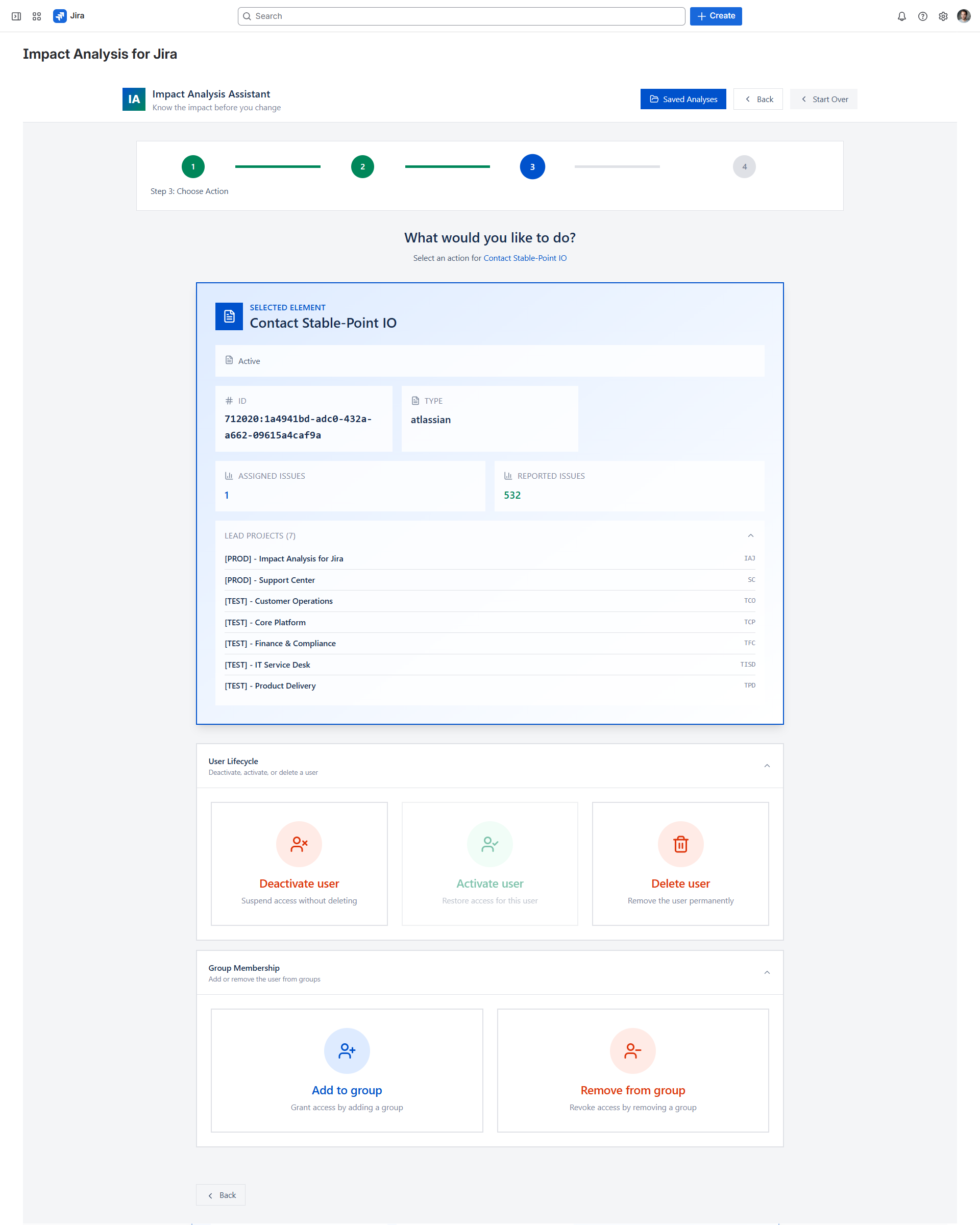
⚖️ Deactivation vs removing from groups
These two actions are often confused:
🔴 Deactivate a user
- Completely removes access
- Can break workflows & automations
- Leaves issues assigned to inactive users
🟠 Remove from groups
- Impacts permissions & visibility
- Can silently affect role-based configurations
- Often harder to detect
✅ What I do now (quick checklist)
Before making any change:
✔️ Check workflow dependencies
✔️ Review automation rules
✔️ Transfer ownership of filters and dashboards
✔️ Audit groups and project roles
✔️ Reassign critical issues
🔧 Lesson learned
In larger Jira instances, doing all of this manually can quickly become time-consuming and error-prone.
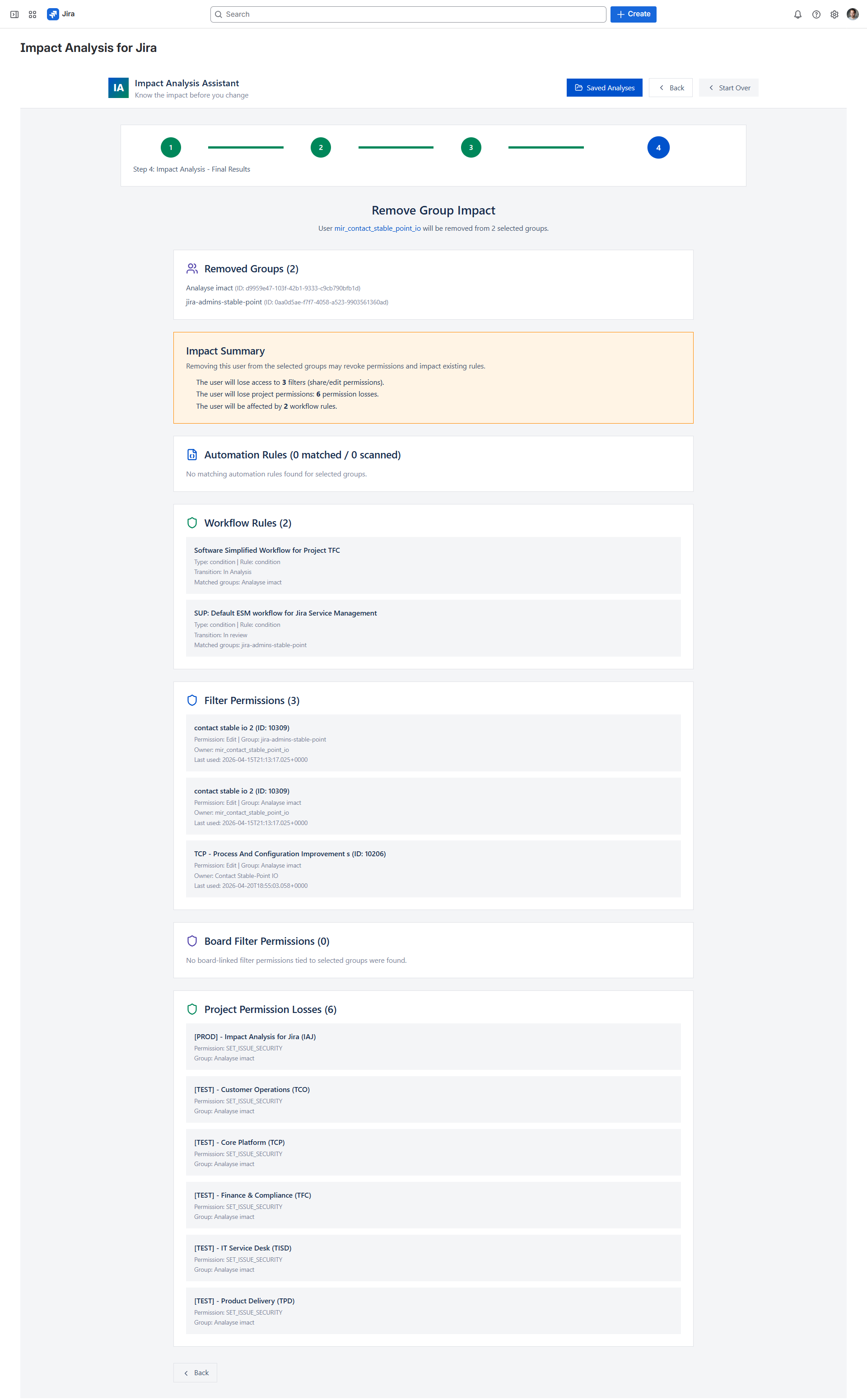
To make this easier, I started working on a small app that helps analyze the impact before deactivating a user — for example:
- where a user is referenced in workflows
- dependencies in automation rules
- usage in filters and dashboards
- roles, permissions, and group access
I initially built it to solve this exact problem internally, but I thought it might be useful for others facing the same challenges:
https://marketplace.atlassian.com/apps/4251492671/impact-analysis-for-jira?hosting=cloud&tab=overview
🤔 Curious about your experience
How do you handle this today?
- Manual checks?
- Scripts or audits?
- Any tools or best practices?
