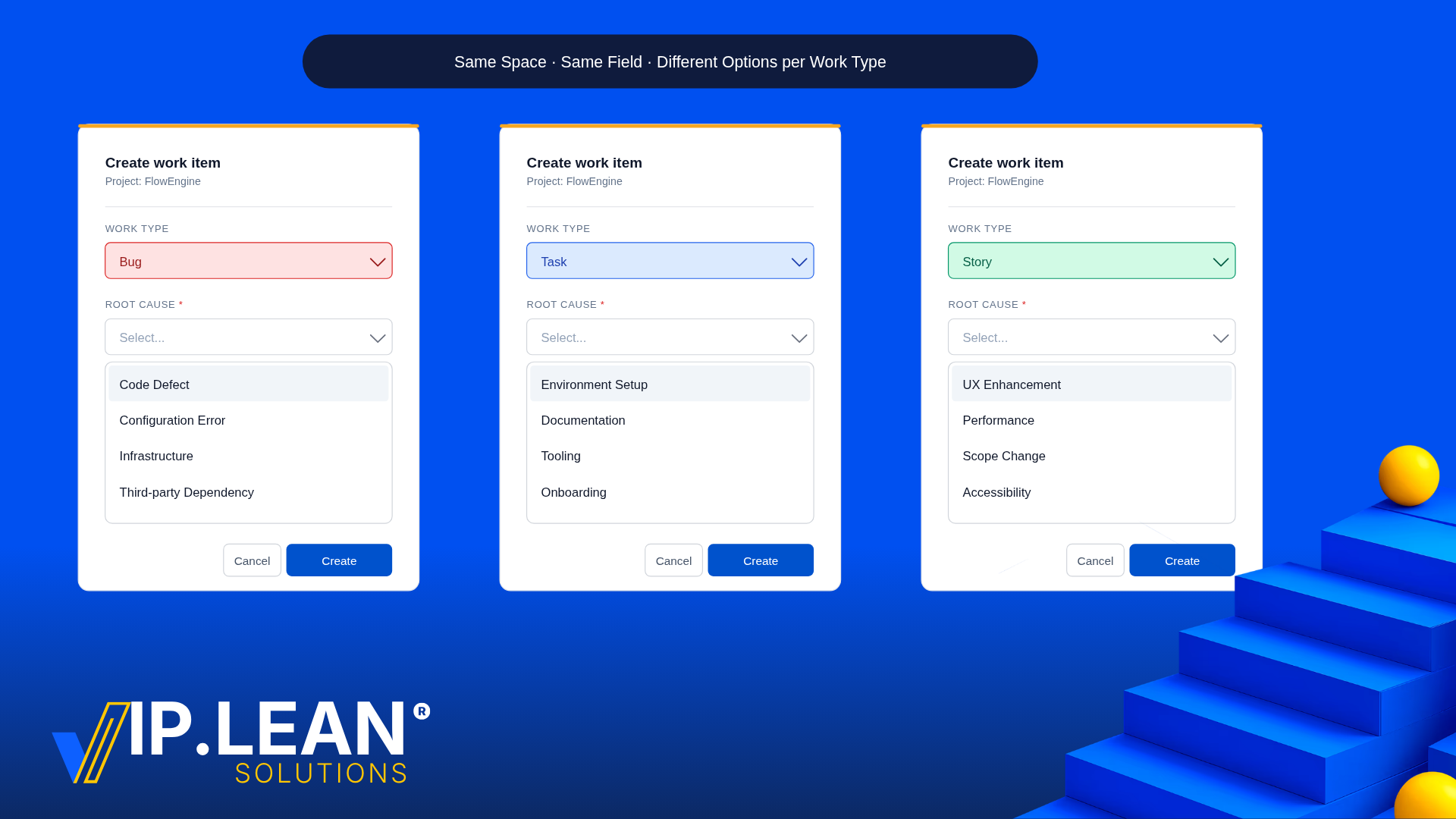
Jira Cloud's field contexts are flexible, but they hit a wall in one specific case: varying the options of a single-select field by work type within the same space. Here's what's missing — and how to work around it without duplicating fields.
The use case
In the Templates space, we use a custom field Impact with two work types:
|
Work Type
|
Expected Options
|
|---|
|
Workstream
|
Extensive / Widespread, Significant / Large, Moderate / Limited, Minor / Localized
|
|
Task
|
Blocks Delivery/ High Feature Impact/ Nice to Have
|
One field, one space, two option sets — driven by the work type.
Why does native configuration not solve it
Jira Cloud lets you assign a field context to specific spaces and work types, and define alternative options within that context. That's usually enough — until you need two contexts of the same field inside the same space, split by work type. That combination isn't supported. Atlassian has tracked it under JRACLOUD-6851 for a long time, still flagged In Progress. The same limitation is why select-list options can't be restricted by work type within a single project.
The usual workaround — and why it hurts
Most teams split the field into two:
-
Impact – Workstream
-
Impact – Task
It technically works, and Atlassian's own tracker lists it as the recommended workaround. But you now maintain two fields for what is, from the business side, one concept:
-
duplicate admin effort
-
JQL and dashboards that need to union both fields
-
reporting that has to reconcile two columns
-
end users unsure which Impact is the "real" one
You've traded a clean data model for a tailored UX. You rarely want to choose between those.
Keeping one field with a behaviour layer
If the context logic moves into a behaviour layer, the field stays single, and both goals survive. Here's the setup with Behaviours Builder by VIP.LEAN, no code involved.
-
Define the first Context: Space = Templates, Work Type = Workstream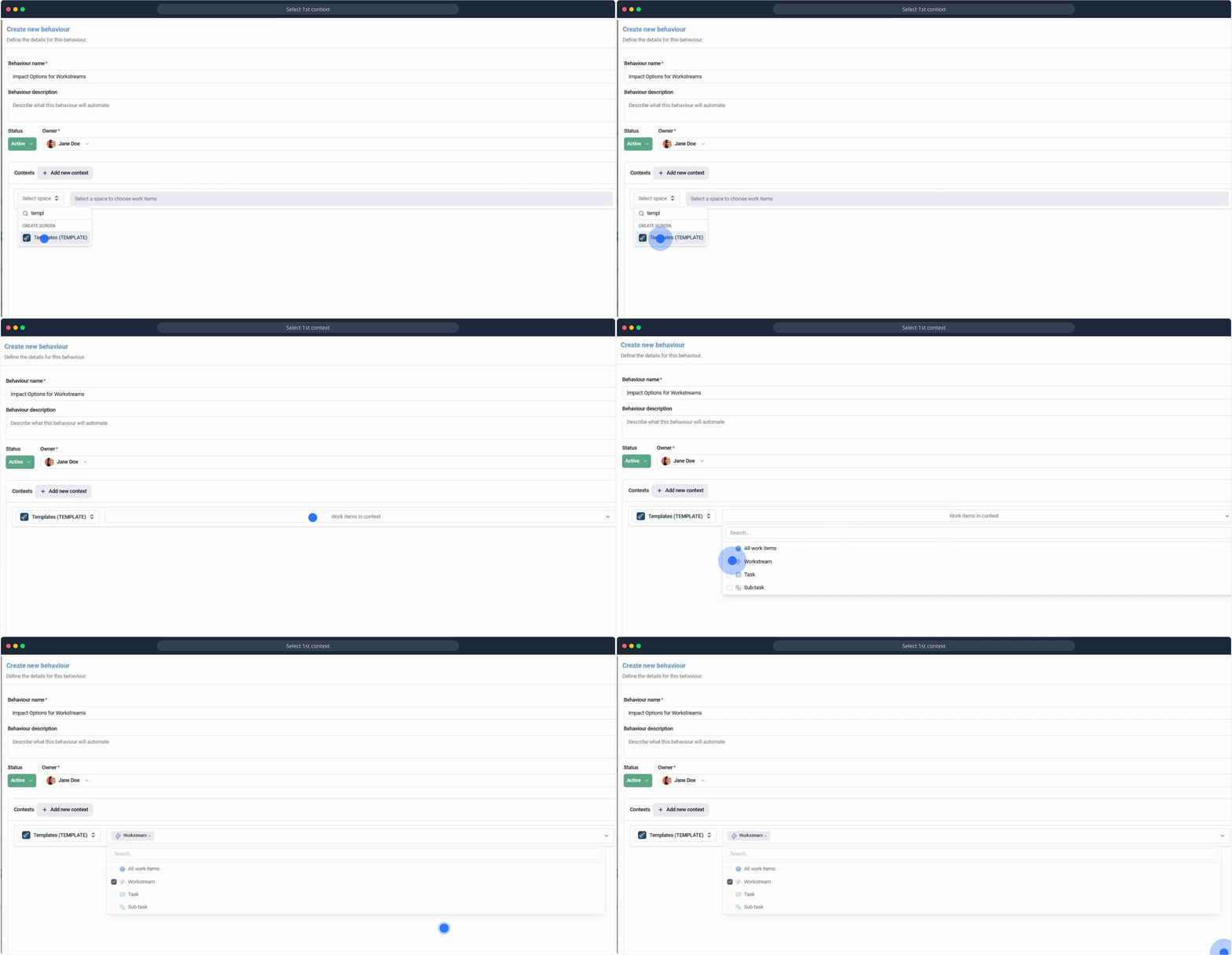
-
Define the second Context: Space = Templates, Work Type = Task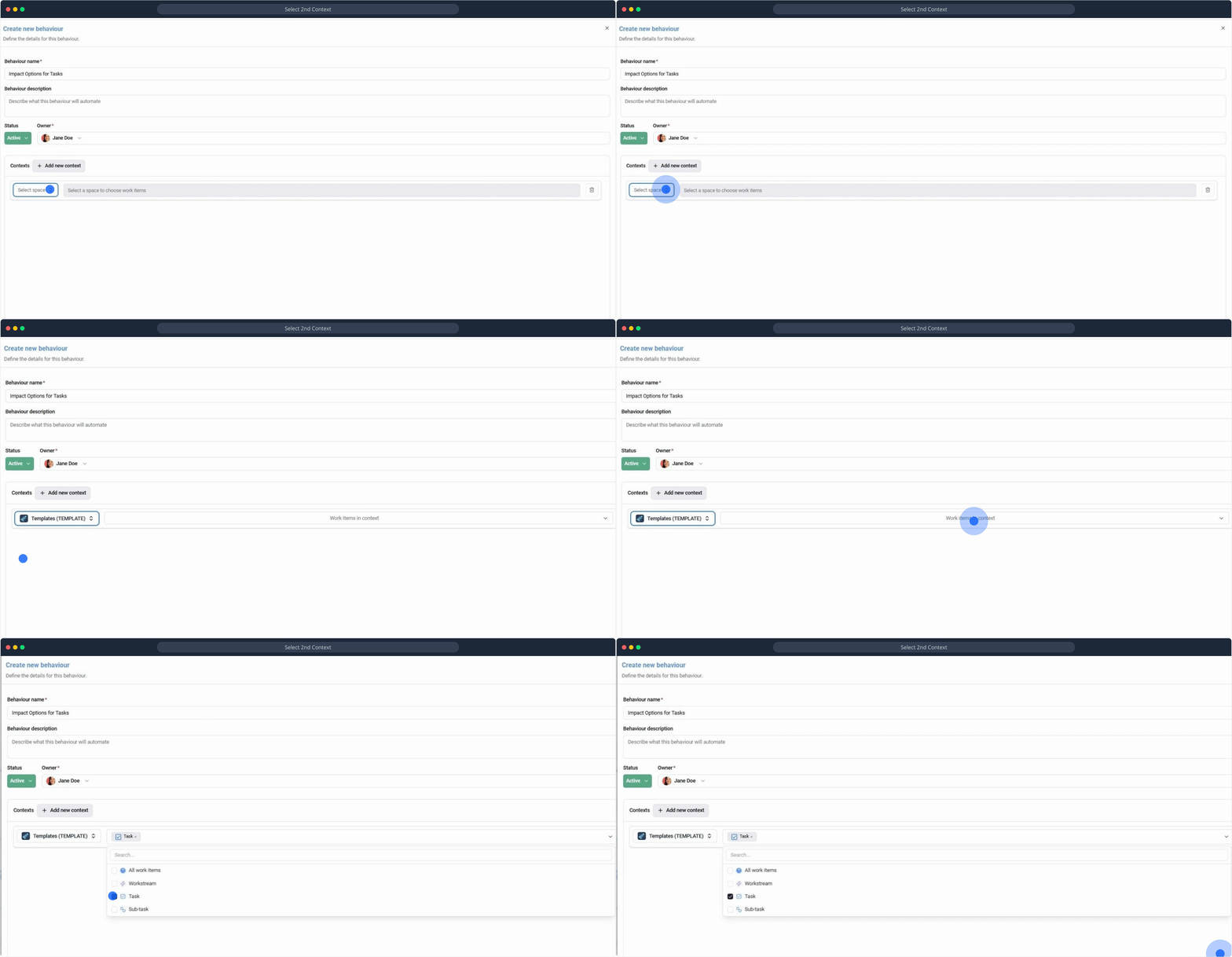
Now, for each Context, you add the actions to be performed on the Target field: Impact.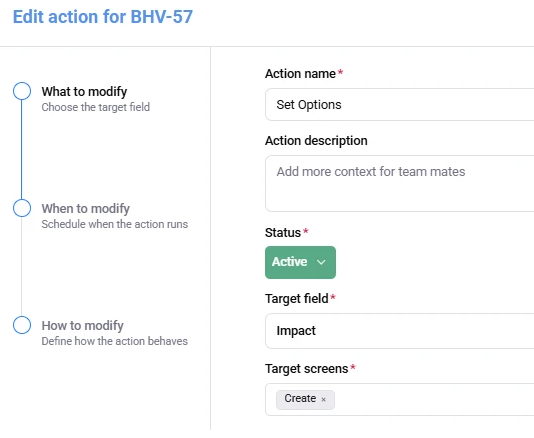
-
Set Options for Context 1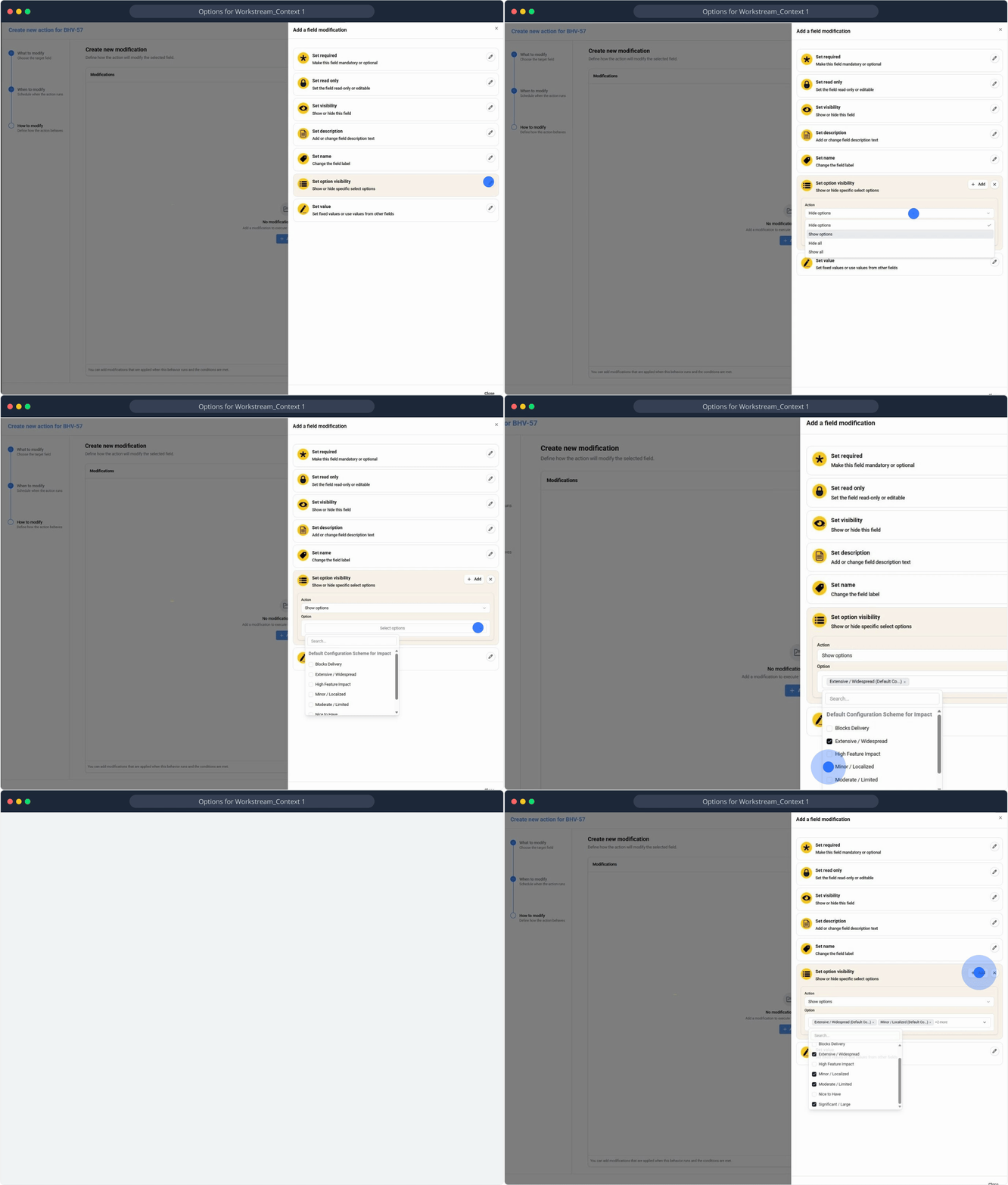
-
Set Options for Context 2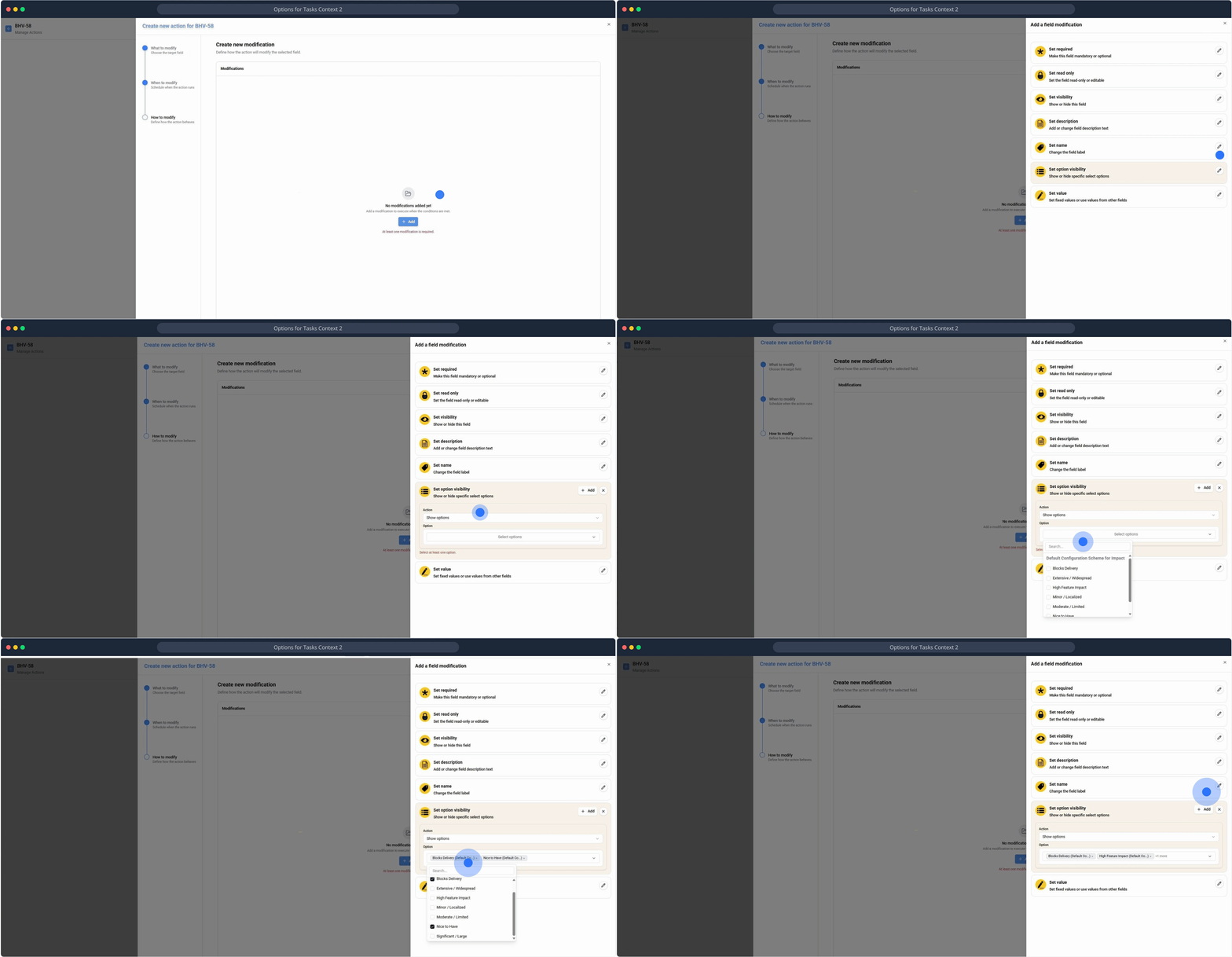
-
Result: The available options in Impact now follow the work type, inside the same space, with one underlying field.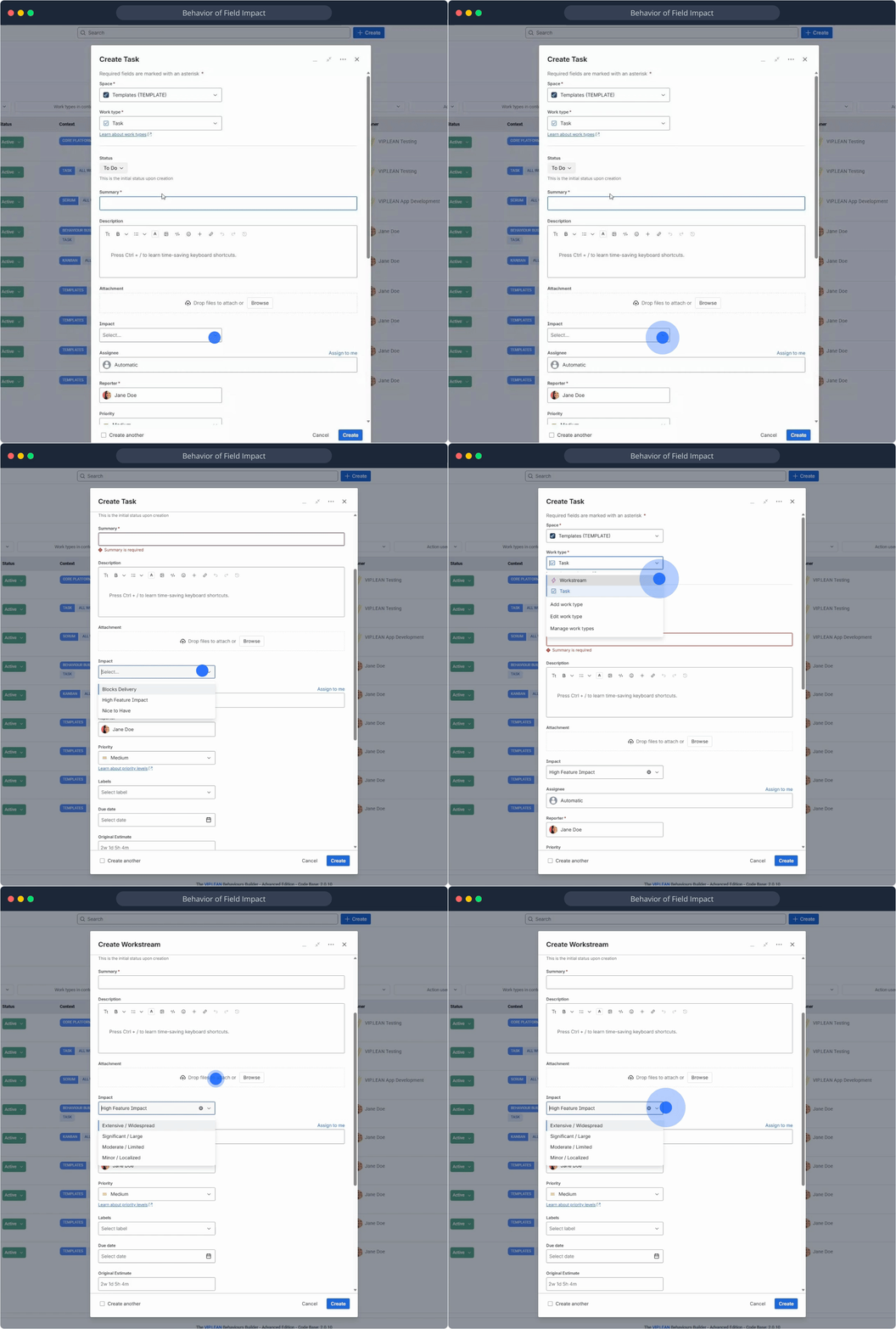
When it pays off
For most fields, native contexts are enough. A behaviour layer earns its keep when you need:
-
one field across multiple work types with different options per type
-
visibility or required logic depending on combinations Jira can't express natively
-
clean reporting while still giving each work type a tailored form
That's the gap JRACLOUD-6851 leaves open — and where a behaviour layer quietly does the job.
Interested for more?
