🔥Dependencies in Jira are not just about linked issues.
They silently affect much more than most teams expect.
In large or long-lived instances, this creates real ⚠️risks.
Here are situations that happen more often than we admit:
-
You update a custom field, change a project key, or rename a status/transition… and suddenly filters used by teams no longer return the expected results
-
A board stops reflecting reality because underlying dependencies shifted, impacting sprint planning and prioritization
-
A seemingly minor change affects end-user tickets, creating confusion or unexpected blockers for customers
-
Automation rules start failing—or worse, behaving incorrectly—because dependencies weren’t fully understood
-
After a migration, dependencies still exist, but their structure and impact are unclear, making every change feel risky
-
Teams rely on assumptions instead of visibility, leading to last-minute surprises during releases
In all these cases, the issue isn’t the dependency itself.
It’s the lack of visibility into its impact across the Jira ecosystem:
filters, boards, user tickets, automations… everything is connected.
One way to handle this is by using tools that focus on impact analysis.
For example, Impact Analysis for Jira helps to:
-
🔍 Visualize dependencies across issues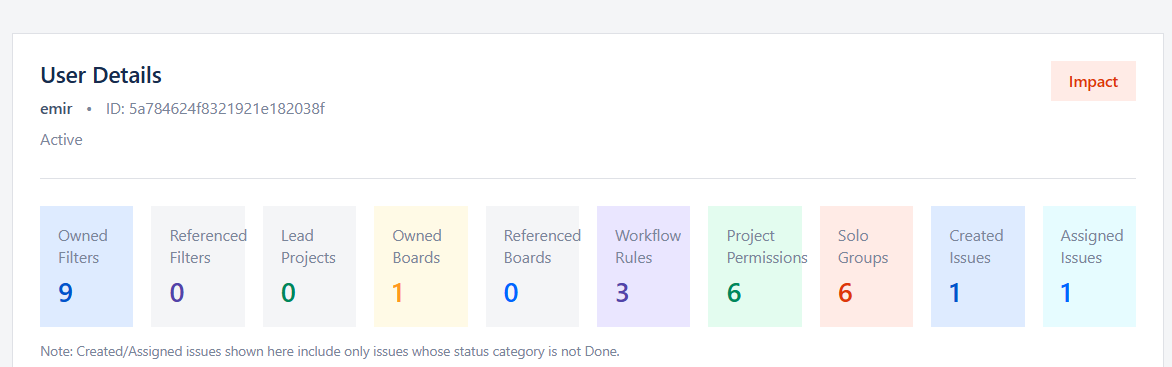
-
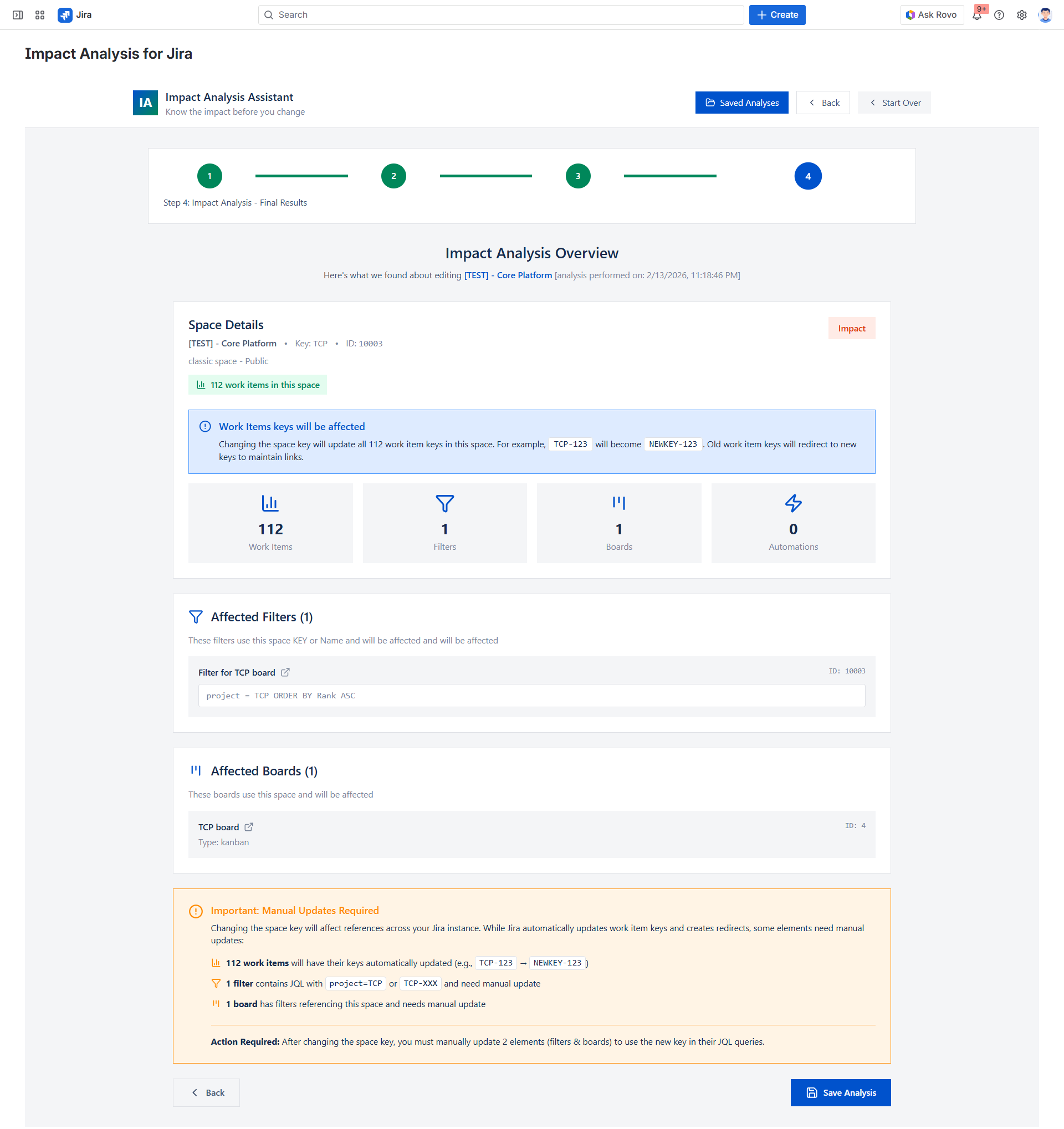
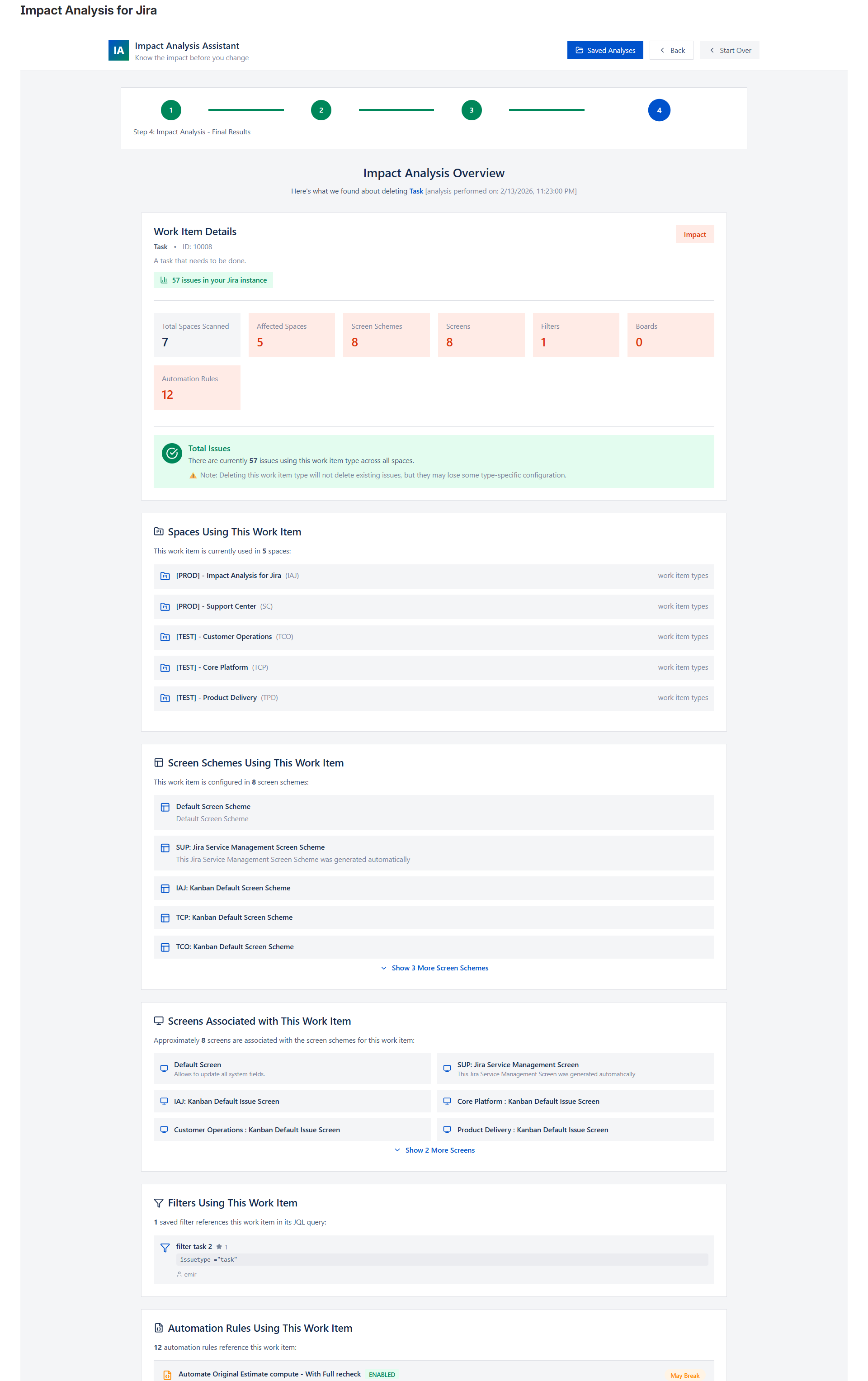
🧠 Understand impact on existing Jira objects
-
👀See the number of related elements and their categories
-
💾Export and save each analysis to compare different scenarios over time
👉If you’re dealing with complex environments, large volumes, or post-migration uncertainty, you might want to explore it:
https://marketplace.atlassian.com/apps/4251492671/impact-analysis-for-jira?hosting=cloud&tab=overview
How are you currently managing dependency impact across filters, boards, and automations?



