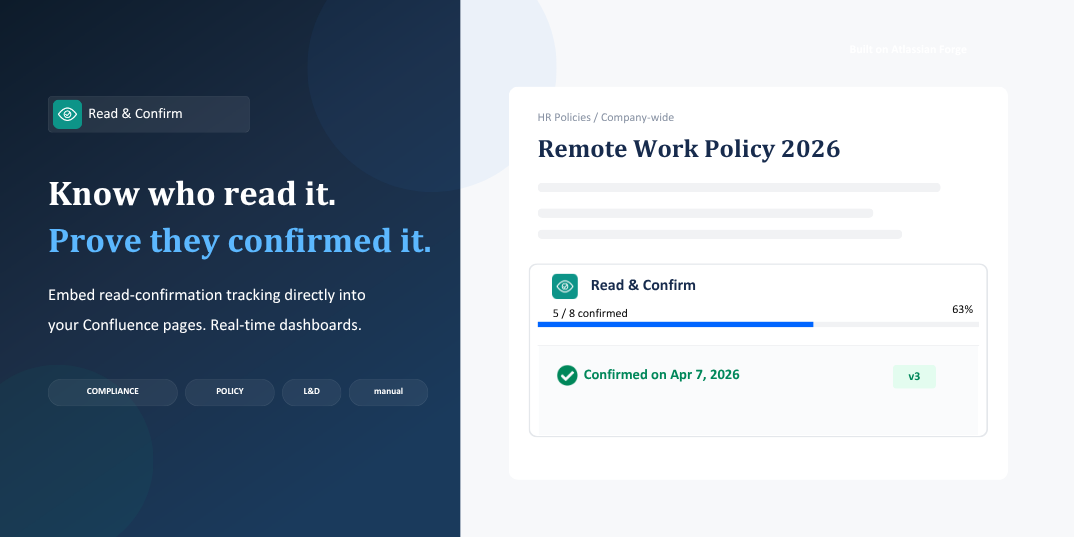
Stop guessing who read your important pages.
Confluence is great for sharing knowledge — but when it comes to policies, SOPs, and compliance documents, "shared" isn't enough. You need proof that people actually read and acknowledged the content.
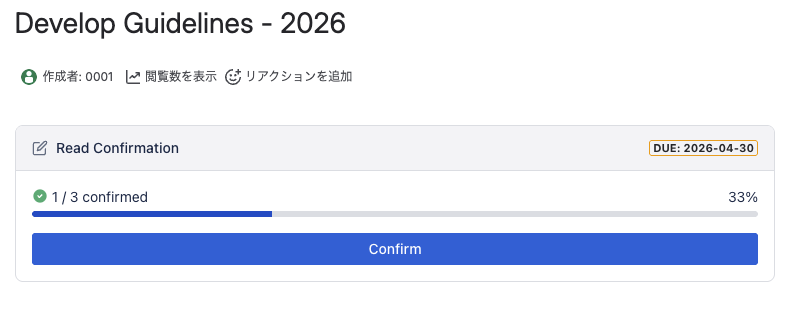
Read & Confirm embeds a lightweight confirmation macro directly into any Confluence page. Assigned users see a clear "I've read and confirmed" button — and you get a real-time dashboard showing exactly who has confirmed and who hasn't.
Built on Atlassian Forge, all data stays within the Atlassian cloud. No external servers. No third-party data transfers.
Whether you're rolling out a new company policy, distributing security guidelines, or tracking training completion, Read & Confirm gives you the visibility and audit trail you need — without leaving Confluence.
Key Features
In-page confirmation macro Users confirm with a single click — right inside the Confluence page. No separate tools, no context switching, no extra logins.
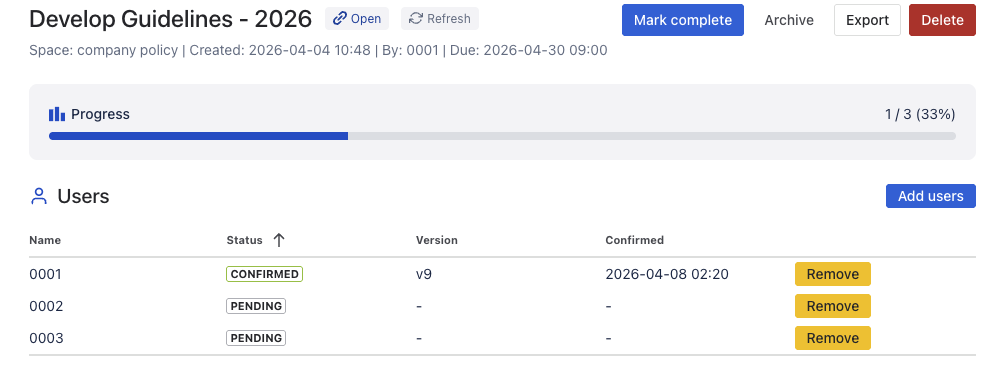
Real-time dashboard See all your confirmation requests in one place. Track confirmation rates, identify pending users, and monitor completed requests at a glance.
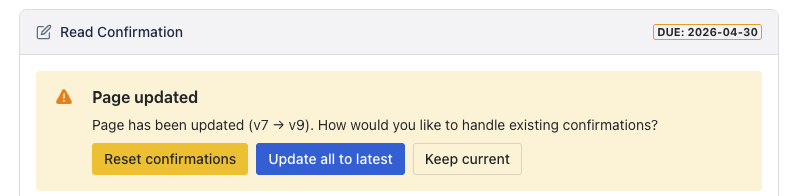
Version-aware tracking When a page is updated, previous confirmations are automatically flagged as outdated. Users can re-confirm the latest version — so your records always reflect the current content.
CSV export Download detailed confirmation records anytime. Each export includes user names, confirmation timestamps, and status.
|
Name
|
Status
|
Version
|
Confirmed At
|
|
0001
|
confirmed
|
v9
|
2026-04-08T17:20:12.285Z
|
|
0002
|
pending
|
|
|
|
0003
|
pending
|
|
|
One-click macro embed Add the confirmation macro to any page directly from the dashboard — no need to edit the page manually. One click and it's live.
Use Cases
Compliance & Policy Management Ensure every employee reads and acknowledges updated company policies, codes of conduct, or regulatory documents. Export confirmation records as audit evidence.
Learning & Development Track completion of required reading materials. Instantly see who has finished and who still needs to catch up — no more chasing people over email.
IT & Security Roll out new security guidelines, acceptable use policies, or incident response procedures. Verify that your entire team has acknowledged the latest updates.
Project Handoffs & SOPs Confirm that stakeholders have reviewed critical project documentation, standard operating procedures, or process changes before go-live.
HR & Onboarding Distribute employee handbooks, benefits guides, or workplace safety documents to new hires — and track exactly when each person confirmed.
Getting Started
Getting started takes less than a minute:
- Install Read & Confirm from the Atlassian Marketplace
- Open the Read & Confirm dashboard from your Confluence navigation
- Click "New Request" — select a page, choose your target users, and add an optional message
- The confirmation macro is automatically embedded on the page
- Track confirmations in real time from the dashboard
That's it. No configuration files, no admin setup, no API keys.
We're committed to making Read & Confirm work seamlessly for your team. If you have questions, run into issues, or have feature suggestions, reach out anytime — we'd love to hear from you.
👉 [Try Read & Comfirm]
