🥳We're happy to share that the 𝗔𝗱𝘃𝗮𝗻𝗰𝗲𝗱 𝗘𝗱𝗶𝘁𝗶𝗼𝗻 𝗼𝗳 𝗕𝘂𝗱𝗴𝗲𝘁𝘆 𝗳𝗼𝗿 𝗝𝗶𝗿𝗮 has been recently released!!
What's new in Budgety for Jira?
The new Advanced Edition of Budgety for Jira introduces Budget Rates per Role, which now allows automatic calculation of project costs based on people's roles.
How is that helpful to manage project budgets in Jira?
Now the team in charge of controlling project costs can define budget rates for each collaborator's professional profile. allowing to automatically generate project costs from logged work in Jira, saving manual updates.
As for many organizations, teamwork is one of the most important parts when calculating project costs. This new advanced feature provides a more reliable financial view for the PMO.
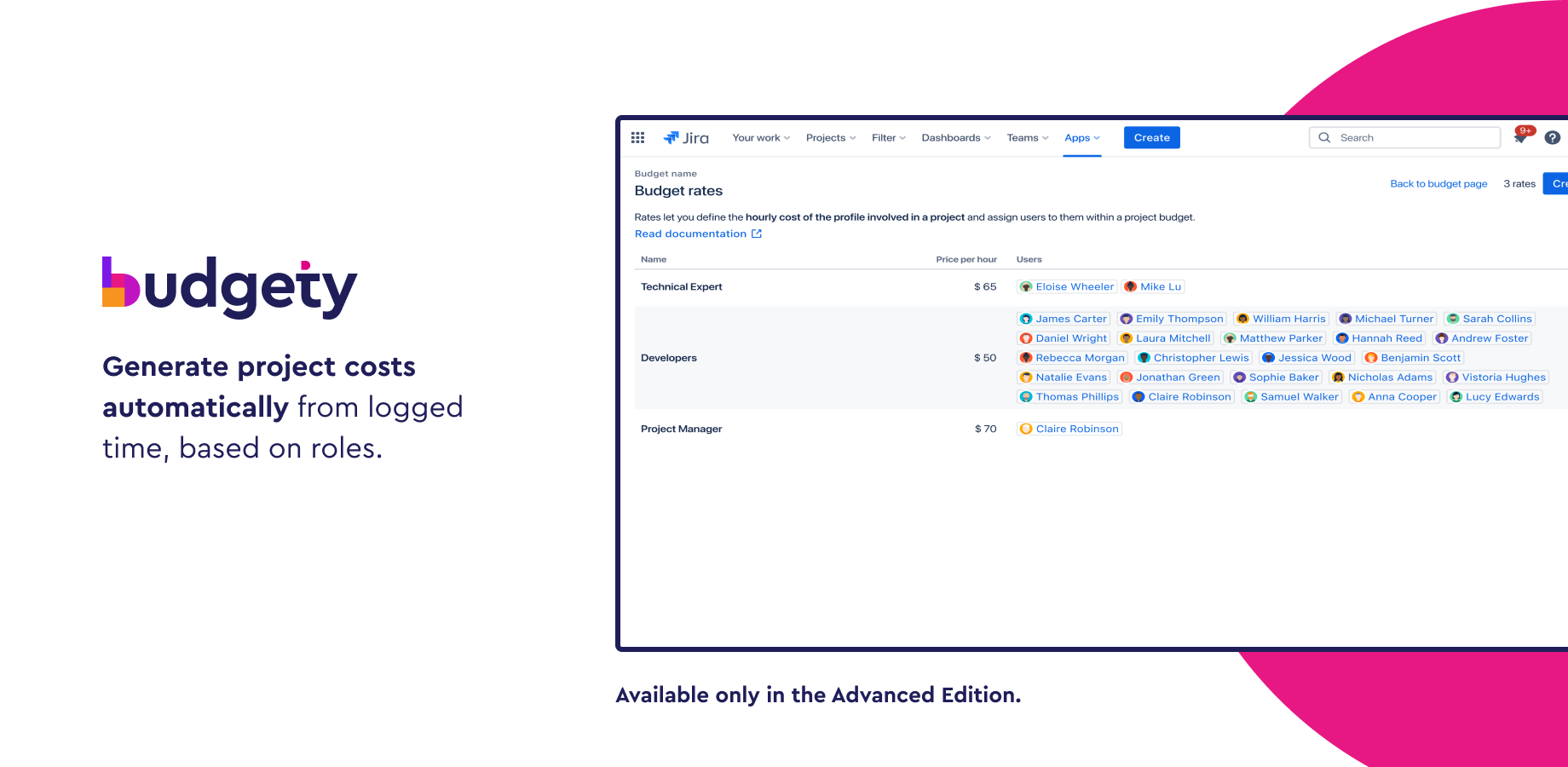
How does the Budget Rates per Roles feature of Budgety for Jira work?
You just need to:
- Define a role name, a price per hour, and the users assigned to that role.
- Then use those rates when defining budget costs, based on logged work
The calculation will be automatic, visible in real-time on your Budgety dashboard for project budgets. Easy cake!🍰
This is not everything; this new edition also comes with a dedicated Customer Success Manager who will be there ready to help you to optimize budgeting processes, adopt the new functionalities faster, and get the best out of this solution, part of the PMO Collection for Jira, according to your needs.
Discover all the benefits this new edition of Budgety for Jira has, and start getting the most out of it.
![Photo of Huwen Arnone [Deiser/Devoteam]](https://us.v-cdn.net/6038660/uploads/avatars/6f/bc/n6fbcb837e47ed9842db045142dbc9275.png)