We’re thrilled to announce that the Atlassian VS Code extension, now supercharged with Rovo Dev, is generally available!
The Atlassian VS Code extension has been the bridge between your IDE and the Atlassian tools you use every day. With Rovo Dev built in, that bridge is now powered by an AI agent that understands your code and your work context across Jira, Confluence and Bitbucket Cloud and even third party tools like Github (through Jira with Github)— all from inside VS Code.
Why this matters for your teams
Software teams lose hours every week switching between tools, hunting for the right ticket or document, and managing work across Jira, Confluence, Bitbucket, GitHub, and more. With Rovo Dev in the Atlassian VS Code extension, you get a seamless, native experience of AI-assisted development directly in your IDE: search, chat, apply edits, run tests, prepare commits, and more — without leaving your primary coding space.
With Rovo Dev in VS Code, you can:
-
Chat about your code and get context fast
-
Ask Rovo Dev questions about your codebase, Jira issues, or Confluence docs — without leaving the IDE. Get instant answers about architecture, dependencies, or best practices.
-
Automate the busywork
-
Offload tasks like drafting Jira issues, pull requests, and even code changes to Rovo Dev, which automatically pulls in the right context.
-
Stay in your flow
-
Get work suggestions, review code, and manage tasks directly from VS Code so you don’t have to break concentration.
-
Receive alerts and act on them instantly
-
View notifications for Jira issues assigned to you, pull request activity, code reviews, and more. Open issues, review PRs as they come in, or reply to comments without leaving your editor.
-
Leverage the Atlassian ecosystem
-
Because Rovo Dev understands your organization’s unique context, every answer is more tailored and relevant.
How Rovo Dev enhances your VS Code experience
Example Workflows
-
Tackle existing Jira work items and create new ones: Directly from the IDE, ask Rovo Dev to start working on a Jira ticket you choose, with context pulled from code and other docs.
-
Starting on a Jira: “Rovo Dev, let’s plan our approach to Vitafleet-123 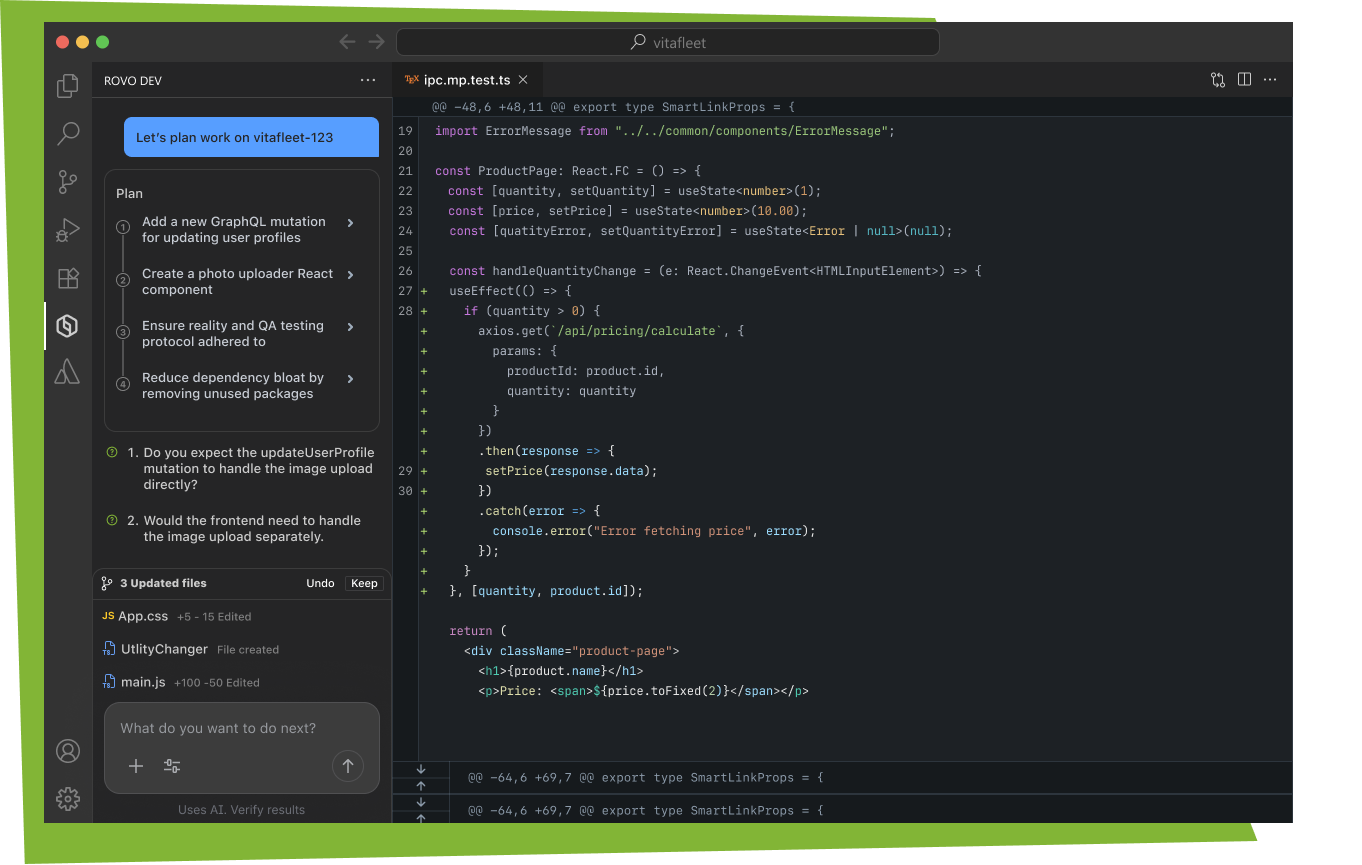
-
View Jiras: Open the Jira Extension, create a Jira ticket with Rovo Dev.
-
Create & Review PRs: Let Rovo Dev help you create PRs, auto-fill descriptions, and suggest reviewers.
How to Get Started
Getting set up with the Atlassian VSCode extension and Rovo Dev is quick and straightforward. To make the process even easier, we’ve put together a guide that walks you through installation, connecting your Atlassian account and Jira instances you and your team work on.
Access our documentation here: work with Rovo Dev in the IDE
Once you’ve got the extension set up, feel free to watch helpful demos from our team to understand how you can implement the extension in your daily workflows:
Rovo Dev Quick Fix in IDE:
Rovo Dev Prompts in IDE:
Rovo Dev Yolo Mode in IDE:
Rovo Dev Session Manager in IDE:
Want more? Access our video library
Watch additional how-to tutorials on Rovo Dev in the IDE and additional capabilities including code review, Rovo Dev CLI and more. Learn about useful features and visual walkthroughs of common use cases from our team.
View now
How to get support:
Learn more about features, authentication and how to work with Rovo Dev in the IDE through our support documentation here: work with Rovo Dev in the IDE
To contact our support team, please visit: contact support
Share your feedback
Your feedback is valuable to our team. You can share feedback through the Rovo Dev chat window once the extension is downloaded and set up in VS Code:
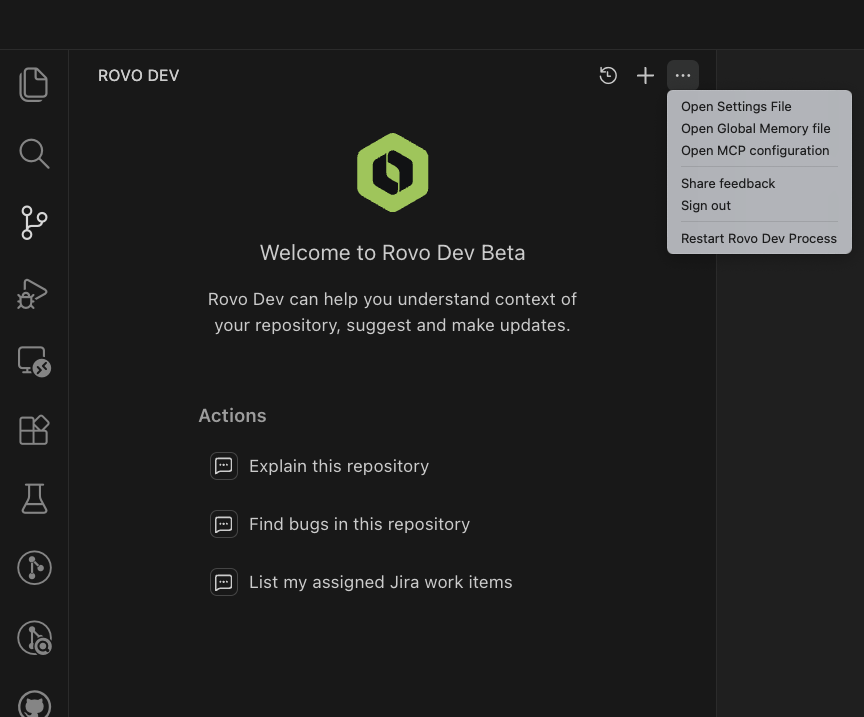
Try it today!
We invite you to begin your journey of intelligent development in your IDE by installing the Rovo Dev in VS Code extension below.
Install now
Rovo Dev is a context-aware AI agent that accelerates the software development lifecycle by handling planning, coding, reviews, and automating repetitive work at scale.
Learn more about additional Rovo Dev capabilities here.
Our Sincere Thanks
This GA release isn't just a milestone for our company; it's a reflection of the conversations we've had with you. To those of you who took the time to leave feedback, you've quite literally shaped the product you see today. We're obsessed with building experiences backed by your voice, not just our assumptions. Thank you for being part of the process—and please, don't stop now. We're always listening.
-From Bryan Wieger, Senior Software Engineer, Rovo Dev


