Hey everyone! 
If we haven’t met yet, I’m MJ, from the draw.io team. I’m excited to share a major update with you all. We’ve rolled out something new to help you create diagrams even faster.
You might notice our new Generate Tool as a new sparkle button in your toolbar.
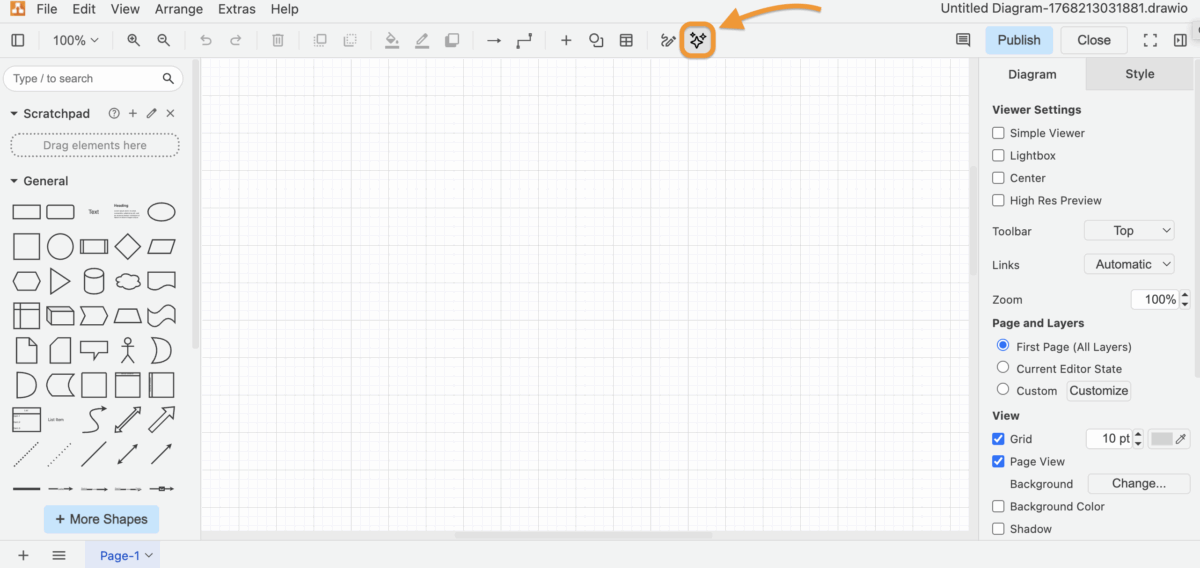
What’s the makeover?
Well, instead of just one AI generator, we’ve brought together a whole team and when you type a prompt, the tool intelligently picks the best guy for the job. Whether that’s a UI mockup, cloud architecture, or those tricky Mermaid-based Gantt charts, it builds it for you in seconds.
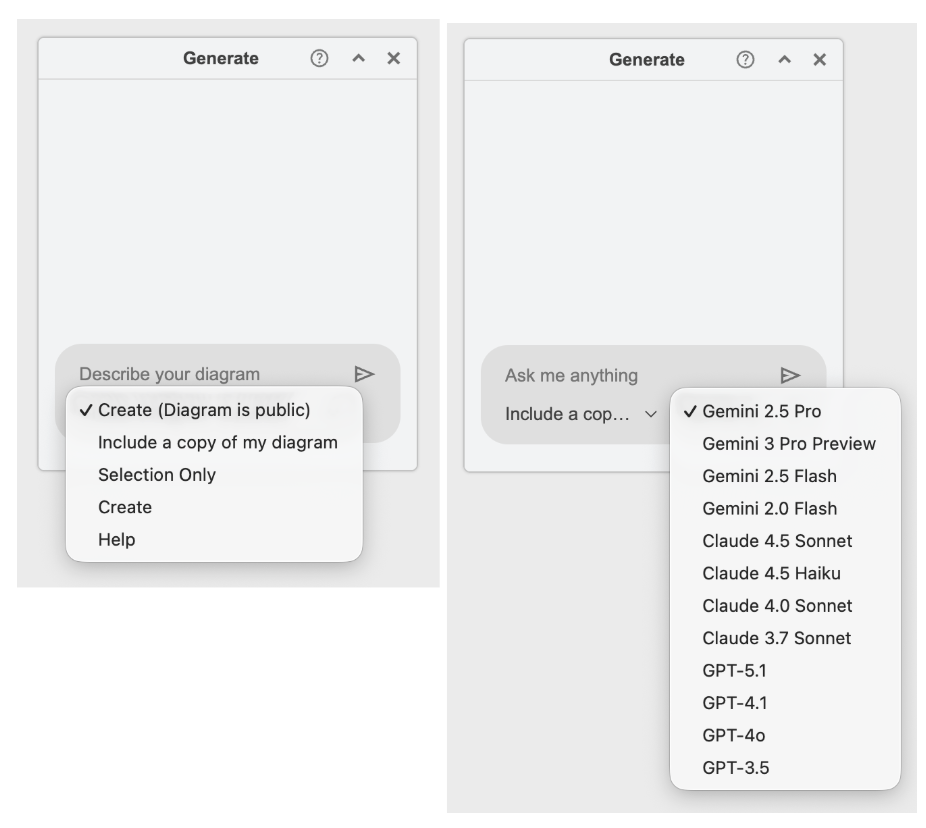
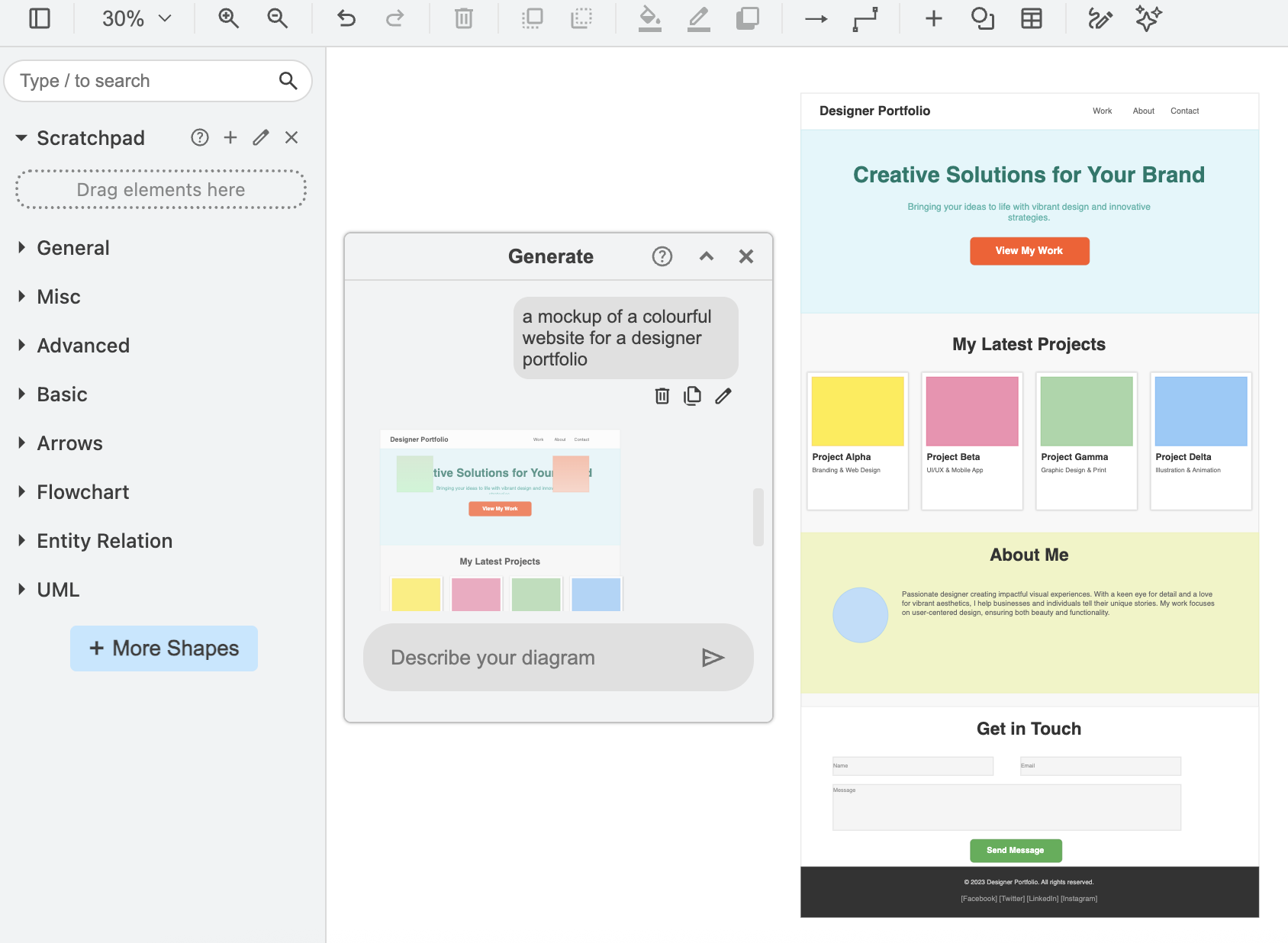
Here’s how you can try it for yourself:
-
Find the sparkle icon int he top menu or Confluence template manager.
-
Type the type of diagram you want first (this helps AI choose the right engine), then add your details.
-
Use the magnifying glass to see if it’s what you need.
-
If you’re not feeling the first version, hit the refresh button. You can generate as many variations as you want until it’s perfect. Then just hit the + icon to start customizing.
Last quick tip for admins:
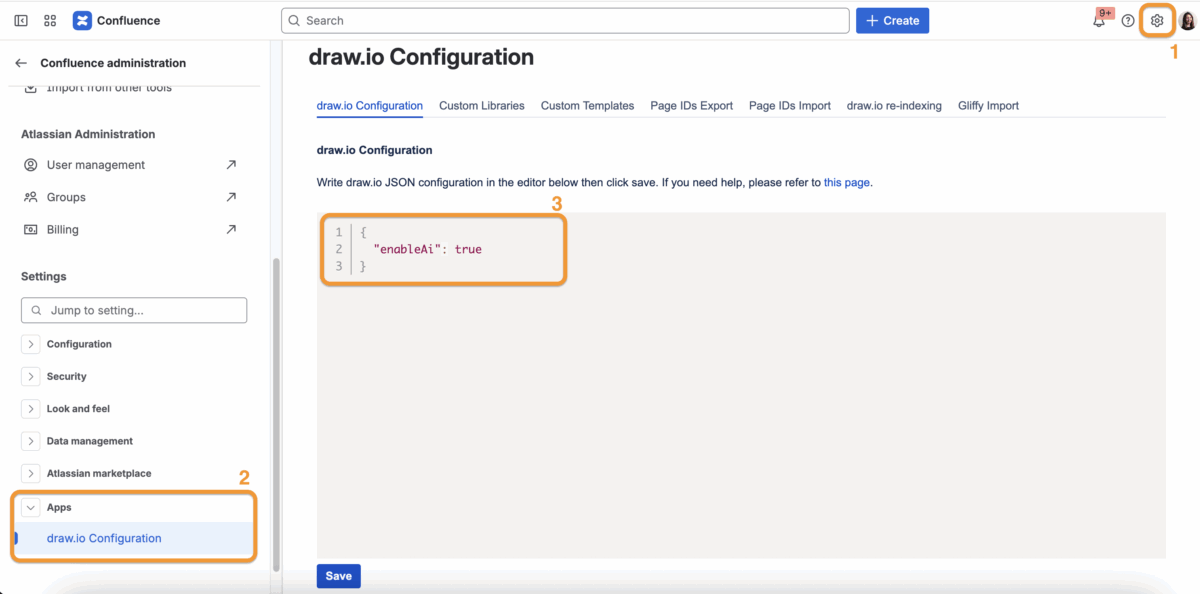
If you’re on Confluence Cloud and don’t see the sparkle button yet, it’s likely just disabled by default. It’s an easy fix " data-testid="image-emoji- " data-emoji-type="image">
 " data-emoji-id="1f609" data-emoji-text="😉" data-vc="emoji" /> . head to your draw.io Configuration and add { “enableAi”: true }
I’d love to hear what you think after you’ve tried it!


