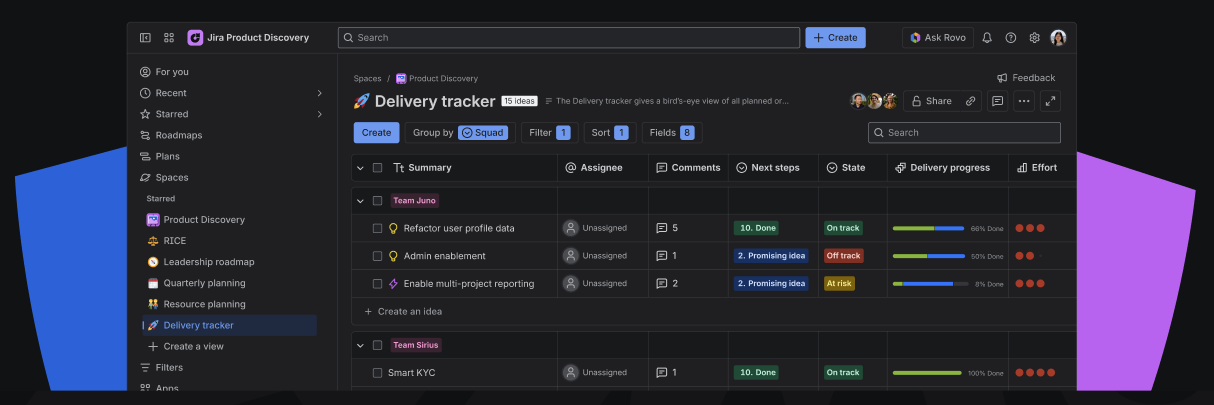
The Delivery Tracker provides a real-time bird's-eye view of execution.
It is designed to keep stakeholders informed on development status without overwhelming them with work item-level noise.
Note: This view is for monitoring progress, not managing it. Detailed task management remains in your Jira boards, while this view serves as the high-level dashboard for leadership.
Use this view to:
-
Monitor the progress of committed work.
-
Spot delivery risks before they impact deadlines.
-
Centralize links to PRDs or Figma designs for easy access.
How to set it up
Key fields to create and add to a list view:
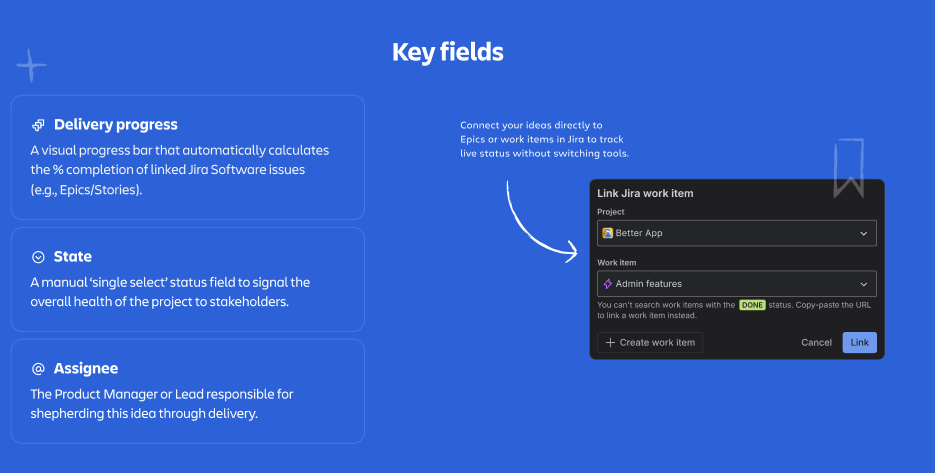
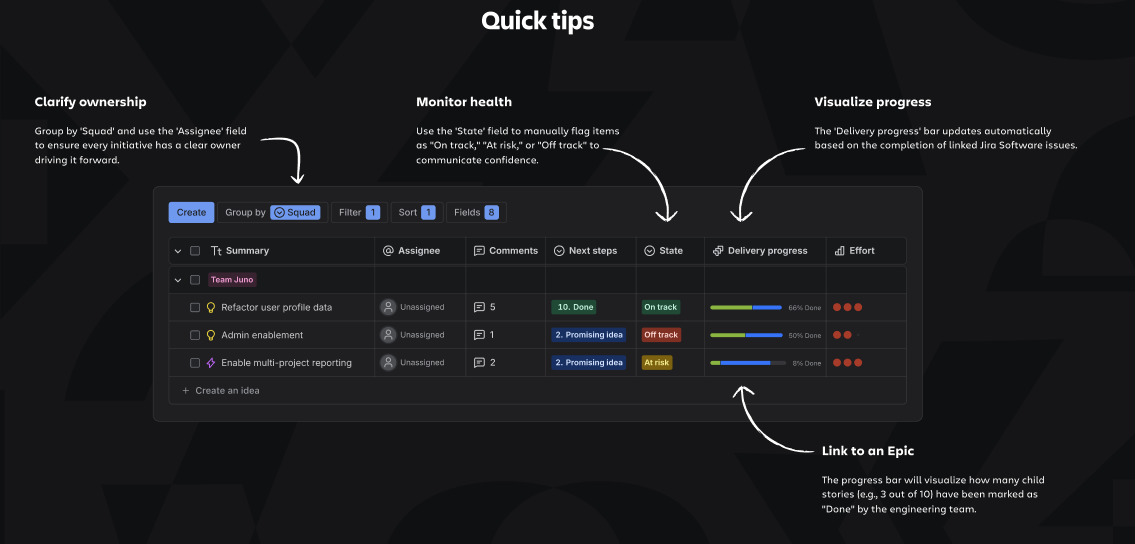
- State (select field): Create a high-level field to indicate the overall health of the initiative (e.g., On Track, At Risk, Delayed, Paused).
- Delivery progress (native field): connect ideas to Jira work items, then add the delivery progress field. This visualizes completion percentages (e.g., "45% Done") based on the linked Jira tickets, giving you an automated progress bar.
Quick tips
- Keep this high-level roadmap separate from your detailed delivery backlog. Stakeholders need the "at-a-glance" view, not the 50-subtask breakdown.
- Add URL fields for Design Specs (Figma) or Project Briefs (Confluence) directly to the list so stakeholders can find documentation without asking you for links.
See a Delivery Tracker in action
Not sure where to start? Create a dedicated space with pre-built views to explore a real-life example of the Delivery Tracker.
Note:
-
Only Site/Org Admins and users with permission to create spaces can access this feature.
-
If you do not have these permissions, please ask your admin to create the space and invite you.
