Different stakeholders need different roadmaps. While your engineering team needs operational details, your leadership team cares about strategic alignment, investment areas, and capacity.
This guide helps you set up a Leadership Roadmap in Jira Product Discovery. Use this view to communicate the "30,000-foot view", demonstrating how work aligns with business goals without getting lost in delivery status or details.
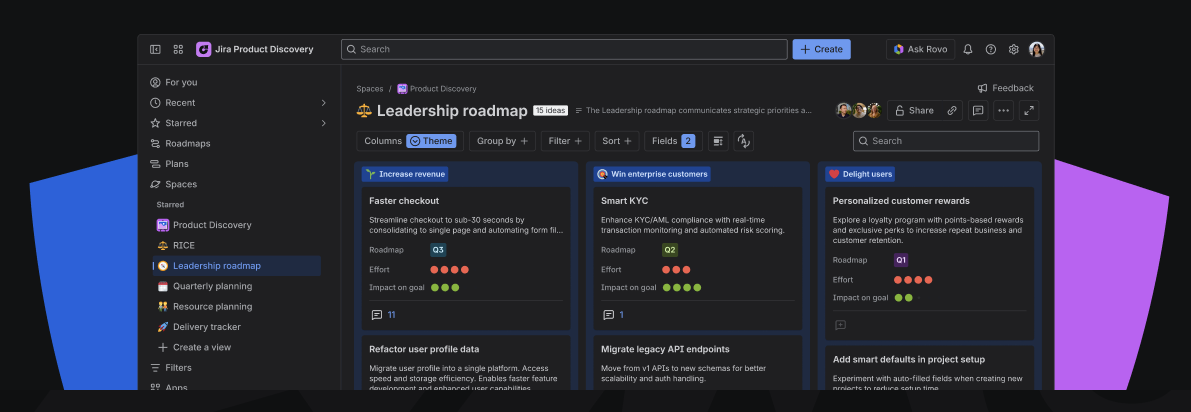
How to configure a leadership roadmap
A good roadmap frames the conversation around what’s important for your stakeholders: what are their goals? What outcomes are they trying to accomplish?
Step 1: create fields
You need specific fields to tell a strategic story. Ensure the following fields are set up in your space:
- Theme / Objective (select): Group ideas by strategic drivers
- Roadmap (select field): Communicates when (eg Q1, Q2 or Now, Next, Later
- Alternative: use date field for quarterly time-horizons
- Impact (rating field): impact towards goal
- Alternative: use numeric field for absolute impact
- Effort: A high-level proxy for cost/resources.
- Short description to communicate each idea
Recommended: Add Team (Select)if your roadmap spans multiple product teams.
Step 2: create & configure the 'Board' view
Once your fields are ready, build the visualization:
- Create a board view, organize the columns by theme
- Click on 'Fields' to add fields to the cards
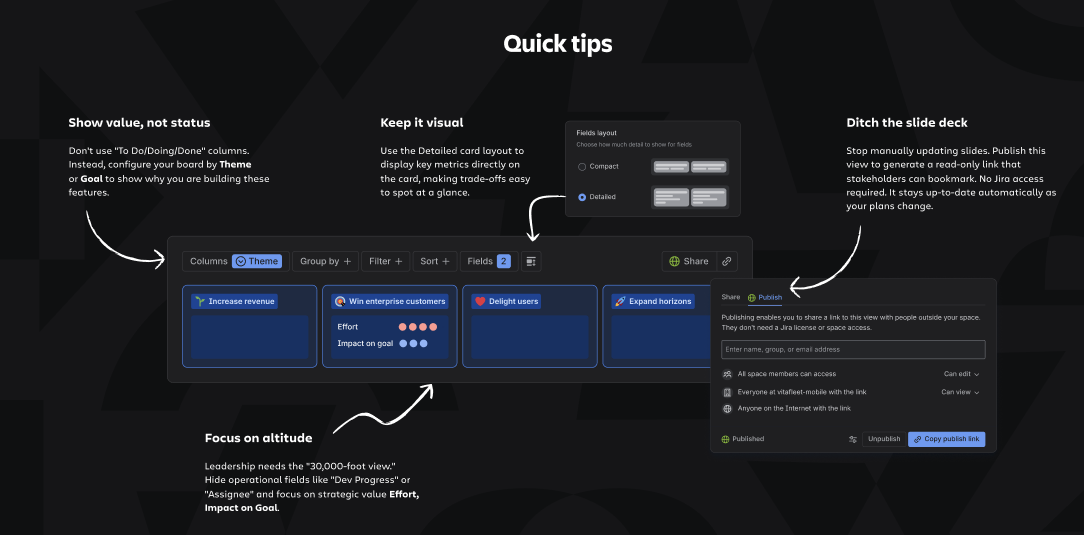
- Click on Layout button next to fields > Detailed

Step 3: apply filters
Apply filters to filter out noise and only show items that leadership needs to discuss.
Quick tips
-
Focus on the "Why": Hide operational fields like "Assignee." Keep the focus strictly on strategic value and alignment.
-
Use the Share > Publish feature to generate a read-only link for stakeholders. It stays up-to-date automatically as your plans change.
- Ensure every card has a plain-language description so stakeholders don't have to click into an idea to understand what it is.
Learn more roadmapping best practices here
See a Leadership Roadmap in action
Not sure where to start? Create a dedicated space with pre-built views to explore a real-life example of a leadership roadmap.
Note:
-
Only Site/Org Admins and users with permission to create spaces can access this feature.
-
If you do not have these permissions, please ask your admin to create the space and invite you.

