Jira is the backbone of work management for thousands of teams. It tracks issues, workflows, assignees, and progress remarkably well. But when teams try to move from task management to process analysis, many hit a wall.
At first glance, Jira’s native time tracking seems sufficient. You can log work, see time spent, and generate basic reports. But once teams start asking deeper questions — the kind that drive real process improvement — Jira’s built-in time tracking quickly shows its limits.

In this article, we’ll explore why Jira’s native time tracking isn’t enough for advanced process analysis, what’s missing, and how teams can unlock deeper insights into how work truly flows.
What Jira’s Native Time Tracking Was Designed For
Jira’s built-in time tracking is primarily designed to answer one question:
How much time did someone spend working on an issue?
It focuses on:
This is extremely useful for:
But it was never designed to analyze workflow behavior.
The Difference Between Effort and Flow
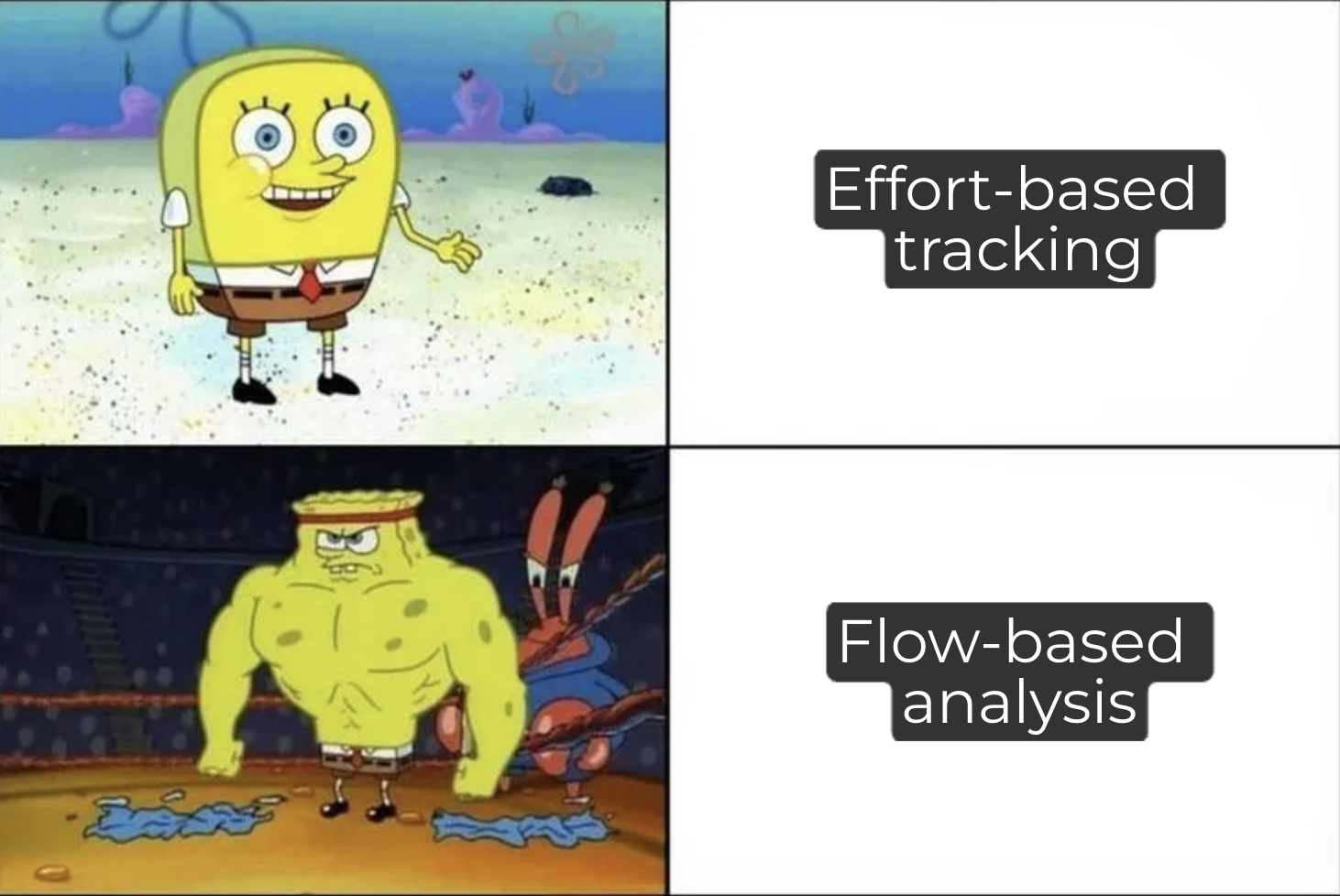
This distinction is critical.
Effort-based tracking answers:
Flow-based analysis answers:
-
How long did the issue take end-to-end?
-
Where did it wait?
-
Which stage slowed it down?
-
How predictable is delivery?
Jira’s native time tracking captures effort, not flow.
And for advanced process analysis, flow is what matters most.
The Blind Spot: Time Metrics and Time in Status

One of the biggest gaps in Jira’s native tracking is status time
Without it, teams can’t accurately answer:
-
How long do bugs stay in QA?
-
Where do issues wait the longest?
-
Which workflow stages cause delays?
-
How much time is spent actively working vs. waiting?
Even Jira’s standard reports don’t provide:
-
first vs. last time in status
-
total time across multiple transitions
-
detailed status-to-status duration
This creates a dangerous illusion of visibility.
Why Logged Time Can Be Misleading
Relying on logged work alone often leads to false conclusions.
For example:
-
An issue may show 3 hours of logged work but take 12 days to complete.
-
A bug may appear “small” in effort but block a release for weeks.
-
Waiting time disappears entirely from effort-based reports.
From a process perspective, waiting is often more expensive than working yet Jira doesn’t track it natively.
Limited Context for Process Improvement
Advanced process analysis requires understanding:
-
handoffs
-
rework
-
queue times
-
bottlenecks
-
flow efficiency
Jira’s native time tracking:
-
doesn’t capture transitions
-
doesn’t measure delays between statuses
-
doesn’t correlate time with workflow structure
As a result, teams struggle to answer:
“What exactly in our process is slowing us down?”
What Advanced Process Analysis Actually Requires
To improve processes meaningfully, teams need:
-
Time in Status metrics
-
Time Between Statuses
-
Cycle Time and Lead Time
-
Wait Time visibility
-
First vs. last transition analysis
-
Business hours vs. calendar time
-
Real-time dashboards
-
Consistent, automated calculations
This is where Jira’s native tracking stops and where specialized tools begin.
Enter Time Metrics Tracker
Time Metrics Tracker. was built specifically to fill Jira’s time-analysis gap.
Instead of tracking effort, it tracks how work flows through your workflow.
It automatically measures:
And it makes these insights available:
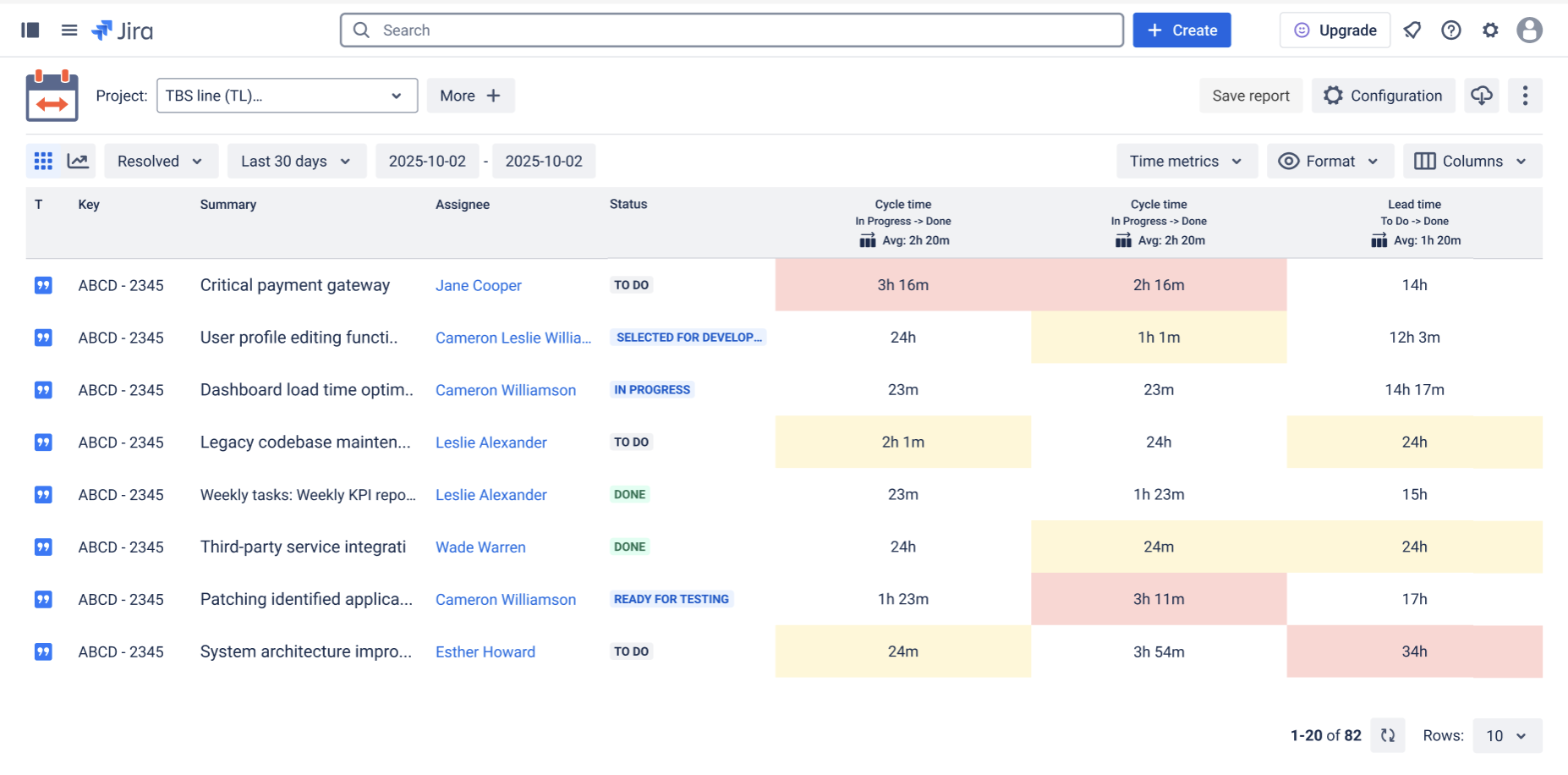
Time Metrics Tracker transforms Jira from a task tracker into a process intelligence platform.
Key advantages:
-
Real-time metrics
-
Workflow-aware calculations
-
Custom work schedules
-
Visual dashboards and charts
-
Color-coded thresholds
-
First / last / total time logic
Most importantly, it reveals patterns, not just numbers.
From Metrics to Meaningful Change

When teams gain access to flow-based metrics, their conversations change.
They stop asking:
And start asking:
-
“Why does work wait so long here?”
-
“Which handoff causes delays?”
-
“What limits our predictability?”
This shift is the foundation of real process improvement.
Why This Matters for Growing Teams

As teams scale, complexity increases:
-
more handoffs
-
more dependencies
-
more parallel work
Without advanced time analysis, these problems remain invisible until deadlines slip.
Time Metrics Tracker gives teams:
That’s why it’s often adopted not just by engineers, but by:
-
product managers
-
delivery leads
-
agile coaches
-
operations teams
Final Thoughts: Jira Is Powerful — But Incomplete
Jira does many things exceptionally well. But advanced process analysis was never its primary focus.
Native time tracking tells you how much effort was spent.
Advanced process analysis requires understanding how work actually moves.
If your team wants:
-
faster delivery
-
better predictability
-
fewer bottlenecks
-
data-driven improvement
…then effort-based tracking isn’t enough.
👉 Install Time Metrics Tracker.

