We all appreciate Trello for its simplicity, but behind that clean interface lies a surprisingly powerful automation engine. With Trello automation teams can reduce repetitive work, enforce consistency, and keep boards running smoothly without manual effort.
In this article, I’ll break down how Trello automation works, the different types of automations you can create, and how to get started with practical examples — all without writing a single line of code.
How Trello Automation Works in Practice
All Trello automations follow the same underlying logic:
When something happens, Trello performs one or more actions automatically.
The “something” is called a trigger, and the result is one or more actions. This simple model is the reason Trello automation scales well — it’s easy to understand, easy to maintain, and hard to misuse when set up thoughtfully.
Automation is configured directly from the board using the lightning bolt icon in the top-right corner. From there, Trello organizes automation options based on when they should run, which helps keep rules clean and intentional.
The Main Types of Trello Automation
Rather than thinking of automation as a single feature, it’s more accurate to see it as a small set of tools, each designed for a specific kind of timing. Most teams rely on a combination of these, depending on how their boards are used.
|
Automation type
|
When it runs
|
Typical use cases
|
|
Rules
|
When something changes on a card or board
|
Assign owners, move cards, update status, enforce standards
|
|
Scheduled automations
|
At a specific time or recurring interval
|
Weekly planning cards, recurring tasks, board cleanup
|
|
Due date automations
|
Before, on, or after a card’s due date
|
Reminders, warnings, overdue handling
|
|
Button automations
|
When a user clicks a button
|
Standardized handoffs, multi-step actions on demand
|
Each automation type solves a different problem. Well-structured boards usually use two or three of these, rather than trying to automate everything at once.
A Common Automation Pattern Teams Rely On
One of the most effective uses of Trello automation is enforcing consistency at the moment work enters the board.
Scenario: New cards are added frequently, but owners and due dates are often forgotten.
Automation approach:
- Trigger: A card is added to the board
- Actions:
- Assign a specific member (or the card creator)
- Set a due date relative to creation, such as seven days from now
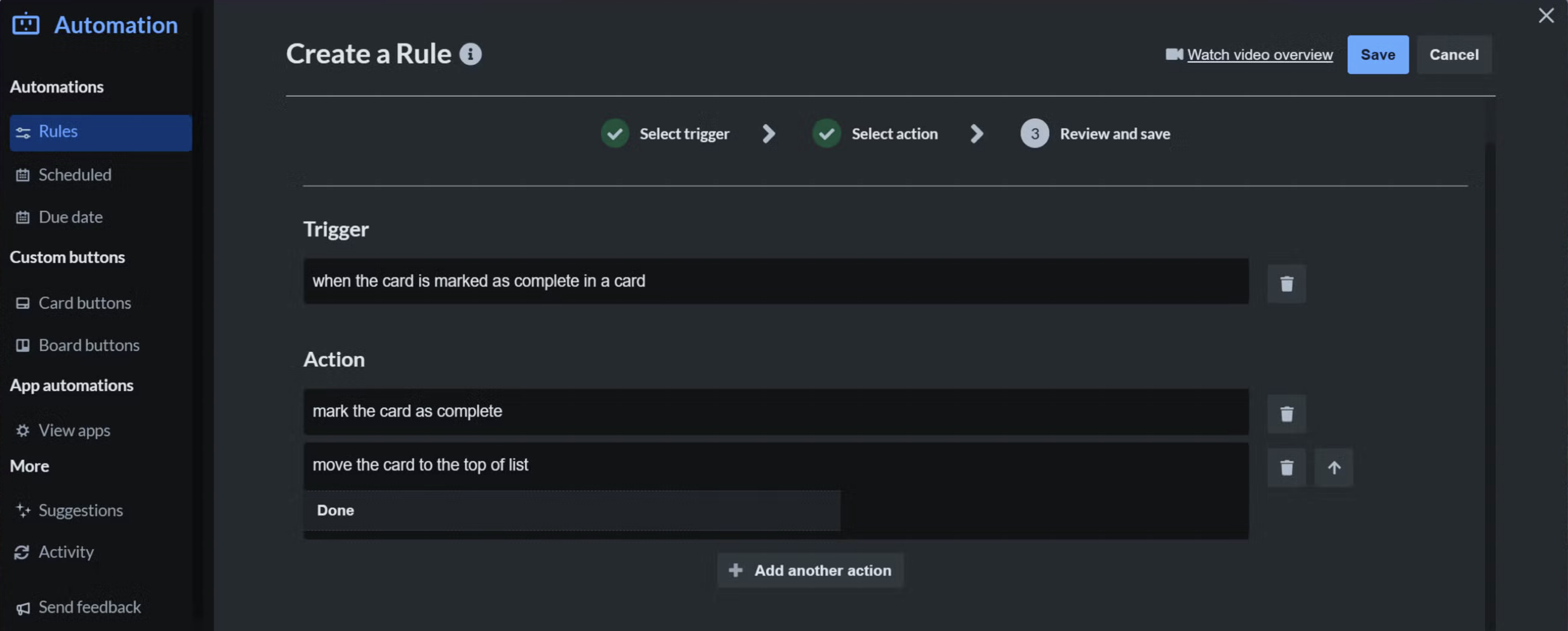
This type of automation doesn’t feel intrusive, but it removes an entire class of follow-up work. Over time, small rules like this tend to deliver more value than complex, highly customized automations.
Using Automation Without Overcomplicating the Board
Teams that get the most value from Trello automation tend to follow a few shared principles:
- Automate patterns, not exceptions
- Keep rules easy to explain to someone new
- Avoid multiple automations reacting to the same event
- Review and clean up automations periodically
- Treat automation as board hygiene, not workflow control
Automation works best when it reinforces how the team already works, rather than forcing new behavior.
Automation Inside Trello vs. Cross-Tool Workflows
Trello automation is intentionally focused on what happens inside a Trello board. It’s excellent for managing cards, lists, and internal structure.
As teams grow, they often complement automation with integrations when they need to sync Trello with other tools, share status across platforms, or coordinate work between systems. In these setups, Trello automation handles board-level behavior, while integration tools — such as Getint for Trello integrations — manage cross-tool synchronization.

Final Thoughts
Trello automation is about keeping boards usable as activity increases. By understanding when different automations run and applying them deliberately, teams can reduce manual work, maintain consistency, and let Trello scale naturally with their processes — without turning it into something it was never meant to be.
