Keeping your IT service management in sync with your HRIS platform enables automation. If your organization uses Paylocity as your source of truth for employee data, continue reading this article to learn more about the benefits of using Assets.
This guide will walk you through how to automate the import of employee and HR data from Paylocity directly into Assets.
What is Paylocity?
Paylocity is a cloud-based Human Capital Management (HCM) and payroll software solution. It serves as a central repository for employee information, including personal details, job titles, reporting lines, and compensation data. For IT teams, it is the authoritative source for "who is who" in the organization.
Why import Paylocity data into Assets?
Integrating Paylocity with Assets provides rich context for every ticket.
-
Automated Onboarding/Offboarding: Trigger automation rules in JSM based on "Hire Date" or "Status" changes in Paylocity.
-
Smart Approvals: Map the supervisor field to automatically route approval requests to the correct manager without manual lookup.
-
Enhanced Asset Management: Link hardware assets (laptops, phones) to the correct employee record, ensuring accurate inventory tracking.
-
Single Source of Truth: Ensure that job titles, departments, and contact info in JSM are always up-to-date with HR records.
Configuration Steps
We will use the OnLink to import employee data from Paylocity to Assets.
Step 1: Establish the Connection
First, connect your Paylocity instance.
-
Navigate to OnLink via the "Manage your apps" menu in Jira.
-
Go to the Connections tab.
-
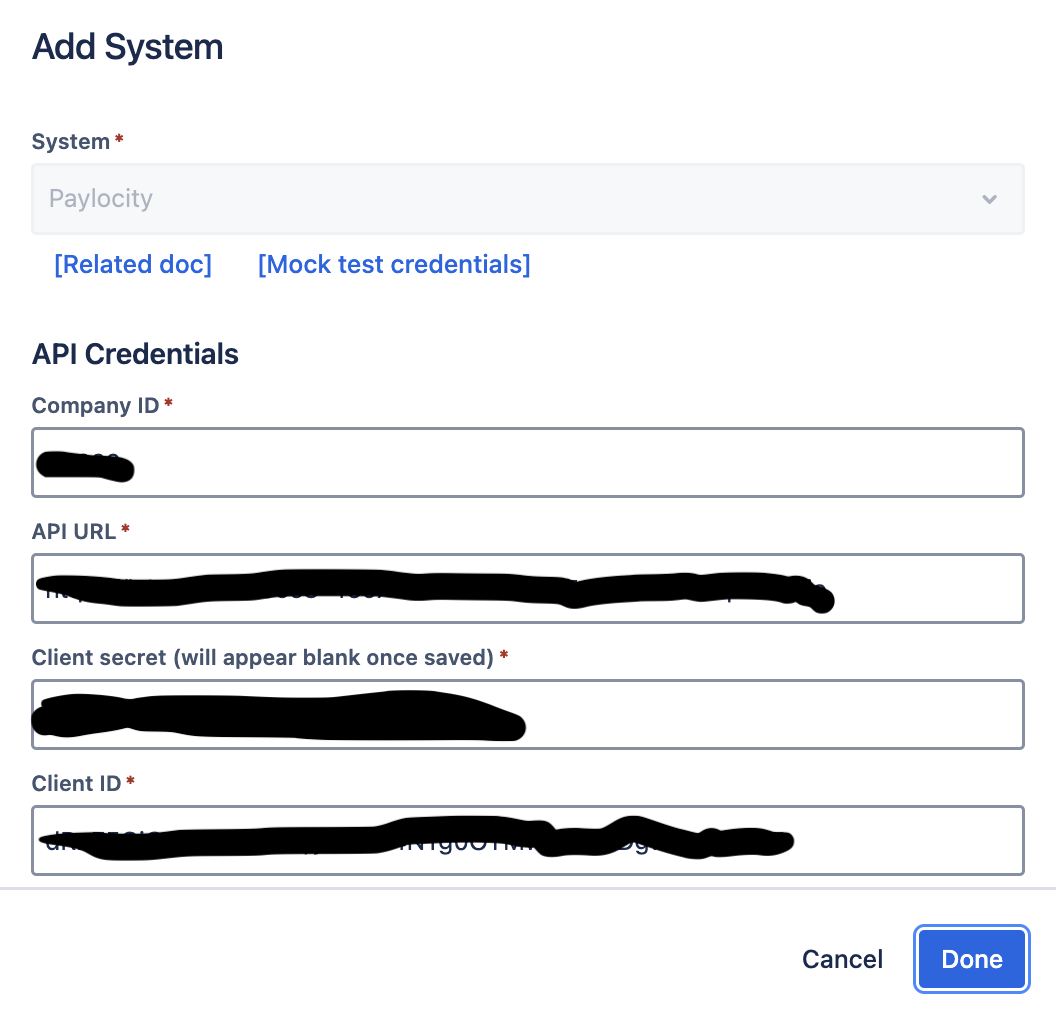
Click Add System and select Paylocity from the list.
-
Follow the prompts to authenticate.
Step 2: Configure the Import and Mapping
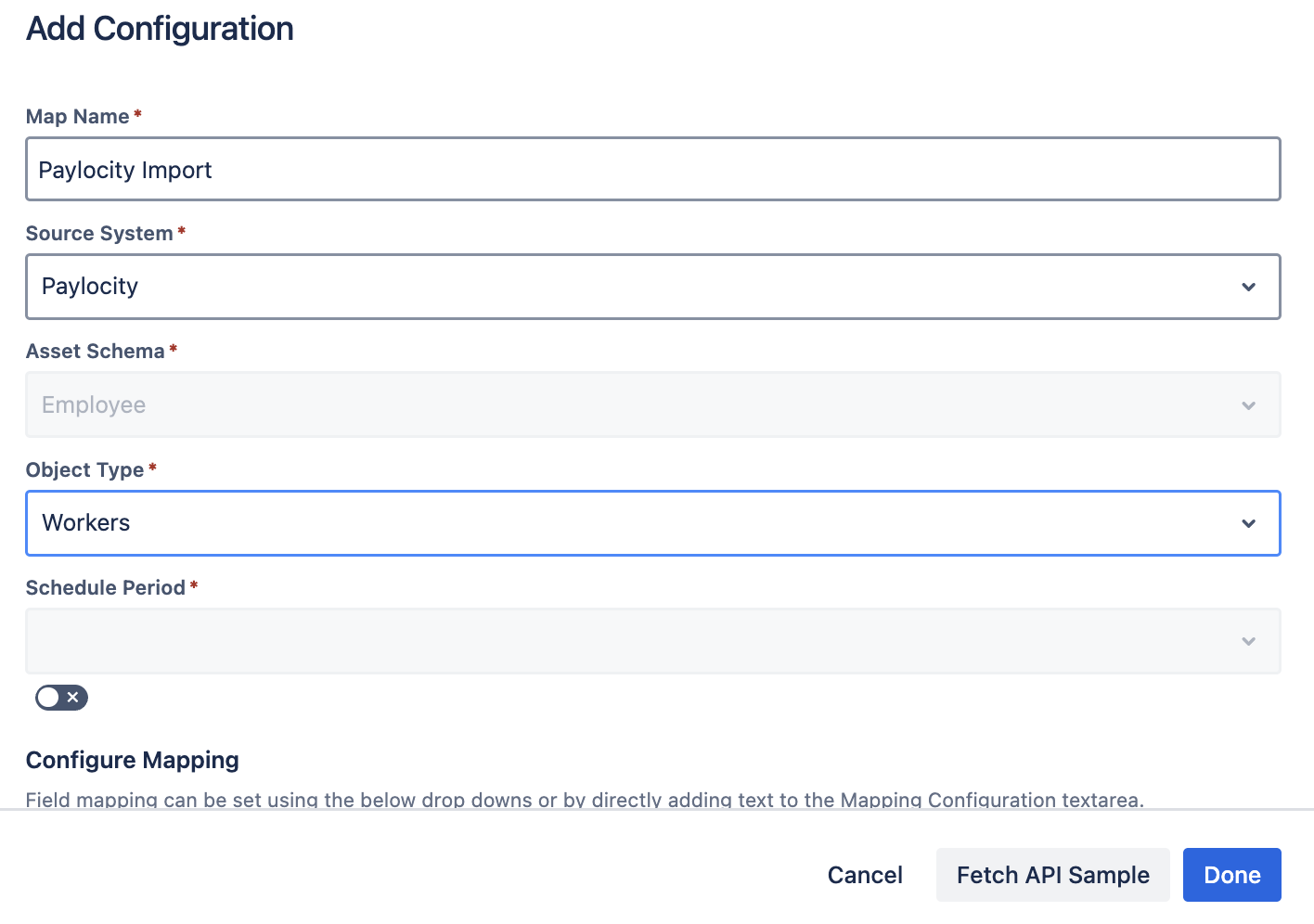
Once connected, you need to define how data maps from Paylocity to your Assets schema.
Example Configuration: Fetching Employees
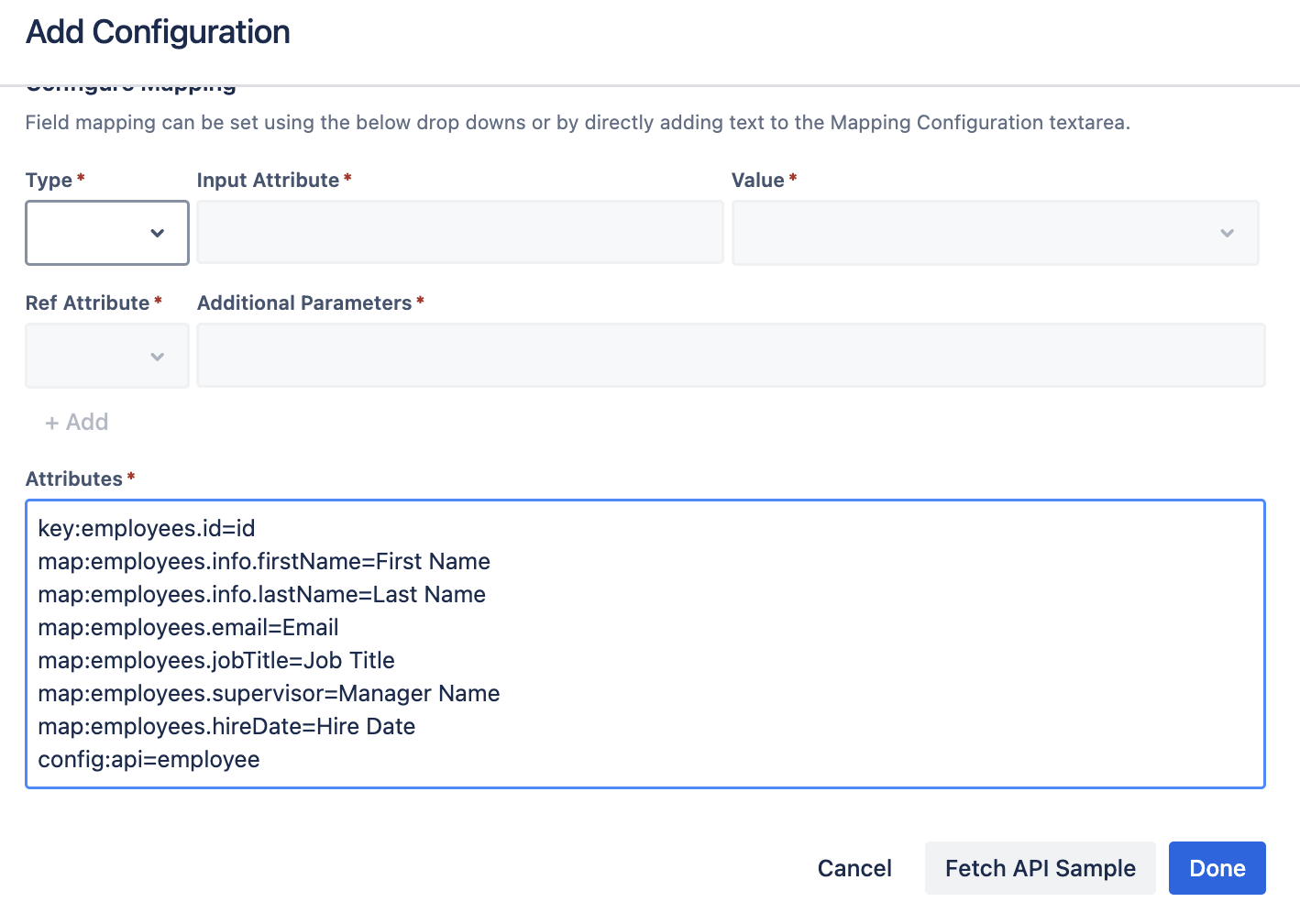
To fetch employee records, we will use the employees API endpoint. Below is a standard configuration you can use as a starting point.
key:employees.id=id
map:employees.info.firstName=First Name
map:employees.info.lastName=Last Name
map:employees.workLocation.email=Email
map:employees.info.jobTitle=Job Title
map:employees.info.supervisor=Manager Name
map:employees.info.hireDate=Hire Date
config:api=employees
Understanding the Mapping Syntax
The configuration relies on specific keys to handle data correctly. Here is a breakdown:
| Key / Map |
Description |
| key:employees.id=id |
The keyword key defines the unique identifier. We map Paylocity's employees.id to the Assets id attribute. This ensures OnLink updates existing records rather than creating duplicates. |
| map:employees.info.firstName=First Name |
The keyword map connects the source to the destination. Syntax: map:[Source_Path]=[Destination_Attribute]. |
| map:employees.info.supervisor=Manager Name |
Maps the supervisor's ID or Name to the Manager attribute in Assets, enabling approval workflows. |
| config:api=employees |
Specifies the API endpoint used to pull the list of employees. |
Available Fields for Mapping
Paylocity's API returns a rich dataset. You can map virtually any field returned in the JSON response. Here is a sample structure of what is available:
{
"employees": [
{
"id": "101",
"status": "Active",
"info": {
"firstName": "Jane",
"lastName": "Doe",
"jobTitle": "Software Engineer",
"department": "Engineering",
"supervisor": "manager_id_123",
"workLocation": {
"email": "jane.doe@example.com",
"city": "New York"
}
}
}
]
}
Tip: Use the "Fetch Sample" button in OnLink to see the exact structure of your data and identify other useful fields like department, costCenter, or location.
Frequently Asked Questions (FAQ)
What is the best unique identifier for Paylocity imports?
Answer: The employees.id field is the most reliable unique identifier. It is static and unique to each employee, ensuring that name changes or role changes update the correct record in Assets.
Can I import custom fields from Paylocity?
Answer: Yes. As long as the data is exposed in the Paylocity API response (visible when you "Fetch Sample"), you can map it to an Asset attribute using the map:path.to.field=AttributeName syntax.
How often does the data sync?
Answer: You can configure the schedule within OnLink. Common frequencies are daily or hourly, depending on how often your HR data changes and how critical real-time data is for your service desk.
Does OnLink support filtering (e.g., only Active employees)?
Answer: Yes. You can typically apply filters in the configuration to exclude terminated employees or specific contractors, ensuring your license usage in JSM Assets remains optimized.
Looking import Employee data from Paylocity to Assets?
👉 Try OnLink on the Atlassian Marketplace
