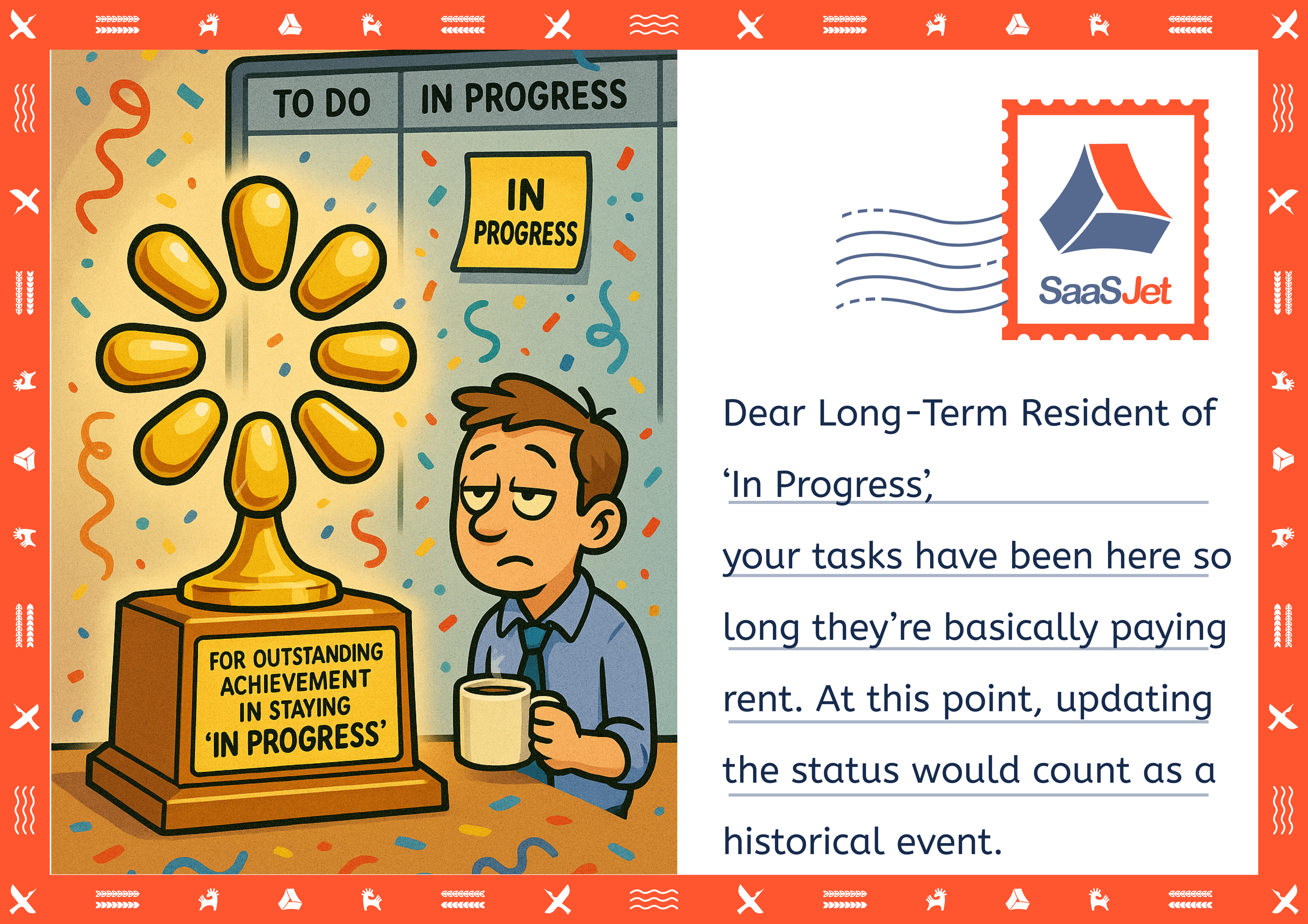
“Your tasks have been stuck in ‘In Progress’ for so long that we've already thought about naming the status after you.”
We all know that column. The cozy, non-committal space on your Jira board called In Progress.
Not “Blocked,” not “Done,” not even “Needs Clarification.” Just… In Progress. Forever.
At some point, it stops being a status and starts being a lifestyle.
Why “In Progress” feels so strangely safe
“In Progress” is the status where nothing is officially late yet, nothing officially failed, and nobody has to admit that a task should probably be split, closed, or escalated.
It lets us say:
- “We’re working on it” (even if it’s been 19 days).
- “It’s not forgotten” (even if no one has touched it this sprint).
- “It’s under control” (even if it clearly isn’t).
But boards don’t lie. Tasks that camp out in “In Progress” are telling you something about:
- Bottlenecks – code review, QA, approvals, one overloaded team member
- Hidden dependencies – waiting on that other team that “will do it next week”
- Overcommitment – too much WIP, not enough focus
- Avoidance – work that nobody really wants to finish (or even start properly)
And the longer they sit, the more your board stops reflecting reality and starts reflecting wishful thinking.
You can’t fix what you don’t really see
Saying “we have too many tasks stuck in progress” is one thing. Seeing that issues spend 82% of their lifecycle in “In Review” or “Waiting for Customer” is another.
That’s where Time in Status app stops being a “nice-to-have report” and starts being a brutally honest mirror.
Instead of “I feel like things are stuck,” you get:
- Exactly how long tasks sit in each status
- Where they spend most of their active time
- Which statuses, assignees, or steps are turning your board into a parking lot
It’s no longer just vibes. It’s numbers.
Let Time in Status be the friend that quietly says: “Hey… this has been In Progress for 27 days”
Here’s how the Time in Status app helps you go deeper than “it’s probably fine”:
🧭 Start by actually seeing the flow
From installation and setup to everyday use, the app is designed to blend into your Jira instead of becoming yet another tool to babysit:
- Quick installation and onboarding
- Easy access from Jira dashboards, work item views, and sprint reports
- Clear app settings for permissions, resolution statuses, working hours, and time zones — so your numbers reflect how your team really works, not a 24/7 fantasy
Once that’s in place, you’re not guessing anymore. You’re looking at reality.
📊 Look at time, not just status names
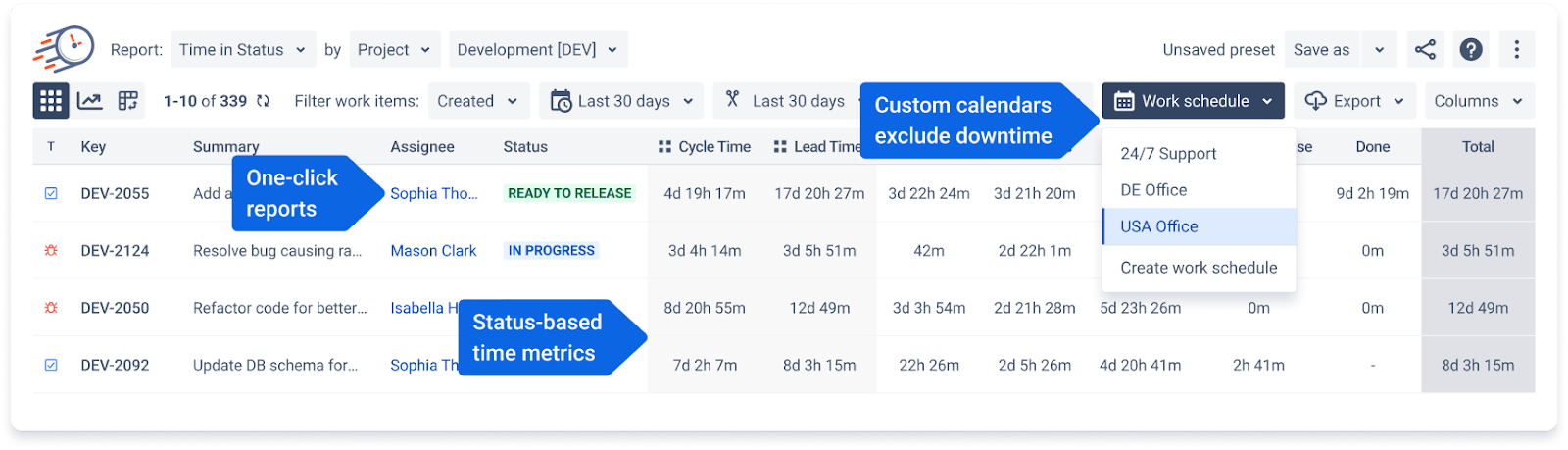
Time in Status doesn’t stop at “this issue is In Progress.” It shows you how long everything lives everywhere:
- Time in Status report – how long each work item stayed in each status
- Assignee Time report – who actually spent time on what
- Average Time report – typical time your issues spend in each status
- Status Count & Transition Count reports – how often issues bounce between statuses (hello, “in review → in progress → in review” loop)
- Status Entrance Date & Time in Status per Date reports – when exactly things moved, and how long they stayed there at specific points in time
Suddenly, “we’re slow” becomes “we lose 3 days on average in ‘Waiting for Review’.”
🧹 Clean up “In Progress” at the team level
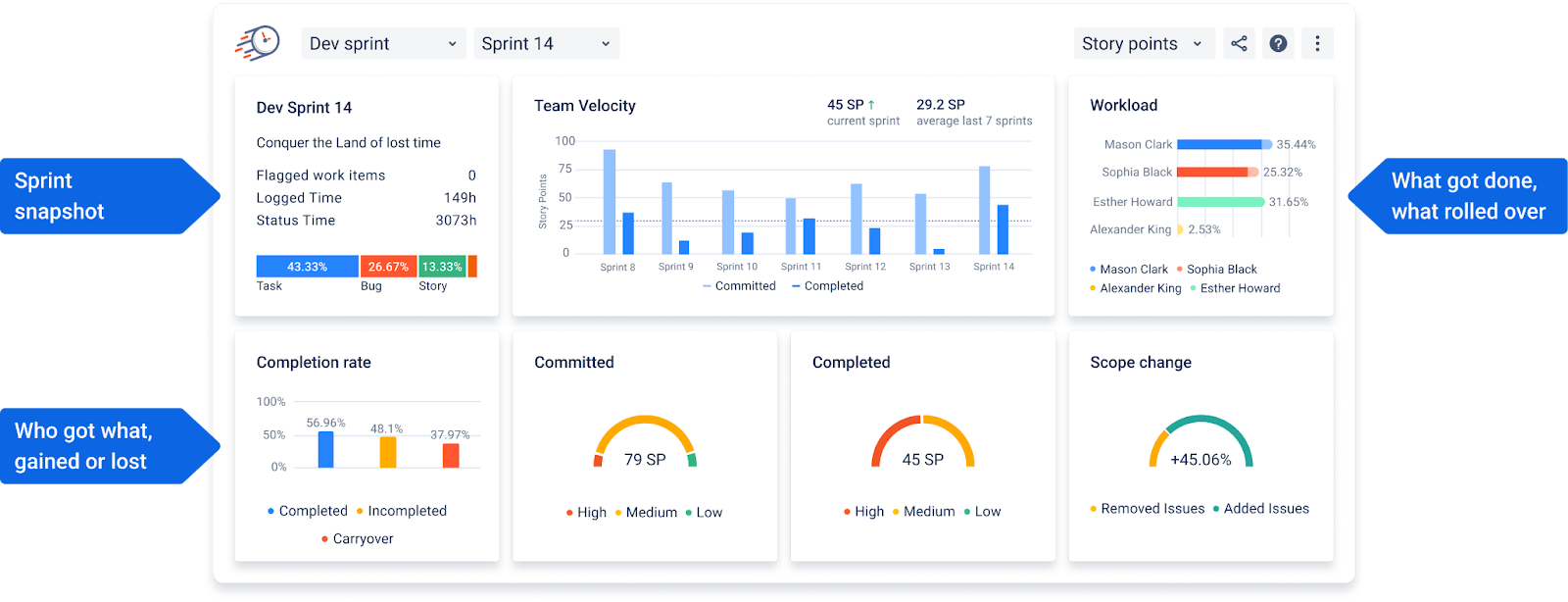
If you’re working in sprints, Time in Status comes with a Sprint Report that stops your retro from being a feelings-only session:
- Sprint information – what the team actually did, not just what they planned
- Team velocity chart – committed vs completed work across sprints
- Workload by assignee – who’s drowning, who’s quietly finishing everything
- Completion rate & scope change – did you meet your commitments, or did the sprint turn into a feature buffet?
You see where tasks get stuck, how long they stay there, and what that does to your delivery rhythm.
🔍 When “In Progress” is hiding bigger patterns
Sometimes, the problem isn’t one task — it’s a pattern. That’s where the more advanced views help:
- Status groups to see where time clusters (e.g., all “review-like” statuses together)
- Charts for quick visual insights
- Pivot Table View to slice data any way you want: by project, assignee, priority, sprint, or custom fields
- User groups in Assignee Reports for seeing how whole teams spend their time
Now you can answer questions like:
“Is it really QA that’s slow, or are we sending them half-baked work?”
“Which status burns most of our sprint time?”
“Do high-priority items actually move faster or just… sit differently?”
🧨 And what about real blockers?
Some tasks aren’t just slow; they’re flagged and silently aging.
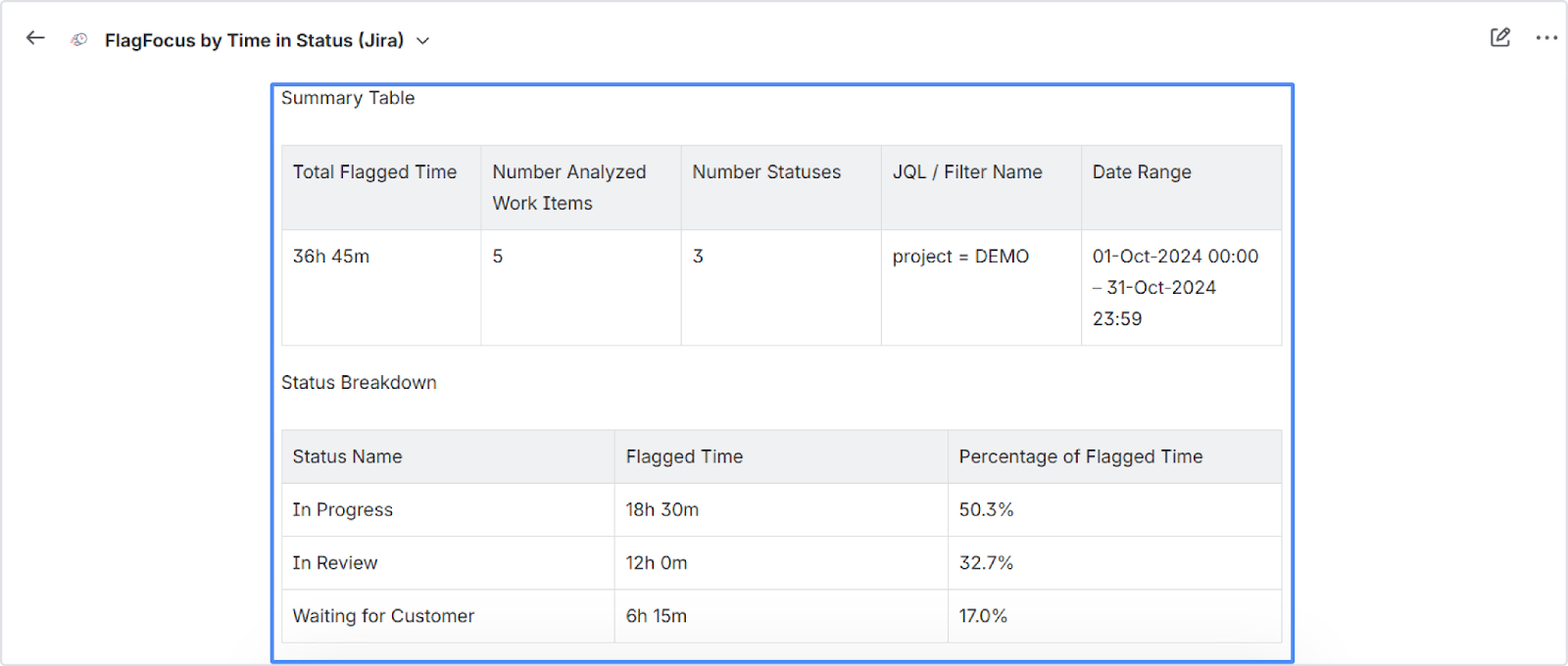
The Rovo Agent / FlagFocus by Time in Status helps you track how long items stay Flagged, and where that time accumulates — “In Review”, “Waiting for Customer”, “In Progress”, and so on.
Instead of “something’s blocked,” you get:
- Which statuses are real choke points
- Which flagged issues are turning into risk, not just red markers on the board
That’s when you can step in before your sprint turns into a museum of stuck issues.
📤 And when you need to take the truth elsewhere
Once you’ve surfaced the uncomfortable truth about “In Progress,” you can share it easily:
- Exports to CSV/XLSX, JSON feeds, Confluence macros, and integrations with Power BI, EazyBI, Qlik, Google Sheets for deeper analytics and fancy charts
- Presets (Save/Load) for your favorite reports, so you don’t rebuild them every time someone says, “Can you show that again?”
The data stops living in one person’s report and becomes part of how the whole team sees its work.
✨ So… is it really “In Progress,” or just “Forgotten with better branding”?
When a task spends half its life in “In Progress,” it’s not just bad for reporting. It quietly erodes trust:
- in your boards,
- in your planning,
- in your ability to finish what you start.
Time in Status doesn’t magically move cards for you.
But it does show you, with painful clarity, where your workflow is honest — and where it’s just pretending.
So the next time someone asks why a task has been “In Progress” for three weeks, you don’t have to guess. You’ll know exactly where the time went, who touched it, and which status deserves the real blame.
And if you notice that one column always looks like a retirement home for tasks…maybe don’t name it after yourself. Rename it, fix it, and let the data guide you out. 😉