If you’re already using Atlassian’s extension for Visual Studio Code (VSCode) then you’re already familiar with the updates we’ve made to include Rovo Dev.
The extension was originally built to bring Bitbucket Cloud and Jira Software Cloud into the IDE, so developers could:
-
Create and work on Jira issues directly from VSCode
-
Create and review Bitbucket Pull requests
-
Reduce context switching between their development environment, Bitbucket and Jira by making VSCode a unified source for code and issues
Now, there’s more to it.
Having Rovo Dev on top of this, enables you to leverage the full context of your codebase, issues, and documents directly in VS Code. You can ask Rovo Dev to explain unfamiliar code, generate changes aligned with your team’s patterns, and validate work against the original requirements.
Once you have it setup, you’ll notice the Rovo Dev icon chat on the left hand side menu, which is where you can continue to prompt for questions and continue your work without switching away from your IDE.
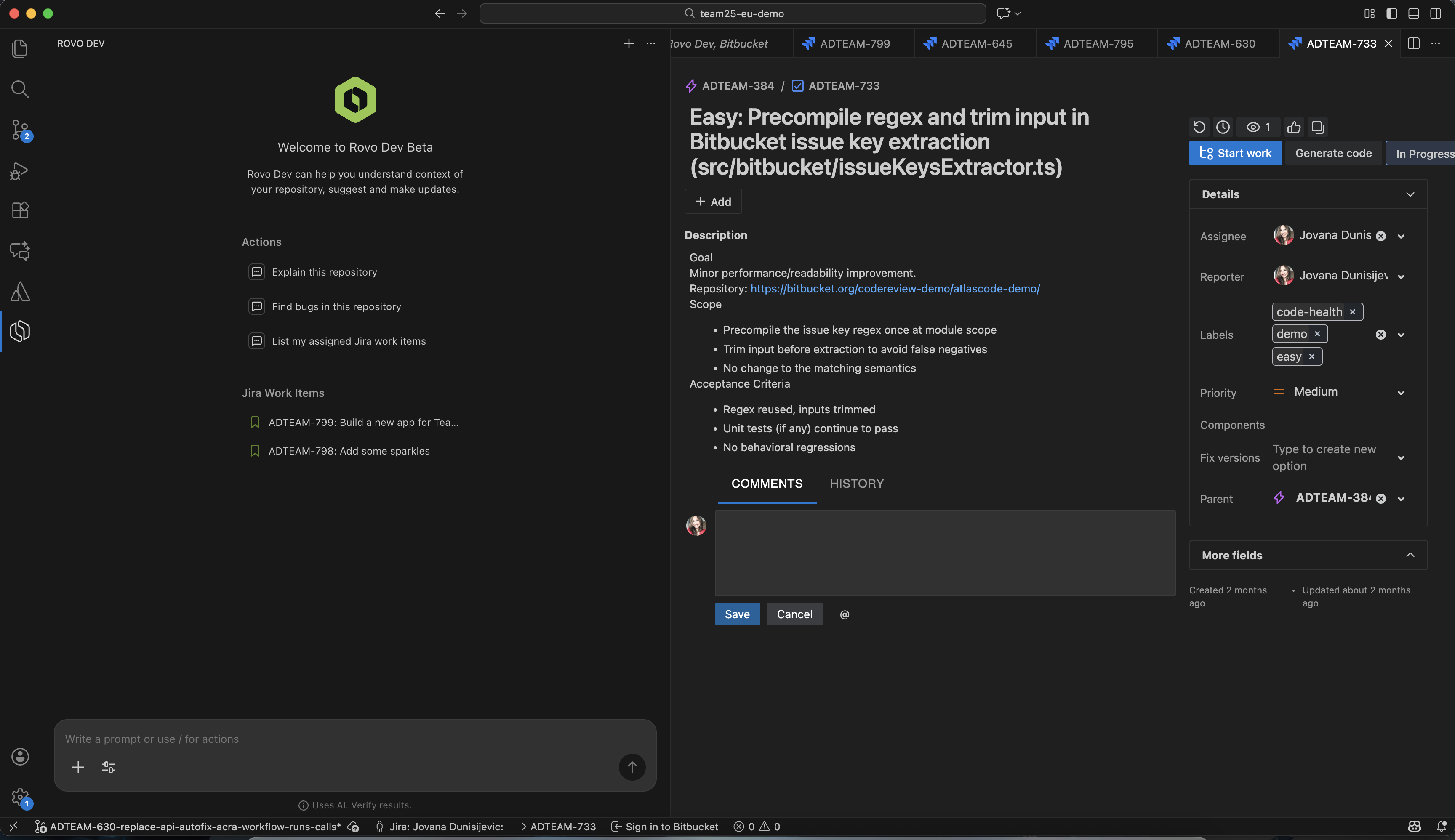
Some of the example workflows include:
-
Starting a Jira work item directly from the IDE, with context pulled from code and docs.
-
Asking Rovo Dev about your codebase, architecture, dependencies, and best practices from your IDE.
-
Drafting & reviewing PRs, and automating repetitive chores
What do you need to get started with Rovo Dev in VSCode
More Rovo Dev Tutorials
We’ve put together a growing playlist of Rovo Dev tutorials. These short, focused videos cover everything from getting set up to advanced use cases and features, so you can get the most out of Rovo Dev for you and your team.
Dive in here: Rovo Dev Tutorials
Shape What’s Coming Next
We’re just getting started. Try out the new features, join our community discussions, and let us know what you think. Your feedback will help shape the next generation of developer tools at Atlassian.
Stay tuned for more updates, and don’t forget to check back as we add more demos and tutorials!


