In this blog we will cover how to import people and devices data from Kolide to Assets.
OnLink lets you import People and Devices from Kolide into Assets by connecting to the Kolide API, and mapping fields such as id, name, email, operating_system, and hardware_model to your Assets schema. The sync can then run manually or on a schedule.
Kolide is a device-trust and endpoint visibility platform that ensures only secure, compliant devices can access company applications. It focuses on zero-trust access, user transparency, and lightweight device checks.
Key Kolide Features
- Verifies device security posture before allowing SSO access
- Tracks macOS, Windows, and Linux endpoints
- Provides human-readable guidance to end users for fixing compliance issues
- Captures detailed device metadata such as OS version, serial numbers, model identifiers, hardware UUID, and authentication state
- Supports People directory for linking users to their registered devices
How to Retrieve People Data from Kolide
Kolide exposes a People API:
API Endpoint:
GET https://kolideapi.readme.io/reference/get_people
Sample People Object
{

  "id": "string",
  "name": "string",
  "email": "string",
  "created_at": "2025-11-17T14:08:19.090Z",
  "last_authenticated_at": "2025-11-17T14:08:19.090Z",
  "has_registered_device": true,
  "usernames": [0]

}
How to Retrieve Devices from Kolide
API Endpoint:
GET https://kolideapi.readme.io/reference/get_devices
Sample Device Object
{

  "id": "string",
  "name": "string",
  "registered_at": "2025-11-17T14:09:50.253Z",
  "last_authenticated_at": "2025-11-17T14:09:50.253Z",
  "registered_owner_info":
  {
    "identifier": "string",
    "location": "string"
  },

  "operating_system": "string",
  "hardware_model": "string",
  "serial": "string",
  "hardware_uuid": "string",
  "note": "string",
  "auth_state": "Will Block",
  "will_block_at": "2025-11-17T14:09:50.253Z",
  "product_image_url": "string",
  "auth_configuration": {
    "device_id": "string",
    "authentication_mode": "string",
    "person_groups": [

      {
        "id": "string",
        "name": "string"
      }
    ]
  },

  "device_type": "Mac",
  "form_factor": "Computer"
}
Importing Kolide People & Devices into Assets Using OnLink
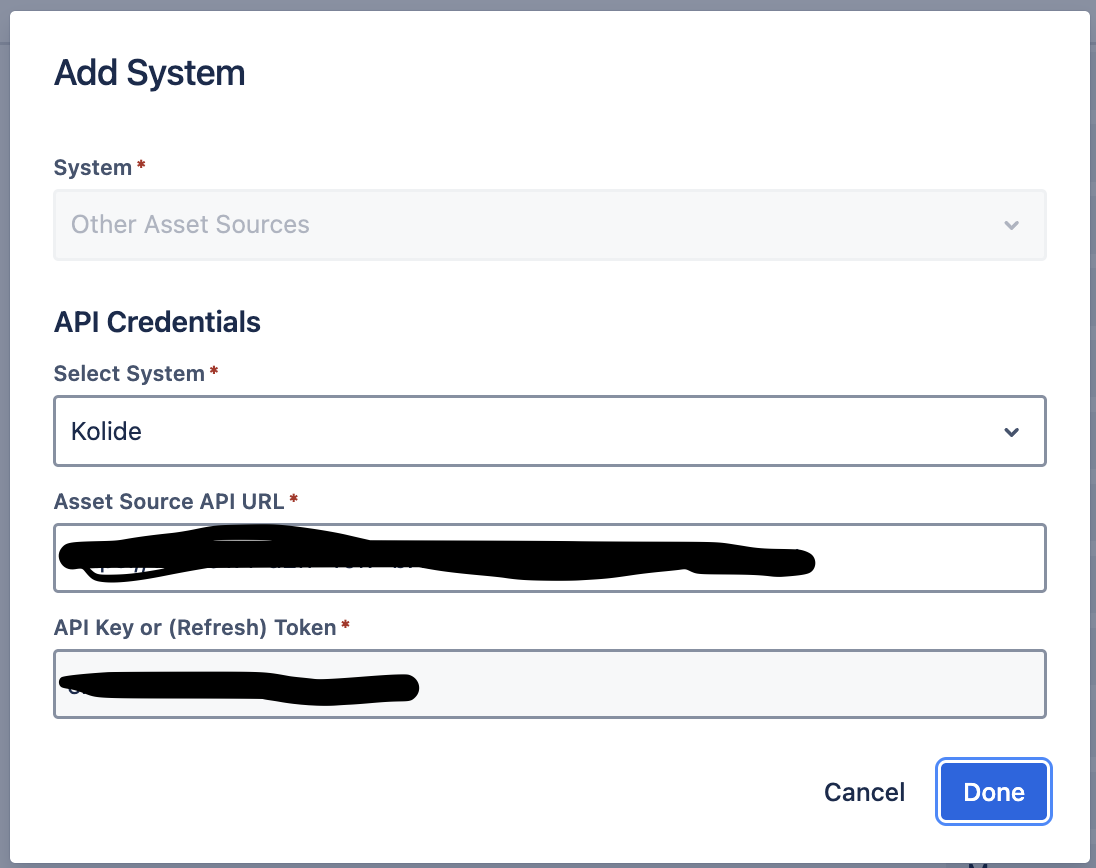
Establish the Kolide Connection
- Go to Jira → Manage Your Apps → OnLink → Connections
- Click Add System
- Choose Other Data Sources
- Enter:
- Save and test the connection
Configure the Assets Import
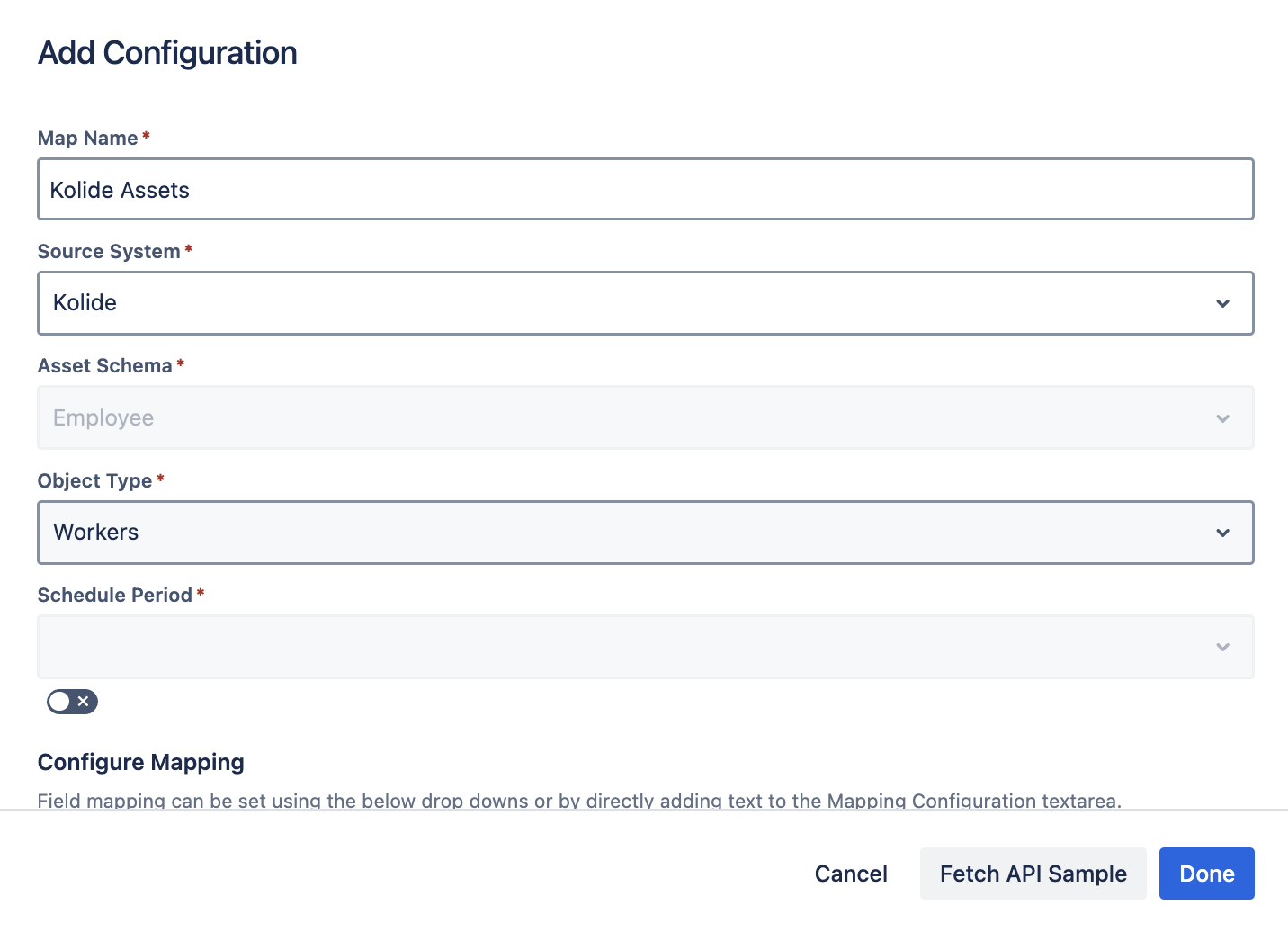
Next, create an import job in Assets:
- Go to Assets → Your Schema
- Create a new import configuration
- Select OnLink Importer
- Choose the object type you want to populate (People, Device)
Mapping Kolide People Fields (Example)
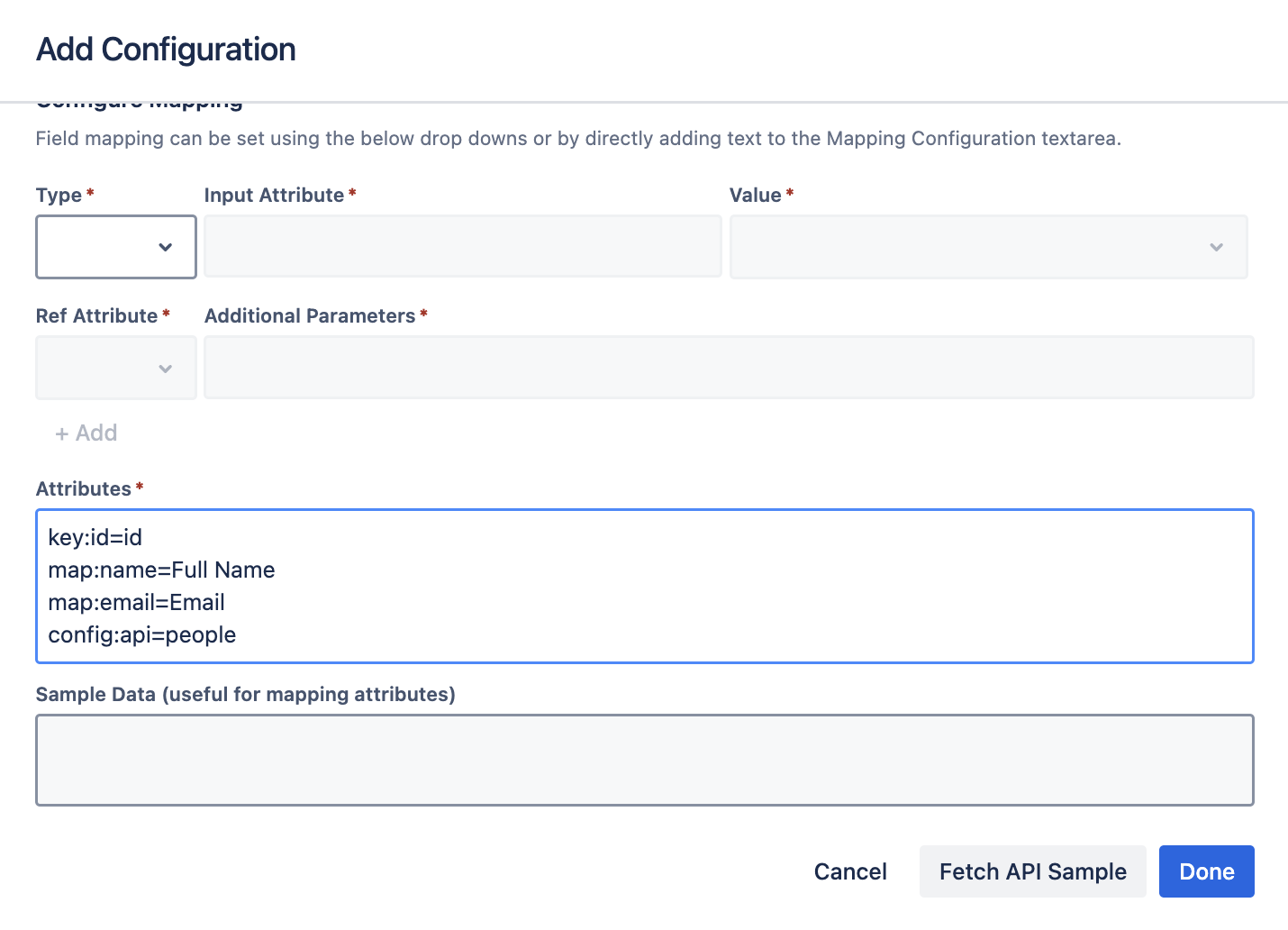
Use OnLink’s mapping:
key:id=id
map:name=Full Name
map:email=Email
config:api=people
Mapping Breakdown
|
Mapping
|
Meaning
|
|
key:id=id
|
Uses Kolide’s id as the unique key so OnLink updates existing objects instead of duplicating them
|
|
map:name=Full Name
|
Maps Kolide’s name to your Assets “Full Name” attribute
|
|
map:email=Email
|
Maps Kolide email → Assets email
|
|
config:api=people
|
Tells OnLink to pull People objects
|
Any field from the Kolide People API can be mapped.
Mapping Kolide Device Fields (Example)
You can map any device-level fields, such as:
- operating_system
- hardware_model
- serial
- hardware_uuid
- auth_state
- registered_owner_info.identifier
Your configuration might look like:
key:id=id
map:name=Device Name
map:operating_system=OS
map:hardware_model=Model
map:serial=Serial Number
map:hardware_uuid=Hardware UUID
config:api=devices
FAQ
1. Can OnLink import both People and Devices from Kolide?
Yes. OnLink can pull any object exposed through the Kolide API and map it to Assets object types.
2. Do I need to write code to integrate Kolide with Assets?
No. OnLink handles API calls, pagination, scheduling, and field mapping without custom scripting.
3. Can device owners be linked to their user objects?
Yes. Kolide provides user identifiers that can be used to link People objects to Device objects inside Assets.
4. How often can I sync Kolide data into Assets?
You can run manual jobs or configure automated schedules at your preferred frequency.
5. What if a Kolide record changes?
OnLink updates the existing Assets object as long as the key field (usually id) stays consistent.
If you’re already using Kolide, give OnLink a try and see how much easier your workflow becomes. With support for 50+ data sources, OnLink lets you pull everything into Assets without hopping between apps or writing custom scripts.
