We’ve just released a new version of Mria CRM: CRM for Jira Teams - the first truly native CRM built on Atlassian Forge - introducing three updates that make working with customer data inside Jira faster, clearer, and more connected.
Now you can import leads at scale, stay on top of every update instantly, and record customer notes with better clarity - all directly within Jira.
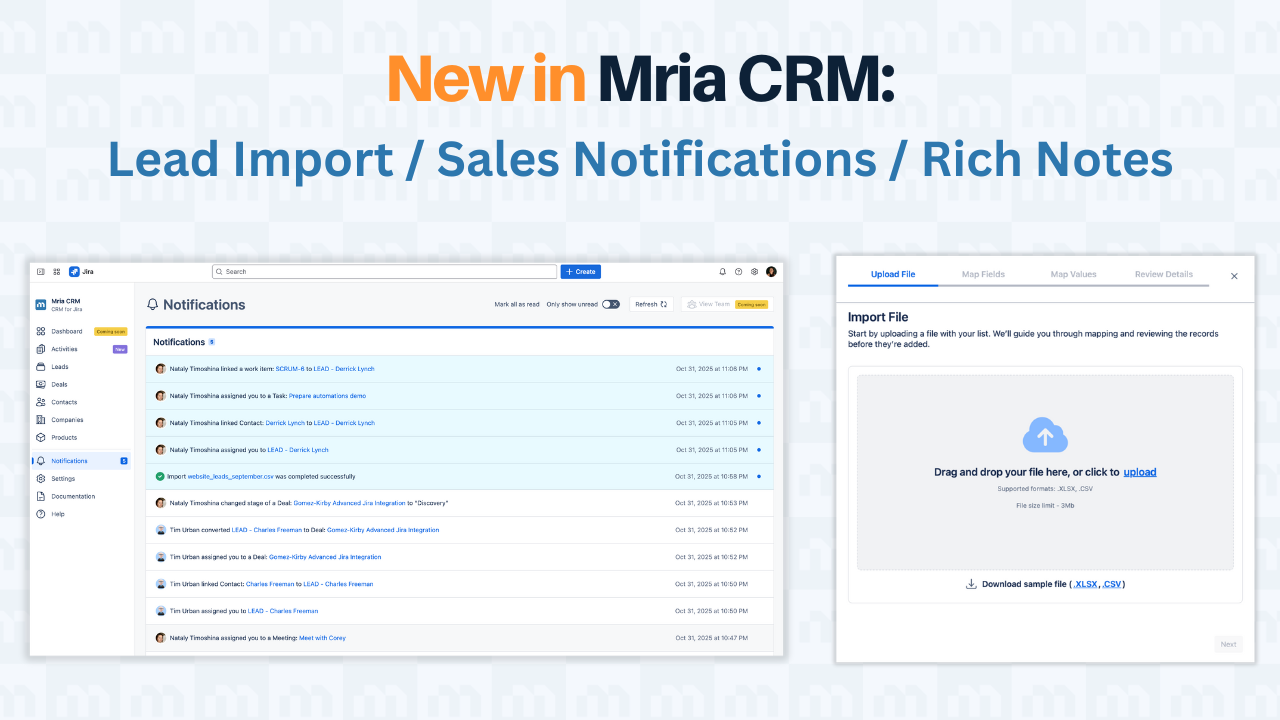
Bulk Lead Import: Bring Your Leads to Jira in Minutes
You’ll now see a new Import option in the Leads section (and under Settings → Data Administration → Leads).
You can read more about Lead Management in our Article Lead Management in Jira: A Complete Operating Playbook Powered by Mria CRM.
The new Bulk Lead Import tool lets you move large Lead lists from other CRMs, spreadsheets, or marketing platforms directly into Jira - no manual entry required.
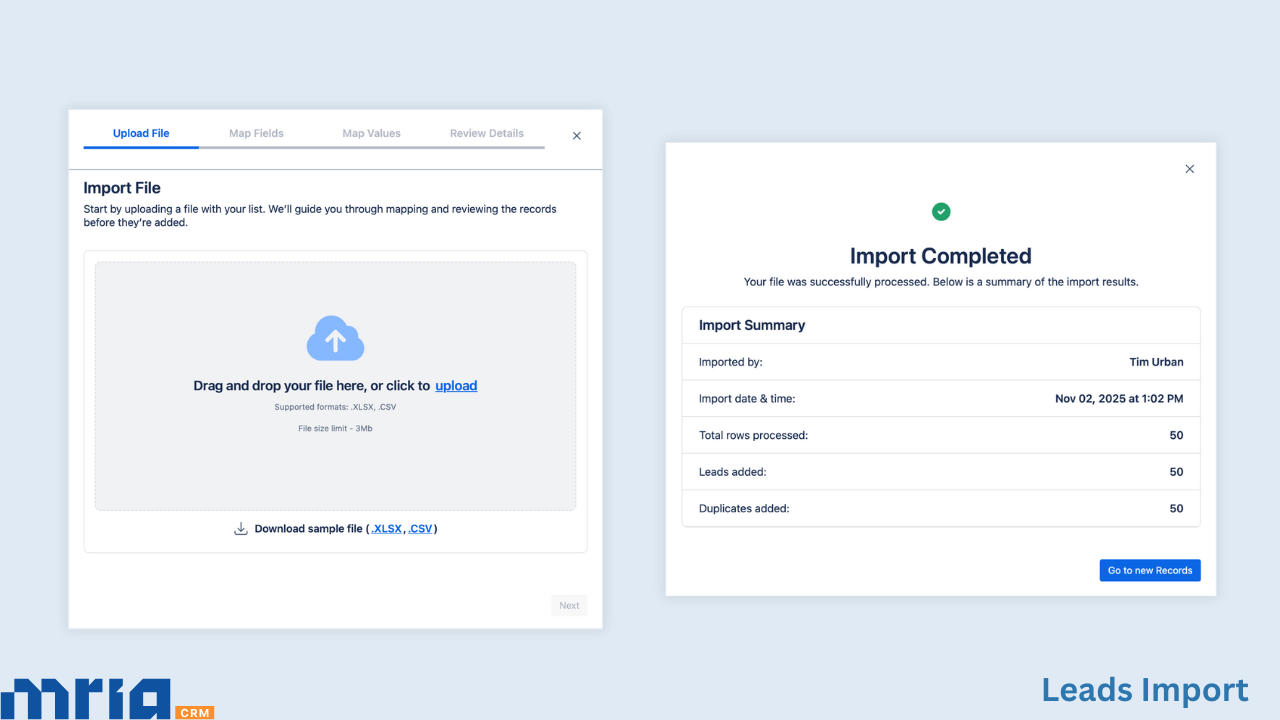
How it works:
- Upload .CSV or .XLSX files exported from any system.
- Mria CRM automatically maps matching fields and allows you to review or adjust them before import.
- Duplicates are handled safely - choose whether to add all or only new Leads based on email.
- The import runs in the background while you continue working in Jira.
- Once completed, you can assign imported Leads to specific users and start working with them right away.
Whether you’re onboarding data from another CRM, importing event Leads, or consolidating marketing lists, it’s a clean, reliable way to keep everything structured inside Jira.
Learn more about Lead Import →
Notifications: Stay Updated in Real Time
The new Notifications panel helps your team stay in sync with everything happening in your CRM workspace - directly inside Jira.
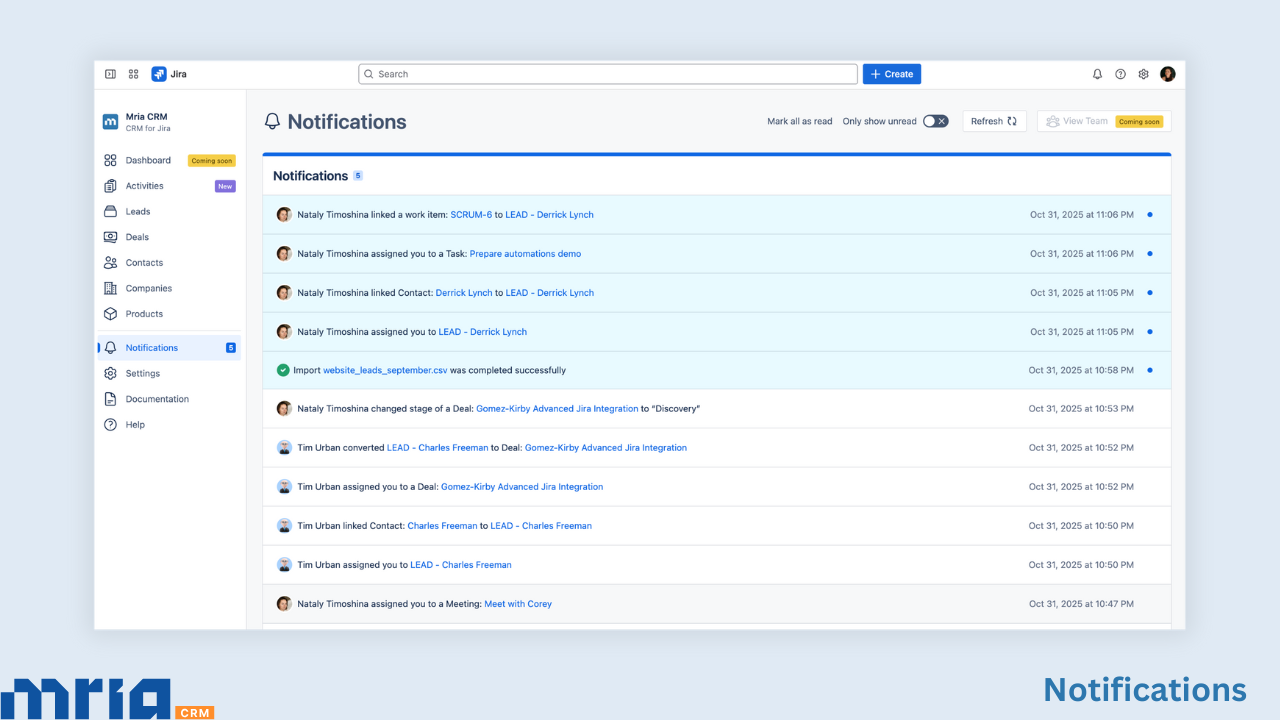
You’ll now see notifications for all key CRM activities, including:
- Leads and Deals – when you’re assigned, unassigned, or when Deal/Lead status, amount, or stage changes.
- Meetings and Tasks – when you’re assigned, or when a meeting or task is edited, marked as done, or deleted.
- Notes – when you’re mentioned or a new note is added to one of your records.
- Imports – when a bulk import finishes or fails, and when new imported Leads are assigned to you.
Each notification clearly shows who performed the action, what changed, and when it happened, with a direct link to open the record. You can filter unread items, mark them as read, or review everything in one focused view.
The Notifications counter in the sidebar always updates in real time, so you never miss an important change, even when new updates arrive while you’re reviewing existing ones.
This brings visibility and control to your sales and customer workflows in Jira, helping teams act faster, stay organized, and manage opportunities without switching tools.
See how Notifications work →
Notes Editor: Write Clearly and Stay Organized
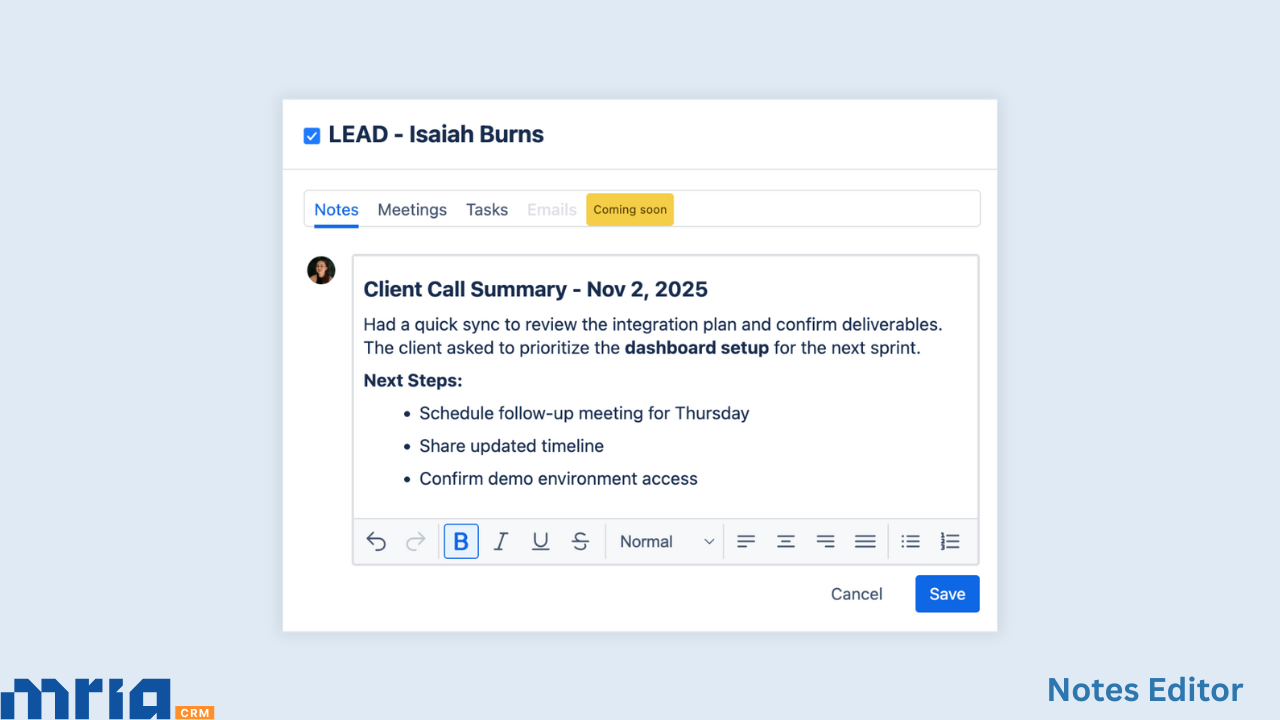
Notes inside Mria CRM now include a rich text editor. You can format text, highlight key details, create bullet or numbered lists, and add checkboxes to track follow-ups.
This small improvement makes collaboration more readable and consistent - whether you’re logging a call, summarizing a meeting, or leaving internal context for teammates.
Mria CRM: Complete CRM Flow Inside Jira
With these updates, Mria CRM connects every part of your customer management process - Import → Assign → Act → Document → Convert - in one continuous workflow inside Jira.
Your Leads move seamlessly from intake to follow-up, your team stays updated in real time, and every interaction stays linked to your Jira environment, so customer context is never lost.
No external syncs, no separate systems, just one secure, Forge-native CRM experience built for Jira teams.
What’s next for Mria CRM
More updates are on the way to make customer management in Jira even smoother:
- ✉️ Gmail Integration
- 👥 Contacts Import
- 🧩 Bulk Updates
- 💬 Mentions
📘 Explore Mria CRM Documentation →
🧭 See What’s Next on the Product Roadmap →
🌐 Visit our website →
💬 Have feedback? Comment below - we’re building the best CRM for Jira together with the Atlassian Community.
🚀 New to Mria CRM? Try it free on the Atlassian Marketplace →
