
Halloween — when even the bravest project managers face their darkest fears: disappearing budgets, ghostly work logs, and monstrous spreadsheets that refuse to die. 👻
But fear not, brave PM! With Time & Cost Tracker for Jira, you’ve got the ultimate weapon to tame the Cost Report Monster — turning chaos into clarity, and spooky surprises into smart decisions.
🧟 The Cost Tracking Curse in Jira
Even the most experienced PMs know this tale of terror:
❌ No real-time budget view — you can see hours, but not the cost behind them.
❌ Forecasting fog — no easy way to compare planned vs. actual costs.
❌ Manual mayhem — endless spreadsheets haunting your inbox.
❌ Opaque updates — clients left in the dark, wondering where the budget went.
Without a direct link between work logs, hourly rates, and expenses, project managers are left piecing together fragments — like a financial Frankenstein. 🧩
🎃 Enter the Hero: The Cost Report
The Cost Report in Time & Cost Tracker consolidates every cost element into one interactive dashboard — your lantern in the dark corridors of Jira.
🔹 Labor Costs
The monster’s first weakness: transparency.
The app automatically calculates labor costs using the simple spell:
🧮 Work logs × Hourly rate = Labor cost
If no custom rate is set, it applies your default one — so no team member is left in the shadows.
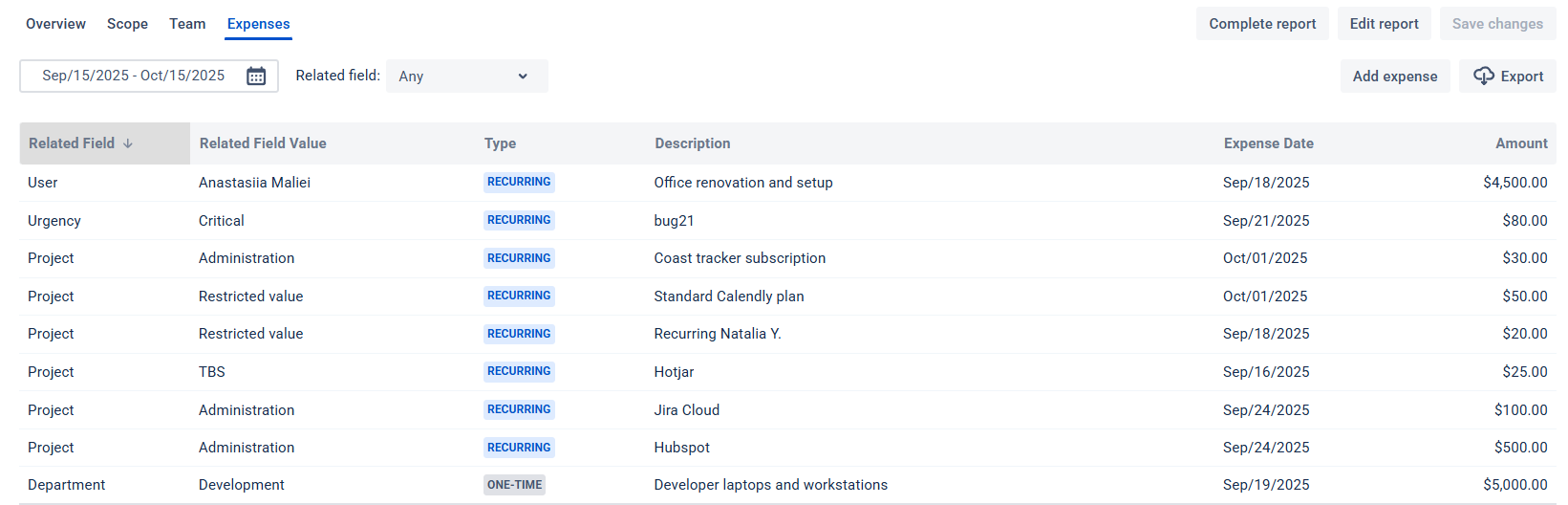
🔹 Direct Expenses
Add recurring or one-time costs like:
🧾 Software licenses
🛠️ Equipment purchases
💼 Contractor fees
Every expense gets tracked, sorted, and visualized — no more “disappearing money” tricks.
How to Summon Your Cost Report
- Go to Cost Reports in Time & Cost Tracker.
- Click Generate Report — a configuration window appears, ready for your settings.
- Define your scope, time period, hourly rate, and budget.
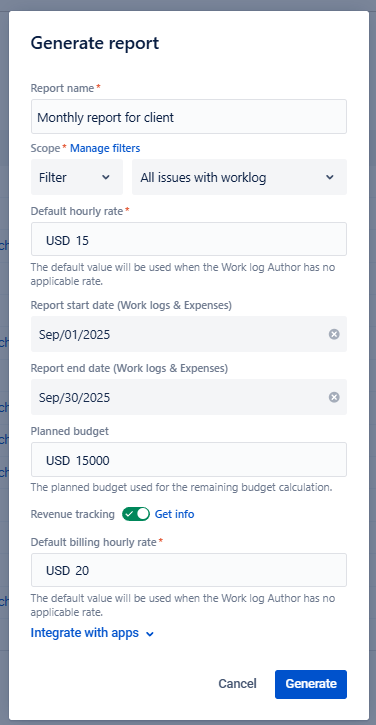
- Enable revenue tracking (optional) for invoicing or profit analysis.
- Click Generate — and watch your Cost Report materialize like magic. ✨
Inside, you’ll find:
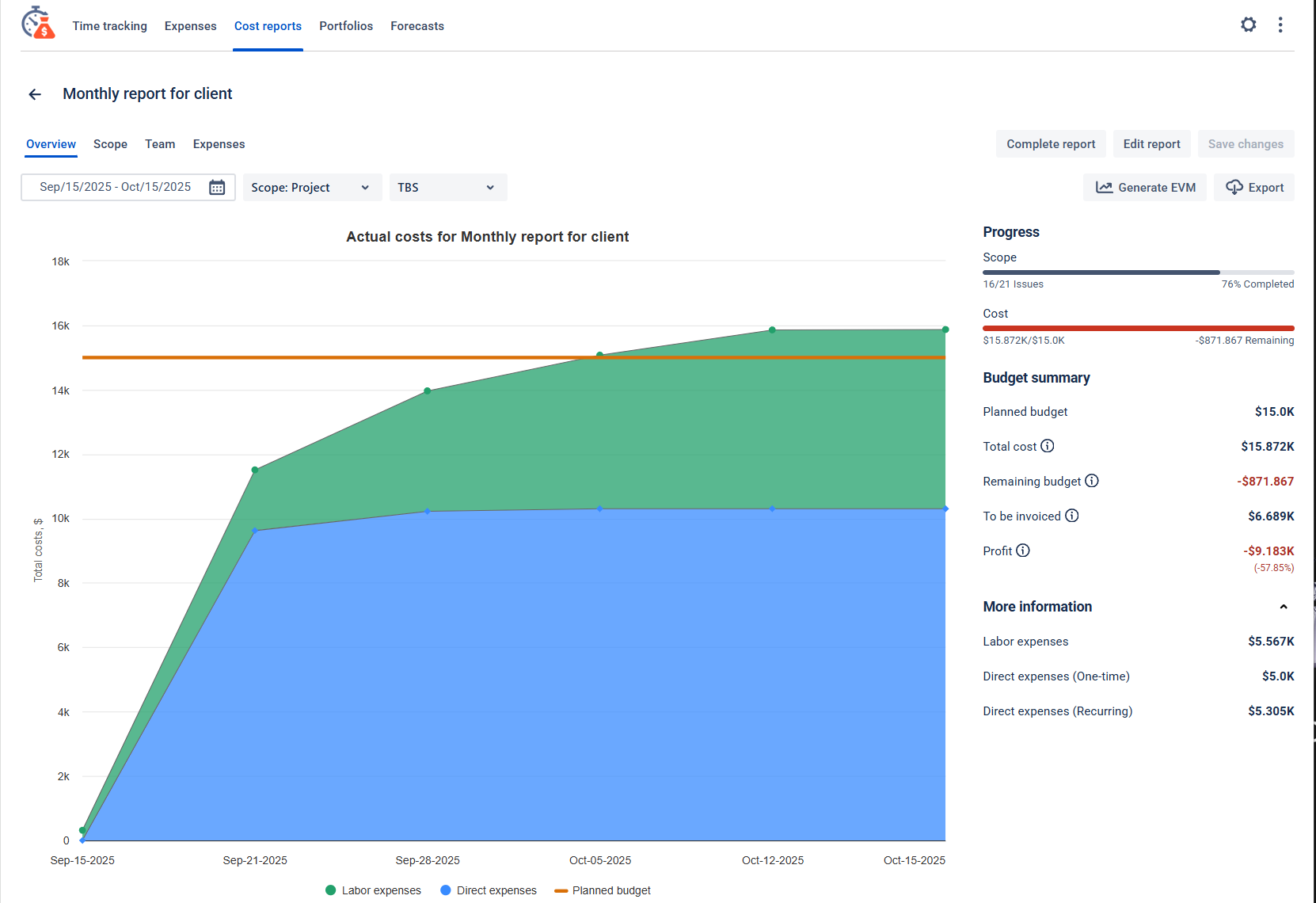
- Overview: Charts showing cost trends and budget risks.
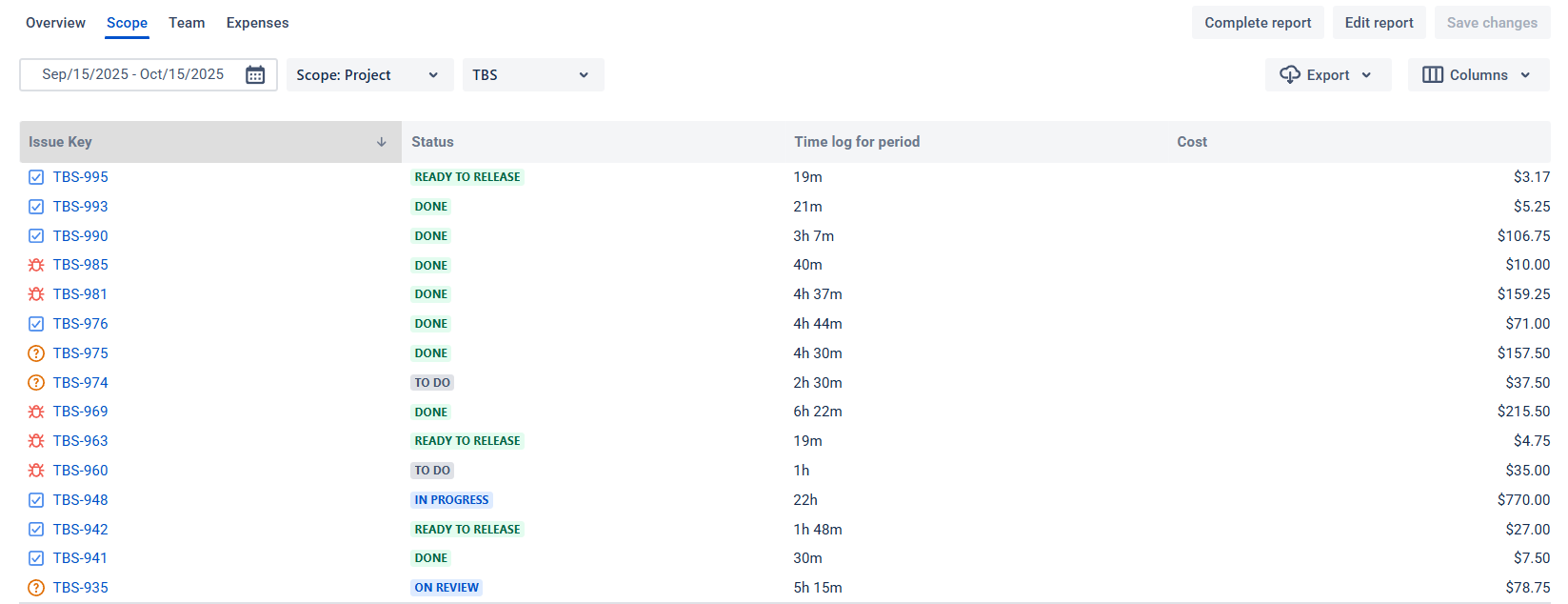
- Scope: Issue-level costs compared to estimates.
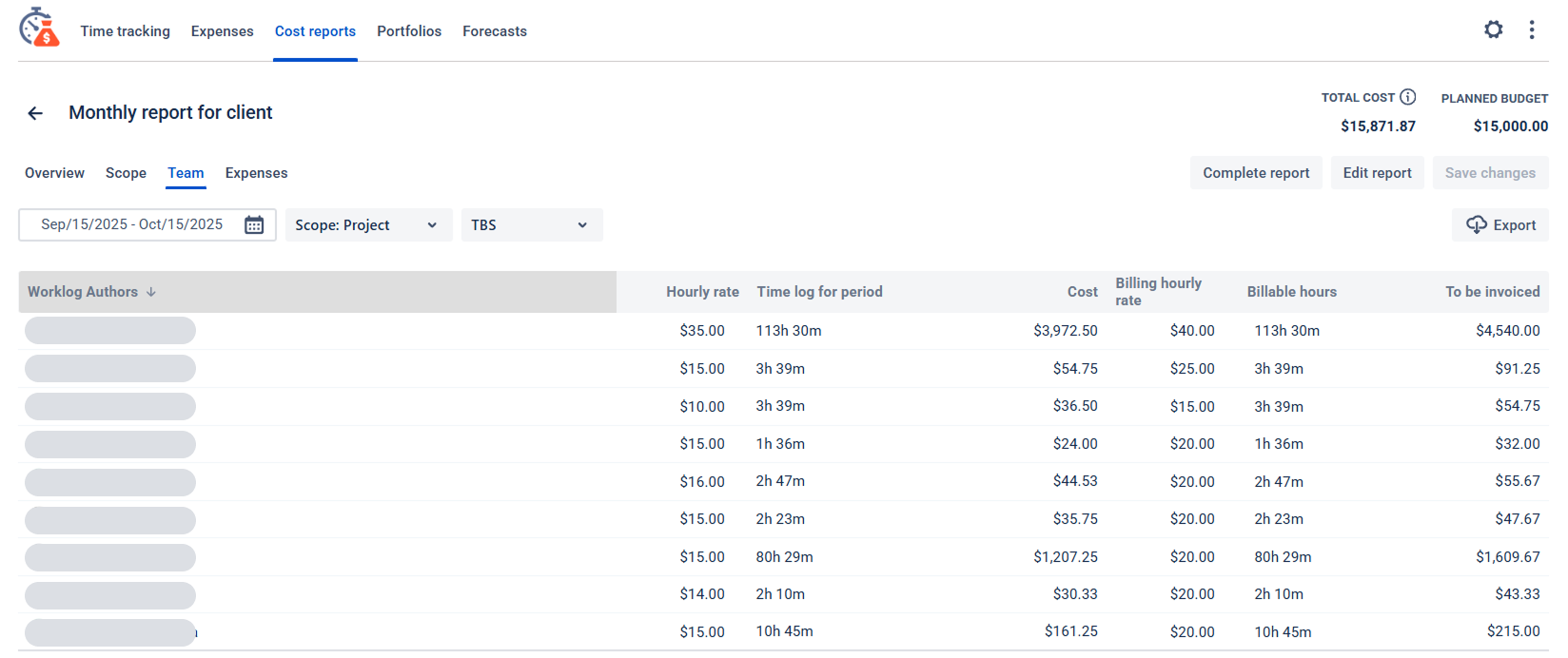
- Team: Member workloads and cost contributions.
- Expenses: Non-labor cost breakdowns.
Your Crystal Ball for Smarter Decisions
Your Cost Report isn’t just numbers — it’s premonition.
You can:
- 🧙♀️ Spot overspending early — before it grows fangs.
- 🧛 Balance workloads — no more zombie team members running on empty.
- 🕸️ Forecast budgets — see trends before they turn terrifying.
- 💰 Track contractors — manage external payments with clarity.
No spreadsheets, no ghosts in your data — just clean, real-time financial visibility.
Trick or Track: End the Nightmare
Project cost tracking doesn’t have to be a horror story. With Time & Cost Tracker for Jira, you can finally rest easy — knowing that your costs, time logs, and budgets are all in one transparent, automated system.
👉 Try Time & Cost Tracker today and make your projects hauntingly efficient! 🎃
