If you’ve ever spent more time setting up a report than actually using it - we’ve got good news.
The latest update to Time Metrics Tracker | Time Between Statuses introduces a small but powerful feature: Save and Load Report Views.
Now, your most important Jira reports are just one click away. No more repeating filter setups. No more “wait, what did I select last time?” headaches.

Let’s face it: reporting can be manual, inconsistent, and time-consuming — especially when preparing for sprint reviews, QBRs, or weekly check-ins.
Even experienced teams fall into these traps:
-
Re-creating the same filter conditions every week
-
Sharing screenshots instead of live data
-
Struggling with inconsistent views between team members
-
Losing time and trust due to manual errors in setup
That’s exactly what Saved Views solve.
New: Save & Load Views in Grid-Table Reports
You can now save any configuration of filters in the Grid-Table report. Just once.
🔧 How It Works:
-
Open the Grid-Table report in Time Metrics Tracker.
-
Select your filters: Project, Assignee, Sprint, Time Period, Status Group, etc.
-
Click "Save View".
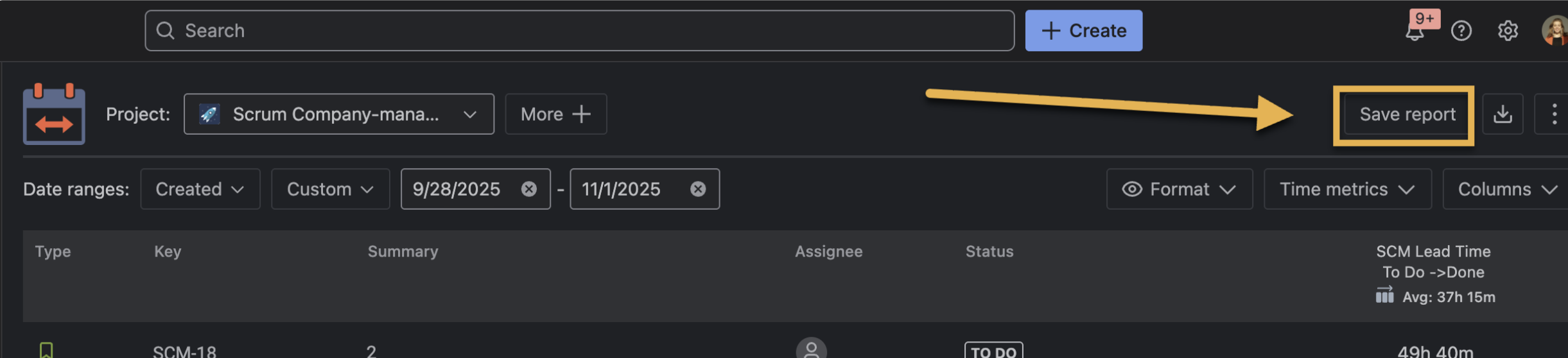
-
Give your view a name (e.g., “Cycle Time – Q3 Dev Team”).
-
Choose access:
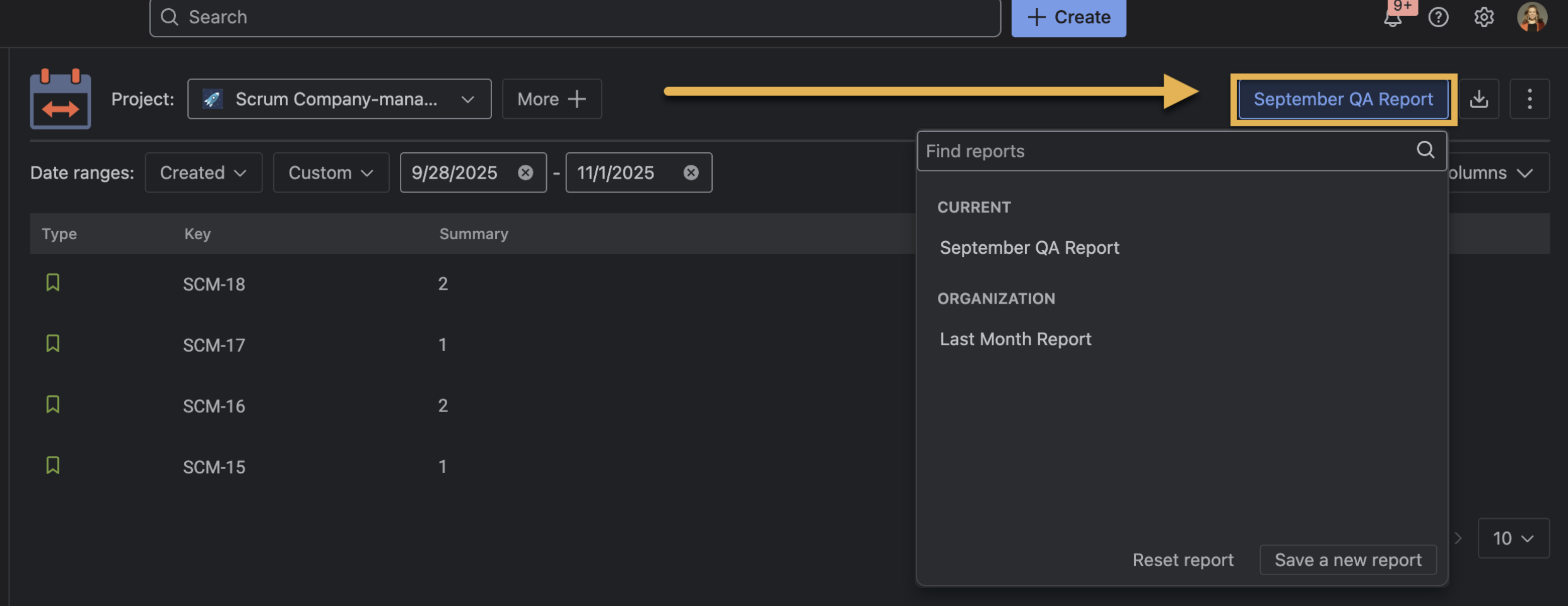
That’s it. You’ve locked in your perfect report view.
🗂 Next time?
Just click the saved view, and your report will load instantly — no configuration required.
"Every QBR, I used to rebuild the same Lead Time report — filters for sprint, team, and issue type. It took 15 minutes, and I was always nervous I missed something. Now, I just load ‘Lead Time – Frontend Team’ and send it to my PM. No stress. No mistakes."
— Agile Coach, SaaS Company
Other Grid Reports You Can Use with Saved Views
Here are some great reports to save and reuse:
| Report Type |
Use Case Example |
Teams Who Use It |
|---|
| Cycle Time by Assignee |
Track developer throughput over time |
Engineering, DevOps |
| Lead Time by Sprint |
Evaluate speed of delivery between planning → done |
Product Managers, PMOs |
| SLA Resolution Time |
Monitor support team’s average resolution time |
Customer Support, ITSM |
| Blocked Time Report |
Highlight where tasks are getting stuck |
QA, Scrum Masters, Dev Leads |
Update or Delete Saved Views Anytime
Need to tweak the filters later?
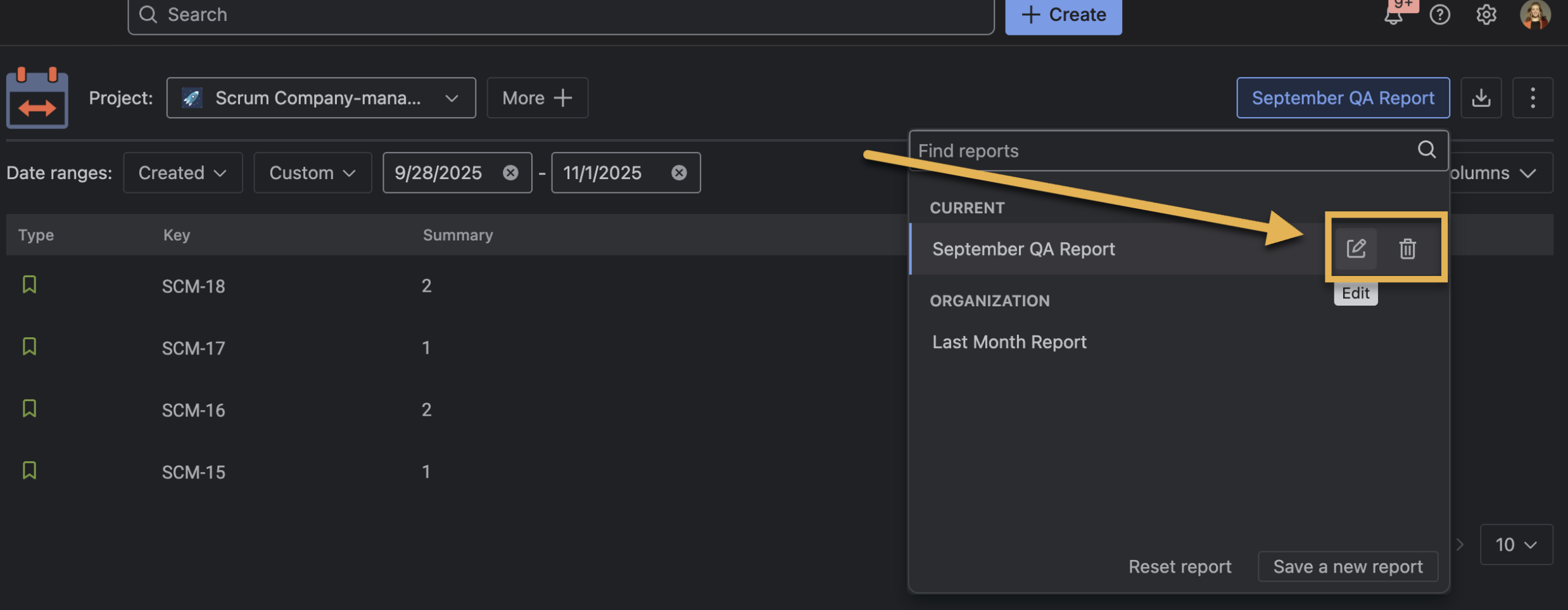
You can also edit, rename, or delete your views anytime. And if something goes wrong — just hit Cancel to revert.
Pro Tips
-
Use naming conventions like SLA - Q3 or Dev Cycle Time – John to stay organized
-
Combine with Dashboard gadgets to bring Saved Views to life visually
-
Assign Saved Views to team leads for consistent performance reviews
Final Thought
Time Metrics Tracker is all about reducing the noise and focusing on what matters — actionable metrics.
With Saved Views, you can:
-
Save hours of repeated setup
-
Avoid reporting errors
-
Maintain consistency across teams
-
Deliver insights faster, and with more confidence
And the best part? Everyone sees the same data, the same way - every time.
