
Being denied access isn’t usually as adorable as this kitten is 🐱.
Most of the time, restrictions just slow teams down, create bottlenecks, and leave people feeling excluded. That’s why it’s good to remind ourselves: Confluence works best when it’s open for collaboration, and restrictions should only be used when there’s a real need.
Situations Where Restrictions Are the Right Call 📑
There are a few scenarios where limiting access is the safest choice to protect sensitive information and control who can make changes.
For example:
-
Updating HR policies like salary reviews or employment contracts
-
Drafting legal documents that require private review
-
Working on confidential initiatives such as mergers or acquisitions
-
Handling compliance or audit-related content with strict visibility rules
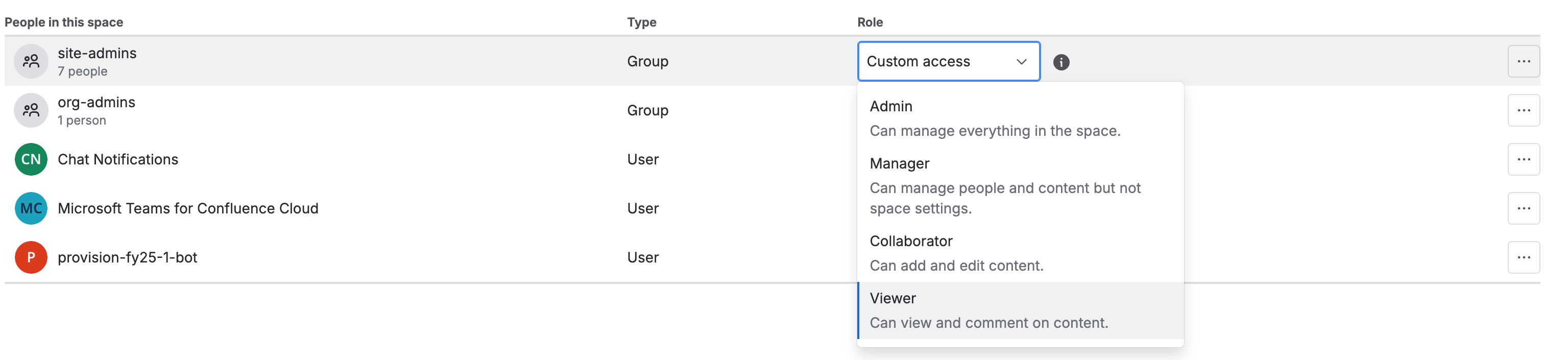
But what if those built-in roles don’t quite fit your team’s needs?
Creating Custom Roles 🛠️
Picture this: You’re in HR and need the legal team to review contracts for an international hiring project. If they only had to read and comment, the Viewer role would be enough. In reality, they also need to edit and sometimes add or remove content.
Making them Collaborators could work, but that would also give them abilities you may not want, like exporting sensitive data.
This is where custom roles come in.
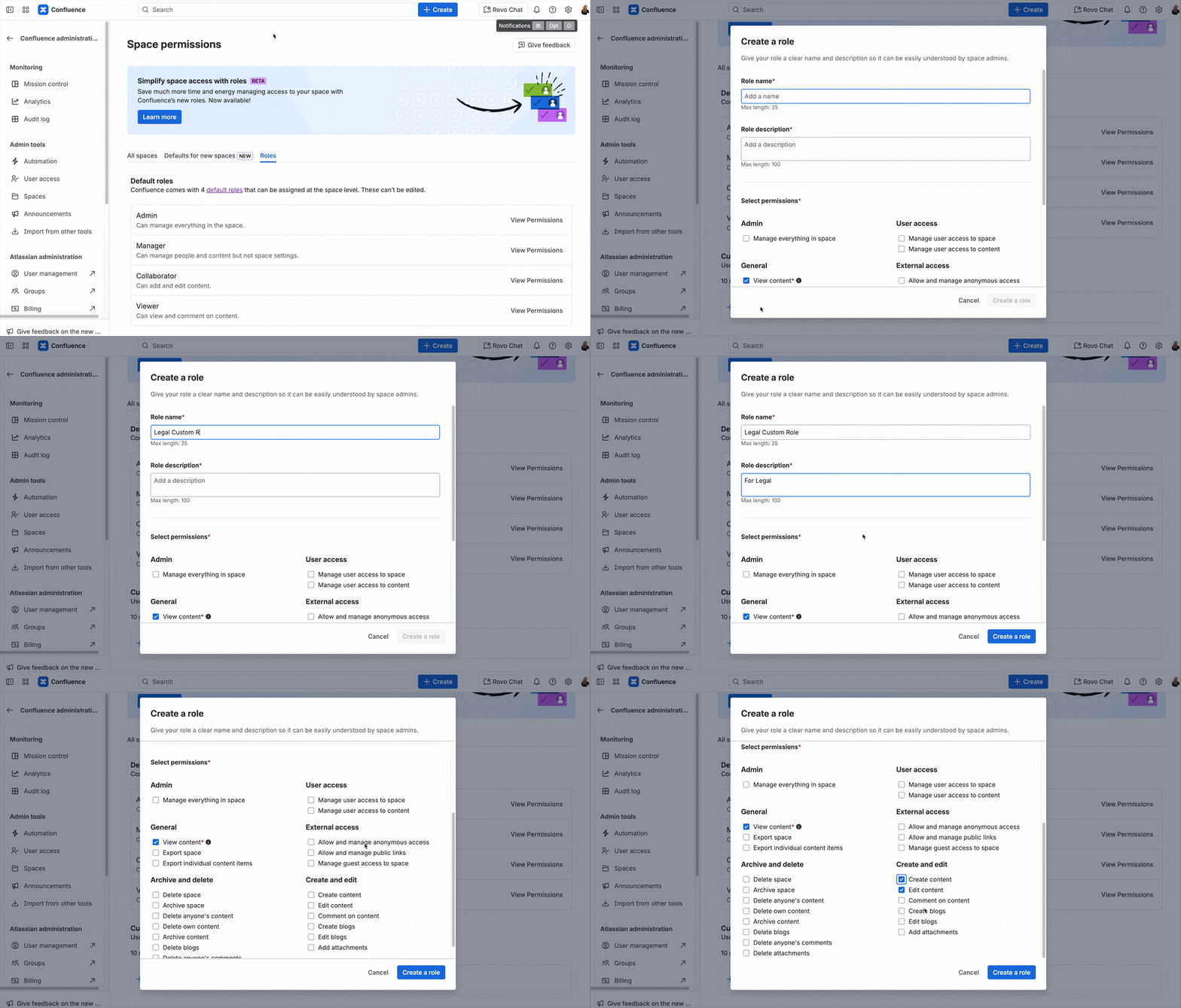
A Confluence admin can create a role tailored exactly to the legal team’s needs.
For example, they can add and delete content in the HR space but cannot export confidential information.
Keeping Openness at the Core 🌍
The real strength of Confluence lies in open collaboration.
Restrictions and custom roles don’t change that.
Instead, they give you the flexibility to protect what’s sensitive while keeping everything else accessible for your team.
👉 If you liked that short dose of information, sign up for our free weekly newsletter, Weekly Dose of Confluence. There, we’ll share the latest news about Confluence and explain what it means for you.


