New Feature, who dis? Automate your agent DIRECTLY from your agent’s config (and also see where else it’s being triggered 🙌
You can now easily create and review automation triggers for your Rovo agents without leaving Atlassian Studio.
No more navigating to Automations and hunting for the right rule just to trigger your Rovo agent. The new Triggers section in your agent’s configuration lets you:
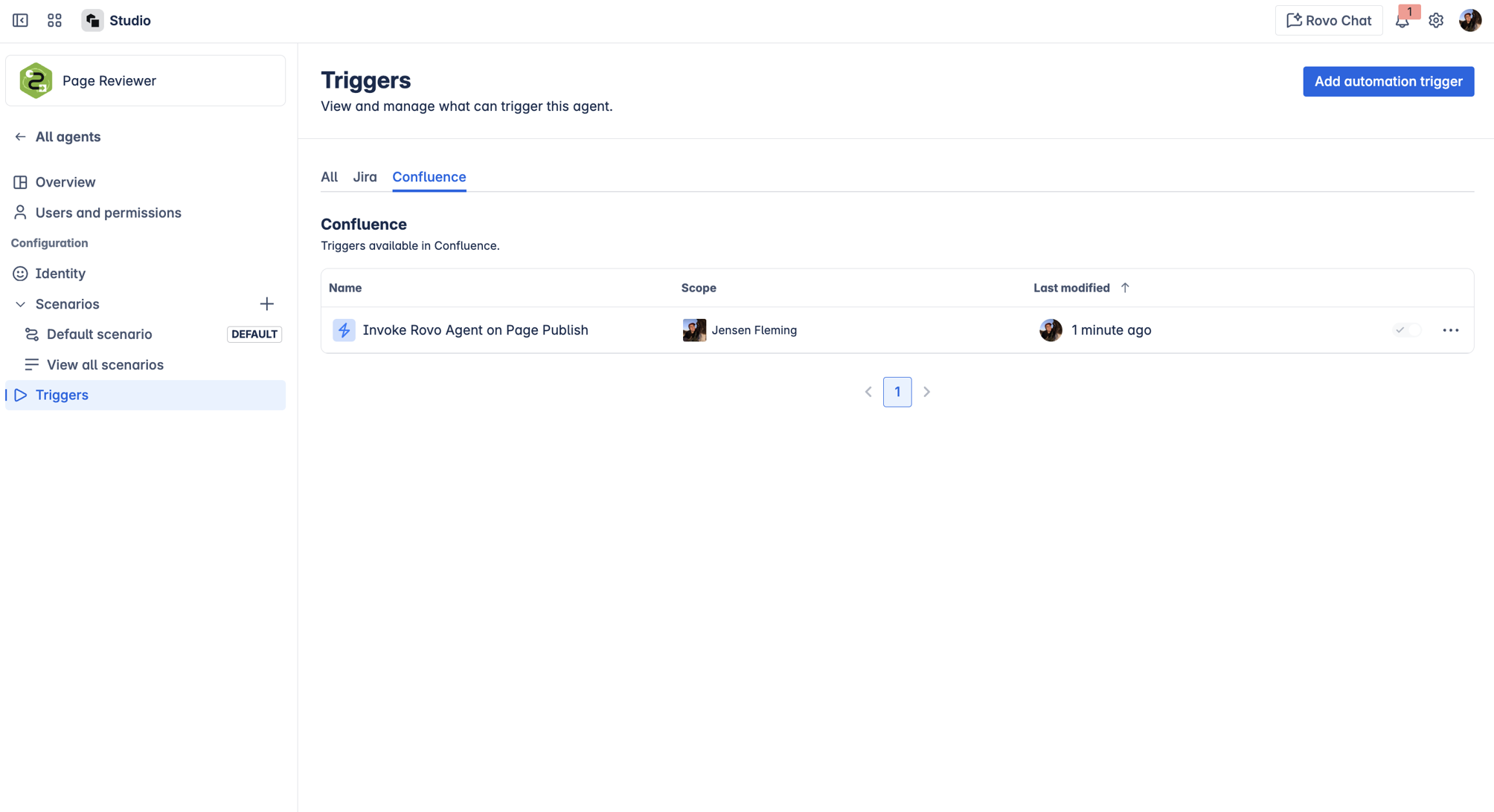
- View all automation rules that use your agent (across Jira, JSM, and Confluence) in one place.
- Create new automation triggers directly from your agent’s configuration screen.
- Instantly see which automations and workflows your agent is part of, so you know exactly what will be affected when you make changes.
Why it matters:
This update means less guesswork, faster setup, and total confidence when editing your agents. Manage, review, and troubleshoot all your agent’s automations from a single, unified view—no more surprises or accidental breakages.
How Does It Work?
- Open your agent in Atlassian Studio.
- Navigate to the new Triggers section in the side panel.
- View all automation rules that use your agent, organized by product.
- If no rules exist yet, you’ll see a helpful empty state and a prompt to add your first trigger.
- Click Add automation trigger to start a new rule. You’ll be prompted to select the product and project/space, then redirected to the Automation page in Jira, JSM, or Confluence to finish setup.
- Once your rule is created and enabled, refresh your agent’s Triggers tab to see it listed.
Before & After
Before:
You had to dig through Automations, set up triggers in separate products, and hope you didn’t miss anything. Changing your agent meant crossing your fingers that you weren’t breaking another workflow.
After:
You configure and review triggers right from your agent. You see every automation your agent is part of. When you make a change, you know exactly what will be impacted. No more surprises—just smooth, reliable automation.
Ready to get started?
Open your agent in Atlassian Studio and explore the new Triggers section. We can’t wait to see what you build!
P.S. This is currently rolling out progressively, everyone should have access by end of this week (September 26th)!
We value your input and want to ensure you have the best experience with Rovo agents and automations. If you encounter any issues, have suggestions, or need assistance, please reach out!


