Accurately measuring team performance in Jira starts with clean, context-aware data. One of the biggest pitfalls in time-based reporting? Failing to exclude weekends, holidays, or off-hours.
If your Time in Status reports don’t reflect how your teams work, you're not just misreporting—you're misdiagnosing. Let’s explore why excluding non-working time matters, when it should (and shouldn't) be done, and how to use Time in Status app to get it right.
Why Exclude Non-Working Time from Jira Reports?
Imagine this: A ticket sits in “QA Review” from Friday evening to Monday morning. The report says "3 days," but no one was even working.
That skew leads to:
- Inflated cycle time or lead time.
- False bottlenecks in handoffs or reviews.
- Poor prioritization due to seemingly old issues.
For teams optimizing flow or reducing wait time, that can derail decision-making. This matters most when you're trying to:
- Assess workflow delays.
- Compare teams across time zones or contract types.
- Benchmark against SLA or OKR targets.
- Report time spent in phase-specific processes (like legal review or QA) accurately.
But it goes deeper than clean visuals—tracking actual working time is how you protect team trust and avoid penalizing teams for resting when they should.
When Should You Exclude Non-Working Time?
You should exclude weekends or holidays when:
- Teams work traditional Mon–Fri schedules.
- SLAs are defined only for business days/hours.
- You're comparing remote or distributed teams.
- You're measuring time between working touchpoints (handoffs, reviews, delivery).
You should include them when:
- Teams operate 24/7 (e.g., global support teams).
- You want to measure elapsed time, regardless of the calendar.
- You’re tracking the queue or idle time with no active work planned.
⚖️ Pro tip: Match your reporting style to your reporting purpose. If your team gets alerts at 3 AM, then yes—count that time. If they’re off on weekends, don’t.

Time Zones and Distributed Teams: A Hidden Reporting Trap
As companies become more distributed, assumptions about time need to change. Reporting on a global team as if everyone works 9–5 in the same city? That’s how performance misalignment starts.
If QA is in Berlin and Dev is in San Francisco, that 9-hour delay isn’t slowness—it’s sleep. The same task viewed in two time zones can look radically different unless adjusted.
Time in Status helps mitigate this by:
- Letting admins define working hours and holidays.
- Associating calendars with specific Jira projects or filters.
- Calculating durations based on local time zones, not generic UTC timestamps.
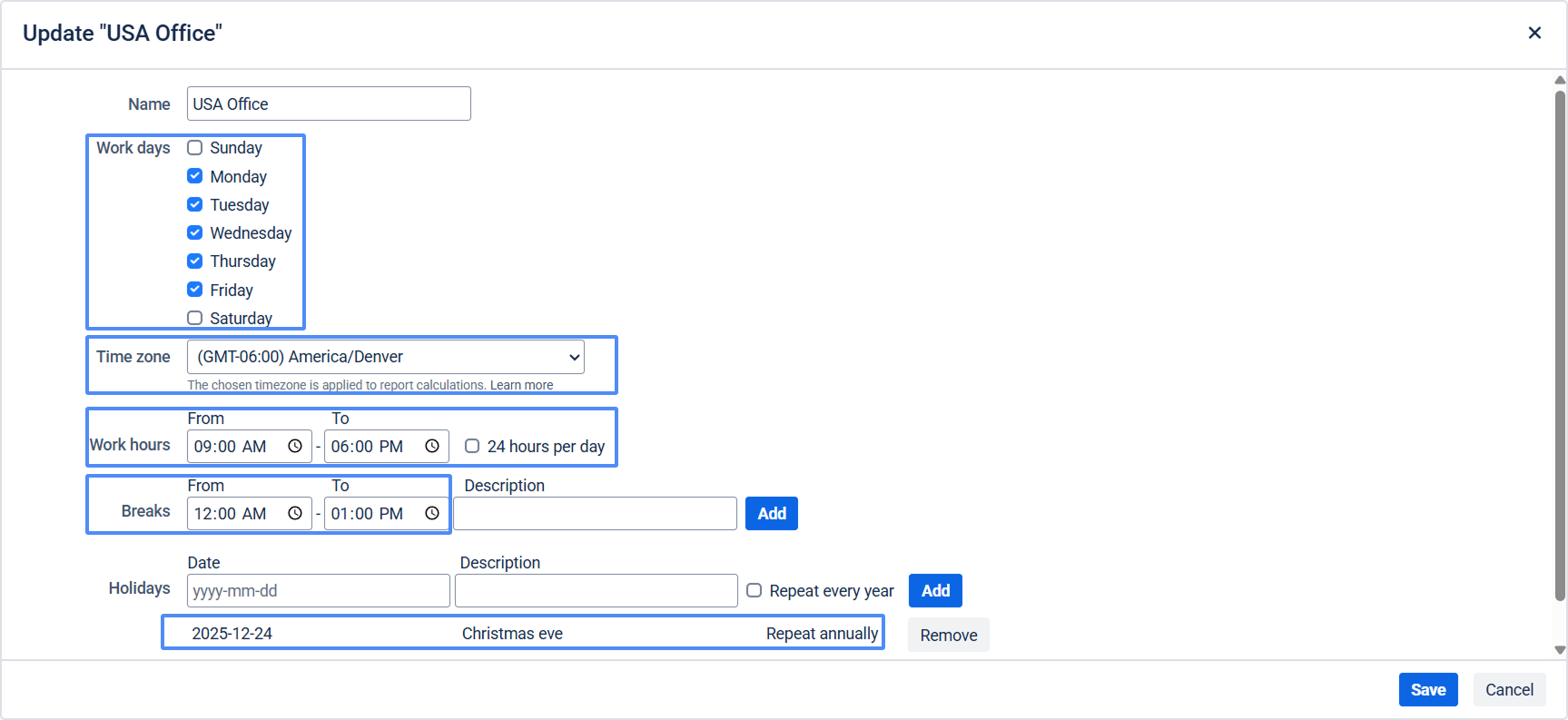
This creates reporting that reflects the human reality behind your Jira board.
Use Case Scenarios: Why Calendar-Aware Reporting Matters
Time-based metrics affect more than just QA. Teams across industries and work styles benefit from excluding non-working time:
- Customer Support: Global support teams working in shifts need cycle time to reflect the time they're staffed—not arbitrary UTC hours.
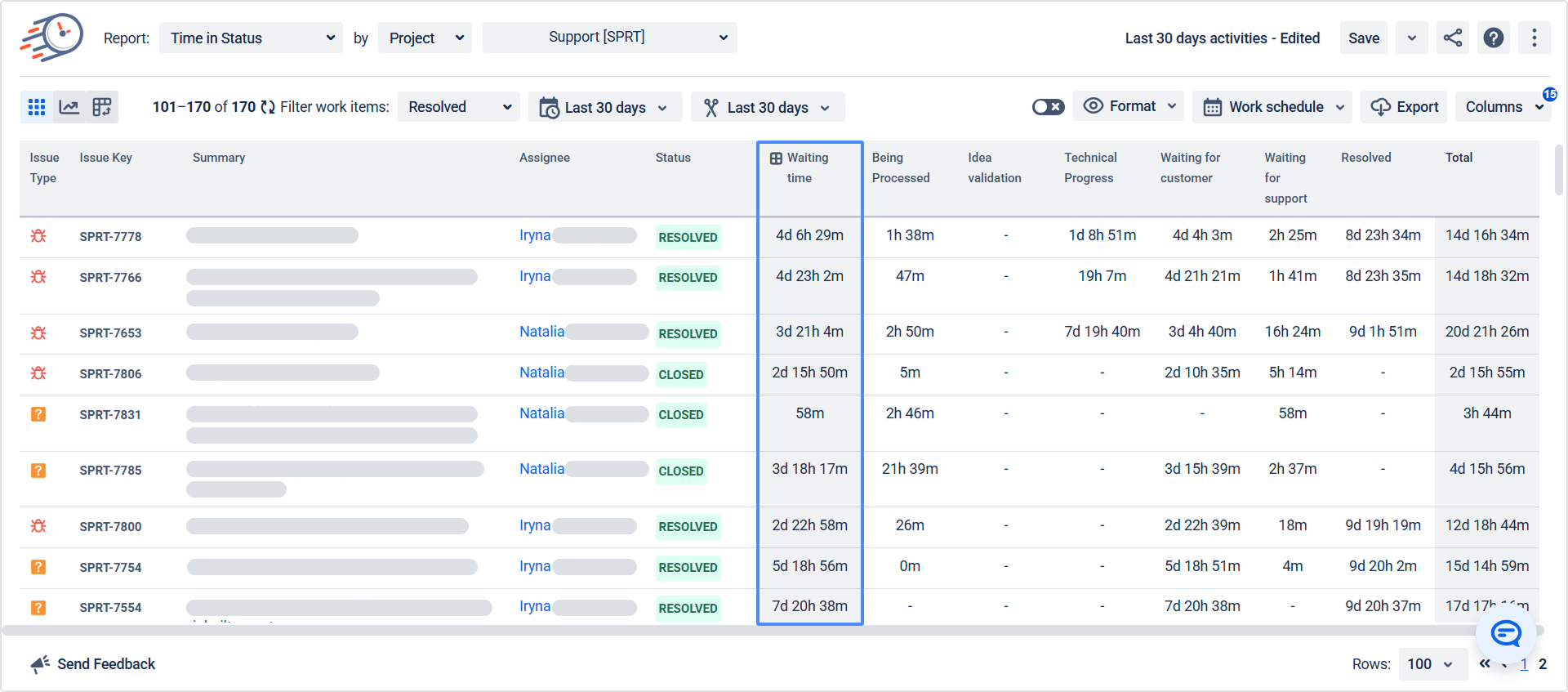
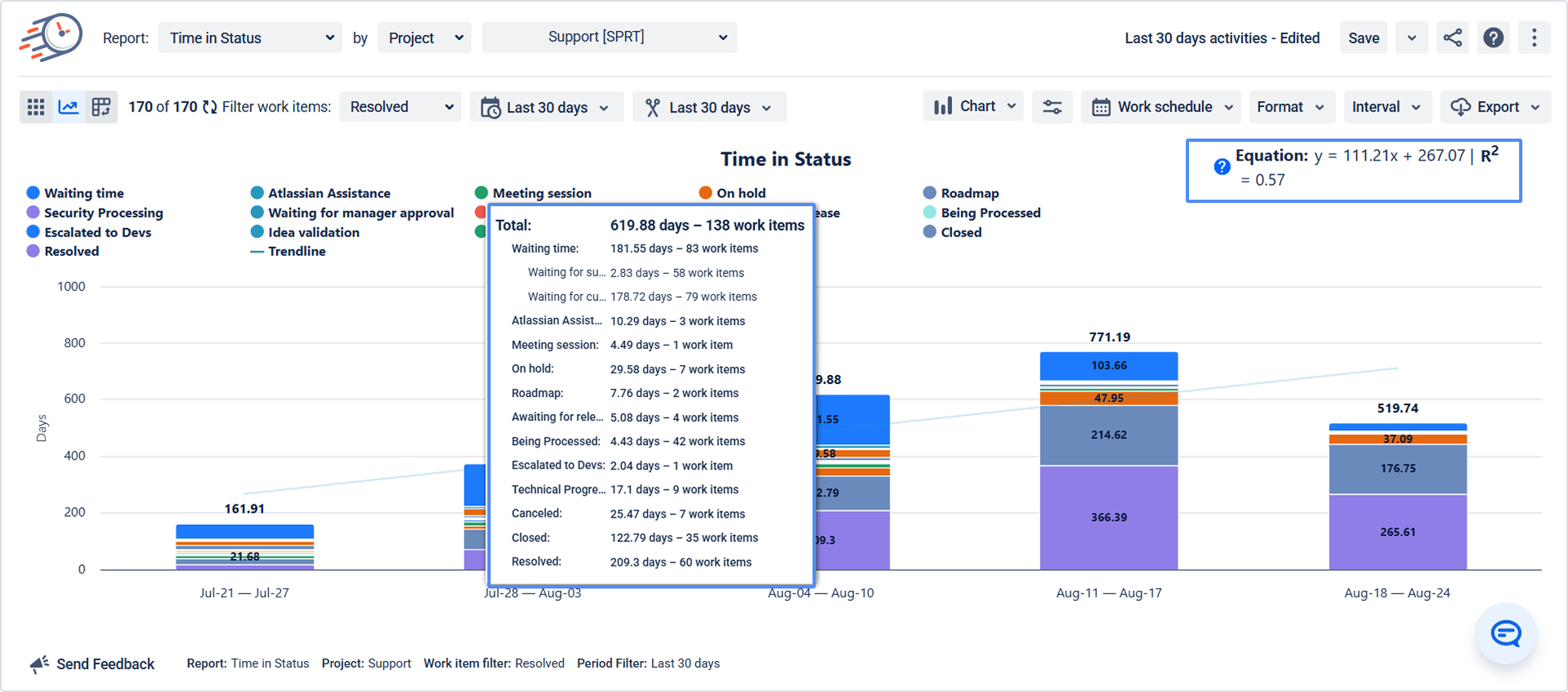
- Legal/Compliance Reviews: These often follow batched cycles and standard business days. Accurate reporting depends on excluding weekends or holidays.
- DevOps and Incident Management: For teams on-call during evenings and weekends, you should include off-hour time to capture real urgency and effort.
- Kanban-Driven Engineering: Many product or platform teams use Kanban, where lead time SLAs are based on business-day turnaround. Measuring idle time over a weekend gives misleading red flags.
- Distributed Agile Teams: Dev in Argentina, QA in Poland, and PO in Australia? Each can have a different calendar without skewing metrics unfairly.
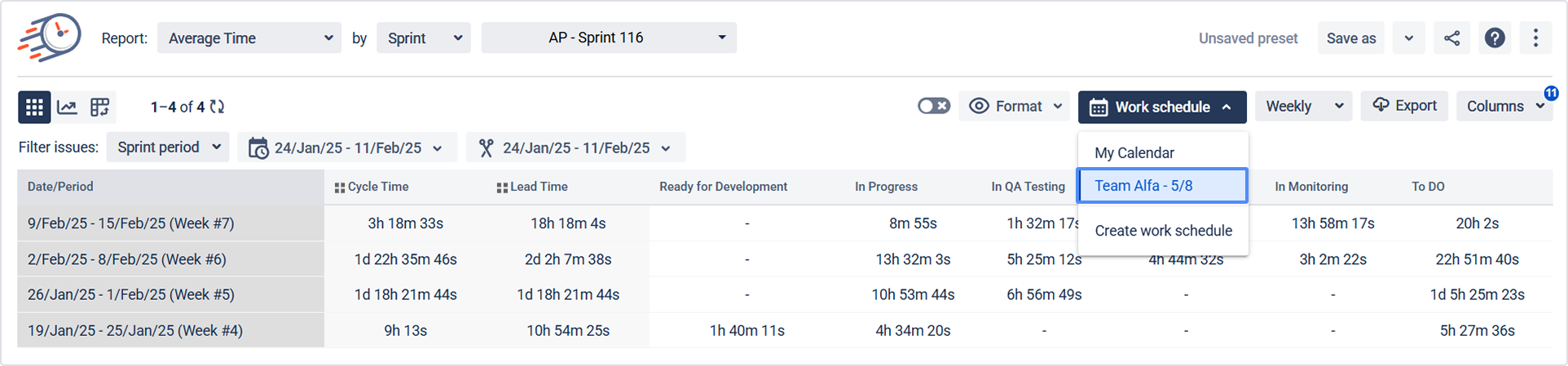
Common Reporting Mistakes—And How to Avoid Them
Here are a few traps to avoid when working with time-based reports:
|
Mistake
|
Consequence
|
Fix with Time in Status
|
|
Counting all calendar time
|
Inflated status times
|
Use work calendars to exclude off-hours
|
|
One calendar for all teams
|
Unfair comparisons
|
Create calendars by project/location
|
|
No time zone normalization
|
Misleading transitions
|
Configure per-calendar time zones
|
|
Manual data cleanup
|
Lost hours weekly
|
Automate with preset report filters
|
Don’t Let the Clock Lie
Whether you're reporting to leadership, monitoring SLAs, or looking for bottlenecks, accuracy matters. Reporting that includes weekends, holidays, or global mismatches won’t just confuse people—it could steer your entire improvement strategy in the wrong direction.
Time in Status ensures your time metrics reflect your actual working reality. That’s not just helpful—it’s essential.
✅ Configure accurate calendars ✅ Normalize across time zones ✅ Build trust in your reporting
📅 Try Time in Status on the Atlassian Marketplace
🔍 Want to see how it works for your setup? Book a live demo
