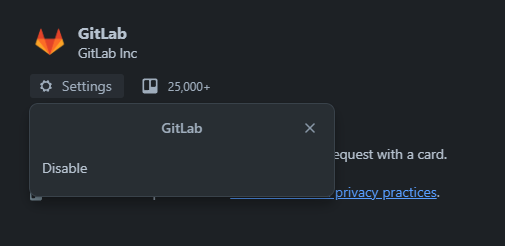
Hey, I'm new to using Trello (free version with Premium trial) and I'm trying to integrate a GitLab project.
I have no other Power-Ups Enabled.
Following the Gitlab-Docs Trello_power_up following steps should be done to integrate the Power-up:
- Go to your Trello board.
- Select Power-Ups and find the GitLab row.
- Select Enable.
- Select Settings (the gear icon).
- Select Authorize Account.
- Enter the GitLab API URL and personal access token with the API scope.
- Select Save.
I have done steps 1 through 4, but there is no "Authorize Account" button, just a "disable" button (see picture).
I also tried Disabling the Power-Up and enabling again, as well as opening a new board and enabling it on there and creating a new Workspace with a new board.