In this blog, we’ll walk through the different Assets schema mapping options available in OnLink. If you’re new to OnLink, you might want to check out this primer on supported integration sources - Link.
Assets in Jira Service Management support complex object types like User, Group, Project, and Object. OnLink simplifies the process of mapping external data whether from your HRIS, Identity Management, or ITAM platform into your Assets schema with easy relationship mapping.

Schema Mapping with Dependencies
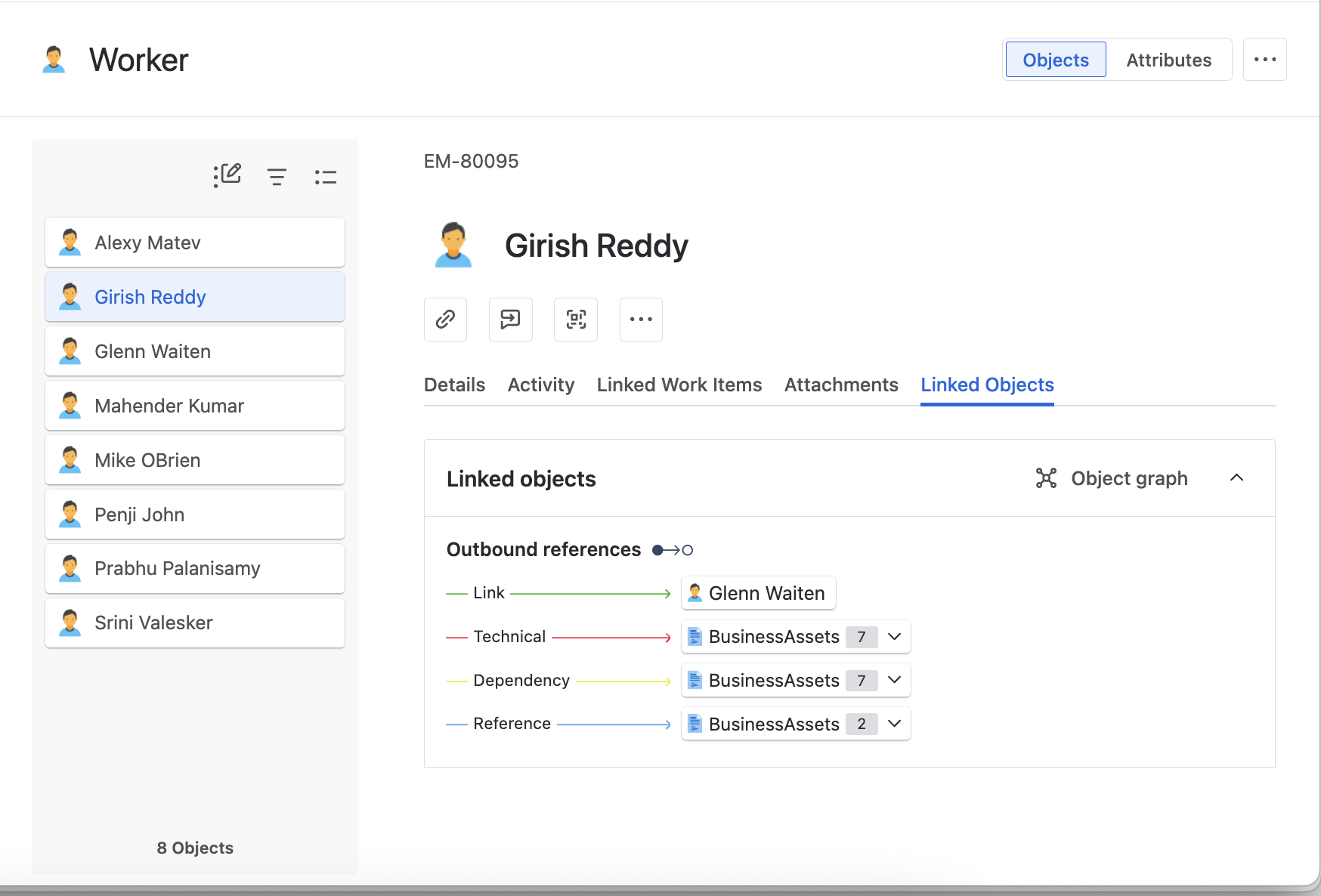
Assets can be used as a graph of relationships and dependencies. For example:
- An Employee (User) belongs to a Department (Object)
- That employee may also be assigned a Device (another Object)
With proper mapping, you can easily visualize and automate processes like:
- Who reports to whom
- What hardware/software is assigned to each employee
- Where dependencies exist in your org
Basic Text Mapping
This is the most straightforward approach.
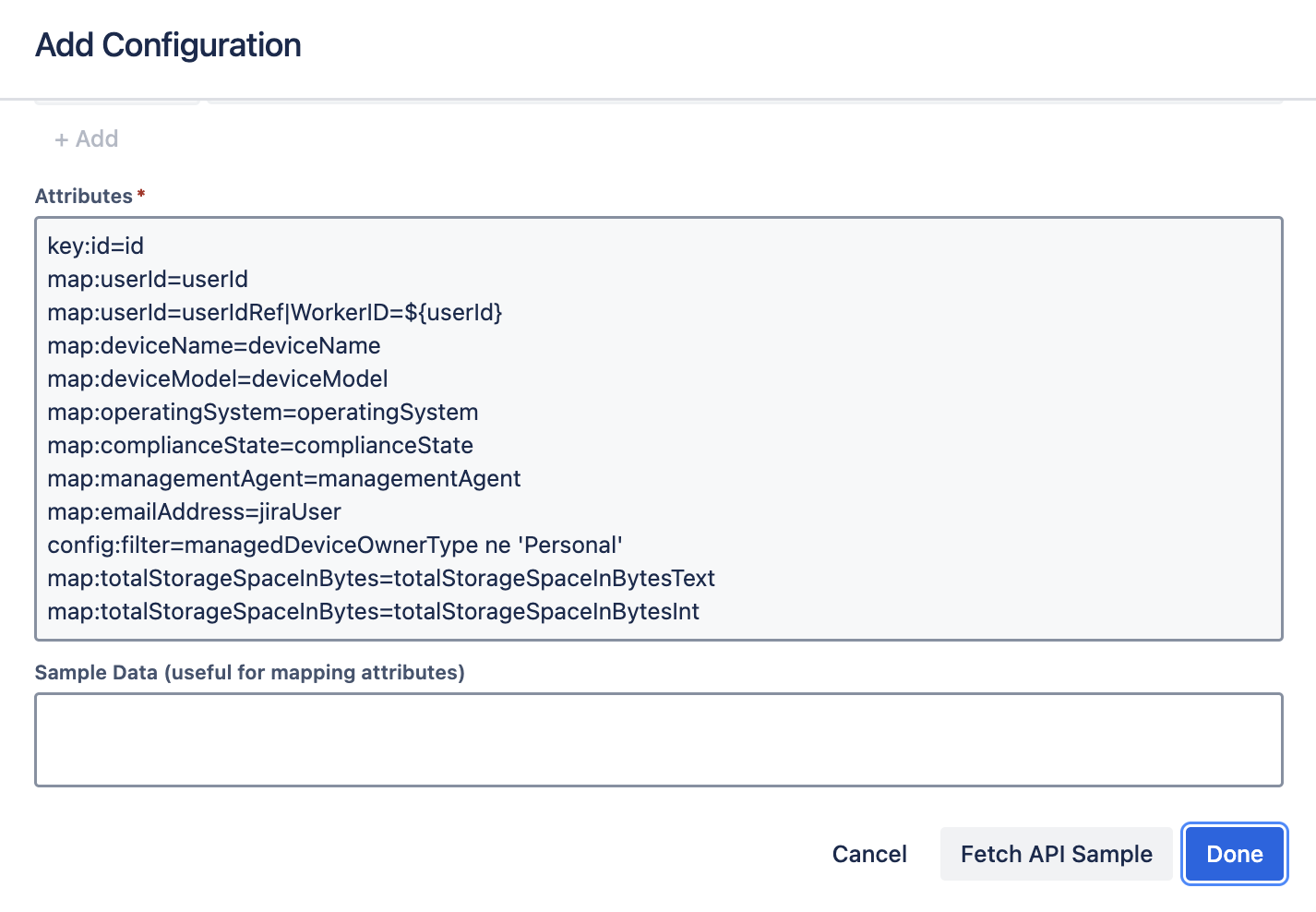
map:First_Name=Firstname
Maps a simple field from the source data to the corresponding schema attribute.
Object Mapping
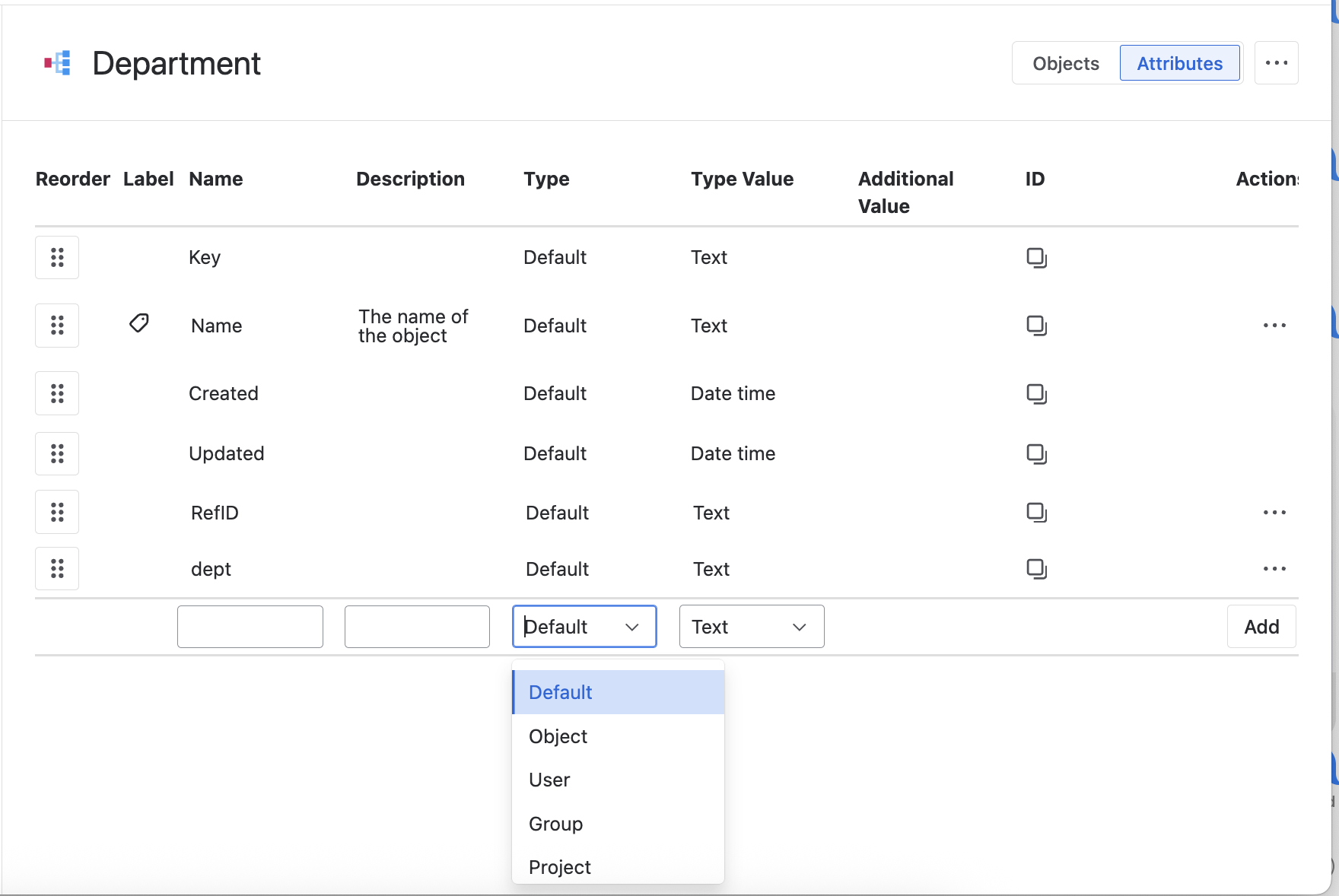
Object attributes reference other Assets object types. You can use AQL-style queries to resolve these references.
map:DepartmentRef=Department|RefID=${DepartmentRef}
In this example:
- DepartmentRef is the source field
- Department is the object attribute in Assets
- RefID is the key attribute on the Department object
- ${DepartmentRef} is the dynamic value used for lookup
Mapping Arrays – Multiple Techniques
✅ Example 1: Array of Objects
map:Uptime=values.0_where_operatingSystem/name_eq_Uptime
Maps the first “Uptime” value from an array under operatingSystem.
✅ Example 2: Nested Elements
map:DiskText=sizeMegabytes_where_storage/device_eq_any
Extracts sizeMegabytes from the first matching element inside the storage array.
✅ Example 3: Deeply Nested Paths with Filters
map:jsonpath__workAssignments.*.assignedWorkLocations.0.address.cityName__where__workAssignments.*.primaryIndicator_eq_true
Finds the cityName for the primary work location of an employee.
✅ Mapping with Delimiters
map:incomingJsonValues=objAttr|arraySeparator=~
Handles arrays encoded as delimiter-separated strings in JSON.
Bringing It All Together
Here’s a practical mapping setup:
- Employee: User type mapped from HRIS
- Manager: Referenced using self-linking object logic
- Department: Nested object with a unique RefID
- Devices: Array mapping from ITSM or MDM platforms
Once the schema is configured, your data becomes actionable:
“John Smith is in Sales and has a MacBook Pro assigned to him.”
Whether you’re importing data from ADP, Okta, Entra ID, or Workday, OnLink can help unify your asset and identity landscape inside Jira Service Management.
If you haven’t tried OnLink yet, give it a spin and tell us what you think.
Here is the video (generated by NotebookLM) for a those who prefer video style articles.
