Let’s be honest: nobody likes being micromanaged. And nobody really likes being the micromanager either. Yet in fast-moving, high-stakes environments where delivery matters and visibility is vital, managers often fall into the trap of frequent check-ins, “just a quick update” pings, and hovering behaviors.
But what if you could eliminate the need for constant status requests—without sacrificing visibility? What if your team felt more trusted and you stayed informed?
This is where the Time in Status app steps in—as a quiet enabler of better communication, fewer interruptions, and more empowered teams.
The Real Problem: Status Anxiety
Micromanagement stems from a lack of real-time visibility. When managers can’t see the true state of work, they often resort to interrupting team members for updates.
This creates unnecessary distractions, breaks focus time, and gradually erodes trust. Productivity suffers, and frustration builds on both sides.
Time in Status Offers Real-Time Progress Data Without Interruptions
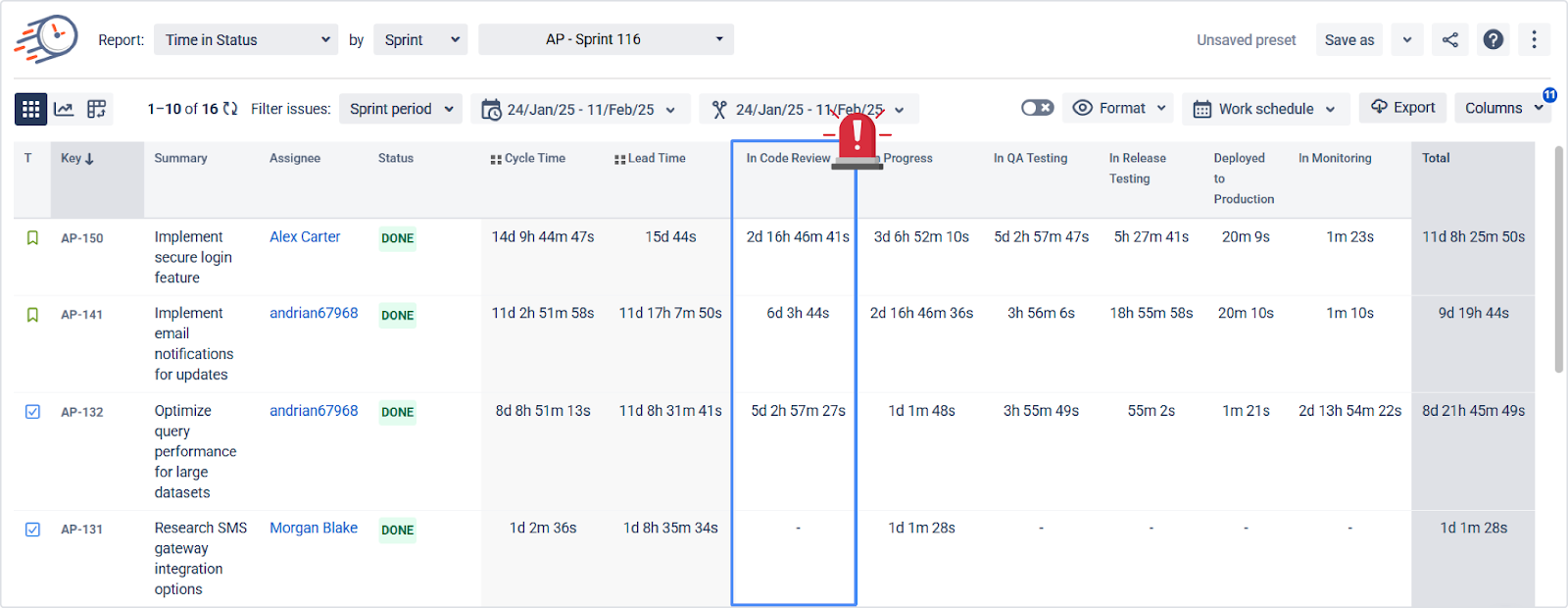
The Time in Status Report shows exactly how long each issue has spent in each status. It updates automatically and reflects real work—not just what someone remembered to log.
💡 Example: A ticket that has been in "Review" for 4 days gets highlighted. This provides managers with immediate visibility into where things are stuck—without needing to ask.
Status Count Report Detects Workflow Loops and Rework
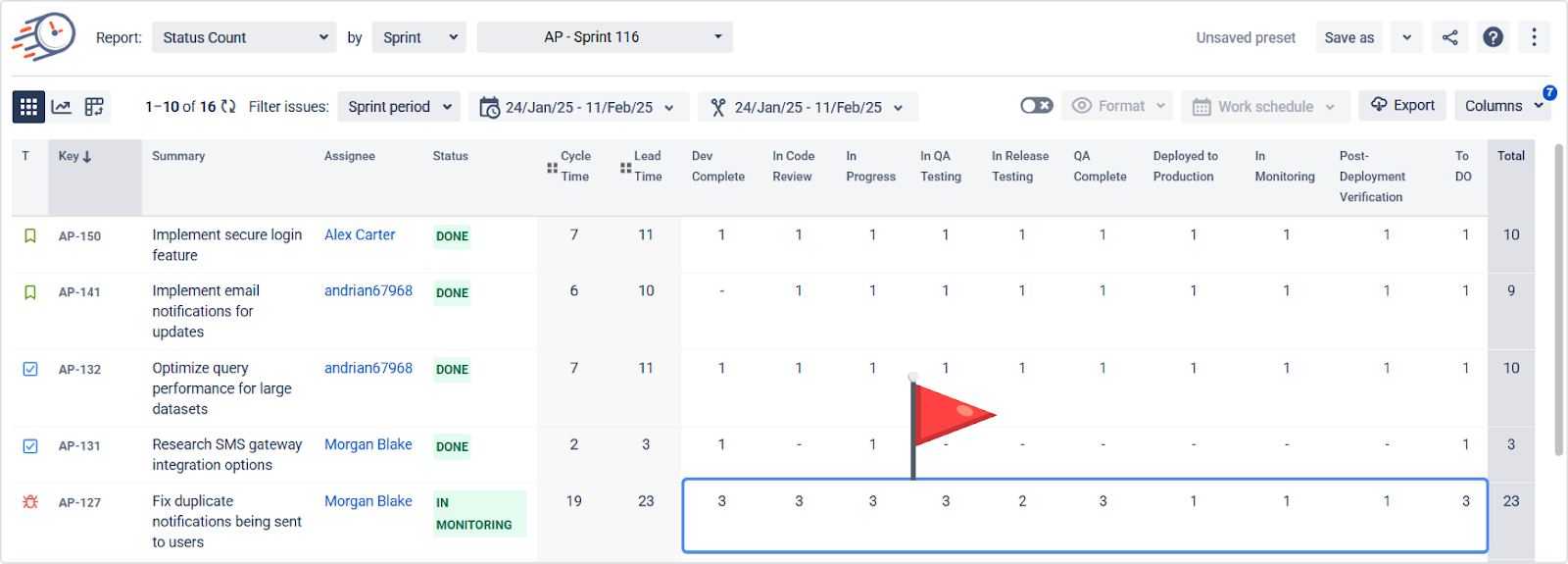
Rework drains productivity and hides deeper issues, such as vague requirements or unclear acceptance criteria.
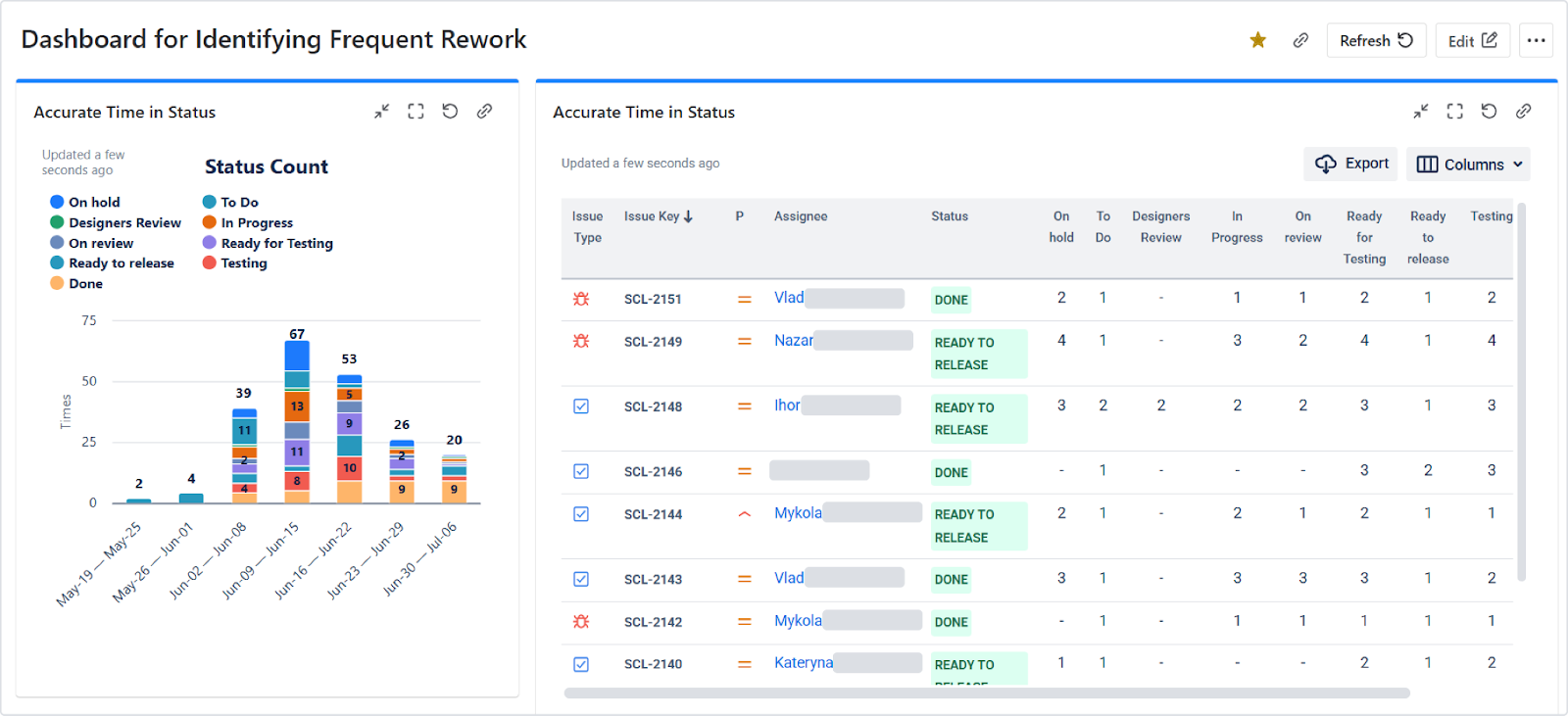
The Status Count Report displays the number of times an issue has progressed through each status. If a ticket bounces between "Testing" and "In Progress" three times, that's a red flag worth investigating.
Track Assignee Efficiency Without Time Logs
Time in Status offers performance insights without micromanaging time tracking.
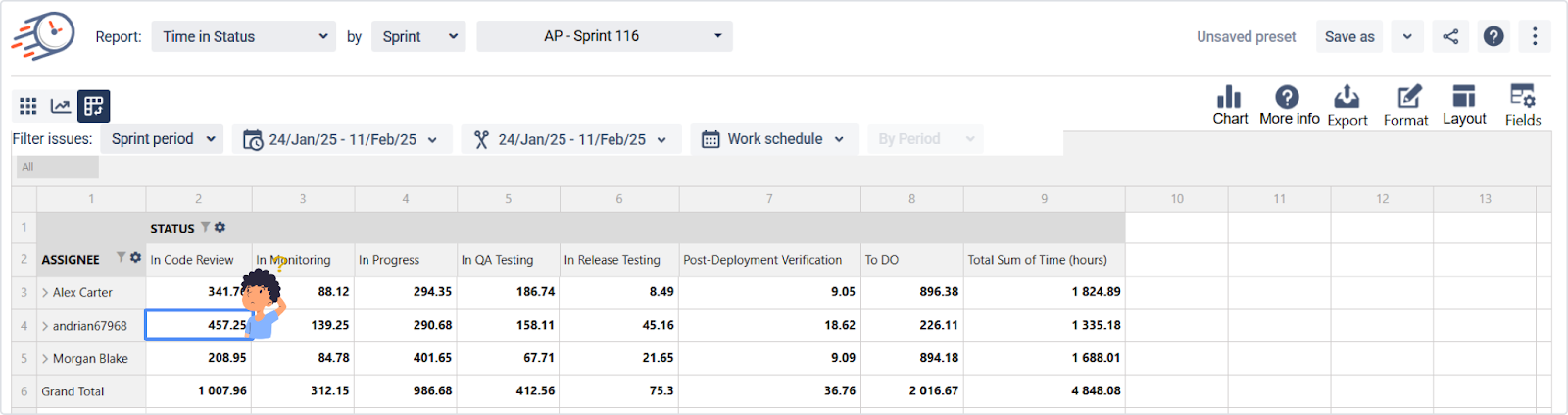
The Assignee per Status Report (built in pivot tables) displays the duration each person spent on each issue and its current status. This makes it easier to balance workloads, spot burnout, and plan more effectively.
💡 Example: If one developer is stuck in “Code Review” status longer than others, it might signal a coaching opportunity or unclear criteria.
Build Different Custom Insights With Pivot Table View
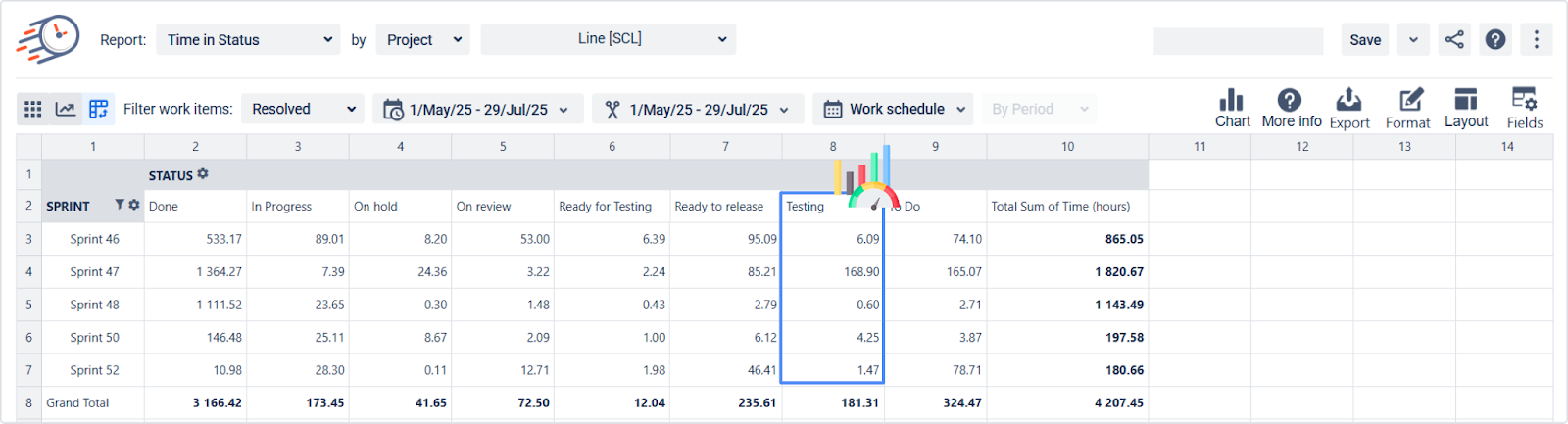
The Pivot Table View enables you to create custom reports tailored to your team’s structure and specific needs. Slice your data by assignee, status, priority, sprint, or issue type.
You can apply mathematical functions like Average, Sum, or Count and view the data as percentages or raw time.
💡 Use Case: Compare the "Time in QA" across sprints to detect delays or highlight improvements over time.
Dashboards Enhance Daily Visibility Without Manual Reporting
Time in Status provides useful dashboard gadgets that help you monitor ongoing performance:
- Issue Age Gadget – Highlights overdue or neglected tickets that may be falling through the cracks.
- Reopened Issues Count – Helps you spot recurring rework patterns that could be impacting velocity.
- Average Time Chart – Track how long issues typically stay in key statuses like “In Review” or “Waiting for Support.”
- Time in Status Chart – Visualize the time each issue spends in statuses, great for quick overviews.
- Time in Status per Date Report – Spot time-based trends by mapping status durations to specific dates.
Together, these visuals help replace the need for constant updates and make dashboards a central part of your daily syncs and reporting.
Use the Sprint Report for High-Level Progress Communication
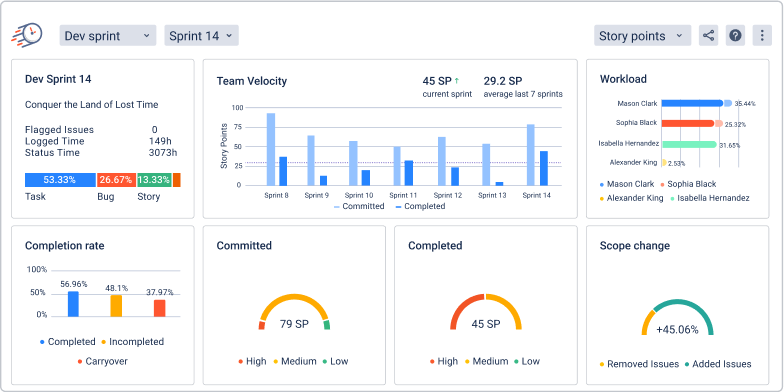
Need a digestible summary of sprint performance? The Sprint Report provides velocity, scope changes, workload, flagged issues, completion rates, and other key metrics.
Whether you work with Story Points, Time Estimates, or plain Issue Count, this report adapts to your team's estimation method.
💡 Pro tip: Review this report before retrospectives to identify areas for improvement and celebrate wins backed by data.
Summary: Visibility That Builds Trust, Not Pressure
Time in Status provides transparency without pressure. It enables:
- 📍 Real-time visibility without pings.
- 🔁 Easy detection of rework or blocked tasks.
- 📈 Smarter retrospectives and planning.
- 🤝 Trust-driven leadership and self-managed teams.
✅ Try the app with a trial 📞 Book a demo call to tailor it to your workflow
📊 Explore dashboards and reports that save hours weekly
