Hello there!
I'm Elena from Communardo Products.
As more teams adopt dark mode for its visual comfort and accessibility benefits, the way Confluence spaces are designed needs to evolve too. Whether you're a Confluence admin or designer, customizing the experience for both light and dark modes is now more important than ever.
via GIPHY
Here are some key strategies and configuration tips for supporting both theme modes effectively:
🎨 Use Separate Color Settings for Light and Dark Themes
Different visual modes require different color palettes. What looks great in light mode might lack contrast in dark mode. If your Confluence theme supports it, define distinct color settings for:
This ensures readability and brand consistency across all display preferences.
via GIPHY
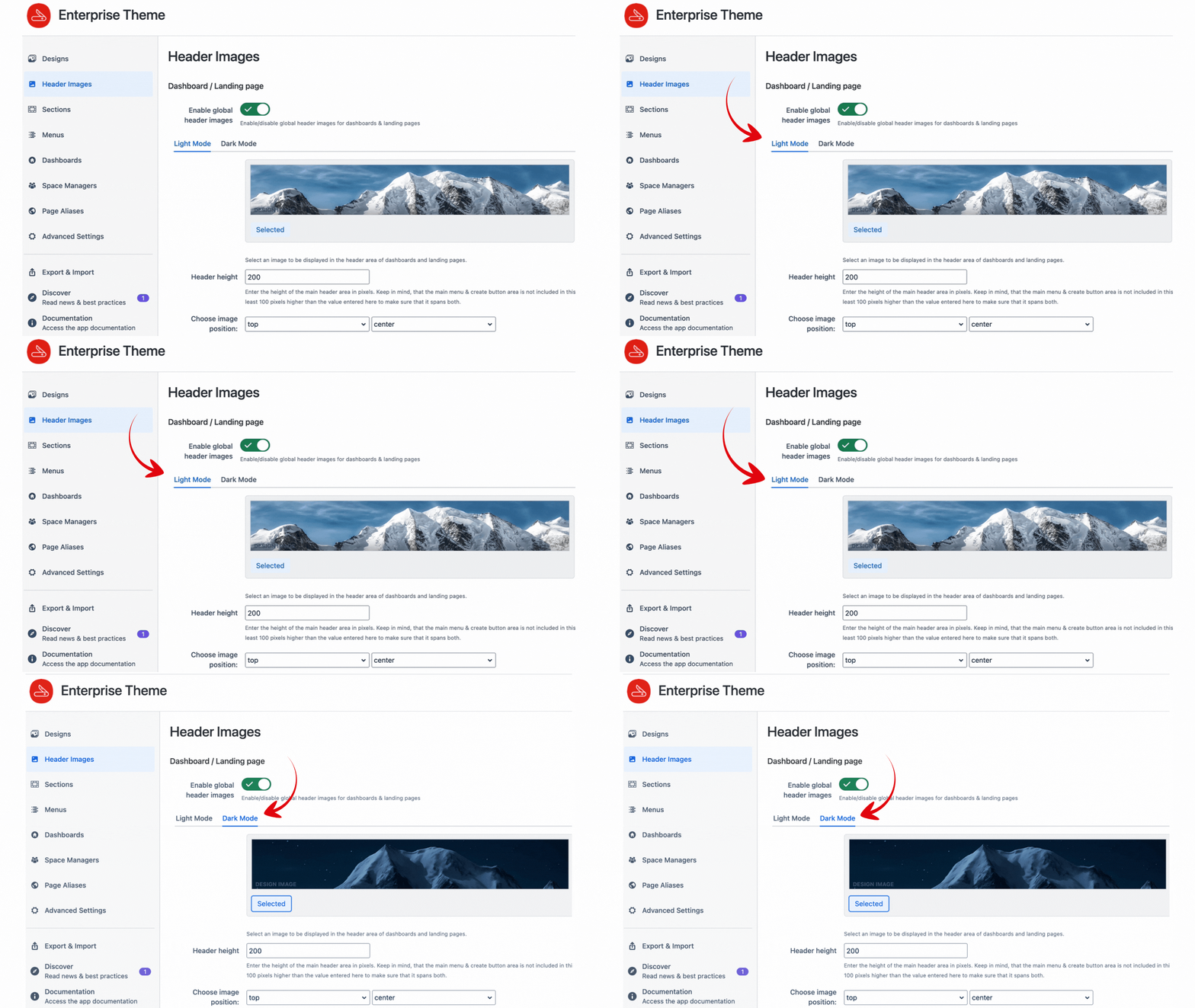
🖼️ Upload Matching Header Images for Each Theme
Light and dark themes render images differently. A header image with a white background may blend poorly into a light theme, while being too harsh in a dark one.
To ensure clarity and style in both modes:
This small detail can make a big visual difference.
⚙️ Fine-Tune Key UI Elements
Consider adjusting specific UI elements that influence user navigation and interaction. Common options include:
| Element |
Why Customize It? |
|---|
| Menu font & hover colors |
Ensures visibility and intuitive navigation |
| Themebar and footer colors |
Keeps branding consistent and polished |
| Panel highlights and links |
Improves usability and accessibility |
💡 Why This Matters
Supporting both light and dark modes isn’t just about aesthetics—it’s about accessibility, inclusiveness, and improving the overall user experience. Users now expect easy transitions between theme modes without losing usability or visual coherence.
If you're working on Confluence design, it's worth exploring what your current theming solution allows in terms of dual-mode customization. Have you already implemented dark-mode-friendly theming in your Confluence instance? What challenges or solutions have you found helpful? Let’s share ideas below! 👇

