|
Feature
|
Jira Automation
|
Backbone Work Sync
|
|---|
|
Cross-project sync
|
⚠️ Needs maintenance
|
✅ Out-of-the-box
|
|
Cross-instance sync
|
⚠️ Limited
Need to work with web requests/webhooks rules for both sides for which there is no step-by-step guide
|
✅ Out-of-the-box
|
|
Work item creation
|
✅ Specify which work items you want to create (based on rules)
In creation, you can flexibly create work items, e.g., also combining values of fields into one field
|
✅ Specify which work items you want to create (based on rules)
|
|
Sync direction
|
✅ One-way (by default)
⚠️ Two-way possible (complicated to set up and maintain)
|
✅ Both two-way and one-way
|
|
Connect Synced Work Items
|
✅ Can create a rule to link in either the linked work items (if same instance) or text/url field
|
✅ Auto links the work items
Creates a work item sync panel to see the link and more information
|
|
Update/Sync Work Items
|
✅ You need to add the key of the synced work item to the original work item so that, in the rule setup, you can update the synced work item.
|
✅ As work items are linked by Backbone, updates are automatically synced to the linked work item
|
|
Ease of setup
|
❌ Technical, time-consuming
|
✅ UI-based, fast
|
|
Permissions/security
|
✅ Instance-based security setup
✅ Data stays in Jira
|
✅ Built-in controls, GDPR and ISO compliant
|
|
Audit logs
|
✅ Basic logging and performance insights
|
❌ Currently not available
|
|
Troubleshooting
|
⚠️ Available via Atlassian support (Depends on your license type)
|
✅ In-built troubleshooting and dedicated support available
|
|
Cost
|
✅ Included in Jira (dependent on the license type)
|
⚠️ Paid app
|
|
Scalability constraints
|
⚠️ There are limits to how many rules can be run, e.g. 1700 rule runs per month for a standard Jira software license.
These limits can mean you would need to update your plan to e.g. premium/enterprise, resulting in more costs.
|
✅ No limit on how many projects or work items get synchronized
|
For a more in-depth feature comparison and troubleshooting details, check out our help center article.
🎥 [Watch on Demand] Jira Automation & Beyond: Learn when Automation gets the job done - and when it’s time to bring in Backbone Work Sync for cross-instance collaboration.
Check it out ->

How To Set Up Seamless Collaboration on Jira
Now that you’re more aware of the two possible solutions, let’s dive deeper into how to set up each option.
How to Create Jira Automation
With Jira automation, users can configure rule-based workflows that trigger actions based on events (e.g., work item creation). For syncing, this can be extended using webhooks and Jira REST API calls to create work items.
Jira Automation Example: Setting Up A Cross-Project Work Item Clone
1. Create a New Jira Automation Rule
2. Set the Trigger
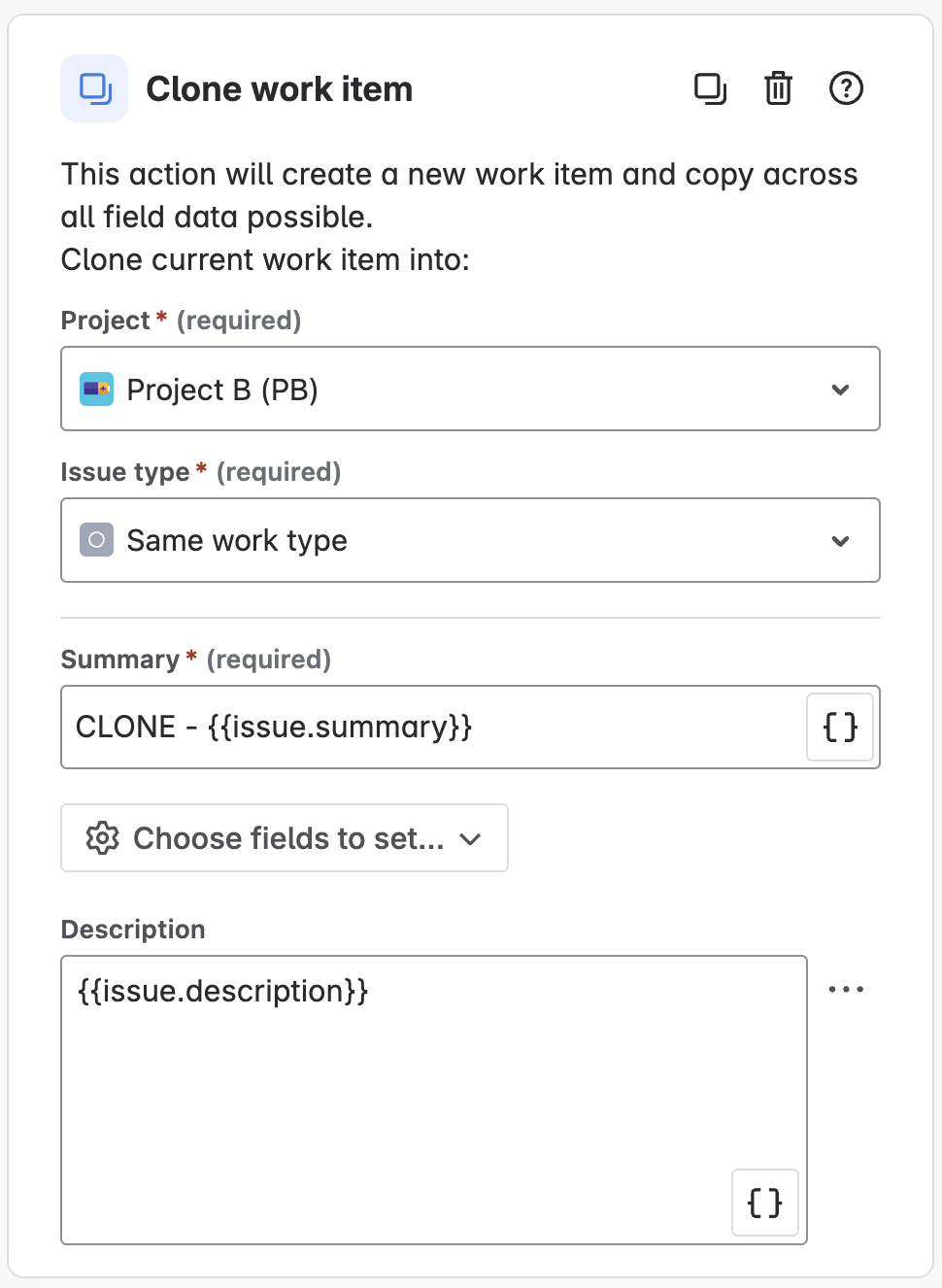
3. Add the Clone Action
-
Click New action and select clone work item.
-
Choose the target project (Project B in our example)
-
Map the Jira fields you want to copy from the original work item (summary, description, etc.).
6. (Optional) Link Work Items
-
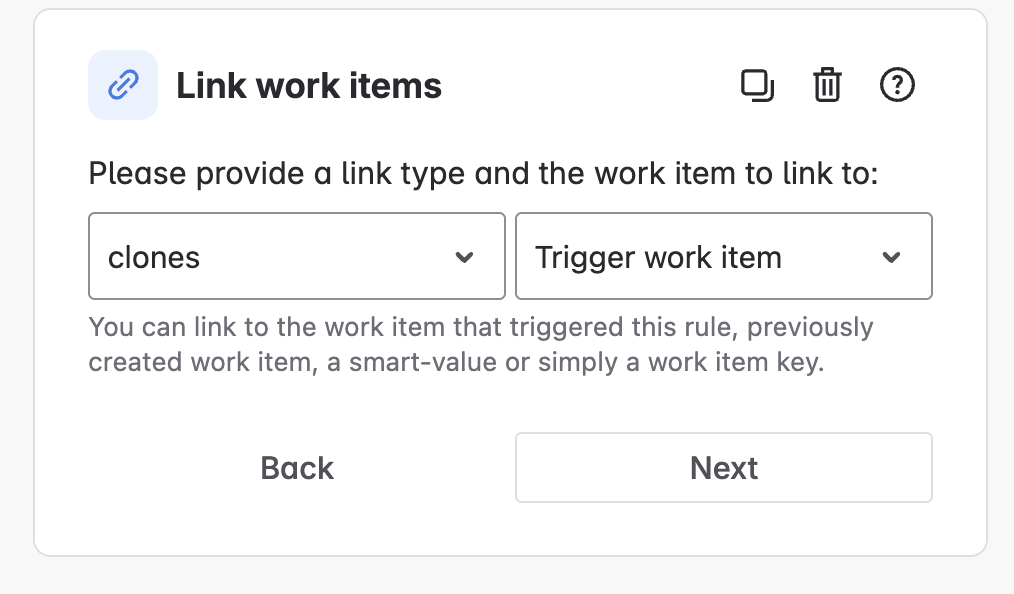
Add another action: Link work items.
-
Set the link type (e.g., “clones,” “relates to”) to connect the original and cloned work item.
7. Name, Save, and Turn On the Rule
Result
This automation creates a new, cloned work item in the target project whenever a work item is created in the source project, keeping relevant details consistent and allowing independent tracking.
Important to Know
How To Set Up Backbone Work Sync for Jira
As mentioned above, Backbone Work Sync is a dedicated app on the Atlassian Marketplace that simplifies work item syncing across Jira instances.
Backbone Work Sync Example: Setting Up A Cross-Project Work Item Sync
You can find the step-by-step guide for creating a cross-project work item sync in this help article.
Result
After setting up the configuration, every time a work item is created in the source project, it will be automatically copied to the target project, including all field data that was synced.
Optionally, work items, comments, attachments, statuses, worklogs, and project versions would also be synced and kept updated in real time.
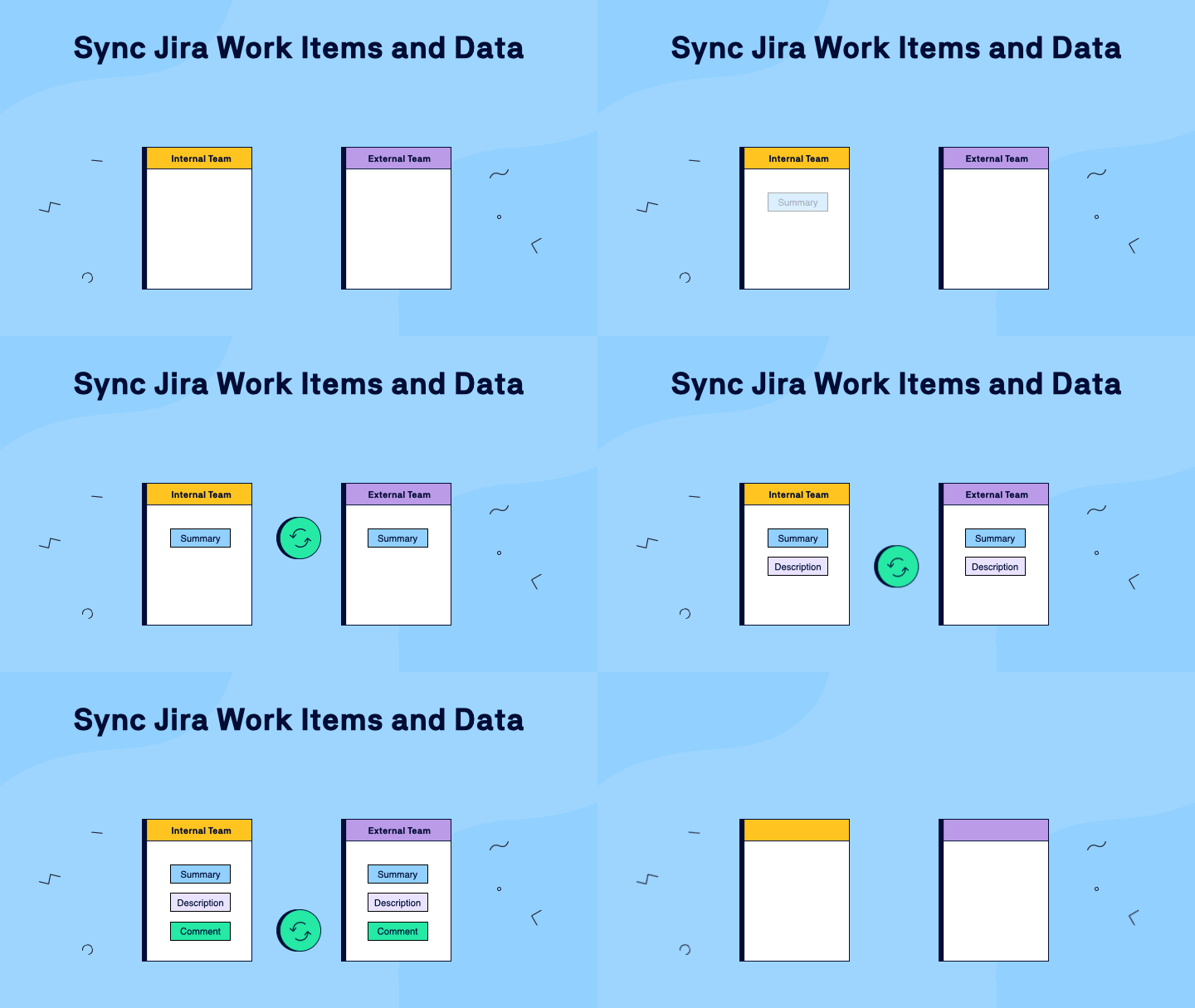
This ensures both teams or projects stay in sync, with linked work items that can be tracked and managed independently as work progresses.
Important to Know

Conclusion: Which One Should You Choose?
Try Backbone Work Sync Yourself
Ready to check out streamlined and powerful syncing?
Need help getting started? Reach out for a personalized demo or support - our team is happy to help you set up a sync tailored to your needs.


