Sync OneLogin User Data into Assets in Jira Service Management
Integrating identity data into Jira Service Management (JSM) Assets enables automation for HR, IT, and compliance workflows. Whether you’re managing onboarding, user provisioning, or governance reviews, having up-to-date user data in Assets offers several beenfits.
In this guide, we’ll show you how to connect OneLogin to JSM Assets using OnLink, map user fields, and automate your import process for user identity sync.
About OneLogin
OneLogin is a leading Identity and Access Management (IAM) solution that helps enterprises securely manage user access across cloud and on-prem applications. With features like SSO, multi-factor authentication, and automated user provisioning, OneLogin is widely used by IT and security teams to enforce access governance.
Catch Up on Related Blogs
If you’re new here, we’ve covered the power of using Assets in JSM across a variety of use cases:
General HR + Asset Integration:
Identity Management + Governance:

Step-by-Step: Integrate OneLogin with Assets via OnLink
Step 1: Connect OneLogin to OnLink
Navigate to the OnLink → Connections tab, and add a new connection under “Other Asset Sources”. From the dropdown, select OneLogin.
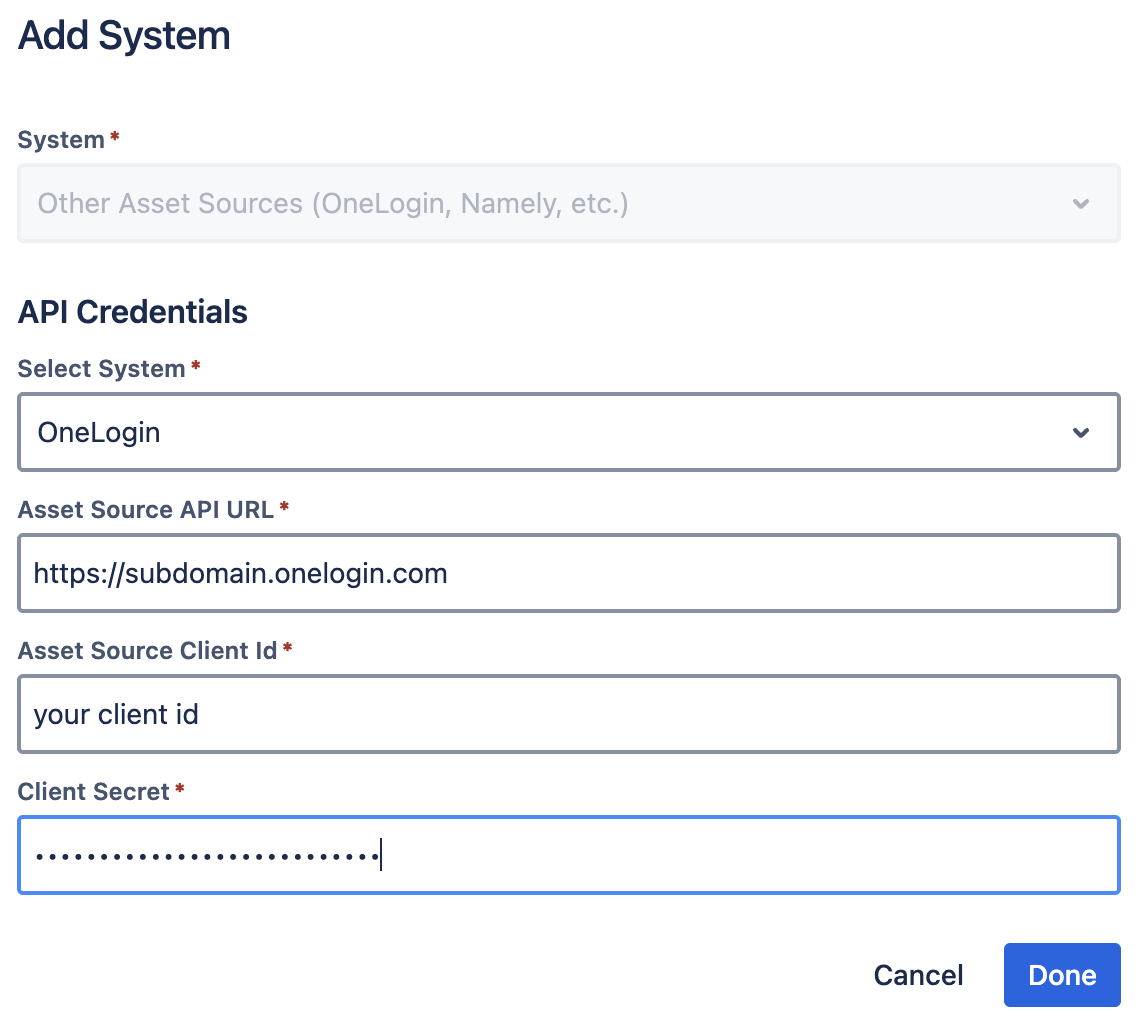
Connection Details:
Step 2: Configure Your Asset Import
Once connected, follow the Asset Import Configuration Guide to set up your import schema. Then go to Jira → Manage your apps → OnLink to configure field-level mappings.
Here’s a sample mapping configuration:
key:id=ID
map:firstname=First Name
map:lastname=Last Name
map:email=Email
map:email=Atlassian Account ID
map:manager_user_id=ManagerObject|id=${manager_user_id}
Field Mapping Explained
|
Key/Map
|
Description
|
|---|
|
key:id=ID
|
Uses the id from OneLogin as the unique identifier for updating records.
|
|
map:email=Atlassian Account ID
|
Maps OneLogin email to the User attribute in Assets (type: User).
|
|
map:manager_user_id=ManagerObject|id=${manager_user_id}
|
Maps the user’s manager using a self-referencing object attribute in Assets.
|
Final Thoughts
By integrating OneLogin with Assets in Jira Service Management Assets, you’re enabling:
-
Visibility into user identities and reporting lines
-
Automation of onboarding/offboarding and access reviews
-
Centralized governance of identity-related metadata
If you are looking into import user data from OneLogin to Assets in JSM, give OnLink a try.
