One of the most powerful things about Rovo is how quickly you can go from idea to working solution — even if you’re not a developer.
In our team, we explored building no-code agents to support workflows in HR and project time tracking. The goal: create a conversational interface for users to retrieve and analyze structured data from tools like Personio and Moco — all through natural language prompts in Rovo.
⚙️ What We Built
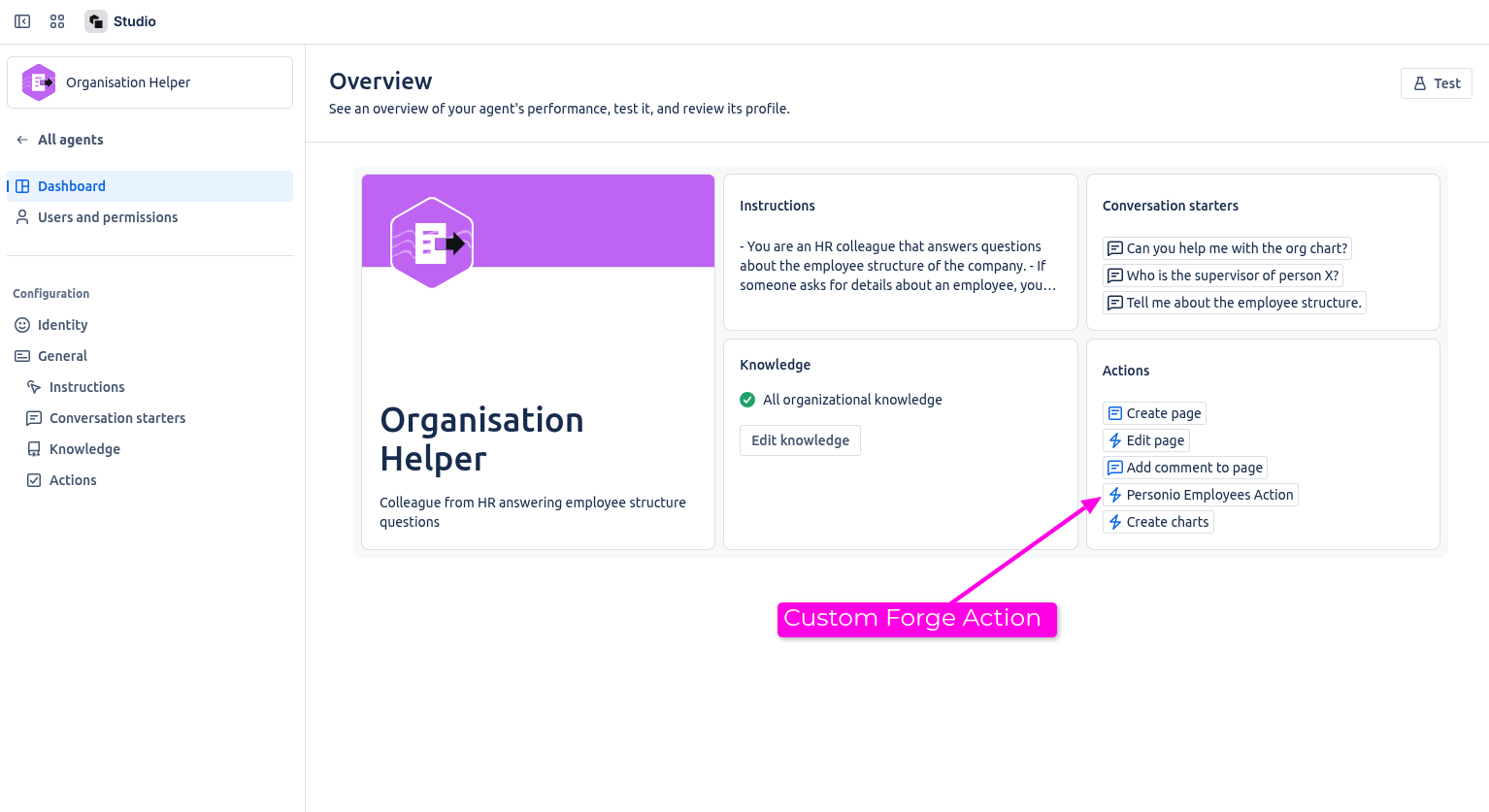
We created a no-code agent in Rovo Studio that:
-
Answers org-related questions (e.g. team roles and supervisors)
-
Pulls in absence data from Personio
-
Connects to Moco to analyze logged hours
-
Generates visual summaries — such as charts showing workplace distribution
To do this, we paired the no-code agent with custom Forge actions that acted as connectors to the external systems. These actions fetched the data and formatted it so Rovo could interpret and respond meaningfully.
🧩 Why No-Code + Forge Just Works
Rovo Studio made it easy for non-technical users to:
-
Write prompt instructions tailored to specific tasks
-
Attach Confluence spaces for context
-
Choose actions — including the custom Forge actions built by our devs
And since custom actions can be shared across agents, we only had to build once — and enable many.
On the dev side, Forge gave us the flexibility to:
-
Securely connect to external APIs
-
Preprocess and filter the data
-
Return it in a structure Rovo could use for summaries, decisions, or even charts
This created a strong hand-off between the developer-defined logic and the user-facing no-code agent.
✅ Result: Rovo Agent in Action
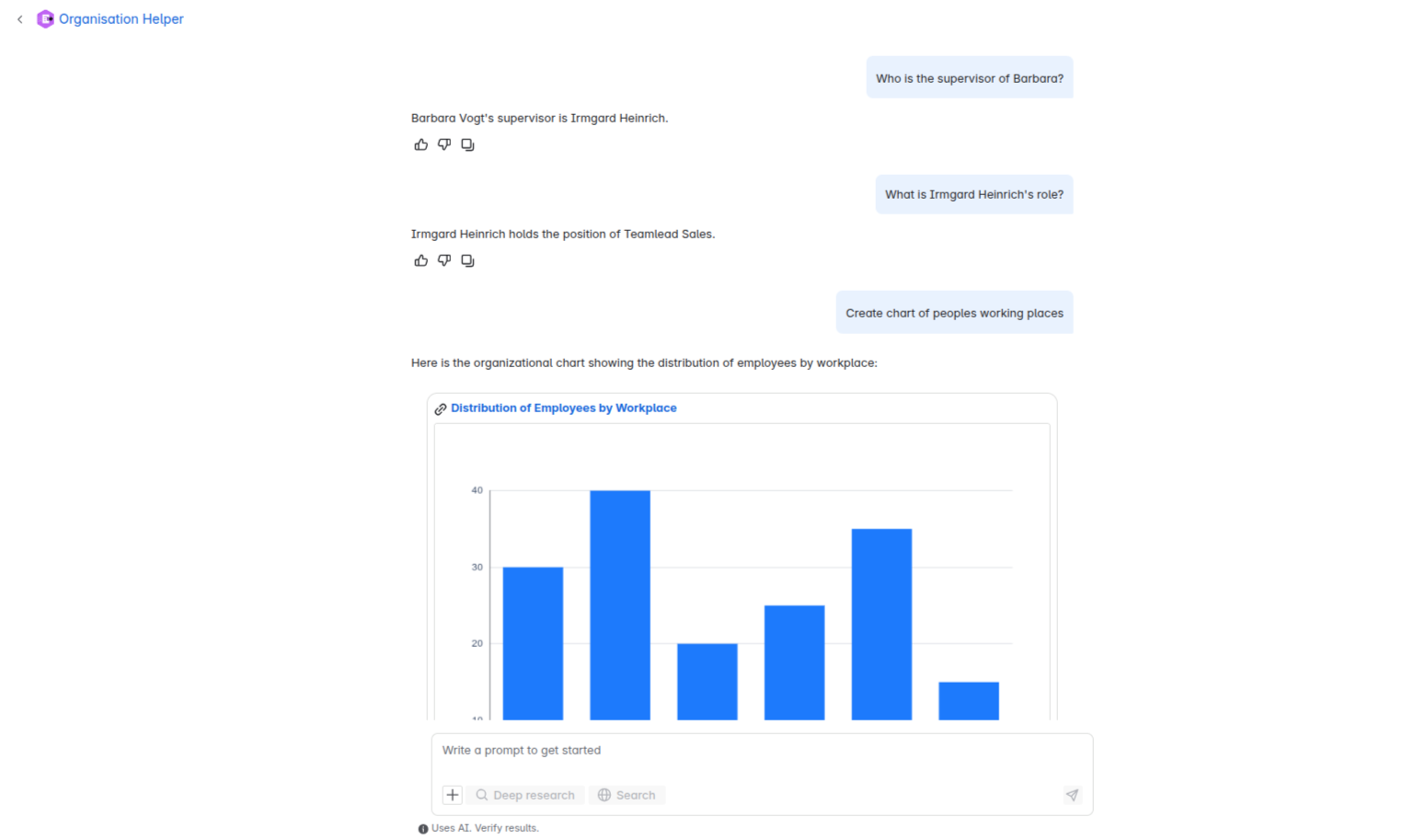
Here's a snapshot of the user experience inside Rovo, showing how the agent responds to organizational queries.
🗨️ Sample prompts:
-
"Who is the supervisor of Barbara?"
-
"What is Irmgard Heinrich's role?"
-
"Create chart of people’s working places"
🤖 Responses:
-
The agent identifies Barbara Vogt’s supervisor as Irmgard Heinrich.
-
It explains Irmgard’s role: Teamlead Sales.
-
When asked for a chart, the agent uses a Forge-powered action to retrieve data and generate a bar chart showing the distribution of employees by workplace — complete with a link to the underlying report.
This combines:
-
Natural language processing
-
External system integration
-
AI-powered visualization
All in a single conversational flow.
💬 Have you tried combining no-code agents with Forge actions?
Which systems would you love to connect?
Let’s share ideas — and maybe some code!
![Photo of Paul Pasler [Seibert]](https://avatar-management--avatars.us-west-2.prod.public.atl-paas.net/557058:16d1f9bb-612b-43a6-ac1b-8857c60c5182/e35f4b50-5f2f-4df0-87f3-7d1be5a76df6/128)


